

Next-Gen App & Browser Testing Cloud
Trusted by 2 Mn+ QAs & Devs to accelerate their release cycles


21 Best Chrome Extensions for Developers in 2026
Here are the 21 best Chrome extensions for developers and designers, crafted to boost your productivity, so you could build better websites, faster!

Nikhil
February 8, 2026
Google Chrome, is without a doubt, the most popular browser in the world. One of the key factors behind its meteoric rise is its huge library of extensions that truly sets it apart from the rest, especially for developers, testers, and designers.
There is a vast collection of best Chrome extensions for developers, testers and designers, and it can be overwhelming for users to handpick the right ones for their daily tasks.
In this blog, we explore 21 best Chrome extensions for developers and designers to boost their productivity and make their lives easier.
Best Chrome Extensions for Developers
Explore the best Chrome extensions for developers to boost productivity, streamline workflows, and enhance web development.
1. TestMu AI
TestMu AI is an AI-native test orchestration and execution platform that provides a cloud-based platform to perform cross browser testing on 10,000+ real browsers and browser versions for different devices, so you could end up with an eye-appealing, robust, and cross browser compatible website.
The platform also has its own Chrome extension. TestMu AI Chrome Extension is a handy tool for web developers and testers who want to perform quick and easy cross-browser testing directly from their Chrome browser.
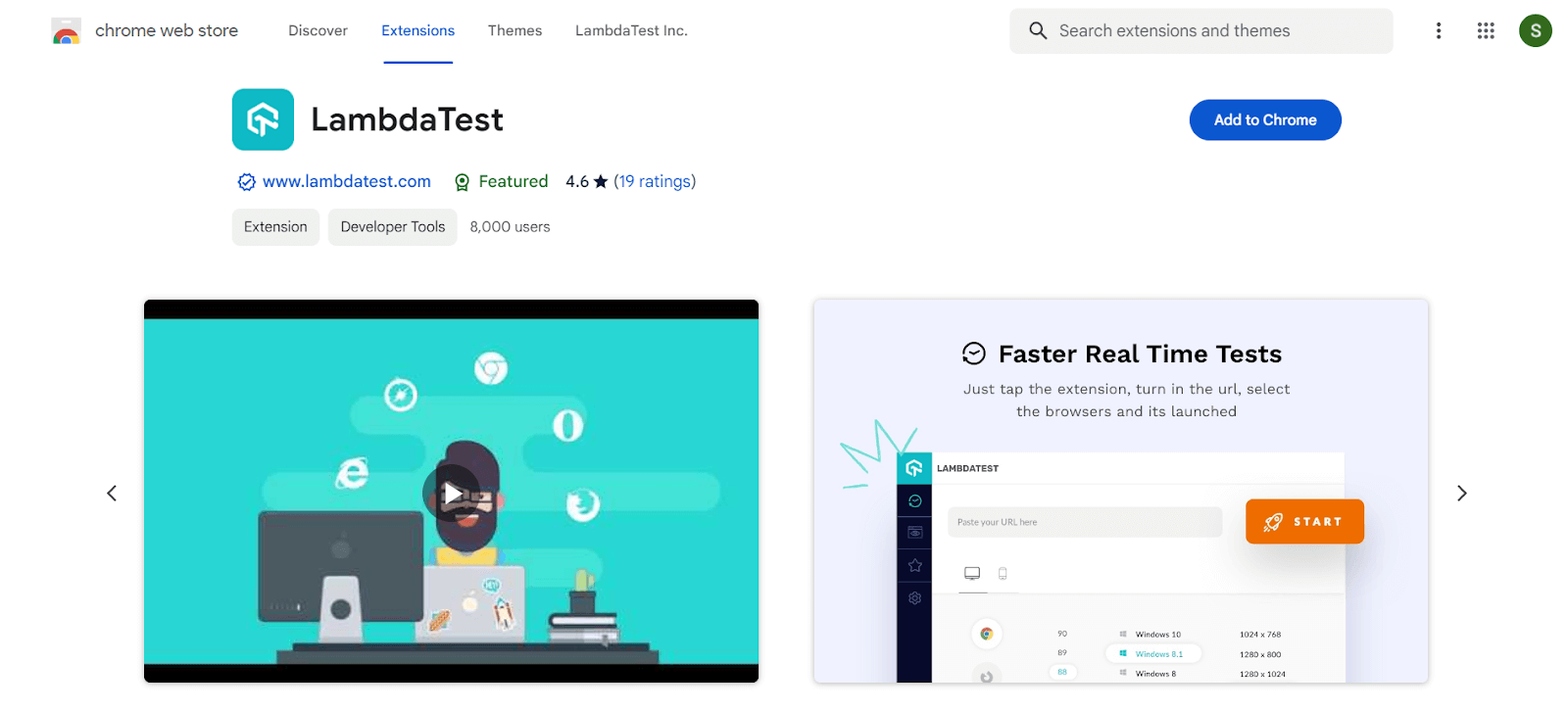
Here’s a breakdown of its key functionalities:
- Cross browser testing on the cloud: Without needing to set up virtual machines or manage multiple devices, the extension lets you launch tests on TestMu AI’s cloud platform across a vast range of browsers and operating systems. This helps identify any compatibility issues your website or web app might have on different platforms.
- Real-time and screenshot testing: You can perform live, interactive testing of your website within the browser tab itself. Additionally, the extension allows you to capture screenshots of your website across various browser and OS combinations, helping ensure consistent visual rendering across platforms.
- Favorites and lists: To save time and streamline your workflow, the extension lets you create lists and mark favorite configurations for browsers and operating systems you test frequently. This allows you to quickly launch tests with your preferred settings.
- Schedule screenshots: Need screenshots at a specific time? The extension offers scheduling capabilities, allowing you to capture screenshots automatically at your designated date and time with the chosen configurations.
- Geolocation testing: Test how your website behaves and renders across different geographical locations. This can be helpful for websites with regional content or those targeting international audiences.
2. LT Debug
LT Debug is a free Chrome extension for developers built by TestMu AI to supercharge their web development workflow by simplifying debugging. It provides a collection of essential debugging tools readily accessible within your Chrome browser.
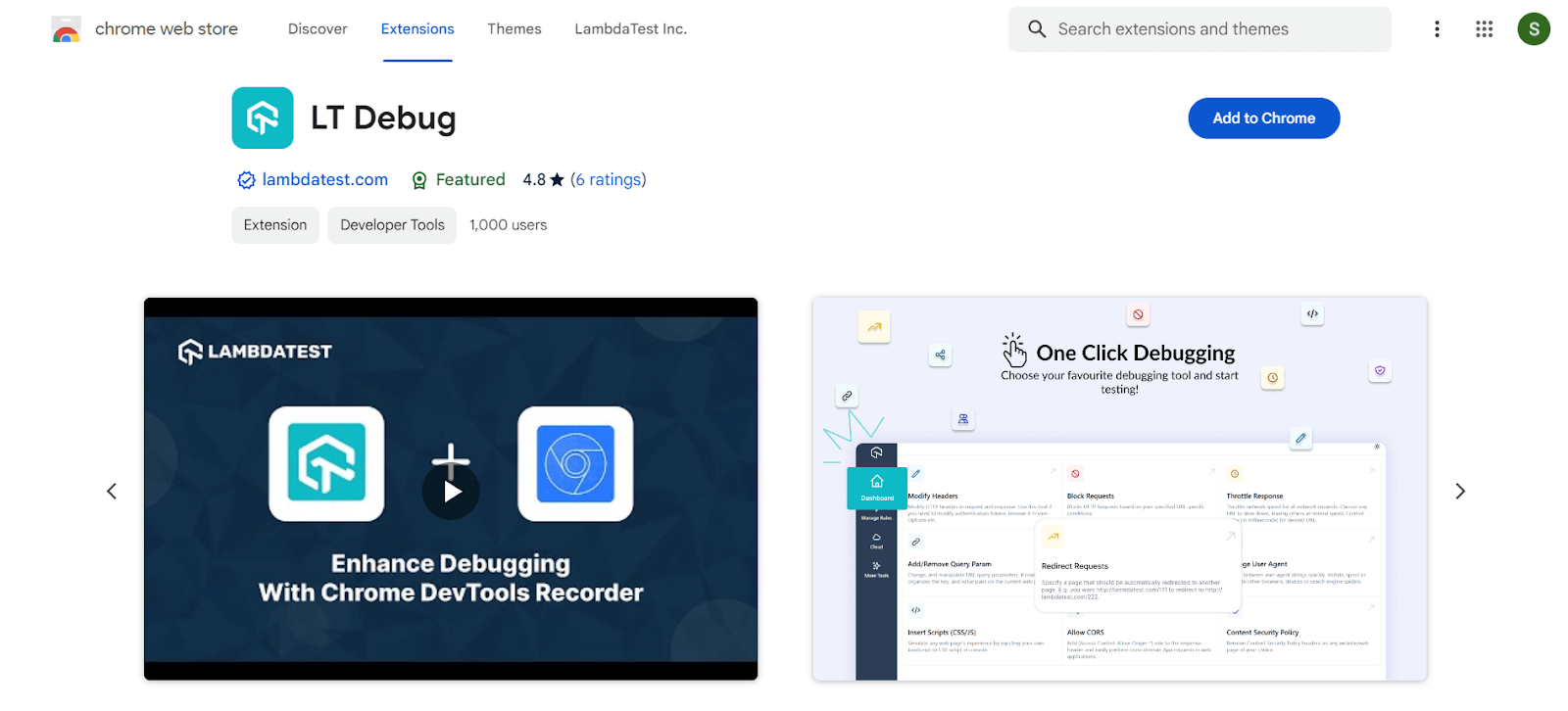
Here’s what makes LT Debug a valuable asset for web developers:
- Essential debugging tools at your fingertips: LT Debug offers a comprehensive set of debugging tools directly integrated into your browser. This eliminates the need to switch between different applications or browser developer tools menus.
- Effortless webpage debugging: Inspect and debug any webpage on the fly. Whether it’s a website you’re building or one you’ve encountered while browsing, LT Debug empowers you to quickly diagnose issues and iterate on your code.
- Enhanced developer experience: LT Debug streamlines the debugging process by providing a user-friendly interface and essential functionalities for web development. This allows you to focus on fixing problems and building great web experiences.
3. Accessibility DevTools
TestMu AI Accessibility DevTools Chrome extension help developers and testers identify and fix accessibility issues in websites and web applications.
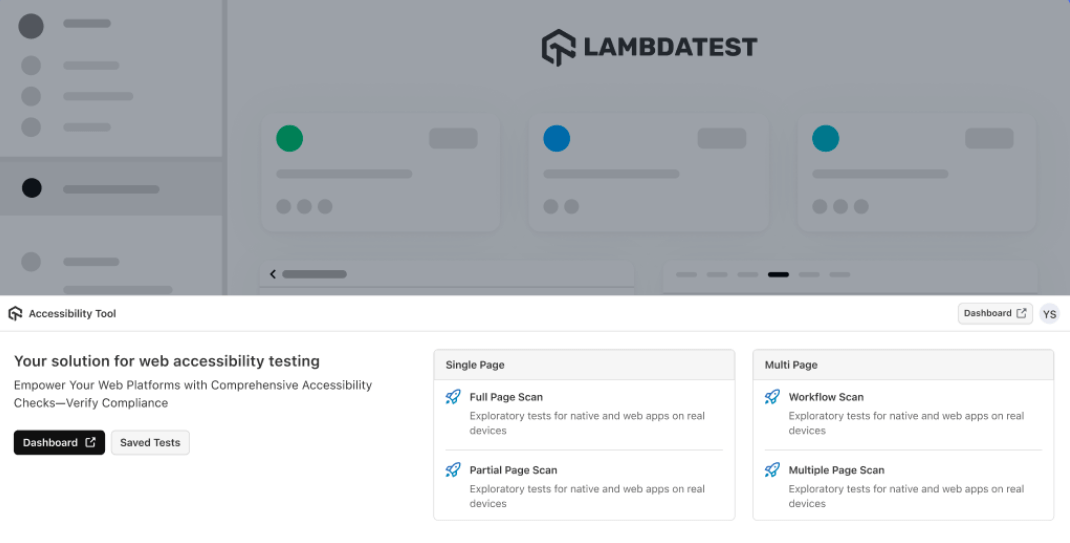
It integrates with TestMu AI’s platform, enabling automated and manual accessibility testing across different browsers and devices. It helps ensure compliance with WCAG, ADA, and other accessibility standards.
4. ColorZilla
ColorZilla is one of the oldest color picker extension launched over 8 years ago and it has successfully maintained its mantle as the best color picker and an eyedropper Chrome extension for developers or designers even today.
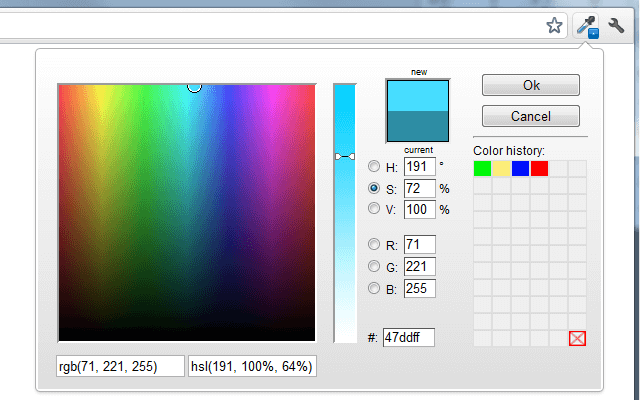
It will enable you to get a color reading from any pixel on the browser on the fly and paste it in any other program in RGB HEX formats. Just like ColorZilla also enables you to generate gradient colors and extract color palettes from any website. The extension also maintains a color history index of recently color picks.
5. Site Palette
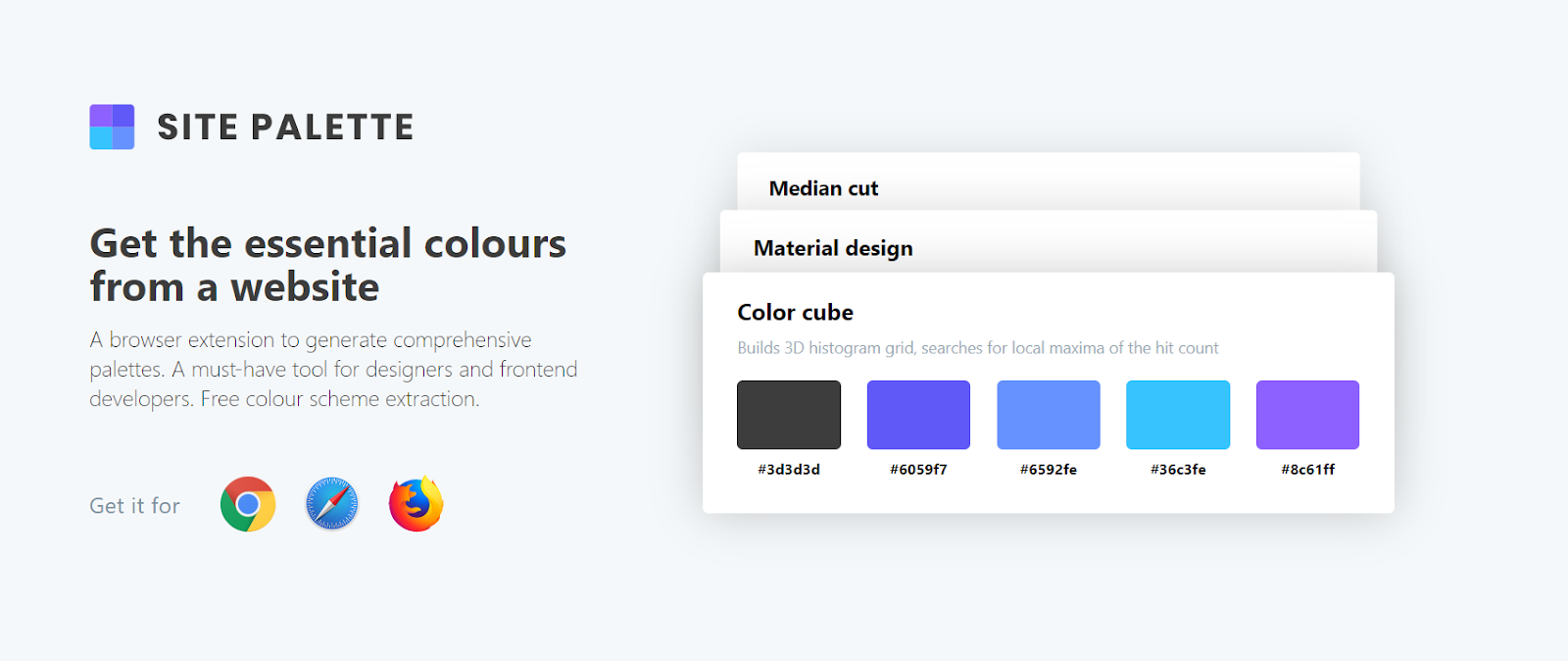
Site Palette can help you quickly extract and generate color pallets.
It also allows you to download preview palette images, PDFs and generate shareable links. Site Palette is armed with seamless integration with coolers.co and Google Art Pallete. It has been an essential Chrome extension for developers & designers, throughout the globe.
6. Font Face Ninja
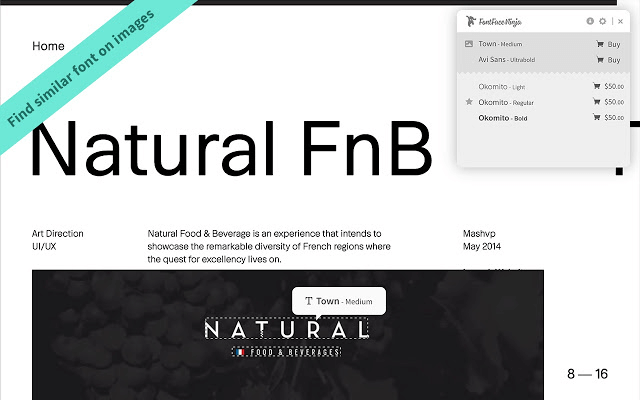
Instead of inspecting elements in Chrome dev tools to find out the name of fonts being used, developers can instead rely on this elegant extension called Font Ninja to easily identify all the fonts being used on a webpage. Font Face Ninja boasts over 280k downloads and is the direct rival to another popular font face extension called WhatFont.
To use this handmade Chrome extension for developers & designers, you simply have to hover over any text element on the webpage that you need to identify. A popup up floating window will display the name of the font face along with a small preview window for you to play around. You can bookmark your favorite font faces and save them for later use.
7. Marmoset
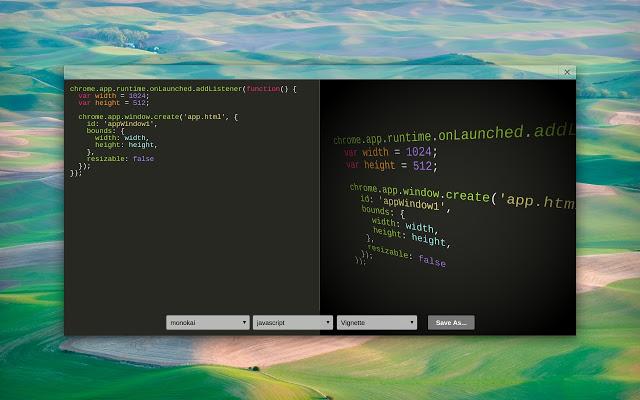
Web designers and developers may encounter the need to create snapshots for their codes in their projects for aesthetics or representation purpose. Marmoset is a brilliant Chrome extension that allows you to create beautiful code snapshots in seconds with a single click.
This might come in handy for social media posts or Portfolio website designs. It is one of the must-have Chrome extension for web developers & designers.
8. Page Ruler
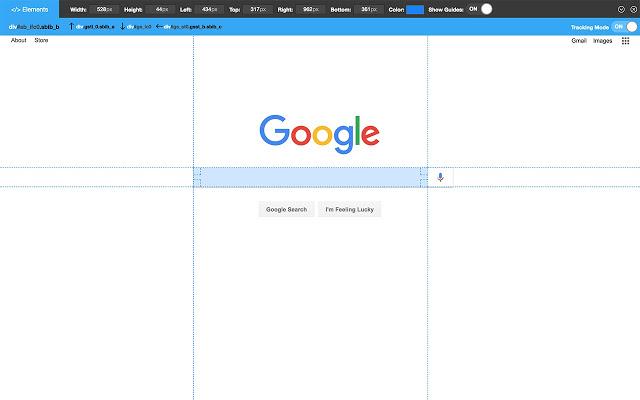
Page Ruler is one of the most essential and helpful Chrome extension for developers and designers on the list that helps web developers to quickly measure pixel perfect dimensions and positioning of any element on the page. This extension draws out a ruler image on the screen which allows you to inspect individual elements and view their dimension readings – width height along with positioning.
9. Dimensions
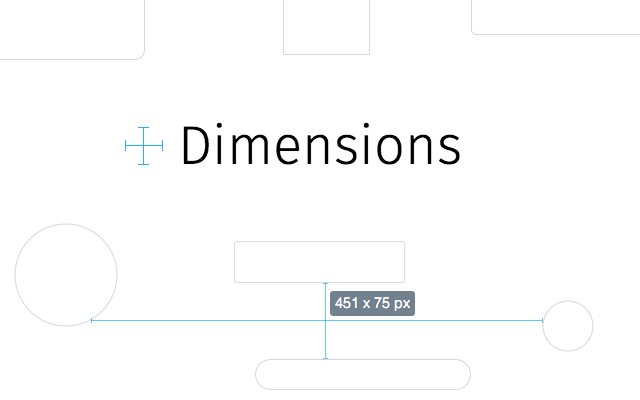
Another key extension under this category is called Dimensions which helps to measure distances between various elements on a webpage. Its functioning is slightly different from Page Ruler.
Dimensions measures distances from mouse pointer up/down and left/right until it reaches a border. This makes it the perfect tool to measure distances between images, input-fields, buttons, videos, gifs, text, icons. Another feature that sets Dimensions apart is its ability to work with mockups as well.
10. Check My Links
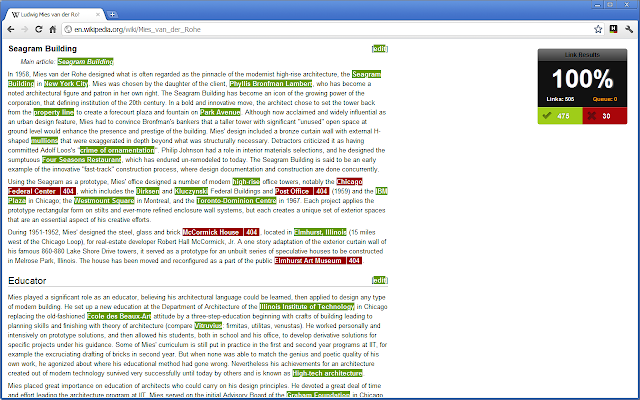
Check My Links is arguably the most powerful and robust broken link checker Chrome extensions for developers and designers in Chrome library.
It crawls through the entire webpage and validates each individual link and reports whether it is valid or not. Check My Links empowers you to copy every broken link to your clipboard, in only a single click. Identifying and correcting broken links is critical for any website for effective On-Page SEO and avoiding penalties from Google Site crawlers.
11. Clear Cache
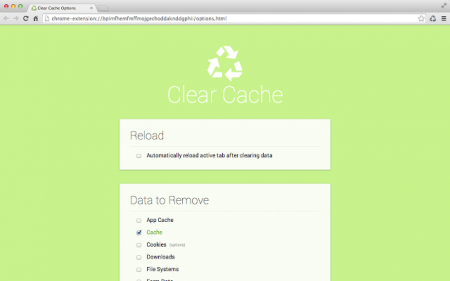
Clear Cache extension helps to wipe clean your Cache along with browsing data with a single click without wasting time with any popups, dialogue windows or Chrome setting window.
Furthermore, you can even customize how much data you want to clear on the extension option settings – App Cache, Cache, Cookies, Downloads, File Systems, Form Data, History, Indexed DB, Local Storage, Plugin Data, Passwords, and WebSQL. You can either delete cookies globally or for specific domains. One of the handiest Chrome extension for developers, designers, and everyone else too.
12. Wappalyzer
One of the biggest hurdles that developers face when coming across an impressive website face is the intriguing question – Which technologies have been used to make this website? This is where Wappalyzer comes to the rescue. This amazing extension is a cross-platform tool created by Elbert Alias in 2009 that uncovers the names of technologies used to create a particular website.
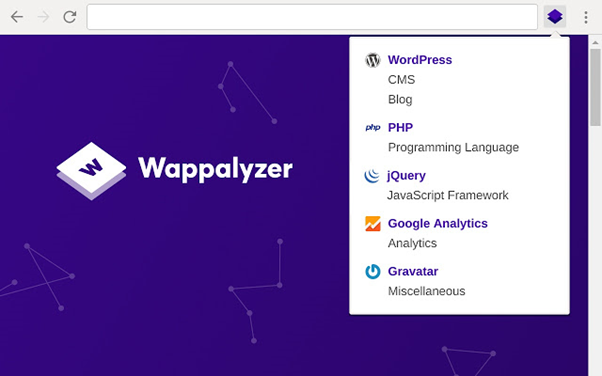
It automatically detects over 1000 technologies like site generators, frameworks, libraries, plugins, CMS, databases, server software, widgets, analytics tools, etc. You can either use the Wappalyzer website or use the extension for quick usage. This Chrome extension for developers and designers has been a true lifeline for making appealing websites.
13. Ghostery
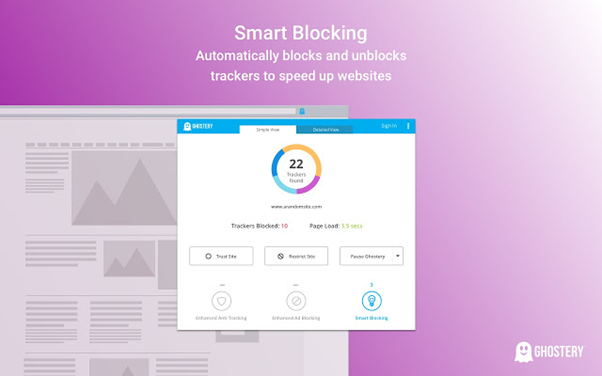
Ghostery is a privacy extension with built-in ad blocker to eliminate annoying advertisements from a website, tracking protection to protect your data and block 3rd party website from tracking along with page speed booster and optimizer to make your browsing experience uncluttered and pleasant. It also ships with a custom insights dashboard which you can customize to view relevant information.
14. JSON Viewer
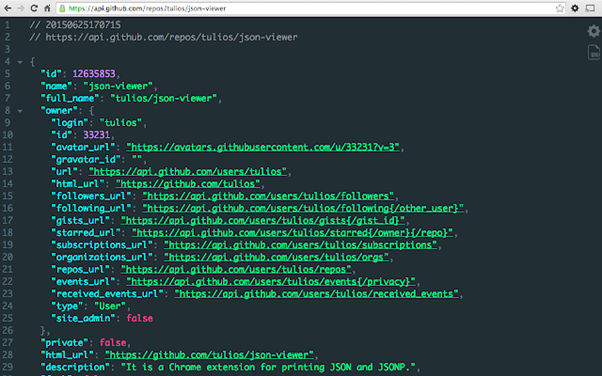
If you are working extensively with APIs especially RestFul APIs or anything which involves a ton of JSON data, JSON Viewer serves great purpose as a Chrome extension for developers. Instead of viewing huge JSON file data in a clumsy unreadable format in your browser, JSON viewer helps to arrange JSON data in a visually appealing tree format which can view directly in your browser window.
15. Window Resizer
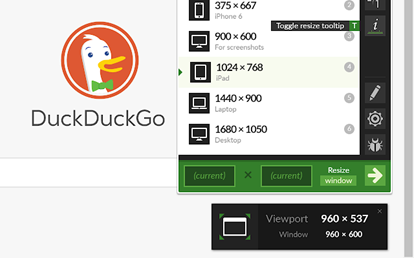
Window Resizer extension is a lifesaver for responsive design coding. Although most developers are satisfied with default Chrome dev tools resizer feature, this Chrome extension for developers & designers can simulate any screen size and resolution of all popular devices like iPhones, iPad mac etc. This is quite helpful for developers to test out their layouts on different screen size devices and validate if their responsive media queries coding is working as intended or not.
Keep in mind though, Window Resizer would only be resizing the viewport to provide you with a near about idea of how your website will render on different screen sizes. For a more accurate and thorough responsive testing, you would need real mobile browsers to validate your website rendering.
16. Corporate Ipsum
Another one of the most useful Chrome extensions for developers and designers is Corporate Ipsum. Instead of using the plain old standard lorem ipsum generators for creating placeholder text in your web layouts, why not try out using this smart tool that generates smart text rather than gibberish content.
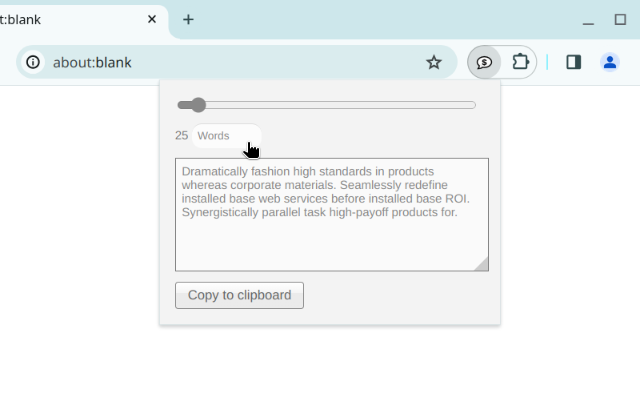
Corporate Ipsum extension is a special kind of lorem ipsum generator which creates mock business content text. This would make your layouts more visually appealing and presentable to clients.

17. Sessions Buddy
Sessions Buddy is the most powerful Chrome extension for developers & designers to help them with browser tabs management. It also offers a bookmark manager with a simple and beautiful interface. It helps you to save sessions and restore them later when you open them on the fly. Therefore, avoiding clutter and keeping memory free.
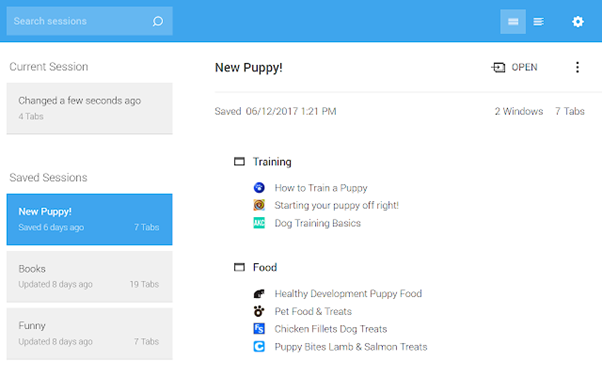
It allows you to manage all tabs in one page, organize them by topic and also offers quick search to look for a specific tab. Also, you need not worry about losing your session if you accidentally close your browser window or your system suffers a crash. Sessions Buddy will restore all your tabs as you left them.
18. CSS Viewer
Instead of wasting time looking for CSS properties of an element in the inspector window or the source code, CSS Viewer extension extracts all the valuable CSS properties and shows them in an organized manner inside a floating window.
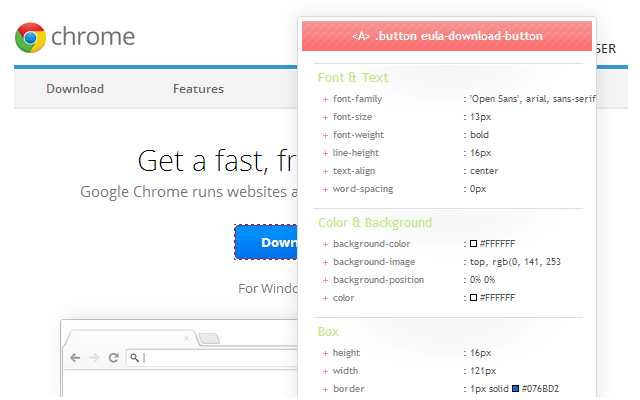
Simply hover over any element on the web page you want to inspect and the CSS viewer floating window will list out all the key CSS properties.
19. EditThisCookie
EditThisCookie is the most popular cookie manager extension in the Chrome Library with over 2.7million users which makes it the undisputed king when it comes to cookies.
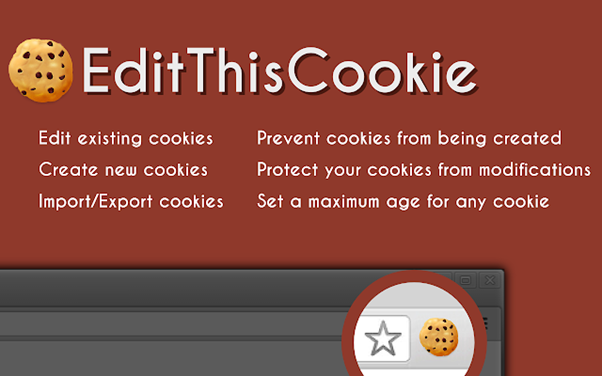
This tool allows you to add, delete, search, edit, block, and protect(Read-Only)cookies. Additionally, you can also import cookies in JSON or cookies.txt formats as well. This Chrome extension has been one of the most useful Chrome extension for developers & designers.
20. Checkbot
Checkbot is an award-winning site-auditor extension that allows you to check over 250 URLs per site simultaneously to check SEO/Web Speed/Security issues like broken links, redirects, invalid HTML/CSS/JS, insecure password form, minify files, duplicate content etc.
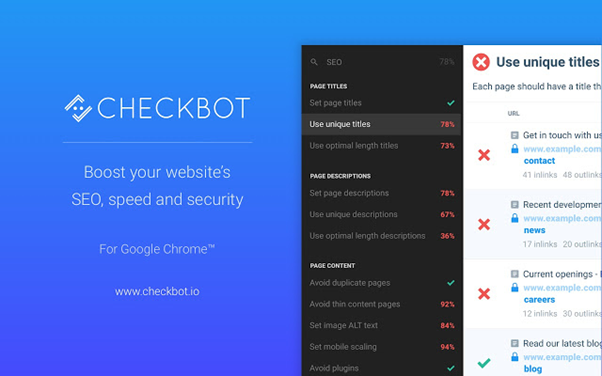
It runs tests based on 50+ best SEO and security practices based on recommendations from Google, Mozilla, and W3C. Using the Checkbot extension will help you craft perfectly optimized and secure websites which would slay Google SERP rankings.
21. Web Developer
Web Developer is an indispensable Chrome extension for developers and designers. This extension adds a toolbar with a complete suite of web development in your browser.
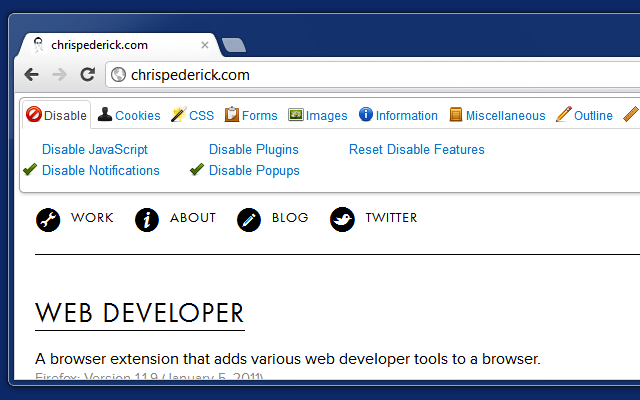
The tools offered by this extension are divided into 10 separate tabs – Disable, Cookies, CSS, Forms, Images, Information, Miscellaneous, Outline, Resize and Tools.
Conclusion
Dozens of new exciting extensions are released every week by Chrome developers crafted especially for web developers. These Chrome extensions for developers and designers vary from basic utility and design tools to development tools specific for various languages and frameworks which can save you tons of time and take your productivity to a whole new level. Keep exploring new Chrome extensions and please share your views below in comments if I have missed anything. I look forward to hearing your favourite Chrome extensions. Cheers!

Note: Test your websites across 5000+ real environments. Try TestMu AI Now!


Frequently asked questions
Did you find this page helpful?
More Related Hubs
TestMu AI forEnterprise
Get access to solutions built on Enterprise
grade security, privacy, & compliance
- Advanced access controls
- Advanced data retention rules
- Advanced Local Testing
- Premium Support options
- Early access to beta features
- Private Slack Channel
- Unlimited Manual Accessibility DevTools Tests