

Next-Gen App & Browser Testing Cloud
Trusted by 2 Mn+ QAs & Devs to accelerate their release cycles


Change The Configuration On The Go With TestMu AI’s New Switch Feature
With our latest release we have introduced a new ‘Switch’ feature in which you can change the configuration on which you want to test your web application or website for cross browser compatibility in real time testing with just one click.

TestMu AI
March 19, 2026
We believe that innovation is a never ending process so we, at TestMu AI are continuously innovating to ease the life of our users. In response to the feedback of one of our users, Eva Tallaksen we have introduced a new feature, Switch.
With the all new ‘Switch’ feature you can change the configuration on which you want to test your web application or website for cross browser compatibility in real time testing with just one click. With this update, now you don’t need to fire up virtual machines again and again by ending sessions. All you need to do is to click on switch and then select the next configuration on which you want to test and within seconds you’ll be testing on the next configuration.
Get Started
The new switch feature can be found inside the VM on the left utility toolbar. When you’ll click on info icon, the second icon from up, you’ll find info on the current configuration along with the switch button.
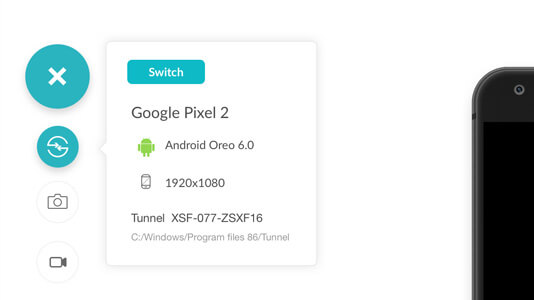
When you’ll click on it, you’ll see this popup where you can select the next configuration.
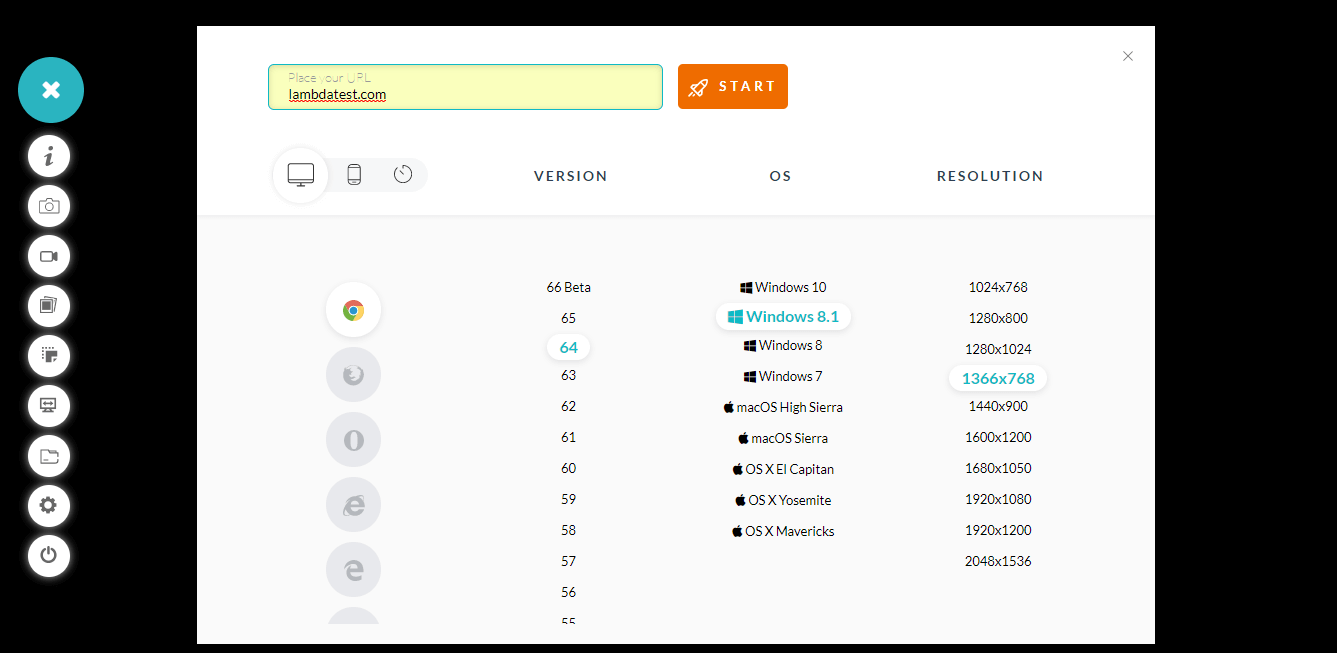
Here, you can enter the URL and select the configuration. And test for the next configuration.
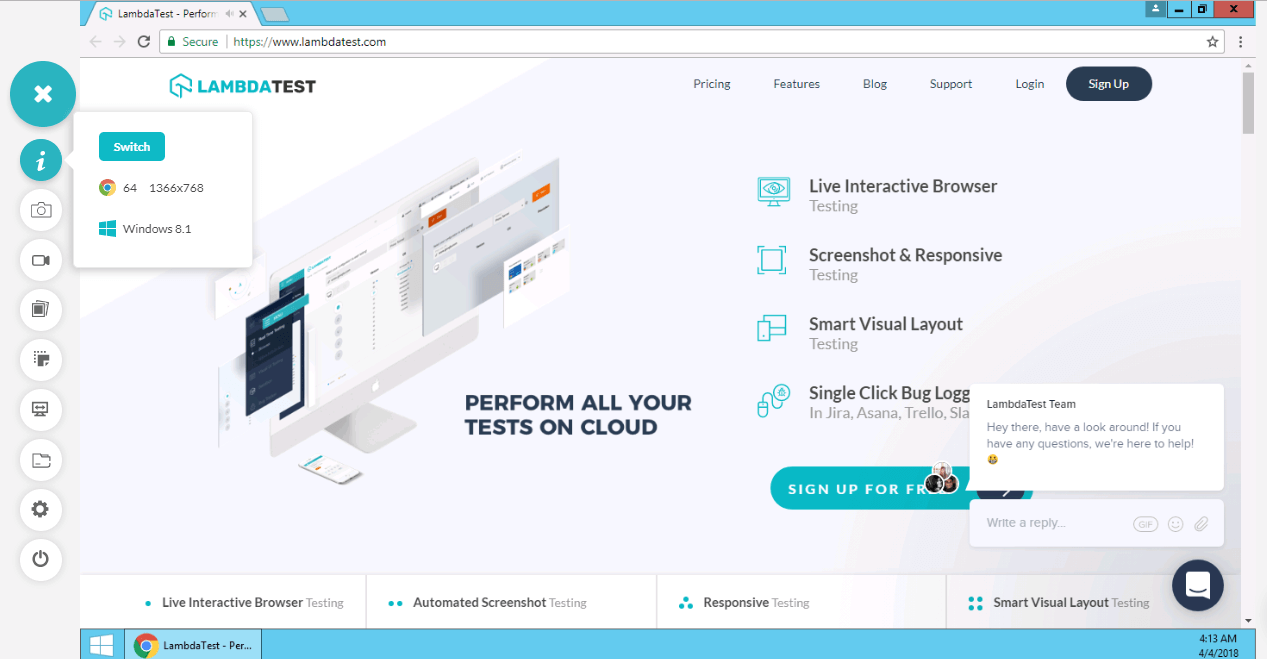
So, don’t you feel that your testing has become easier now?
Go ahead and try this new feature now!
Happy Testing!



Did you find this page helpful?
More Related Hubs
TestMu AI forEnterprise
Get access to solutions built on Enterprise
grade security, privacy, & compliance
- Advanced access controls
- Advanced data retention rules
- Advanced Local Testing
- Premium Support options
- Early access to beta features
- Private Slack Channel
- Unlimited Manual Accessibility DevTools Tests