

Next-Gen App & Browser Testing Cloud
Trusted by 2 Mn+ QAs & Devs to accelerate their release cycles


A Beginner’s Guide To Unix Shell Scripting
Learn the basics of UNIX shell scripting with our beginner's guide. Master shell commands, automation, and more with UNIX shell scripting tips.

Supriya Singh
December 26, 2025
Imagine spending hours on repetitive tasks on your operating system, like copying files, backing up data, compiling the same code, or testing any software. What if you could automate these processes with a few lines of command?
This is where shell scripting can be powerful. Users can communicate with the operating system through the command line interface (C.L.I.), known as the shell.
A shell script is a text file with a sequence of instructions run line by line to automate tasks that would otherwise be time-consuming or error-prone.
The fundamentals of shell scripting are covered in this article, along with a tour of various Unix shells and significant concepts, including variables, commands, inputs and outputs, and debugging. You can create your own Unix shell scripts to automate tasks by the end of this blog.
What is Kernel?
Kernal is the core component of the operating system that connects and manages the hardware resources required by the operating system. In broad terms, the Unix kernel performs three primary tasks:
- It provides a platform for applications and allows users to interact with computer resources.
- It is responsible for launching and managing applications.
- It controls and regulates the underlying system hardware devices.
Unix shell uses this kernel as the primary component to automate tasks and run programs on a Unix system. When we interact with the Unix shell, it, in turn, communicates with the kernel to complete specific tasks.

Note: Automate your tests on a Selenium based cloud Grid of 3000+ real browsers and devices. Try TestMu AI Now!
What is Shell?
Shell is a user program that provides a Command Line Interpreter (C.L.I.) that carries the user-typed, human-readable input commands from the terminal and converts them into instructions the kernel can understand. The shell examines the commands and communicates the actions for each user logged in to the kernel.
What is a Unix shell?
The shell used in Unix-based operating systems such as Linux, macOS, and others is called Unix Shell. However, the term “shell” can describe any command line interface type, and “Unix shell” refers exclusively to the shells used in Unix-based operating systems.
These Unix shells include several implementations with syntax and features such as command execution, file manipulation, process management, and input/output redirection.
There are several Unix shells available with unique features for different user needs, with the most common ones being:
- Bourne Shell (sh): It is the first Unix shell that was introduced in 1970. It offers basic functionality and scripting capabilities like list files, read inputs, variables, and control flow statements.
- Bash (Bourne Again Shell): It is the advanced version of Bourne Shell that offers additional features like command line editing and improved scripting capabilities.
- C Shell (csh): It is known for its C-like syntax and interactive features such as history substitution.
- Korn Shell (ksh): It was developed by David Korn as an extension of the Bourne Shell, which provides advanced scripting capabilities and is backward compatible with Bourne Shell(sh).
- Z Shell (zsh): It is highly customizable with advanced features like tab completion, spelling correction, and extensive configuration options.
- Fish (Friendly Interactive Shell): fish (stylized in lowercase) is a Unix shell focusing more on interactivity and usability with features like syntax highlighting, auto suggestions, and an intuitive scripting language.
What is Shell Scripting?
A shell script is a set of instructions crafted to be executed by an operating system, which serves as a command line interpreter for automating tasks and executing commands. If you’re wondering how to learn shell scripting, understanding these core concepts is the perfect place to start.
Common tasks carried out by shell scripts involve handling files, running programs, and generating text output. Essentially, they provide a streamlined way to automate diverse operations within the operating system.
Unix shell scripting refers to shell scripting done specifically within Unix-based operating systems. It is a subset of shell scripting explicitly done in a Unix environment. To deepen your understanding of Unix shell scripting, exploring common operating system interview questions can provide valuable insights into the fundamental concepts and practical applications.
The basic steps involved with shell scripting are
- writing the script
- making the script accessible to the shell
- giving the shell execute permission
Shell Scripting Terminologies
Before we delve further into shell scripting, knowing a few terminologies related to the shell is essential as it will help us understand it better.
- Terminal: An interface to access the shell. It lets users submit commands and see the results.
- Shell Shebang Line: The first line of a shell script (usually starting with #!) specifies the interpreter for executing the script. For example, #!/bin/bash indicates the Bash interpreter should run the script.
- Shell Comments: Comments are lines that the shell interpreter ignores. They are used to explain the script’s purpose or specific sections. Lines starting with (#) are comments.
- Shell Variables: Variables are named storage locations with values used within the script. We can assign values to variables using the = operator and then reference them later in the script using the variable name preceded by a dollar sign (e.g., $name).
- Shell Sourcing a File: Sourcing a file in a shell means executing the commands in the file in the current shell environment. When you source a file, the commands are executed the same way they had been typed directly into the shell. A file is sourced by writing source <fileName> or ./ <fileName> in the command line. For example, if we want to execute the commands written in helloworld.sh, We can source it into the terminal with ./helloworld.sh.
- Commands: Shell scripts are essentially lists of commands, the building blocks. These are built-in keywords (like cd to change directory, echo to print text) or commands for external programs.
- Arguments: Arguments are additional information passed to commands within a script. They can be used to provide specific details for the command’s operation. They start with – or — (like git —version tells the version of git installed).
- Redirection: This allows us to control the input and output of commands within the script. Operators like > (redirect output), >> (append to output), < (redirect input) are used for this purpose.
- Control Flow Statements: These statements dictate the script’s execution order. Common control flow statements include:
- if/else: Used for conditional execution based on a specific factual or false condition.
- for/while loops: Used to repeat a block of commands a particular number of times (for loop) or until a condition is met (while loop).
Note: Besides these core terminologies in shell scripting, you must be familiar with common text editors available to create a Unix shell script like Nano and Vim. Both Nano and Vim are command-line text editors used to edit any file using the shell.
Common Shell Scripting Commands
The Unix shell lets us control our computer through text commands. Here is a quick guide to some essential commands:
- Navigate:
- cd: To navigate through directories directory (e.g., cd Desktop).
- ls: To list all the contents inside the selected directory.
- Files & Folders:
- mkdir: To create a new directory (folder).
- touch: To create an empty file.
- rm: To remove or delete files/folders.
- cp: To copy files/folders using the terminal.
- mv: To move or rename files/folders.
- Viewing & Text:
- printf: To print text on the screen.
- cat: To display file contents on the terminal.
- grep: To search for text within files.
- Permissions & Management:
- chmod: To change or add file/folder permissions.
- sudo: To run commands with administrator access.
- System Info:
- df: To view disk space usage.
- history: To check past commands.
- ps: To see running processes.
Note: To learn more about shell scripting concepts in the light of UNIX based operating systems, you should consider checking out the Top 13 Shell Scripting and Unix Books.
Variables and Control Flow Statements in Shell Scripting
We have seen the basic shell scripting commands; let’s unlock the power of automation. Bash scripts can handle repetitive tasks, saving time and effort. Here is a breakdown of key features that make this possible:
Variables and User Input
In shell scripting, variables are the named containers for storing information in the form of string, boolean, or numerical values. We can write the variable name and assign a value to it to define a variable in Unix shell scripting. We can use the read command to take variable values from the user input. To access the value of any variable in a Unix shell we can use the “$” symbol with the variable name.
Here is an example:
#!/bin/bash
printf "What is your name?
"
read name
printf "
 Hello, $name!
"
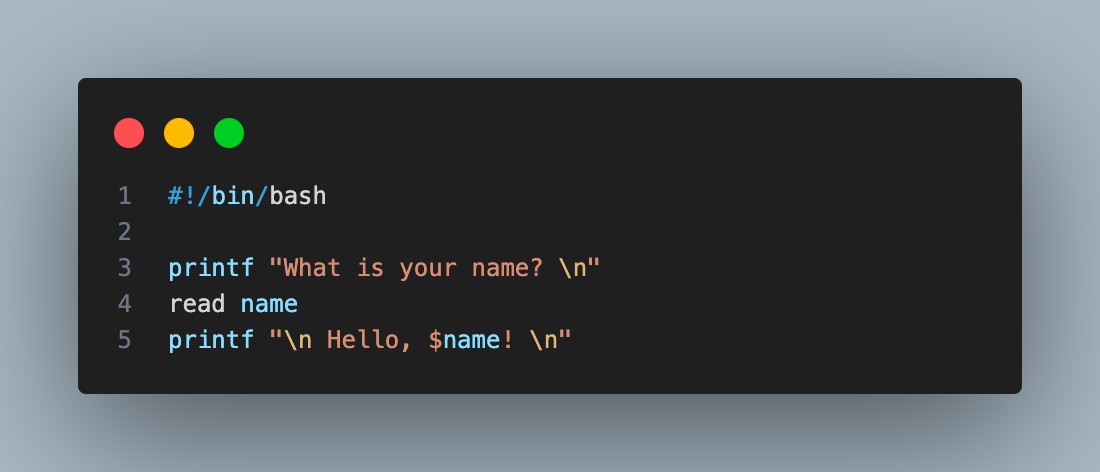
In this script, the user’s name is stored in the name variable and then used in the greeting message.
Conditionals (if/else)
In shell scripting, conditional statements provide decision-making control. The ‘if/else‘ statements evaluate conditions and execute commands accordingly.
Below is the syntax for constructing an ‘if-else‘ condition in Unix shell script:
#!/bin/bash
printf "Enter a number:"
read number
if [[ "$number" -gt 10 ]]
then
 printf "The number is greater than 10."
else
 printf "The number is not greater than 10."

This script checks if the entered number is greater than 10, displaying different messages accordingly.
Loops (for/while)
In shell scripting, loops offer efficient processing for repetitive tasks. The for loop iterates a specified number of times, and the while loop keeps iterating until a condition becomes false. These loops enable streamlined automation and task execution within scripts, enhancing their functionality and versatility.
Here is a Unix shell script for-loop example:
#!/bin/bash


for i in {1..5}
do
 echo "Number: $i"
done
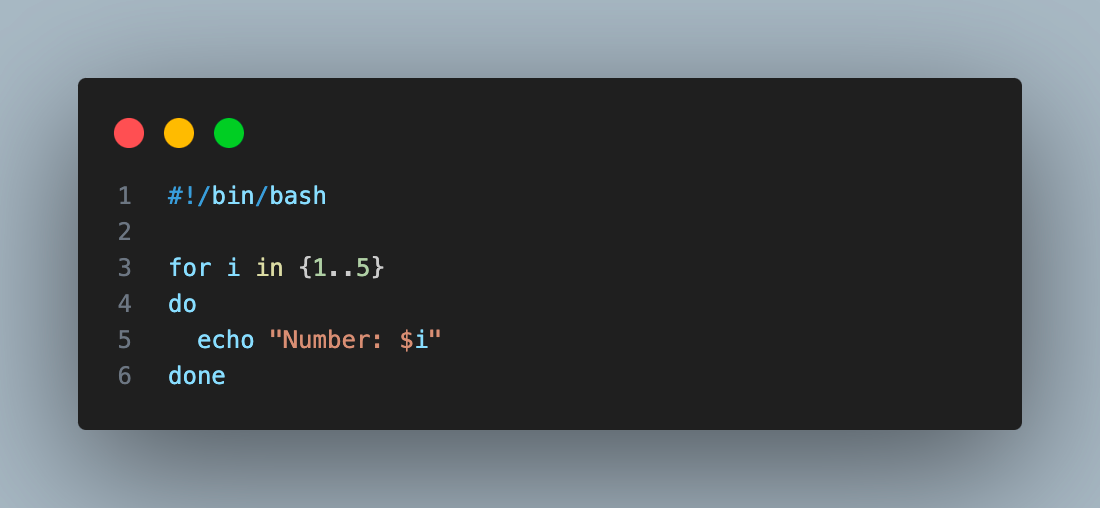
This script prints the numbers 1 to 5 using a for loop that iterates 5 times.
Functions
Functions in shell scripting are the reusable blocks of code that can be defined once and used multiple times by calling them. The syntax for defining and calling a function in Unix shell scripts is as follows:
#!/bin/bash


# Define a function to greet someone
welcome() {
 echo "Hello, $1!"
}


# Call the greet function with an argument
welcome "World"
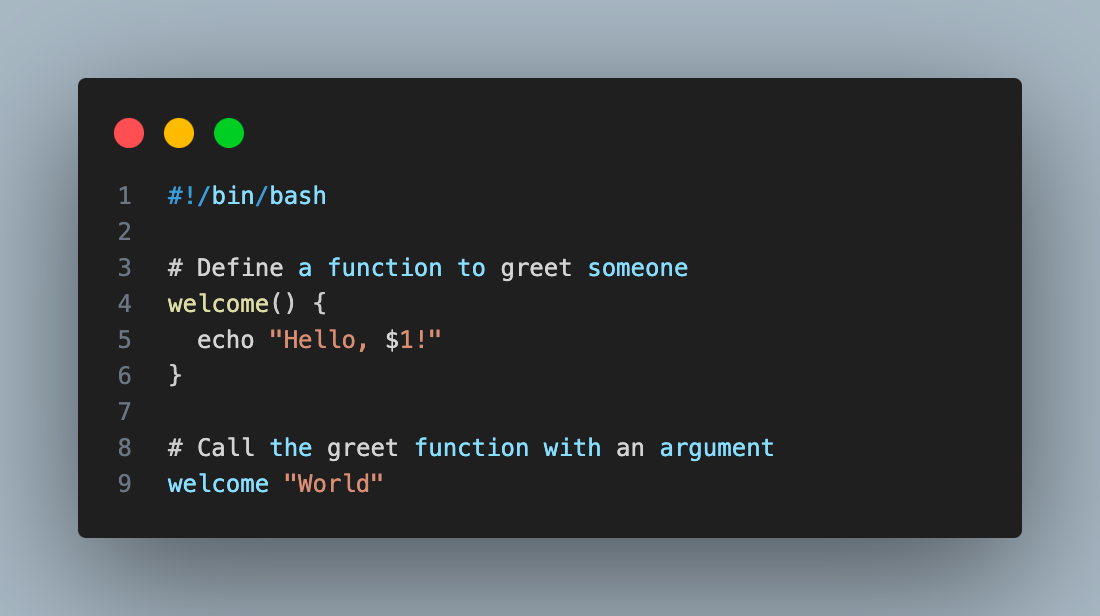
This script defines a welcome function that takes a name and displays a greeting. The function is then called with the argument “World“.
How to Run Your First Unix Shell Script
Let’s proceed to execute our first Unix shell script. We will start by creating a basic script to print “Hello World!”. We can run this Unix shell script in two ways, as stated below.
Run scripts directly from the shell:
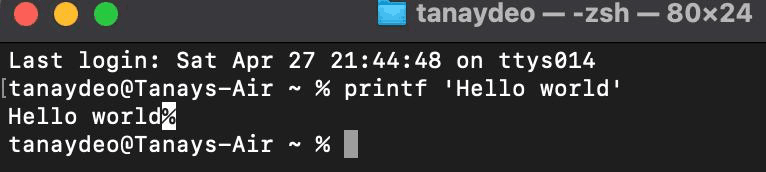
To run the Unix shell script directly, let’s open the terminal/shell on a Unix based operating system like MacOS or Linux and write the command in it as shown in the image below:
printf ‘Hello World’
Output:
Run the script using a script file:
In this method, we can create a Unix shell script file that usually ends with .sh for Bourne shell scripts, .bash for Bash scripts, .zsh for Z Shell, .ksh for Korn Shell, and .csh for C Shell.
In our example, we will create a Bash shell script file. The detailed instructions below are provided on creating and running an executable bash script.
Step 1: Create a new empty file named “helloworld.sh” using the below command in your terminal.
touch helloworld.sh
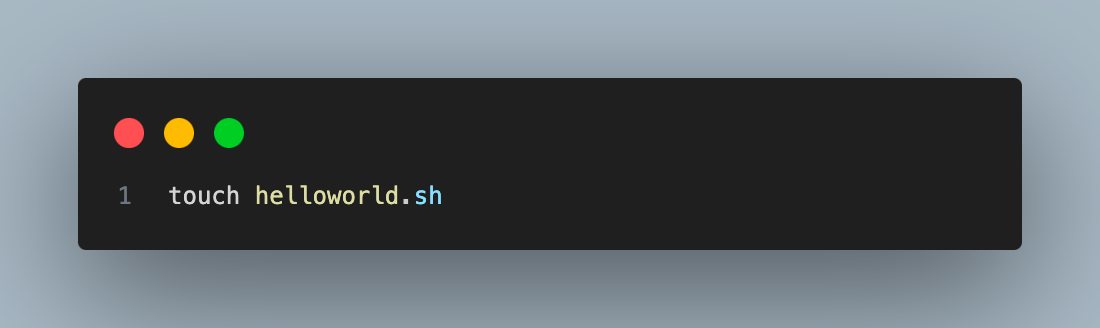
touch command followed by file name creates a new empty file in the terminal’s working directory.
Step 2: Open the created file in a text editor and write the Unix shell script to print “Hello World!”. In this example, we will use the nano text editor. We can write the command below in the terminal to open the file in the nano editor.
nano helloworld.sh
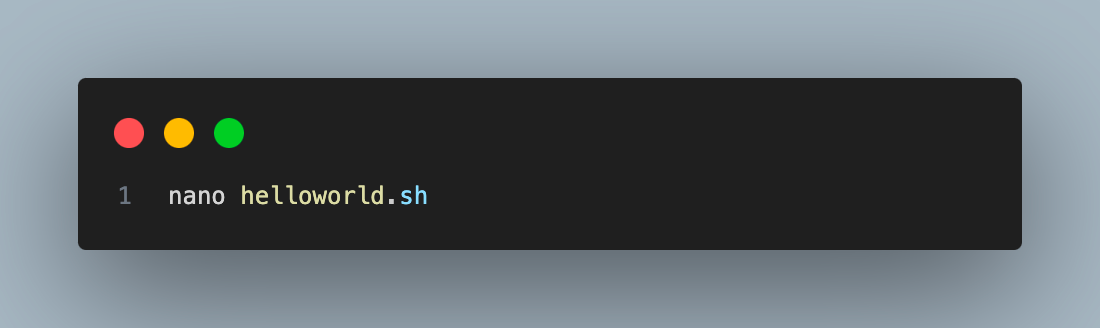
Executing this command will open a text editor in your terminal. Now, write the below command in the text editor as shown below:
#!/bin/sh


# This is a bash program to display Hello World
printf "Hello World"
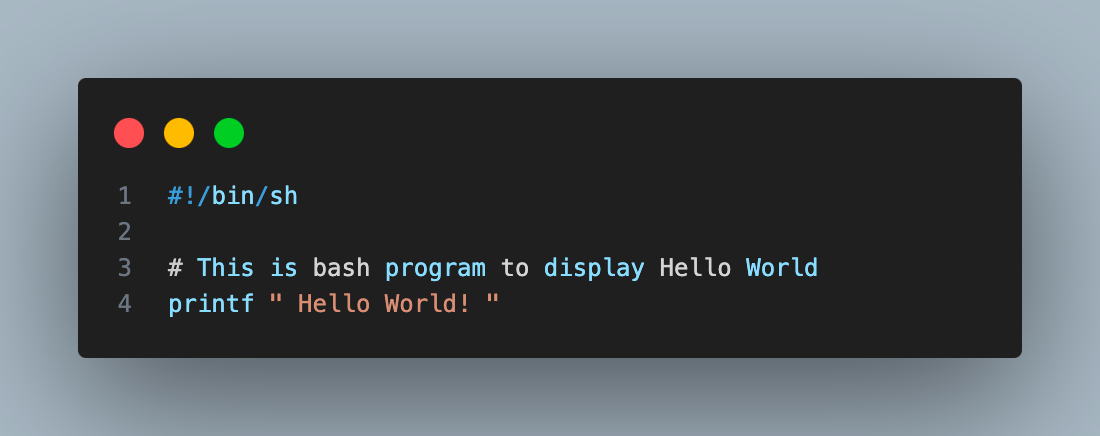
Next, press “(ctrl + X)” to exit the editor. While exiting you will be prompted with an option whether to save the file or not. Click on ‘Yes’ to save the file.
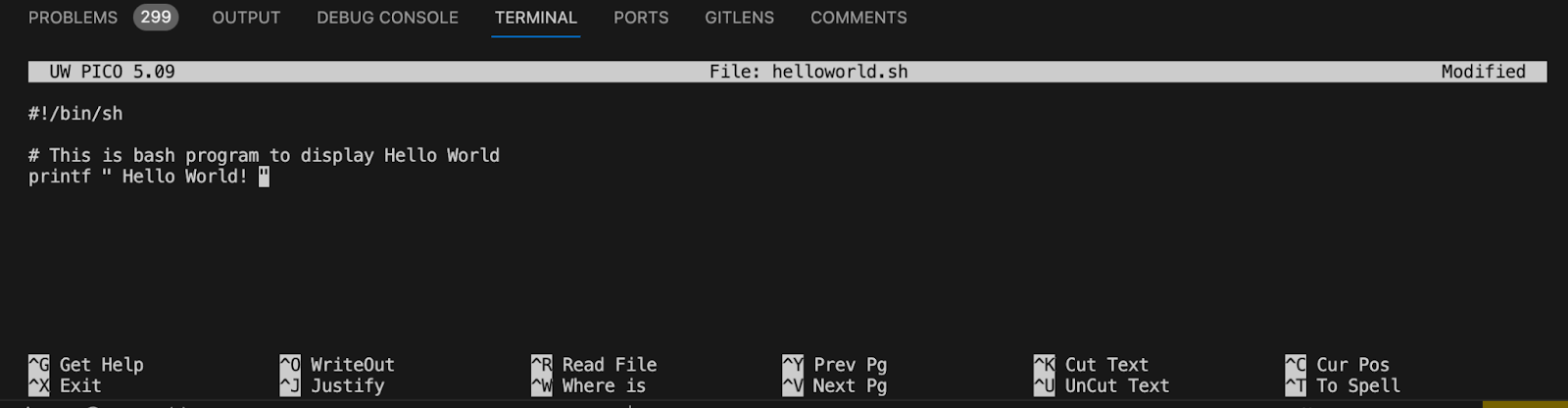
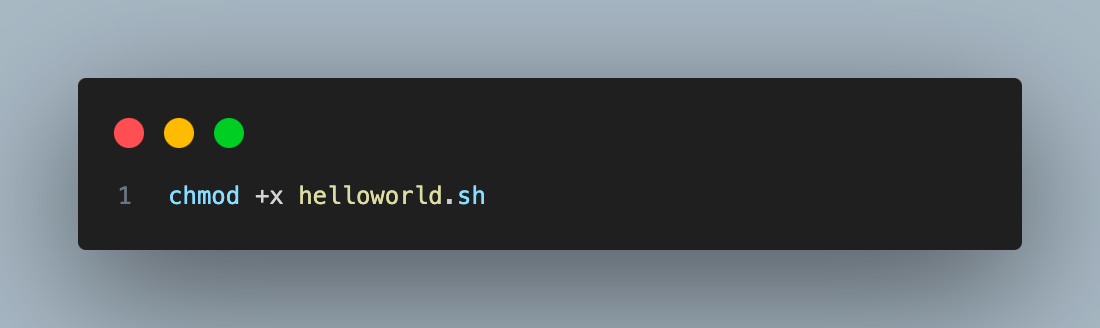
Step 3: The next step is to make the Unix shell script file executable. By default, the created file does not have permission to execute as a program; hence we need to modify the permission for the file. To do so, we need to use the command “chmod +x <filename>” which adds permission to execute the specific file, enabling it to be run as a Unix script. To execute the command below in your terminal, go to the directory where the file is located and run “chmod +x <filename>””.
chmod +x helloworld.sh
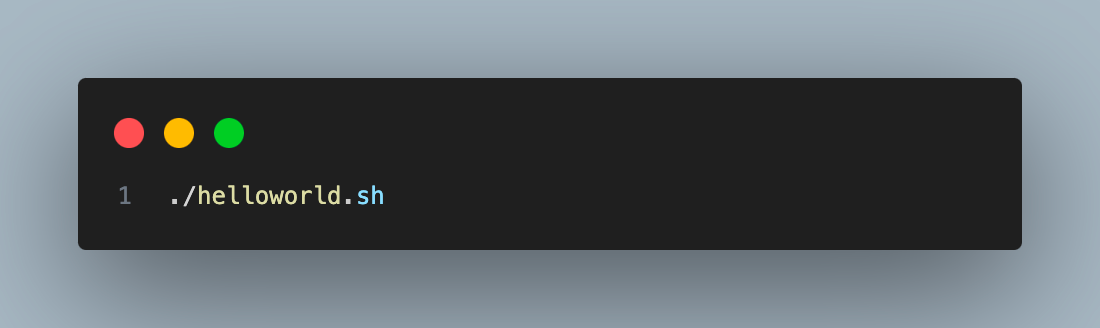
Step 4: The final step is to run the created script using the below command in the terminal.
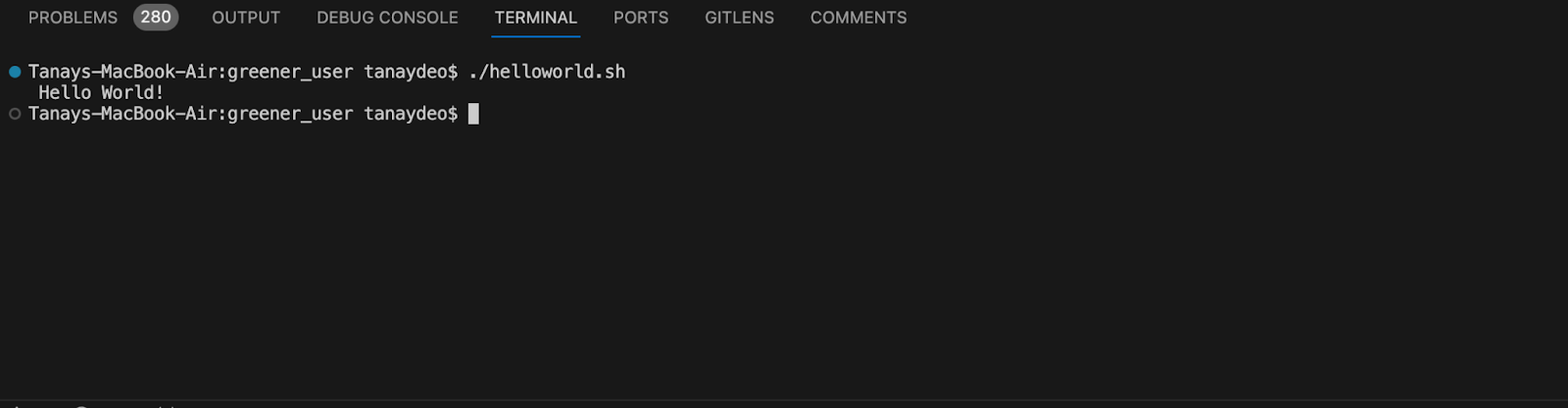
./helloworld.sh
Output:
Practical Applications of Shell Scripting
System automation using shell scripting has a lot of applications as it allows full control over the operating system, extending system functionality. Some of the popular applications of shell scripting are as follows:
- Automating Routine Operations:
Software administrators often involve repetitive tasks such as file backups, user account creation, and system log rotation. These repetitive tasks can be easily automated with the help of Unix shell scripting. This helps administrators engage themselves in more strategic endeavors, boosting overall productivity.
- System Administration and Configuration Management:
Shell scripting plays a vital role in system administration. Scripts are used to automate complex configuration tasks, ensuring consistency and reducing the risk of human error. For example, scripts can manage software installations, configure network settings, and even orchestrate system boot processes.
- Data Processing and Manipulation:
Shell scripting excels at manipulating and processing text-based data. Scripts are written to parse log files, extract specific information, and generate reports. They can also be used to clean and format data for further analysis, streamlining data-driven workflows.
- Customizing the User Experience:
Shell scripting enhances the user experience by creating custom commands and tools. Scripts automate complex workflows, simplifying user interaction with the system. For instance, developers can create scripts to streamline the software build process, reducing manual steps for users.
- Prototyping and Development:
Shell scripting serves as a valuable tool for prototyping and development. These Scripts are used to quickly test functionalities, validate concepts, and build basic system utilities.
Conclusion
This article introduced you to the basic terminologies in shell scripting. This article also covered shell scripting topics like variables, condition statements, loops, and functions to help you make better automation scripts for Unix shell. We also created our first Unix shell script and then discussed how it can help you manage your computer system more efficiently, from setting up how you want to process information quickly.


Frequently asked questions
Did you find this page helpful?
More Related Hubs
TestMu AI forEnterprise
Get access to solutions built on Enterprise
grade security, privacy, & compliance
- Advanced access controls
- Advanced data retention rules
- Advanced Local Testing
- Premium Support options
- Early access to beta features
- Private Slack Channel
- Unlimited Manual Accessibility DevTools Tests