

Next-Gen App & Browser Testing Cloud
Trusted by 2 Mn+ QAs & Devs to accelerate their release cycles


TestMu AI Now Integrates With Airtable
TestMu AI integration with Airtable will help you mark bugs in just a single click. Mark bug on TestMu AI with relevant details and find it on your respective Airtable base.

Rahul Rana
March 7, 2026
Spreadsheets have become an integral part of our work life. They are a powerful tool and honestly, they make our work easier a lot of times. But, all is not that rosy, despite many benefits, a few recurring problems with the spreadsheet persist. With the ever-increasing number of spreadsheets and their respective table, it can get complex and confusing at times. Haven’t we all struggled at times with organizing all our sheets and keeping a tab on all the relevant data?
But lucky for us Airtable solves this issue, with their intuitive and interactive sheets which can work as a database as well, it was never easier to collaborate before! Keeping this in mind for all the fans of Airtable, who extensively use it to manage bugs on their website, we’ve come out with integration with Airtable!
What is Airtable?
Airtable is a user-friendly application that makes it easier to collaborate with the team by creating interactive spreadsheets and databases. It is intuitive and easy to use enabling you to create functional databases making the complex tasks much easier. It is straightforward as a spreadsheet but gives you the power of databases to customize it according to your needs. You can easily organize your projects, test, customers, etc.
With Airtable, you can not only store text and numbers but also rich field types such as dropdown, checkboxes, etc. Also, you can easily link other spreadsheet and attach files just by drag and drop.
Why use Airtable?
Airtable helps you achieve whatever you can with a spreadsheet and more. You can manage all your data in an organized manner and with better effectiveness. Spreadsheets in Airtable are not only visually appealing and easy to use but are powerful enough to serve as a database for CRM, inventory, project planning etc.
Airtable has ‘bases’ for each project which further includes ‘tables’ including data you need for that particular project. You can break free from the standard view of spreadsheets, as Airtable provides 4 different types of views for your data.
- Calendar View: You can track the deadline of a particular project and track the status of that particular project. For example, you can mark bugs and share it with your team, you can keep track of when a bug was created and who it was assigned to.
- Gallery View: You can arrange all the different projects in the form of a gallery and keep a track of who’s responsible for the product.
- Grid View: You can use grid view, to differentiate between different projects based on their priority.
- Kanban View: WIth the Kanban view, you can easily sort your different issues on the basis of their status or any other fields you desire. You can further choose all the details you’d require in the kanban cards. Teams can easily comment and discuss a particular task.
TestMu AI Integration With Airtable
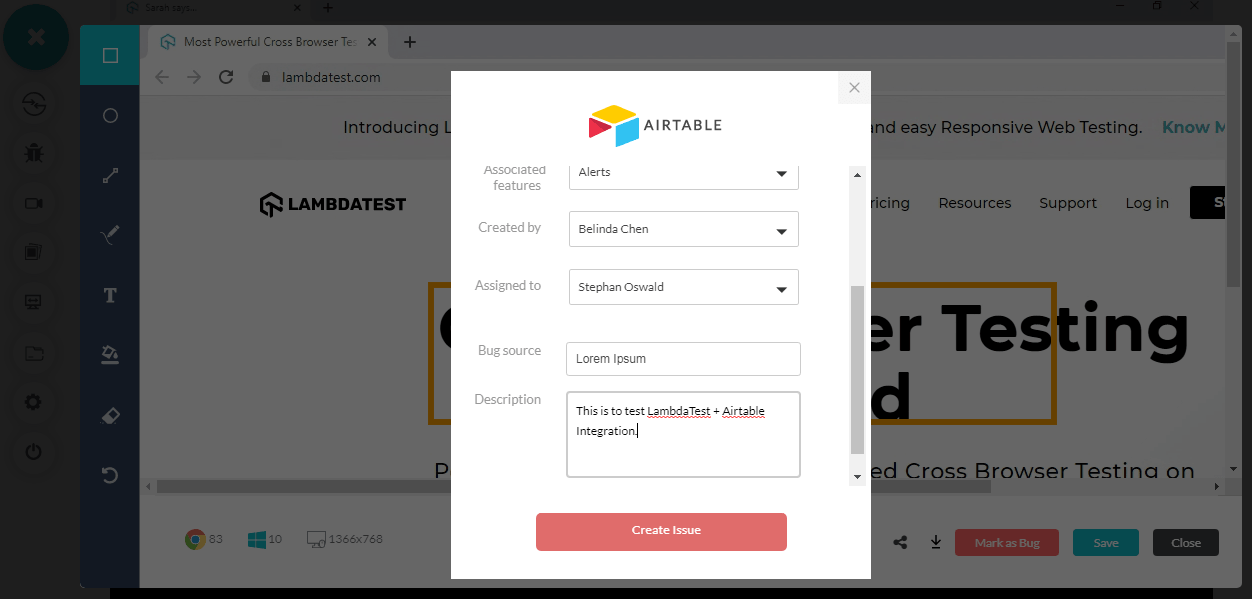
With TestMu AI integration with Airtable, you can manage your bugs more efficiently and effectively while performing cross browser testing. This integration enables you to easily mark your bugs, keep a track of them, share, and collaborate with your team on your Airtable project. Your bugs get logged in your respective table, you can fill up the fields such as associated feature, bug source, assignee, etc.
After you’ve marked the bugs, you can see that these bugs logged in the table, along with all the entered information. You can also see the environment on which the test was performed along with the screenshot URL of the marked bug, which routes you to the screenshot.
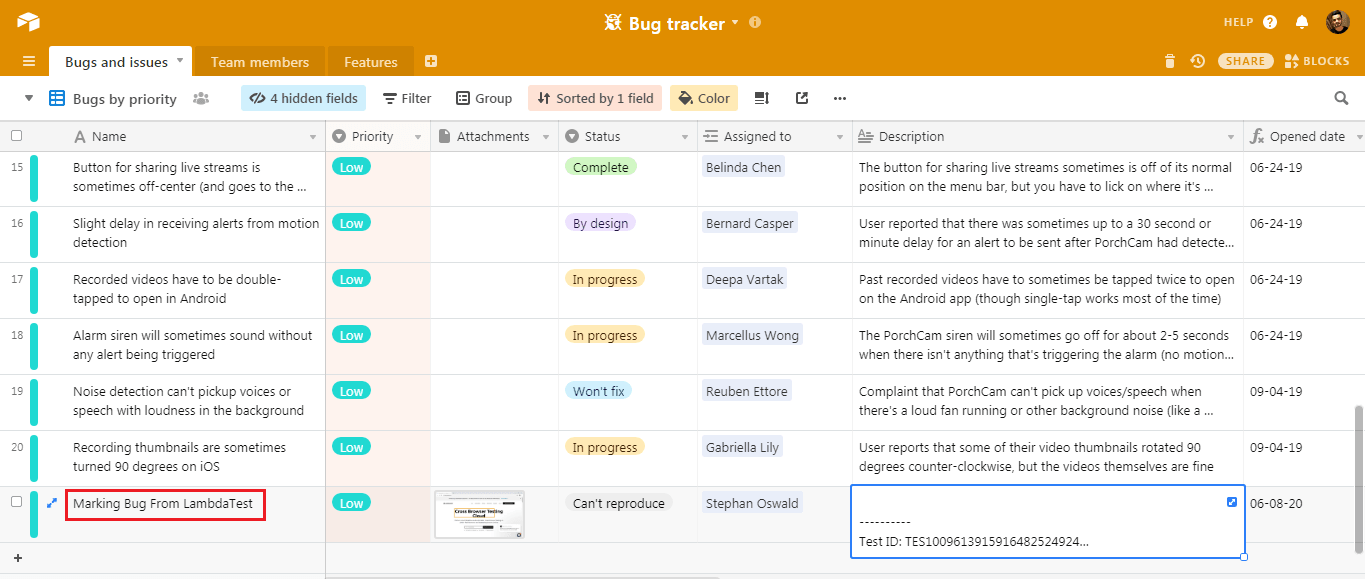
You can easily keep a track of your bugs and their status using Airtable integration with TestMu AI.
Log your bugs from TestMu AI to Airtable with our comprehensive guide.
Wait, There’s More!
At TestMu AI, we’re continuously working to bring more integrations to 3rd party tools onboard to help you collaborate better with your team and fasten your testing workflows. This time we added Airtable which offers an amazing bug tracker template to help testing teams with bug management. We also offer integrations with numerous CI/CD, instant messaging, project management tools, and more. Check out all of the TestMu AI integrations.
As we keep working on new integration, do try our new integration with Airtable and share your thoughts on it. Is your favorite tool missing? Do reach out to us and we’ll try to make it happen. In case you have any suggestions, you can either email us at [email protected] or chat with us directly. Happy testing!!! ?



Did you find this page helpful?
More Related Hubs
TestMu AI forEnterprise
Get access to solutions built on Enterprise
grade security, privacy, & compliance
- Advanced access controls
- Advanced data retention rules
- Advanced Local Testing
- Premium Support options
- Early access to beta features
- Private Slack Channel
- Unlimited Manual Accessibility DevTools Tests