

Next-Gen App & Browser Testing Cloud
Trusted by 2 Mn+ QAs & Devs to accelerate their release cycles


On This Page
- Logging Bugs Is Just One Click Away With Redmine Integration
- Live Interaction While Testing New macOS & Windows Versions
- Custom Data & Data Tags
- Now Get Notified On Microsoft Teams With TestMu AI
- New Browsers Added To Automated Screenshot Testing
- New Browsers Added To Real Time Testing
- New Browsers Added To Mobile Automation Testing

We’re Live With Redmine Integration, New Browsers, Microsoft Teams Notifications & More!
TestMu AI is back with the latest product update to make your testing process more seamless than ever before. From Redmine integration to Microsoft teams notification, there’s so much in store for you testers!

Kritika Murari
January 29, 2026
Hey people! How’s everything going in the testing business? We know it is super hard to keep up the morale of your entire team-high when working remotely. Testing is an ongoing process, and most testers are always on the lookout for ways to improve and optimize their testing process. Continuous updation- that’s what we at TestMu AI believe in, and that’s why we are back again with a whole new set of feature updates to make testing your favorite task of the day!
In the month of August, we introduced network throttling, live debugging feature, customizable interface for VM among other features. You can find more details about August’s product update in case you missed it. To up the game, we are now live with our integration with Redmine, seamless notifications for Microsoft Teams, a whole new range of browsers, device additions, and much more!
Let’s get right into the details of our latest updates!
Logging Bugs Is Just One Click Away With Redmine Integration
We already have a long list of project management tools, and now we have added another feather to the cap. We are now live with our integration with Redmine to make it easier for you and your team to log bugs directly into Redmine.
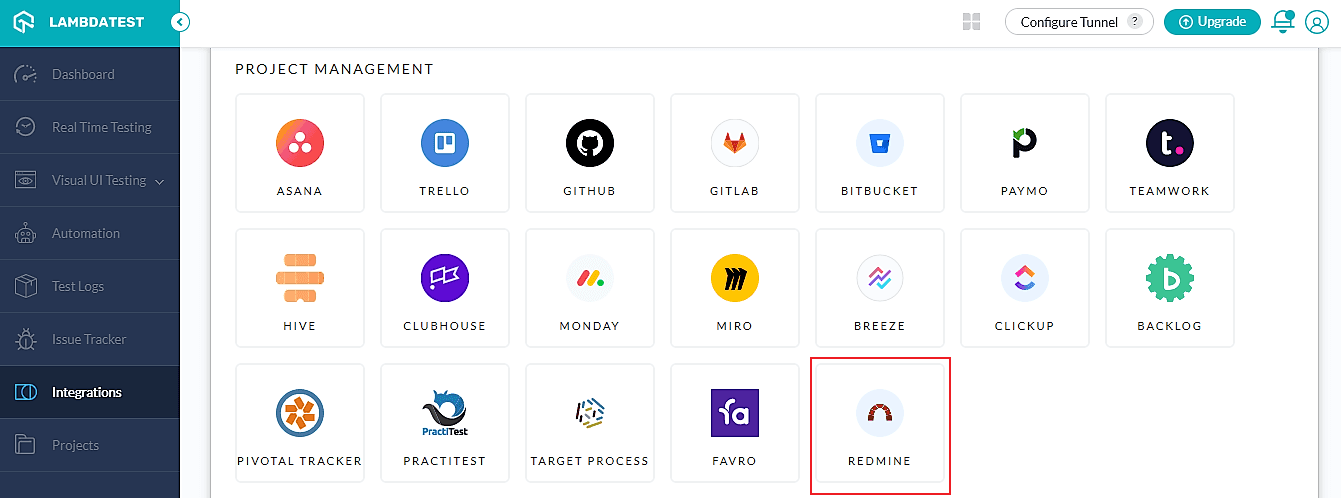
The integration of Redmine with TestMu AI makes it easier for you to log bugs directly to your Redmine project from our dashboard. Once you have completed the integration, you will even be able to use the ‘Mark As Bug’ button. This can be used for anything from real-time testing, screenshot testing, automation testing, responsive testing, or smart testing.
You will get this prompt once you mark the bug using our integration with Redmine.
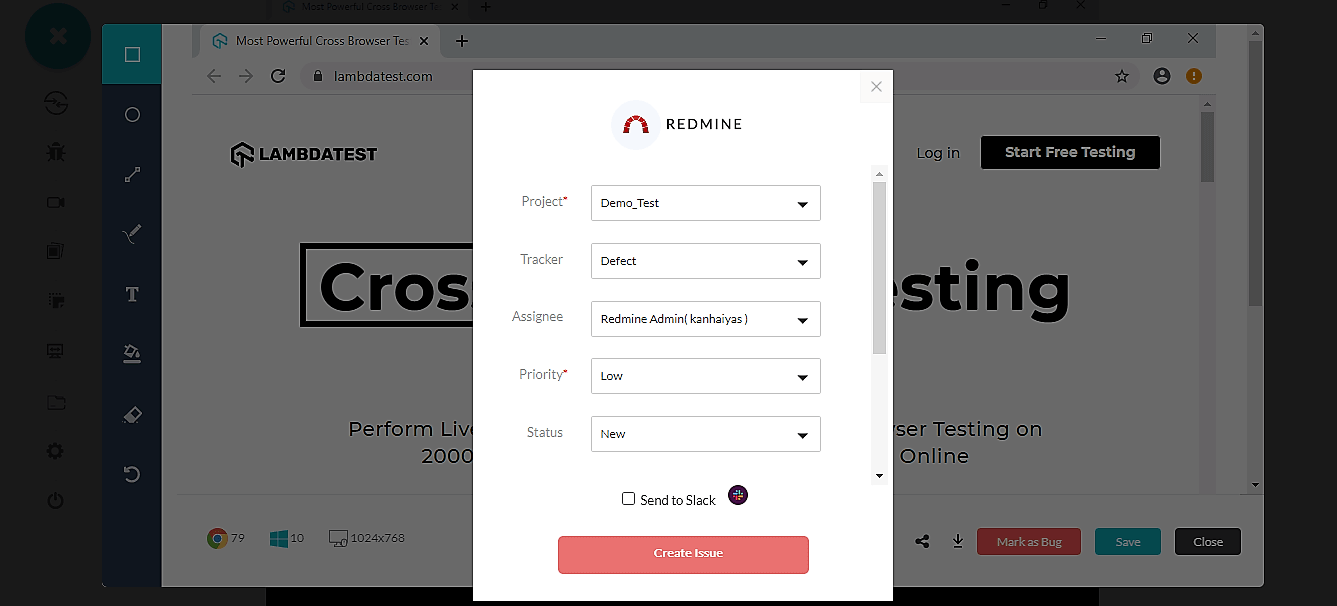
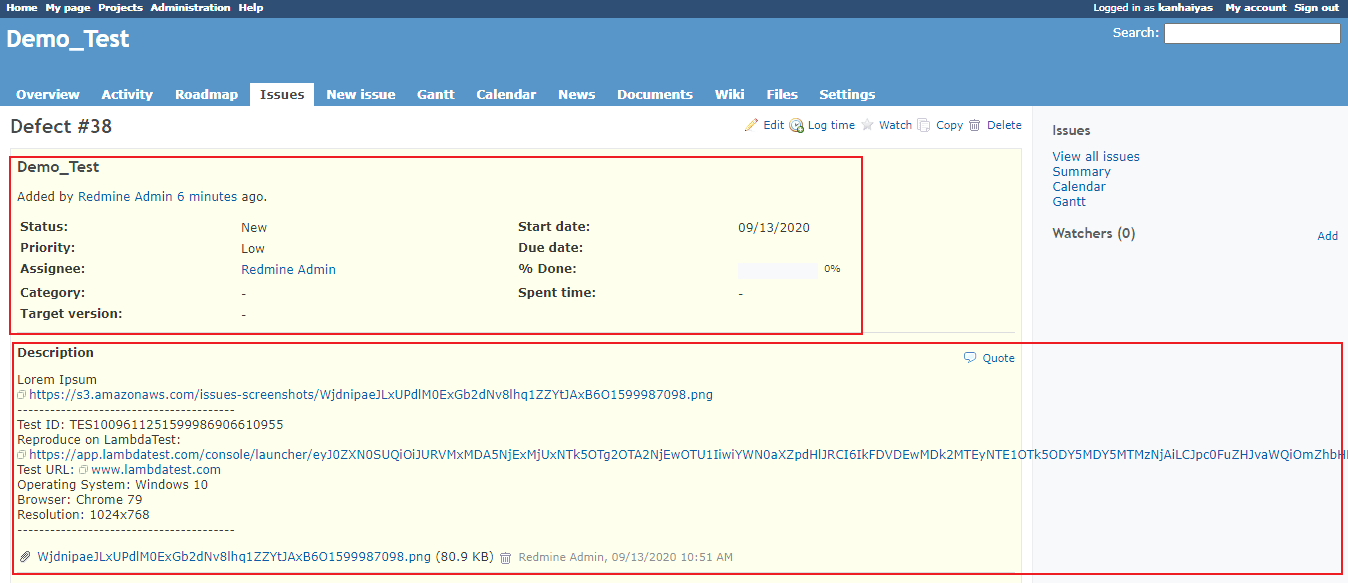
You will have to fill in the details and then create a bug. You will then be able to see this bug directly on your Redmine dashboard including all the details shared across directly by TestMu AI.
Live Interaction While Testing New macOS & Windows Versions
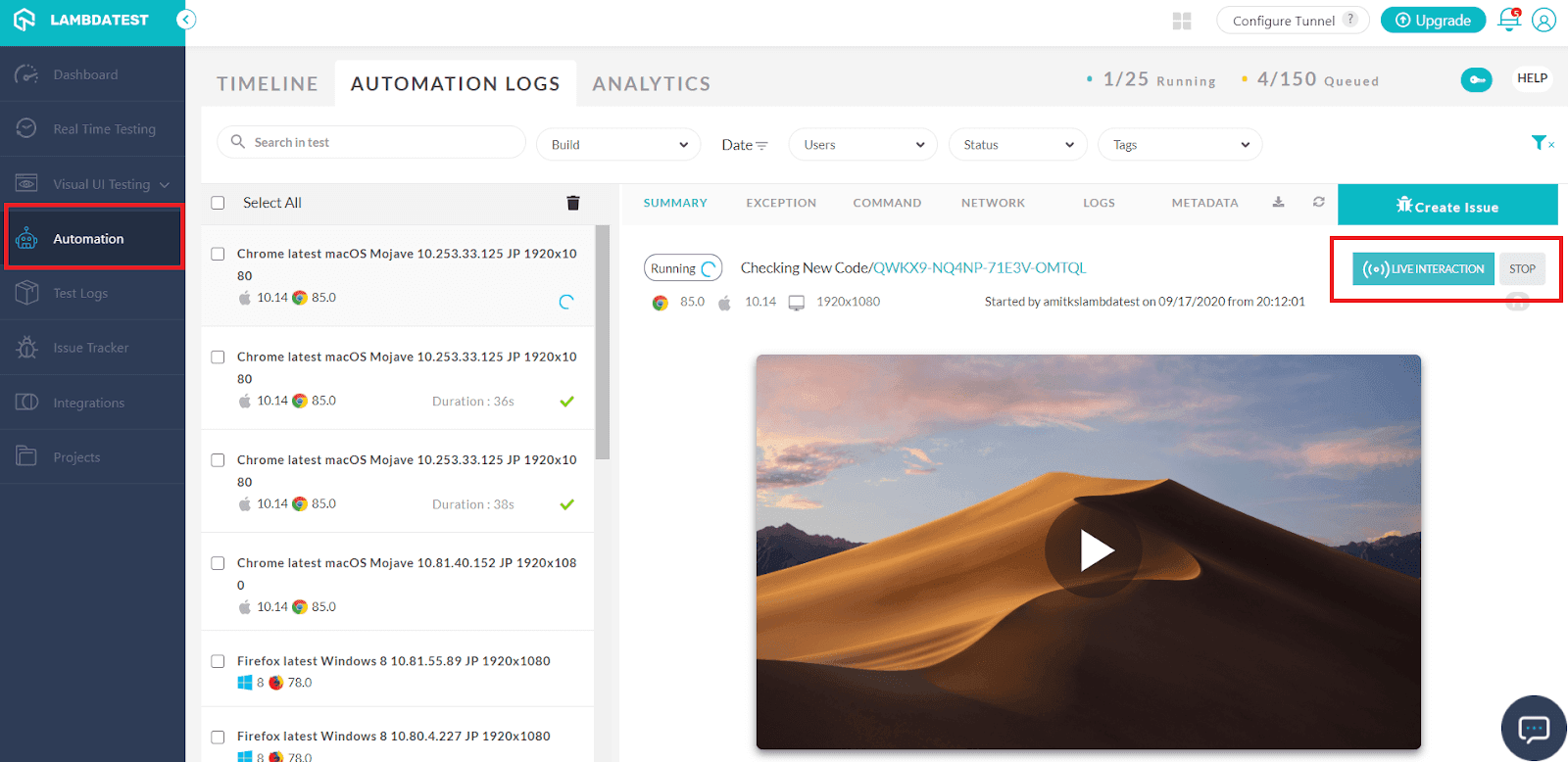
We have added a whole new bunch of operating systems to our live interaction feature. It allows you to perform live interaction with the scripts running on our Selenium grid cloud. This comes in handy when you come across a bug during execution and feel that this would be a major roadblock down the road. You can go ahead and pause the test, debug, resume right then and there.
The latest operating systems which we added to our existing list are-
- Windows 8.1
- Windows 7
- macOS Catalina
- macOS Mojave
- macOS BigSur
- macOS Sierra
Custom Data & Data Tags
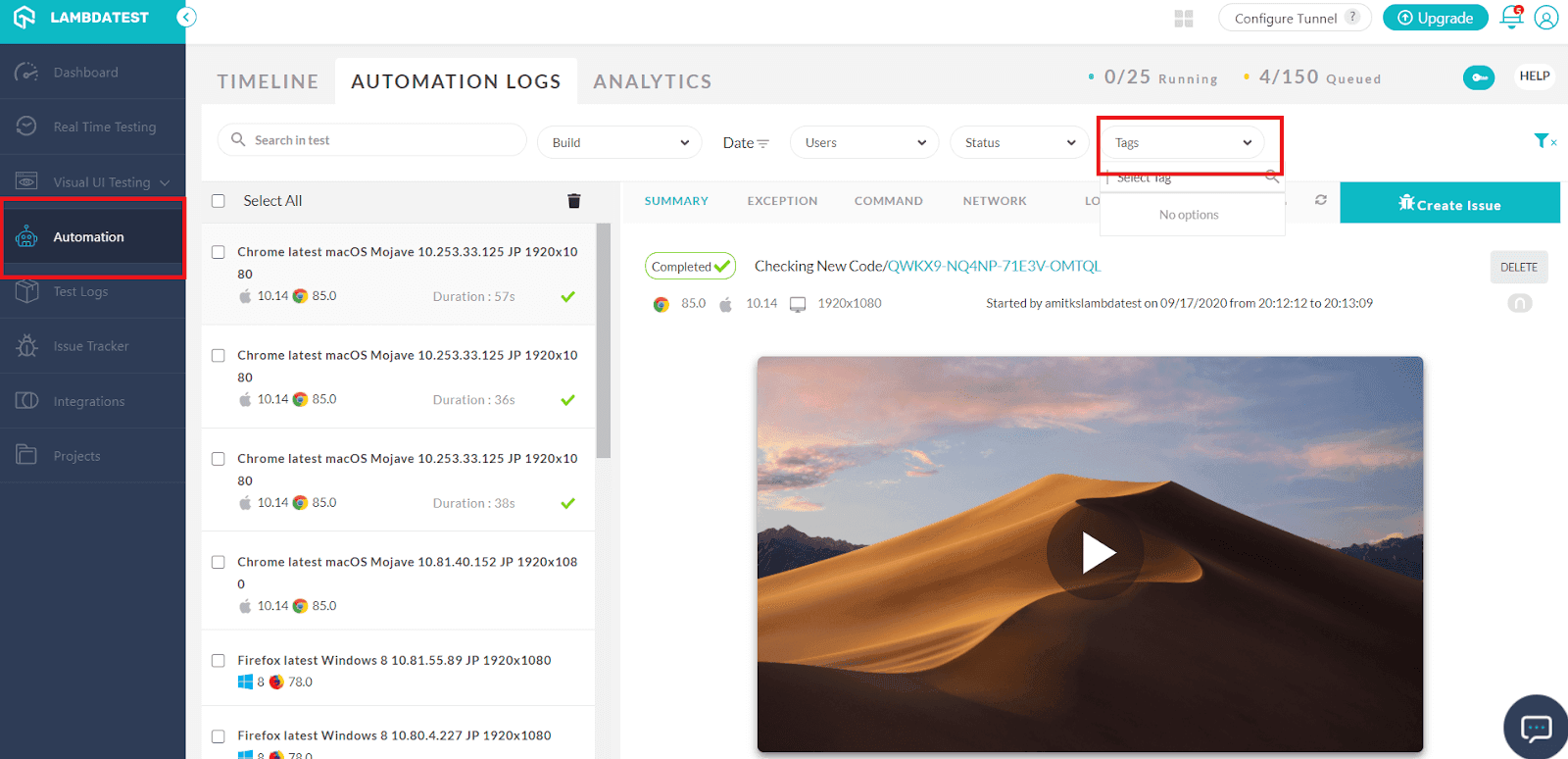
To scale up your testing process and make it easier for you to build a pipeline, we have introduced a feature to add ‘Custom’ tags. This will help you filter your tests without much hassle or waste of time. This will make your test management process seamless, and you will be able to monitor tests with ease.
Now Get Notified On Microsoft Teams With TestMu AI
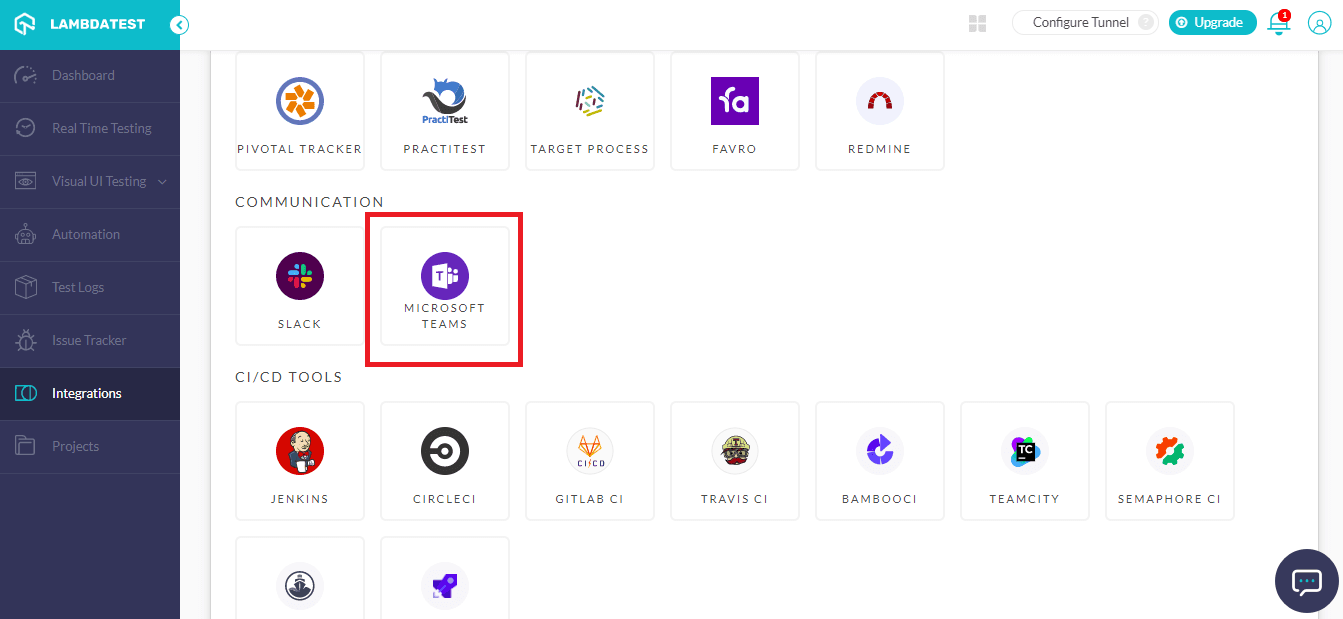
We went live with our Microsoft Teams integration in June, and now we have extended the notification system in our latest release. Earlier, you were only being notified when a user was marking any bug in a test. But with the latest update, you will get a notification even in the case of test failures as well on build completion. This update makes TestMu AI’s integration with Microsoft Teams more useful than ever.
You can start collaborating with your team at a much faster pace with seamless notifications dropped right at your screen.
New Browsers Added To Automated Screenshot Testing
Once again, our Screenshot testing feature has undergone a major upgrade with the addition of new browsers and the latest devices. You will now be able to perform automated screenshot testing over a wider range of browsers or devices.
Latest Browser Versions For Desktop Screenshot Testing
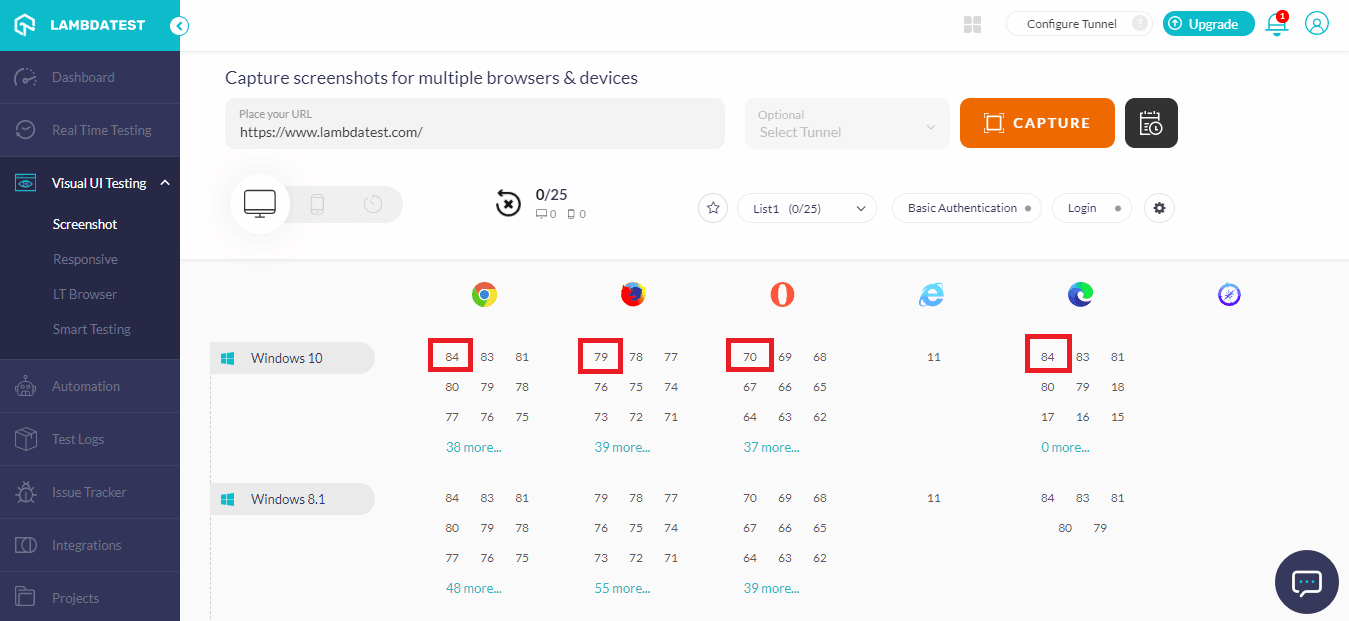
Here are the latest browser versions now available for screenshot testing on desktops-
- Google Chrome 84
- Firefox 79
- Opera 70
- Edge 84
Latest Devices For Mobile Screenshot Testing
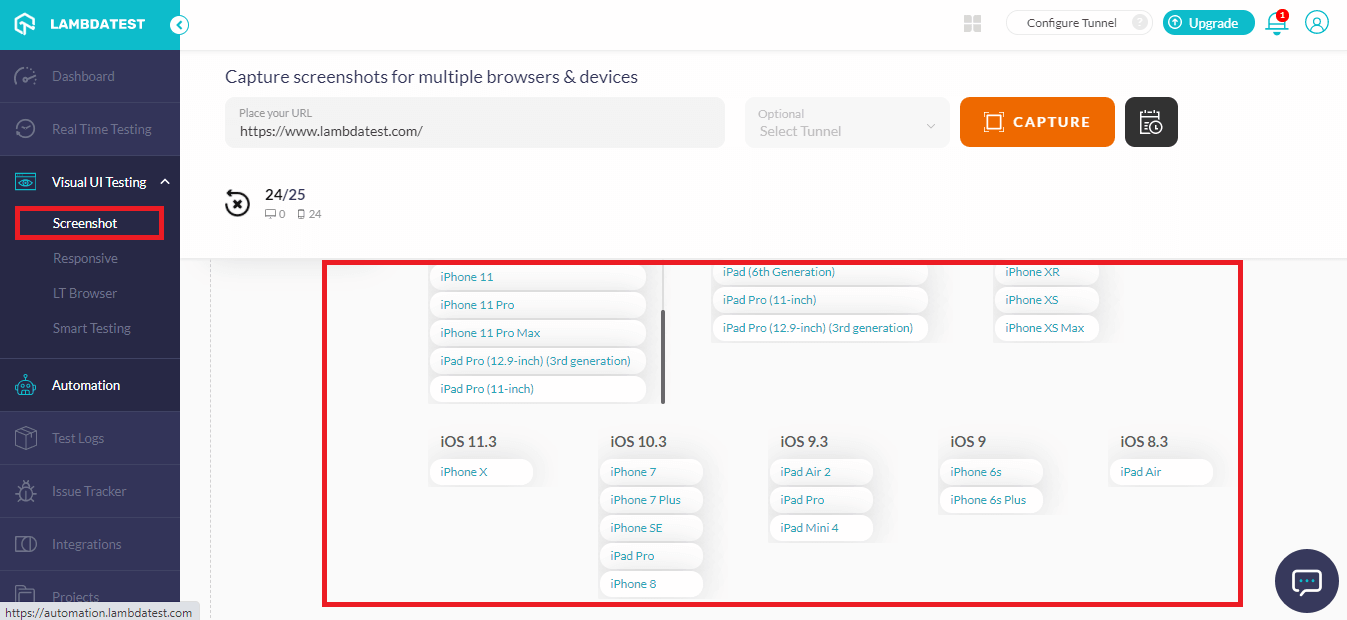
To improve your screenshot testing coverage for mobile devices, we have updated our device list with new additions. Now test on iPhone with the additions of these new devices.
- iPhone 11
- iPhone 11 Pro
- iPhone 11 Pro Max
- iPhone XS
- iPhone XS Max
- iPhone XR
- iPhone X
- iPhone 8
- iPhone 8 Plus
- iPhone 7
- iPhone 7 Plus
- iPhone 6s
- iPhone 6s Plus
- iPhone SE
- iPad Pro (12.9-inch) (3rd Generation)
- iPad Pro (11-inch)
- iPad (6th Generation)
- iPad Mini 4
- iPad Pro
- iPad Air 2
- iPad Air
New Browsers Added To Real Time Testing
We have also added more to our list of real-time testing browsers and devices. Now you can perform testing in real-time with much better coverage.
Latest Browser Versions For Desktop Real Time Testing
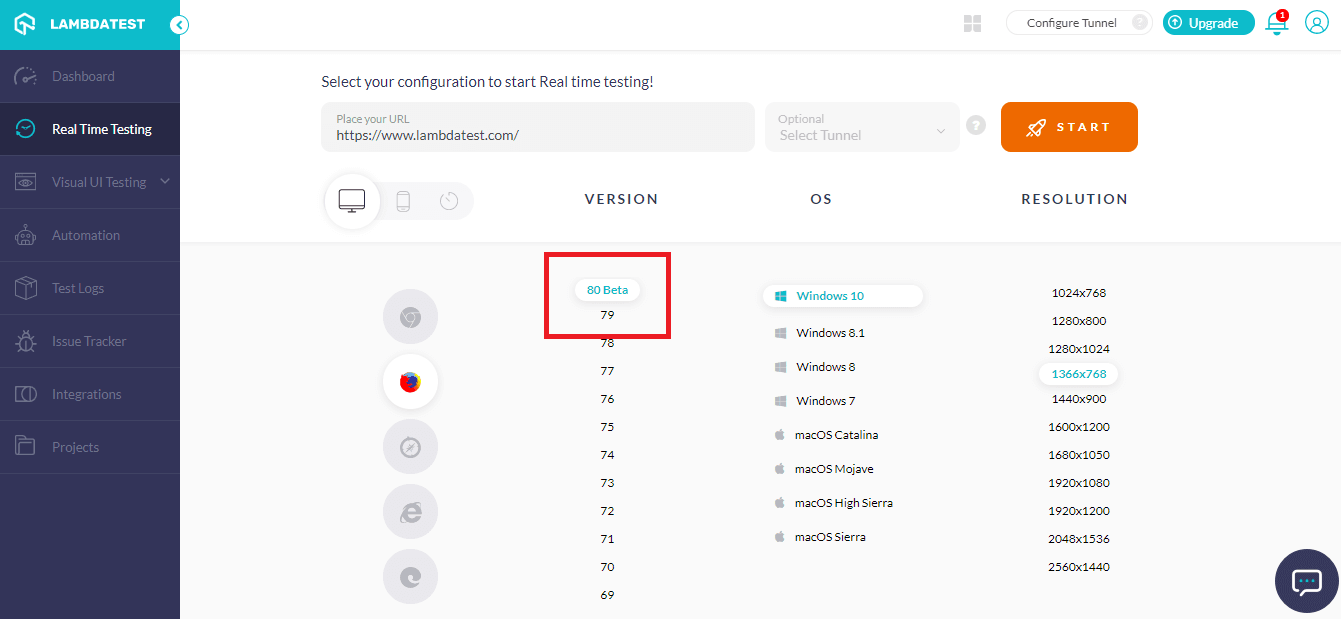
Here is the list of latest browsers added-
- Firefox 80 Beta
- Firefox 79 (updated from Firefox 79 Beta)
Latest Devices For Mobile Real Time Testing
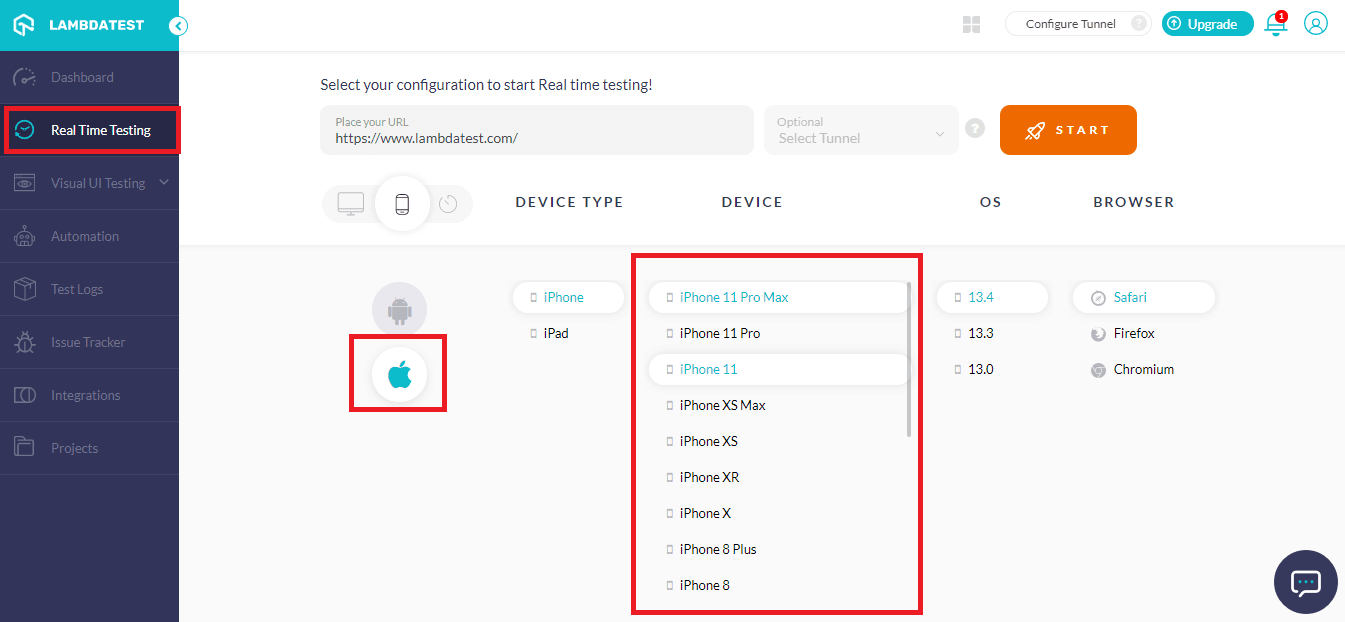
Adding on to our list of mobile devices, you will now be able to perform real time testing on more Apple devices-
- iPhone 11
- iPhone 11 Pro
- iPhone 11 Pro Max
- iPhone XS
- iPhone XS Max
- iPhone XR
- iPhone X
- iPhone 8
- iPhone 8 Plus
- iPhone 7
- iPhone 7 Plus
- iPhone 6s
- iPhone 6s Plus
- iPhone SE
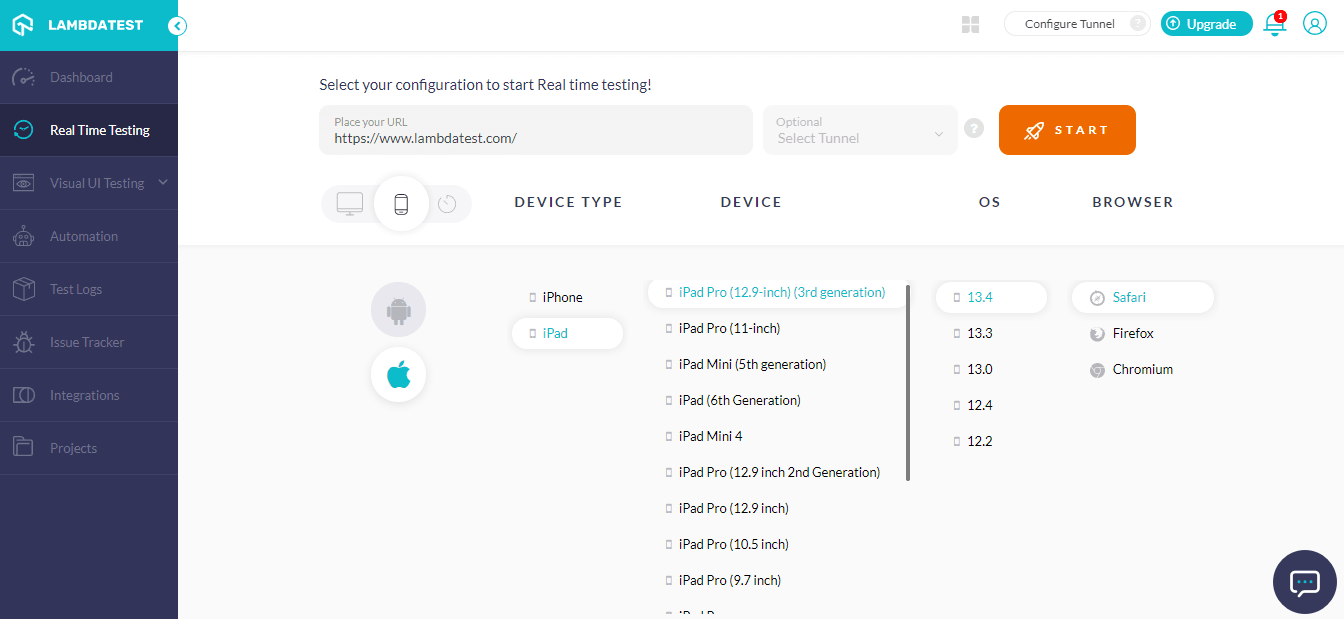
- iPad Pro (12.9-inch) (3rd Generation)
- iPad Pro (11-inch)
- iPad Mini (5th Generation)
- iPad (6th Generation)
- iPad Mini 4
- iPad Pro (12.9-inch) (2nd Generation)
- iPad Pro (12.9-inch)
- iPad Pro (10.5-inch)
- iPad Pro (9.7-inch)
- iPad Pro
- iPad Air 2
- iPad (5th Generation)
- iPad Air
- iPad Retina
- iPad 2
New Browsers Added To Mobile Automation Testing
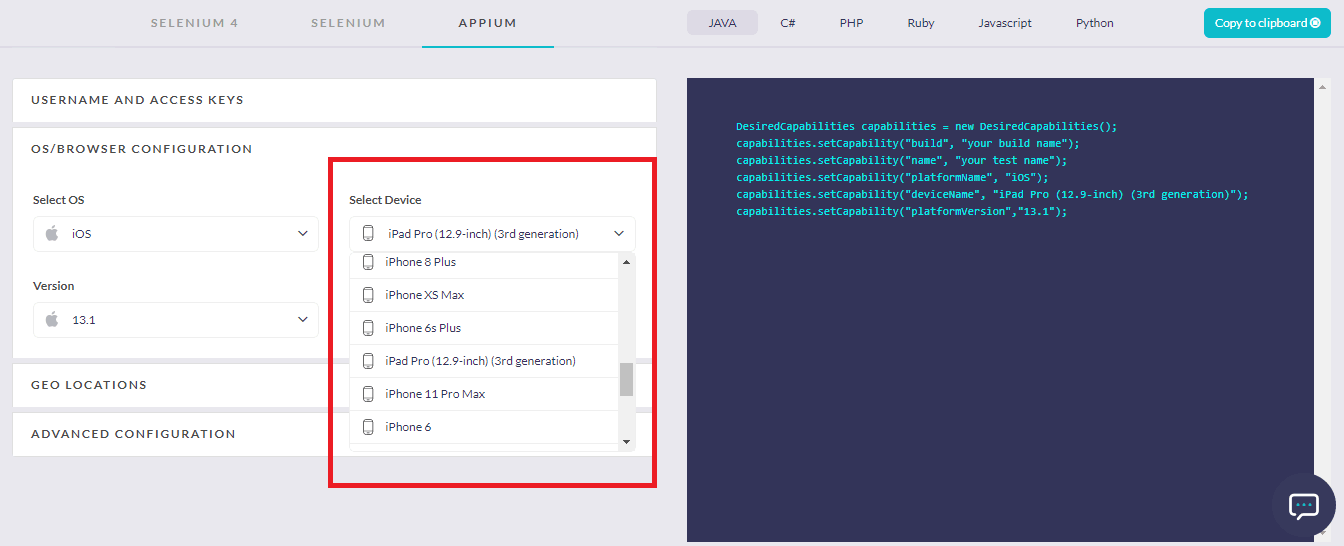
We have also updated the existing list of mobile devices to run your automation test scripts. Now you will be able to perform tests on-
- iPhone 11
- iPhone 11 Pro
- iPhone 11 Pro Max
- iPhone XS
- iPhone XS Max
- iPhone XR
- iPhone X
- iPhone 8
- iPhone 8 Plus
- iPhone 7
- iPhone 7 Plus
- iPhone 6s
- iPhone 6s Plus
- iPhone SE
- iPad Pro (12.9-inch) (3rd Generation)
- iPad Pro (11-inch)
- iPad Mini (5th Generation)
- iPad (6th Generation)
- iPad Pro (12.9-inch) (2nd Generation)
- iPad Pro (12.9-inch)
- iPad Pro (10.5-inch)
- iPad Pro (9.7-inch)
- iPad Pro
- iPad Air 2
- iPad (5th Generation)
- iPad Air
- iPad Retina
- iPad 2
What Do You Say?
We are working very hard every day to make life easier for you people, and we hope these features, updates have done their part in doing so. Make the best of TestMu AI by trying out these features today and let us know what you think. If you come across any issues, feel free to reach out at [email protected]. You can also get in touch with our 24/7 customer support. That’s all for now, folks! Stay tuned for more updates from our side; there’s a lot more to come!
Happy testing!

Austin Siewert
CEO, Vercel
Discovered @TestMu AI yesterday. Best browser testing tool I've found for my use case. Great pricing model for the limited testing I do 👏
2M+ Devs and QAs rely on TestMu AI
Deliver immersive digital experiences with Next-Generation Mobile Apps and Cross Browser Testing Cloud



Did you find this page helpful?
More Related Hubs
TestMu AI forEnterprise
Get access to solutions built on Enterprise
grade security, privacy, & compliance
- Advanced access controls
- Advanced data retention rules
- Advanced Local Testing
- Premium Support options
- Early access to beta features
- Private Slack Channel
- Unlimited Manual Accessibility DevTools Tests