

Next-Gen App & Browser Testing Cloud
Trusted by 2 Mn+ QAs & Devs to accelerate their release cycles


How to Enable Safari Developer Menu With Example
Enable the Safari Developer menu with step-by-step instructions and examples. Inspect, debug, and optimize websites efficiently using built-in developer tools

Bhawana
December 22, 2025
The Safari Developer menu is a powerful suite of tools that helps developers debug, optimize, and analyze websites within Safari. Enabling the “Develop” menu allows you to monitor page load times, track resource requests, test responsiveness across devices, and make real-time adjustments to HTML and CSS, streamlining the development and debugging process.
Steps to Enable Safari Developer Menu Option
Safari’s Developer menu is hidden by default but can be quickly enabled through the browser settings. Once activated, it provides access to advanced tools for inspecting and debugging websites.
To enable the Safari Developer menu, follow the steps below:
- Open Safari Browser on your Mac.
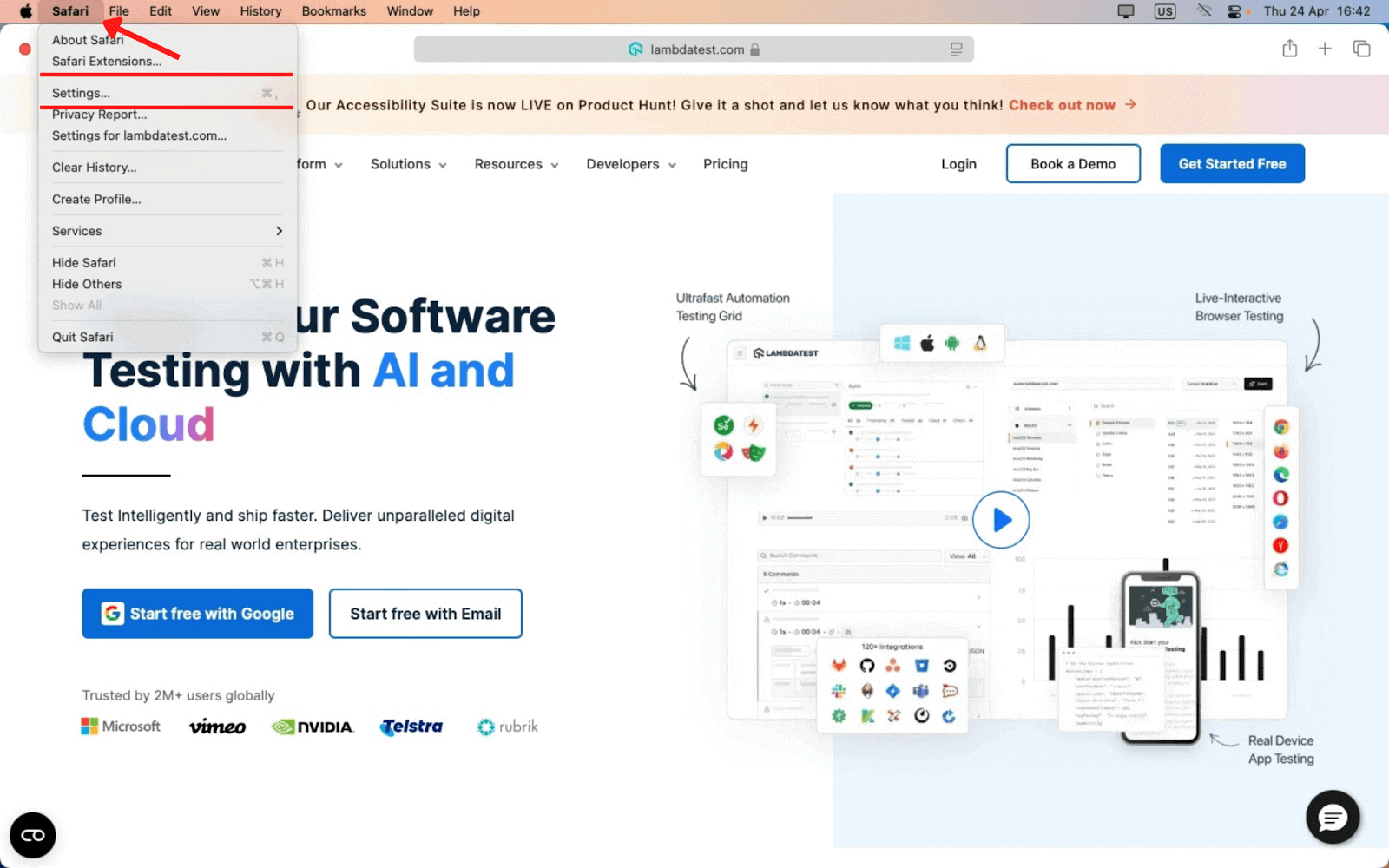
- Click Safari in the top menu bar and select Settings (or Preferences in older versions).
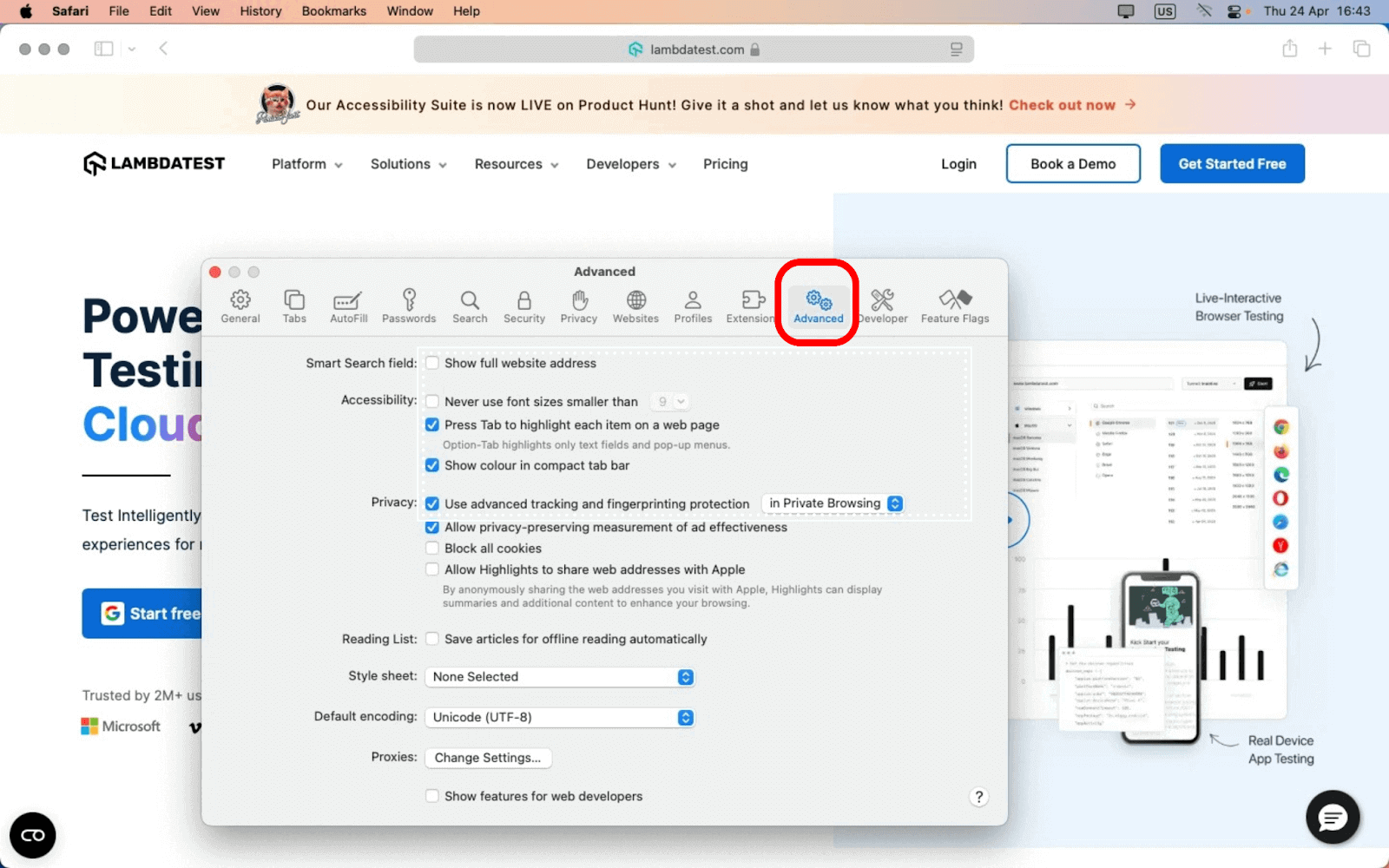
- Go to the Advanced tab.
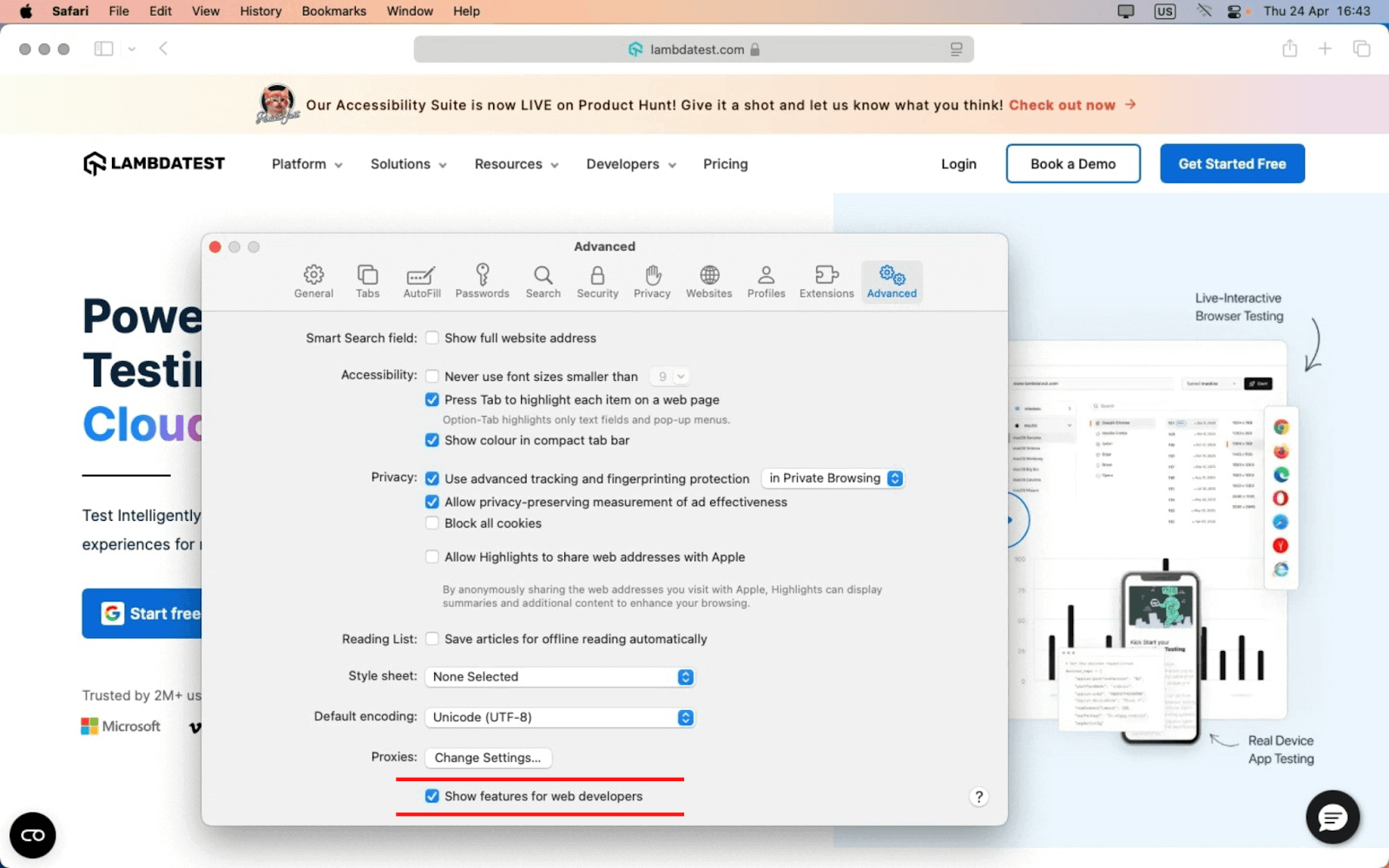
- Check the box at the bottom: “Show features for web developers.“
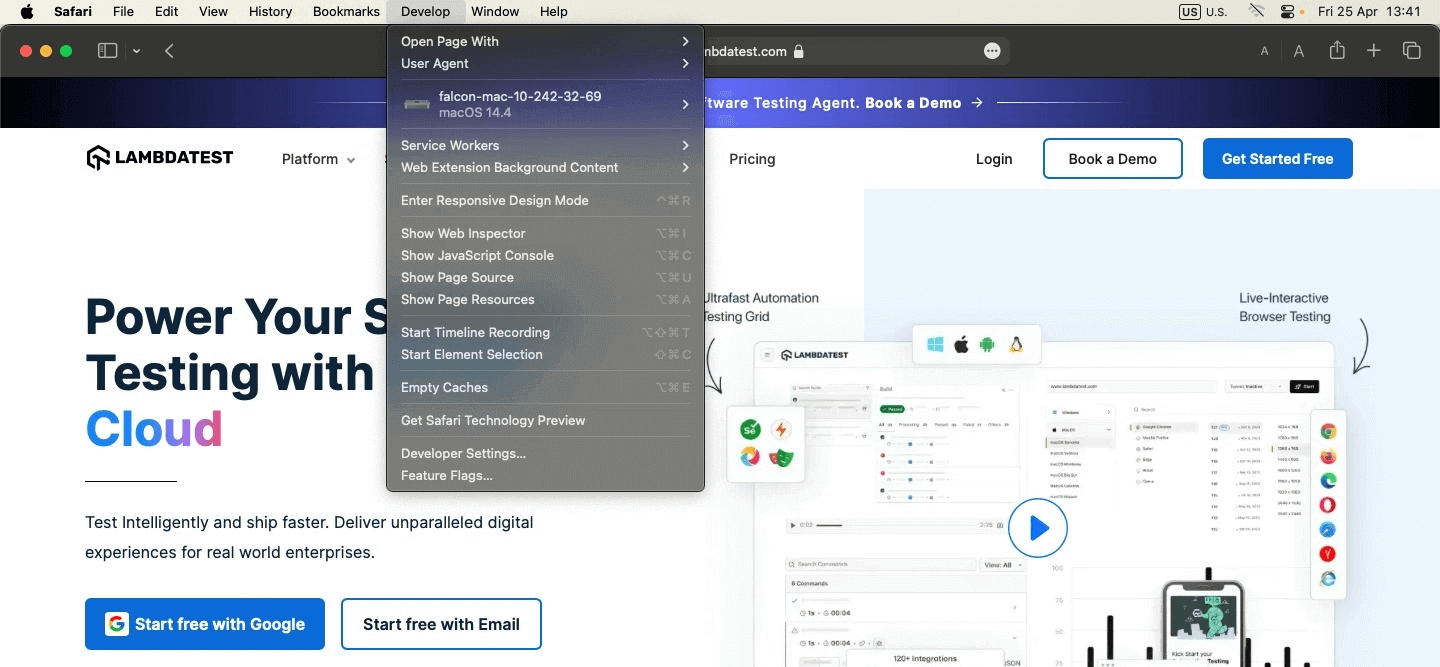
- Once enabled, you’ll see a new “Develop” option in the Safari menu bar, giving you access to powerful debugging tools.

Steps to Debug Using Safari Developer Menu Option
Safari’s Developer menu offers powerful tools to inspect, debug, and edit web pages in real time. It’s ideal for analyzing layout issues, reviewing CSS, and testing code changes instantly.
To get started, follow the steps below:
- Open the webpage in Safari.
- Go to Develop > Show Web Inspector.
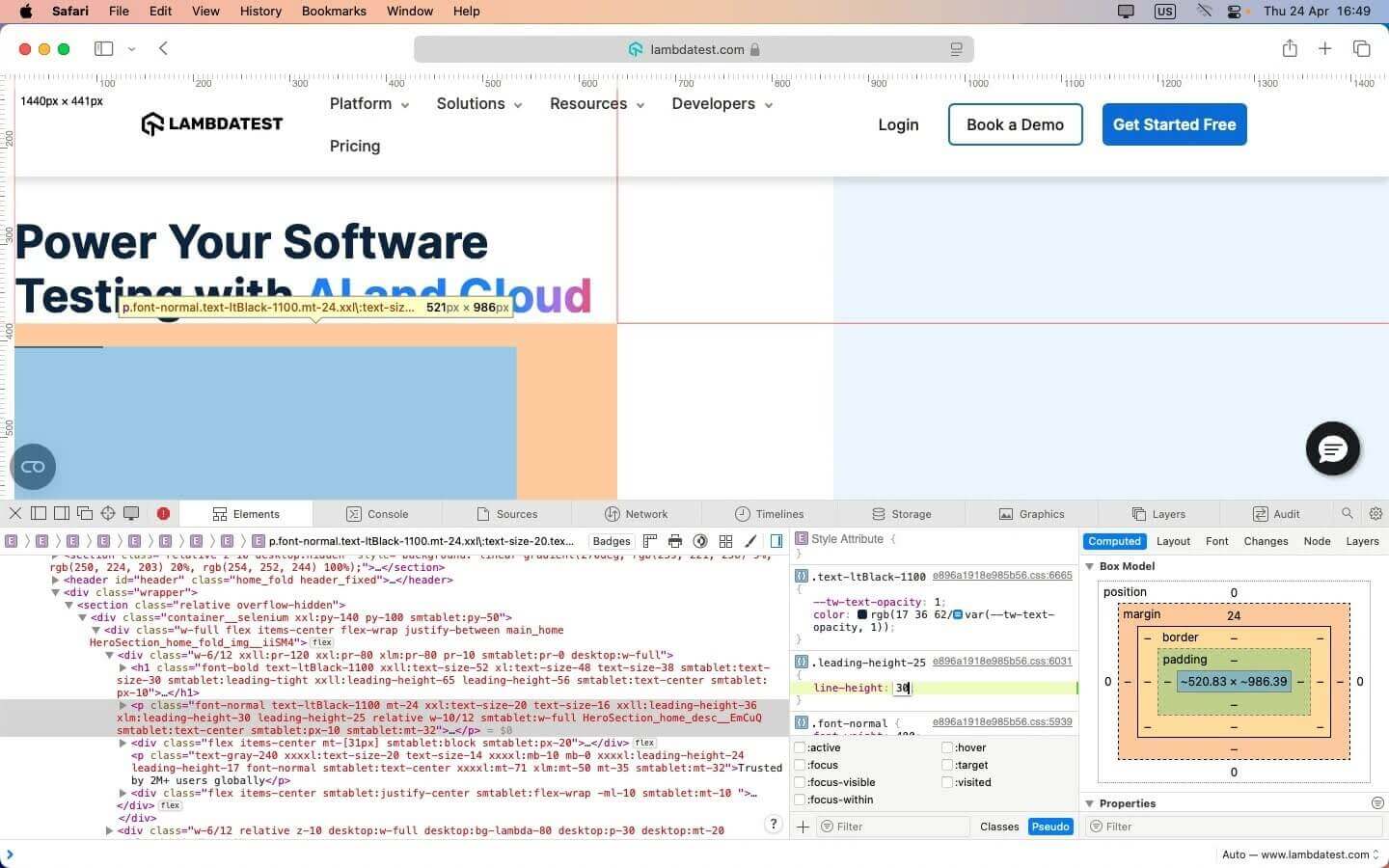
- In the Elements tab, hover over the text element (e.g., a heading or paragraph) to highlight it on the page.
Check the applied CSS classes and computed styles in the right sidebar, for example, line-height, font size, and color. The Box Model section allows you to view padding, margin, border, and element dimensions (e.g., 521px × 986px).
- You can live-edit the CSS directly in the Styles pane – for example, change line-height: 30px to line-height: 25px – to preview layout and spacing changes in real time.
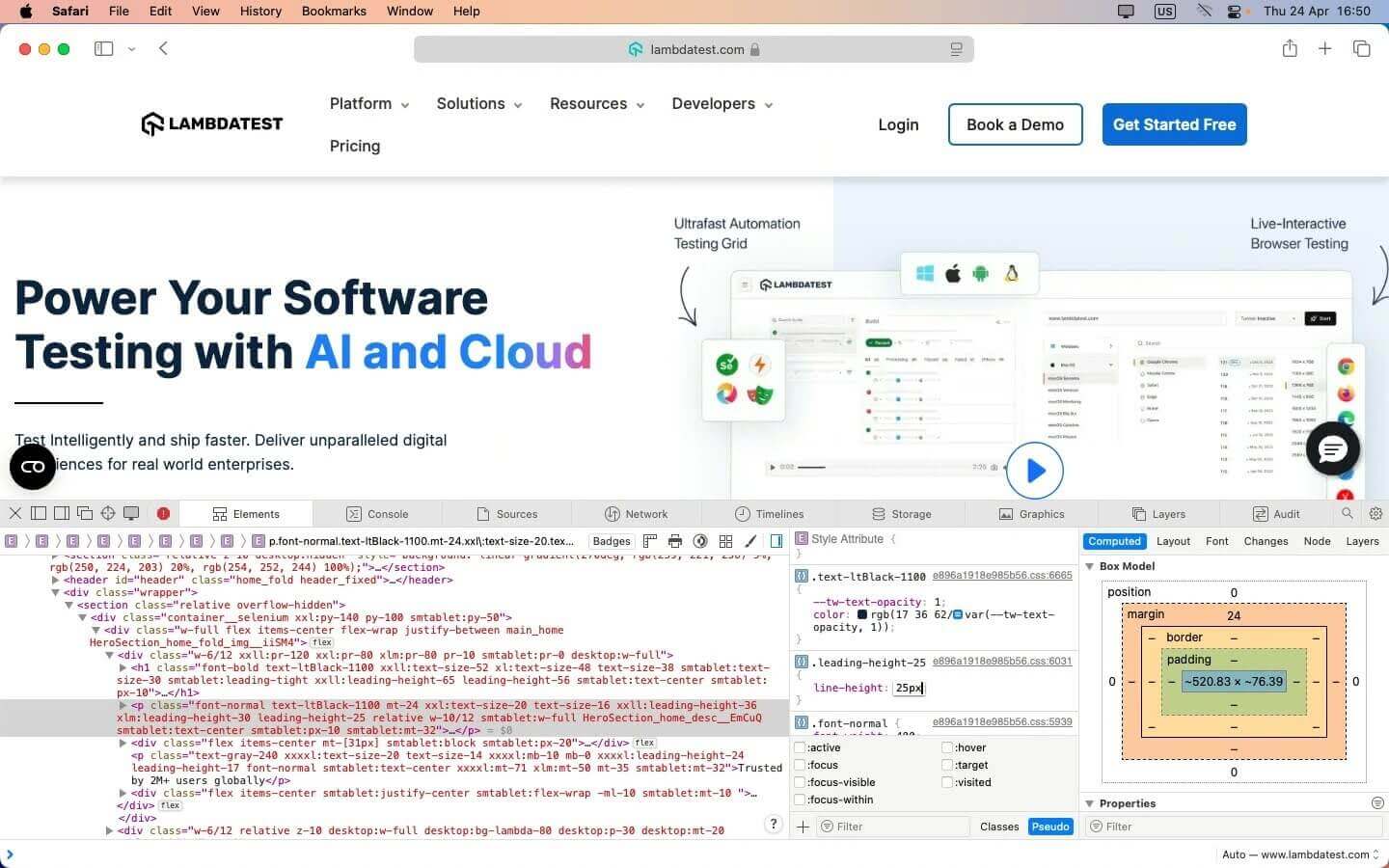
This process helps quickly identify and resolve front-end issues.
Conclusion
The Safari Developer menu is an essential toolkit for web developers on macOS. Enabling it unlocks powerful tools for debugging, performance analysis, and real-time editing that streamline the development process.
Whether you’re inspecting elements, monitoring network activity, or fine-tuning load times, the Developer Menu makes web development more efficient and effective.


Frequently asked questions
Did you find this page helpful?
More Related Hubs
TestMu AI forEnterprise
Get access to solutions built on Enterprise
grade security, privacy, & compliance
- Advanced access controls
- Advanced data retention rules
- Advanced Local Testing
- Premium Support options
- Early access to beta features
- Private Slack Channel
- Unlimited Manual Accessibility DevTools Tests