

Next-Gen App & Browser Testing Cloud
Trusted by 2 Mn+ QAs & Devs to accelerate their release cycles


On This Page
- About the Speaker:
- Agenda
- What is WebDriver BiDi?
- Tool History
- The Emerge of WebDriver BiDi
- Tools using actual Web API as a Protocol
- WebDriver Classic Vs. CDP
- WebDriver Classic Limitations
- CDP Limitations
- WebDriver BiDi
- Low-level Controls
- Current BiDi Status Chart
- Selenium Code Demo
- WebDriver BiDi Demo
- Questions & Answers

WebDriver BiDi: Revolutionizing Cross-Browser Automation [Testμ 2023]
Discover WebDriver BiDi, a novel browser automation protocol bridging unidirectional automation with dynamic bidirectional interaction.

TestMu AI
January 30, 2026
Traditional browser automation protocols like WebDriver ‘Classic’ and Chrome DevTools Protocol (CDP) have been widely used for automating browser interactions. These protocols have limitations in terms of communication efficiency and smooth control.
This has led us to a more advanced solution that combines the strengths of both protocols. As the field of automation continues to evolve, there is a need for growing standards to revolutionize how frameworks and browsers interact. WebDriver BiDi is an emerging browser automation protocol that aims to bridge the gap between traditional unidirectional automation and the need for more dynamic bidirectional communication.
In this session, the speaker has covered the process of making WebDriver BiDi transform cross-browser testing, its benefits, and how it can be used in Selenium WebdriverIO.
About the Speaker:
Sri Harsha is a well-versed software professional working as a Senior Test Automation Engineer at EPAM SYSTEMS. He is an expert in testing, focused on tools like Selenium and WebdriverIO. Harsha is also passionate about open-source projects and contributing to the testing community.
In this incredible session of the Testμ Conference 2023, Sri Harsha explained the working of classic WedDriver to WebDriver BiDi and walked through the difference between them and the benefits of the WebDriver over CDP and how this combination helped emerger WebDriver BiDi.
If you couldn’t catch all the sessions live, don’t worry! You can access the recordings at your convenience by visiting the TestMu AI YouTube Channel.
Let’s dive into the session in detail.
Agenda
The agenda of this session planned by the Harsha was as follows:
- Evolution of WebDriver Classic.
- WebDriver Classic Vs CDP.
- WebDriver BiDi.
- Advantages.
- Current BiDi status.
- Implementation with Selenium and CDP.
What is WebDriver BiDi?
WebDriver BiDi (Bidirectional) is a protocol that facilitates communication between a WebDriver client and a remote WebDriver server, enabling the automation of browser interactions and actions. This protocol allows for two-way communication, where both the client and the server can send requests and responses to each other.
Further, Harsha discussed using WebDriver BiDi in automation like Selenium and WebdriverIO.
Tool History
Harsha walked us through the entire process and history of automation and explained WebDriverBiDi.
WebDriver Classic
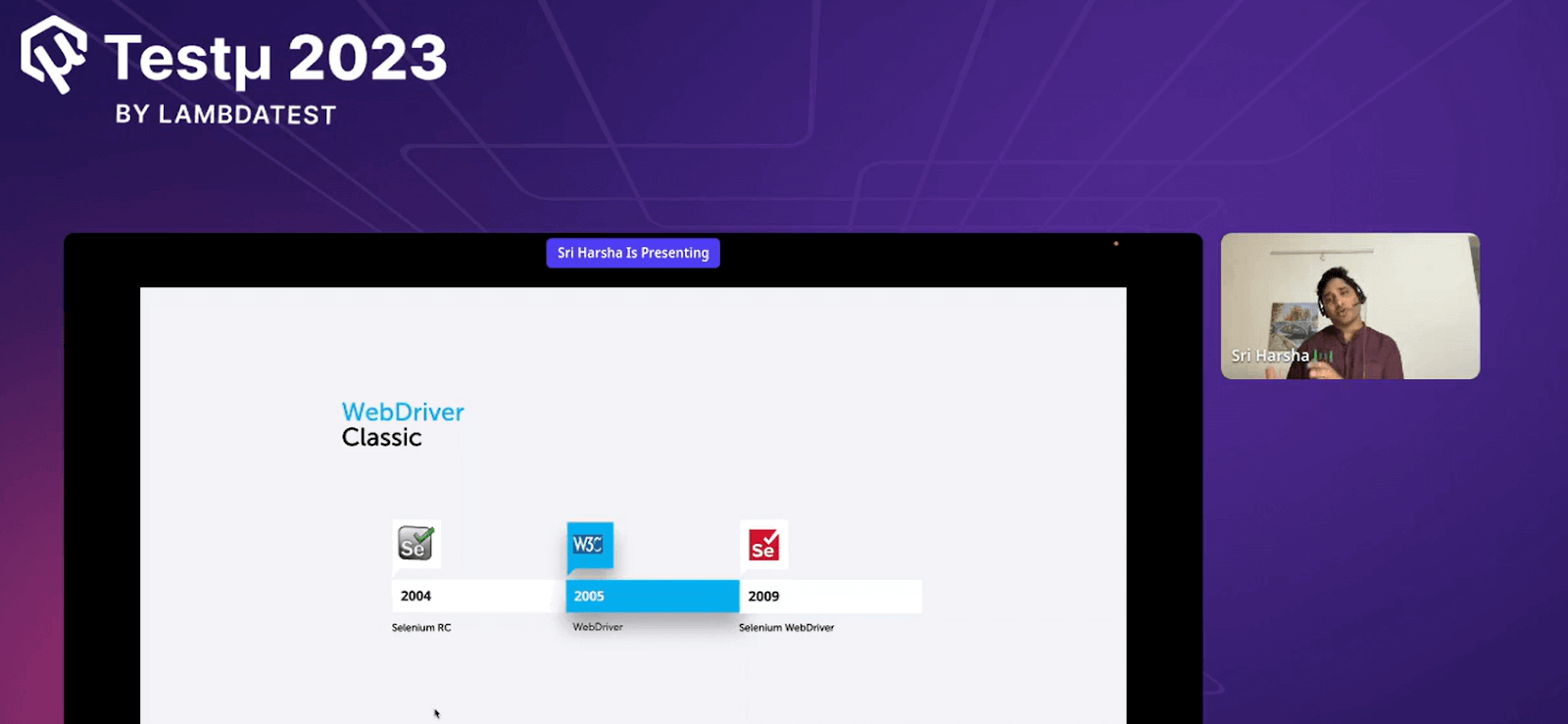
- Introduced in 2004, Selenium RC for browser automation was the most popular and widely used tool. The use of Selenium RC increased as it allowed testers to record and play the scripts, but it had drawbacks.
- Later, with the introduction of WebDriver in 2005, WebDriver became more popular as it directly communicated with the browser using the JSON Wire Protocol.
- In 2009, the Selenium RC and WebDriver were combined as they became the single house power or machine tool called Selenium WebDriver. SeleniumWebDriver was most popular in 2018 and became the browser standard. It means that all browsers use WebDriver protocol to automate their testing.
Automation Tools
Many tools are in the market, but Harsha only focuses on automation tools that use WebDriver Classic.
- Selenium WebDriver is an open-source tool for automating web applications, which is used for testing and simulating user interactions over the browser.
- WebdriverIO is a test automation framework application that offers simple syntax and built-in commands and supports multiple browsers and devices for efficient and practical testing.
- Appium is an open-source mobile application automation tool that allows you to automate native, hybrid, and mobile web applications on various platforms. It uses the WebDriver protocol to communicate with mobile devices and browsers. Appium enables cross-platform testing and provides a structured automation API, making testing mobile applications across different devices and platforms more accessible.
- NightwatchJS is an automation testing framework based on Node JS that supports end-to-end testing followed by simple built-in syntax and WebDriver support.
These tools are high-level automation tools that use WebDriver Classic.
The Emerge of WebDriver BiDi
Web Driver isn’t the sole protocol for browser automation, given that web development and technologies have become integral to our daily lives. Alongside this, there has been a significant demand for JavaScript creation scripts.
Other sets of protocols can be used to automate browser testing. The protocols that are covered by Harsha in this session are Web API and CDP.
The emergence of WebDriver BiDi marks a significant step forward in browser automation. While WebDriver has long been the standard, modern demands—especially the rise of JavaScript-heavy applications—have prompted the exploration of other protocols like CDP and Web APIs, as discussed by Harsha in this session.
Adding to this conversation, industry expert Christian shares his perspective on how BiDi, agentic workflows, and the Model Context Protocol (MCP) are shaping the next generation of intelligent browser automation. From challenges to potential breakthroughs, his insights offer a practical look at where browser standards are headed.
Tools using actual Web API as a Protocol
Cypress
Cypress uses Web APIs directly and bypasses WebDrivers to interact with the browser; it leverages the native JavaScript and modern browser automation APIs for fast and reliable end-to-end testing.
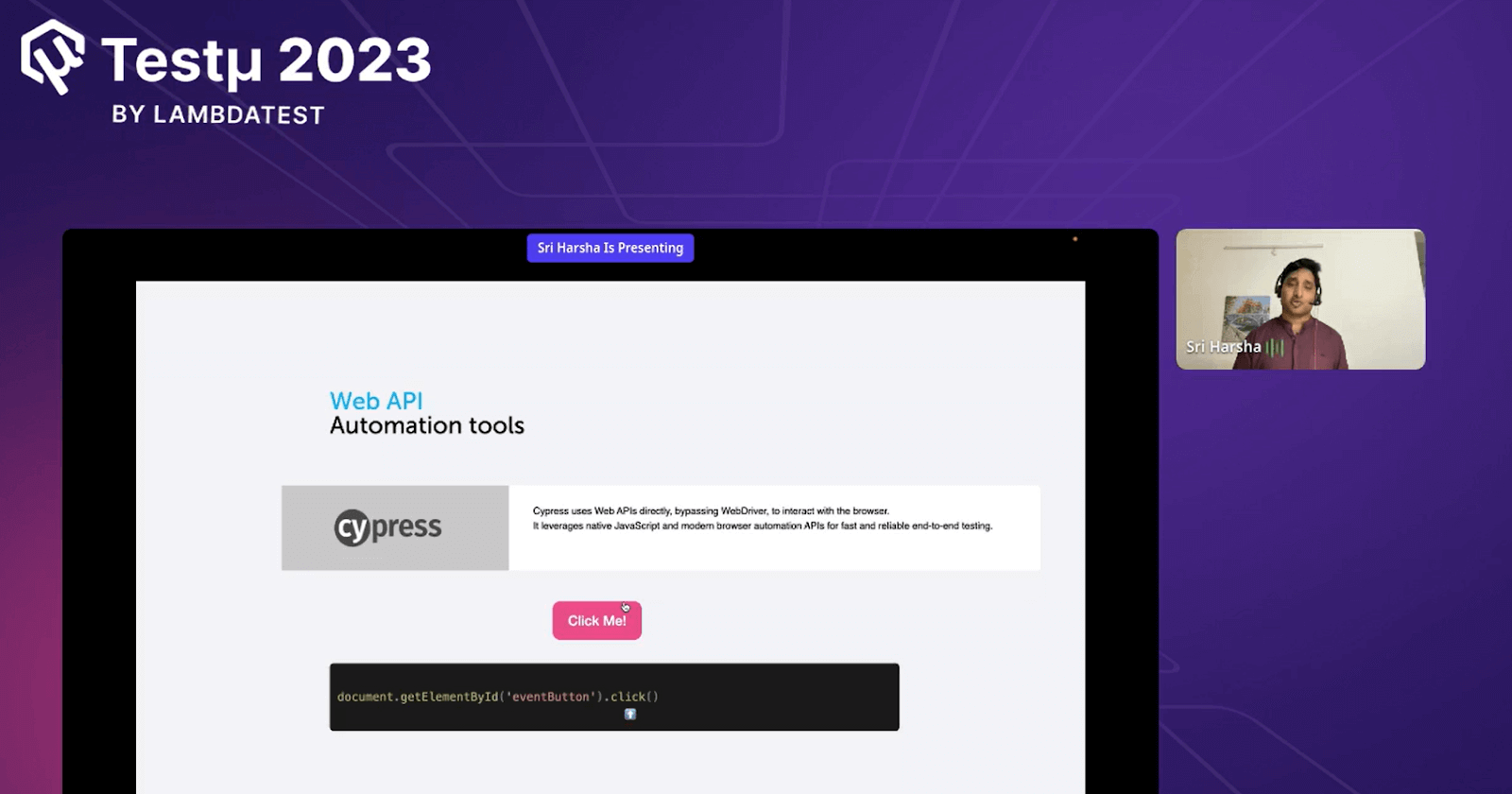
For example, Harsha demonstrated the button’s working in Cypress Code standard.
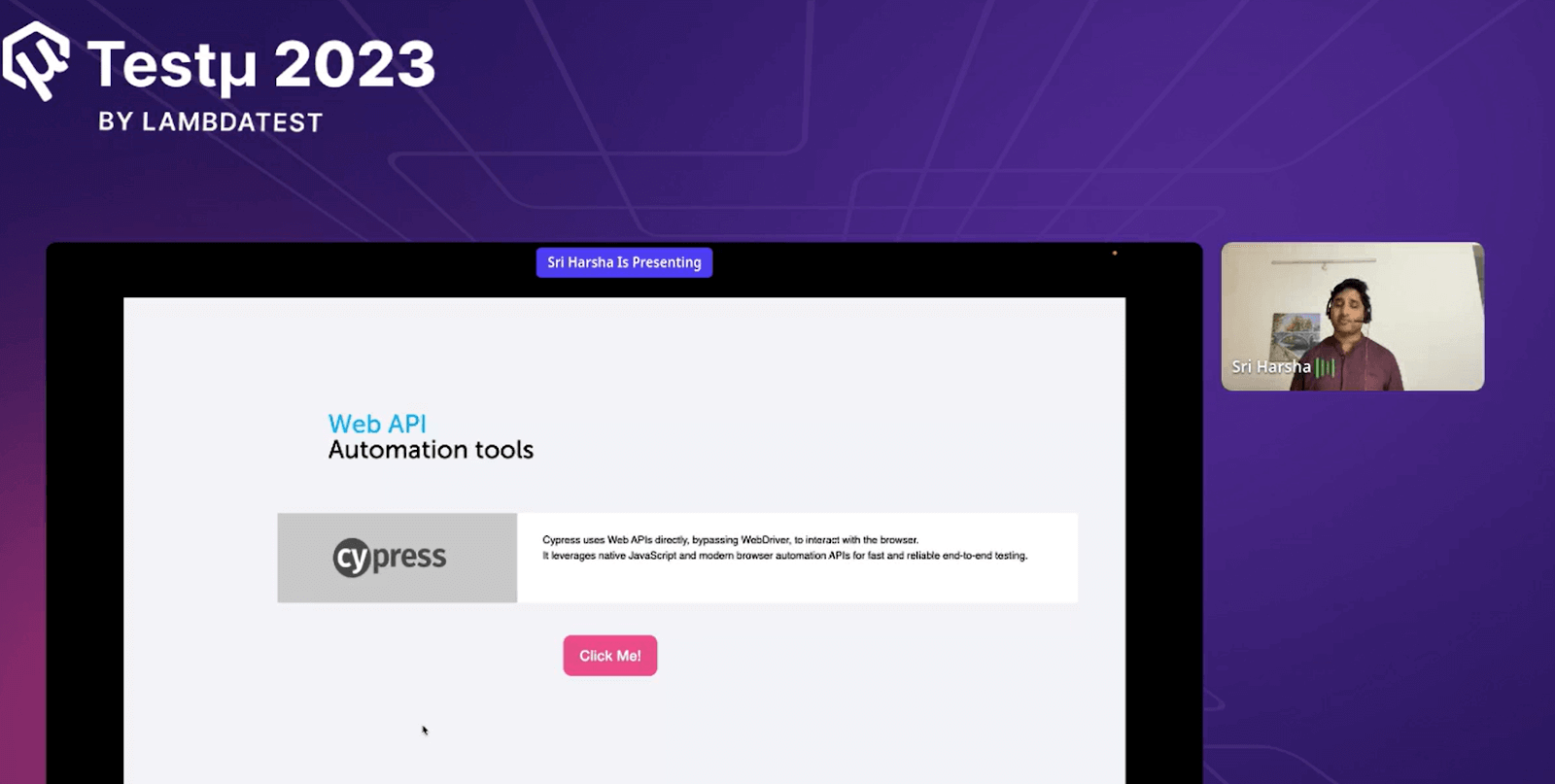
Cypress Code for Button using Click():
CDP (Chrome-based protocol)
Puppeteer uses CDP to programmatically control Chrome and Chrome-based browsers for web automation and testing.
For example, Harsha demonstrated the working of the button written in CDP commands.
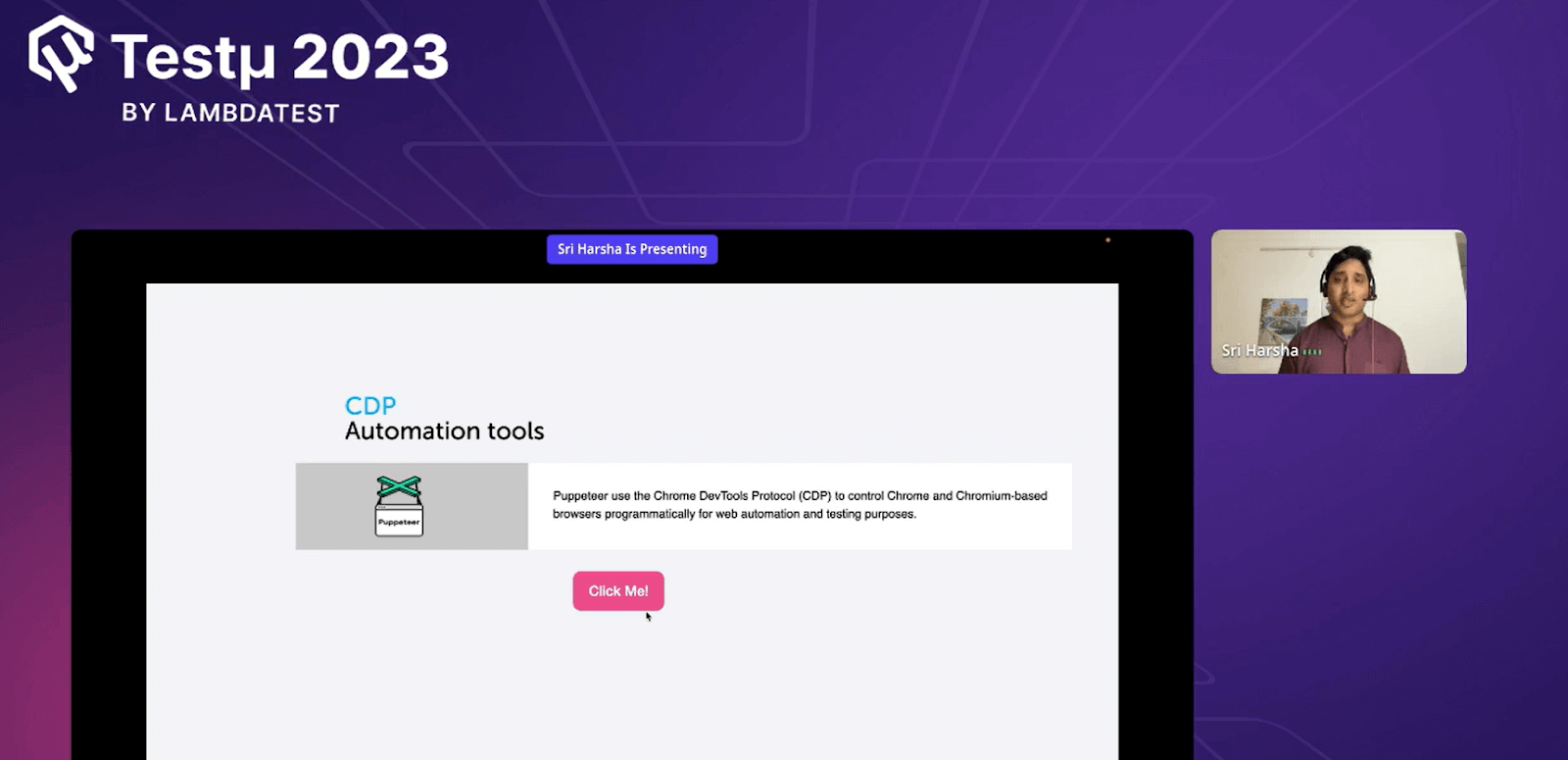
Code written in CDP commands
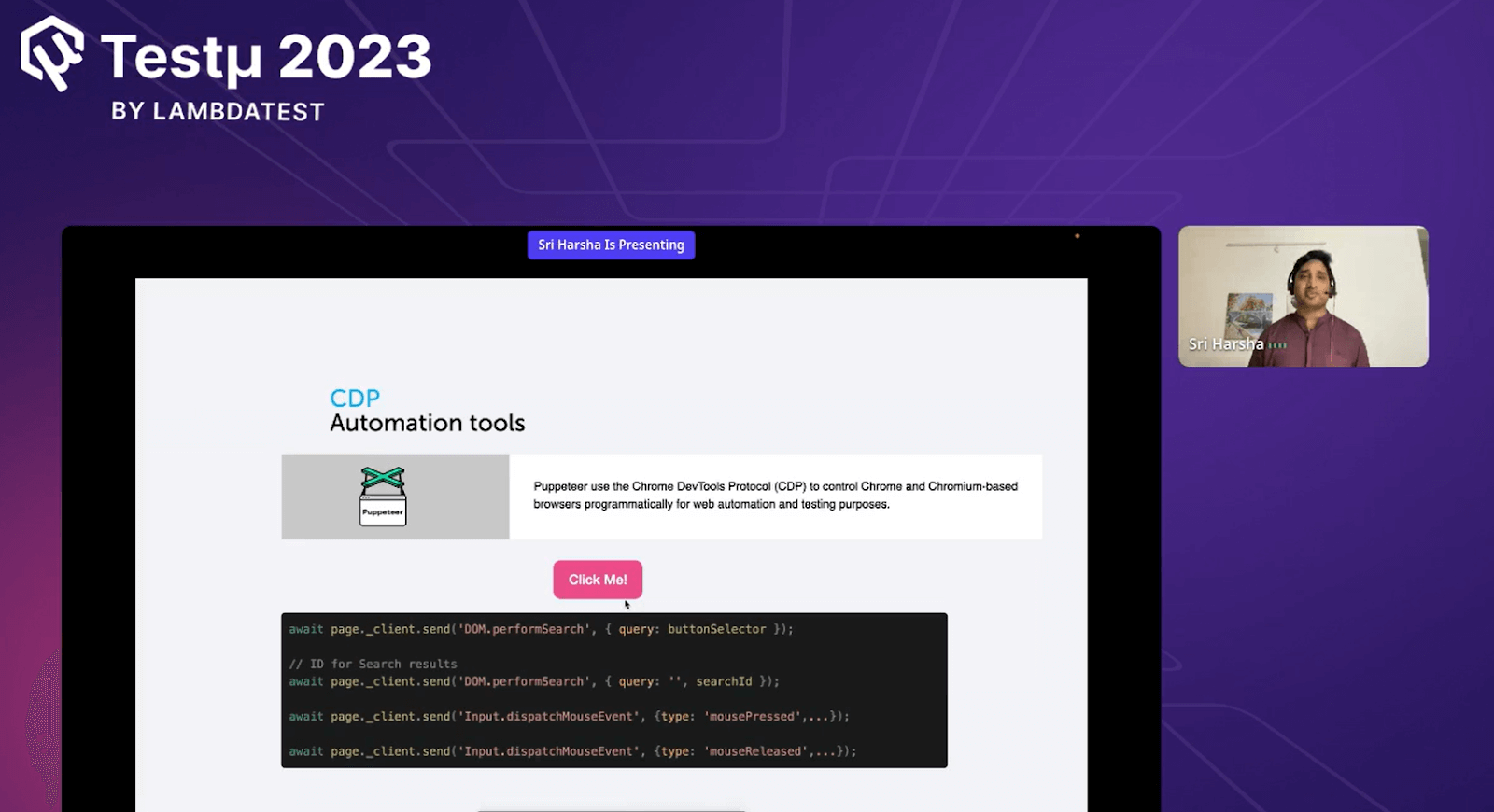
- The first line of the code searches for the element using a query.
- Once the element is found, the value is stored in the variable searchId.
- Using the Mouse press event, the mouse press is dispatched.
- Once the mouse is clicked, the other method dispatches another event called mouse release.
WebDriver Classic Vs. CDP
| Web Driver Classic | CDP |
|---|---|
| The standard protocol that supports all browsers. | Supported only Chrome-based browsers. |
| Communicates via an HTTP request. | Communicates via WebSockets. |
| Does not support low-level controls. | Supports low-level controls. |
WebDriver Classic Limitations
There are also some limits to using WebDriver that Harsha highlighted.
Wondering what is the necessity to have WebDriver BiDi? Sri Harsha deep dives into the limitations of WebDriver Classic as well as CDP – limitations of which are overcome using BiDi pic.twitter.com/CcdRXHwOjq
— LambdaTest (@testmuai) August 22, 2023
- Synchronize in natureWebDriver commands are generally synchronized, which means waiting for the response from the browser before proceeding with the following command.
- Limited low-level Dev Tool controlsSome low-level dev controls like Performance profiling, Network interception, advanced DOM inspection, and JavaScript console Interactions.
- Web Driver’s Uni-directionalWebDriver is slow because they lack Bi-direction communication with the browser, requiring users to poll for element availability, eventually delaying the test execution.
CDP Limitations
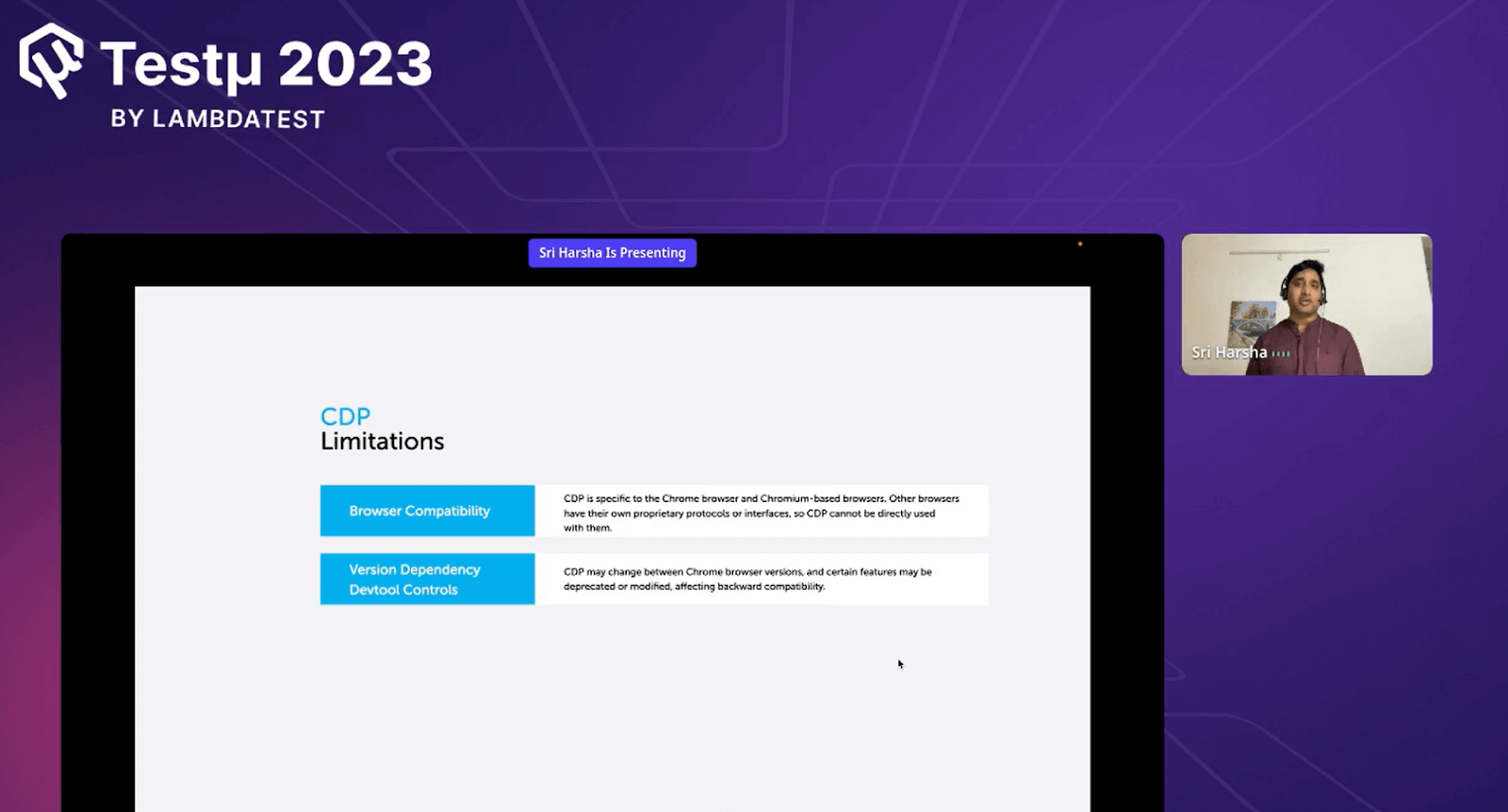
- Browser compatibility
Because CDP is explicitly designed for Chrome-based browsers, it cannot be directly utilized by other browsers. Because each browser has its unique interface or protocol that is not shared.
- Version Dependency Dev Tool Control
Switching between various Chrome versions using CDP might lead to changes, and some features could become outdated, impacting how well older versions are supported.
To overcome the limitation, there was a new protocol introduced called WebDriver BiDi, as the tester finds the need where they can leverage both the WebDriver Classic and CDP to gather and become a better process. Hence, the need for WebDriver BiDi.
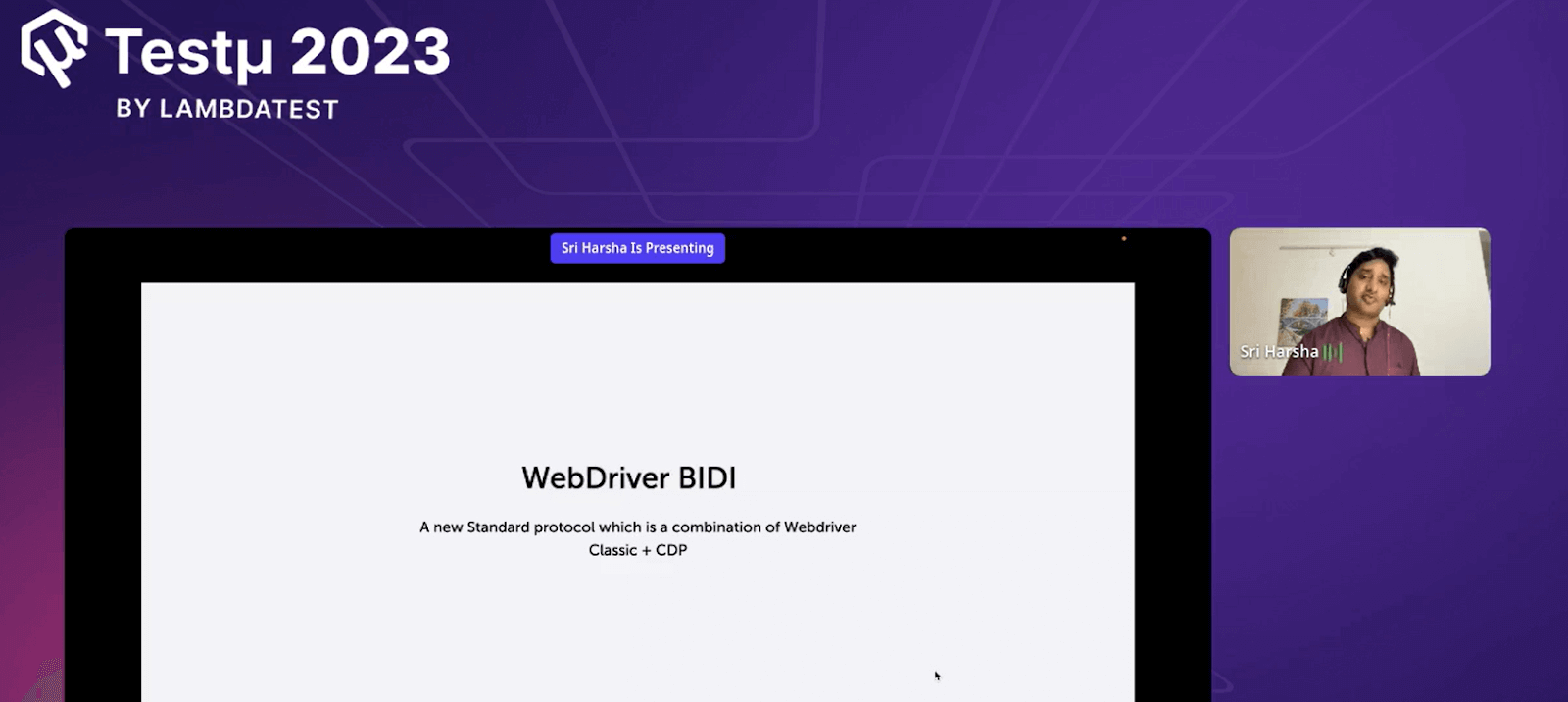
WebDriver BiDi
WebDriver BiDi represents a fresh standard protocol that blends elements from the traditional WebDriver and CDP, and there isn’t a substantial difference between the classic WebDriver and CDP when compared to WebDriver BiDi since this protocol is built upon the foundation of the classic WebDriver.
Advantages
As WebDriver BiDi is the new standard protocol course, they have benefits, which Harsha discusses further.
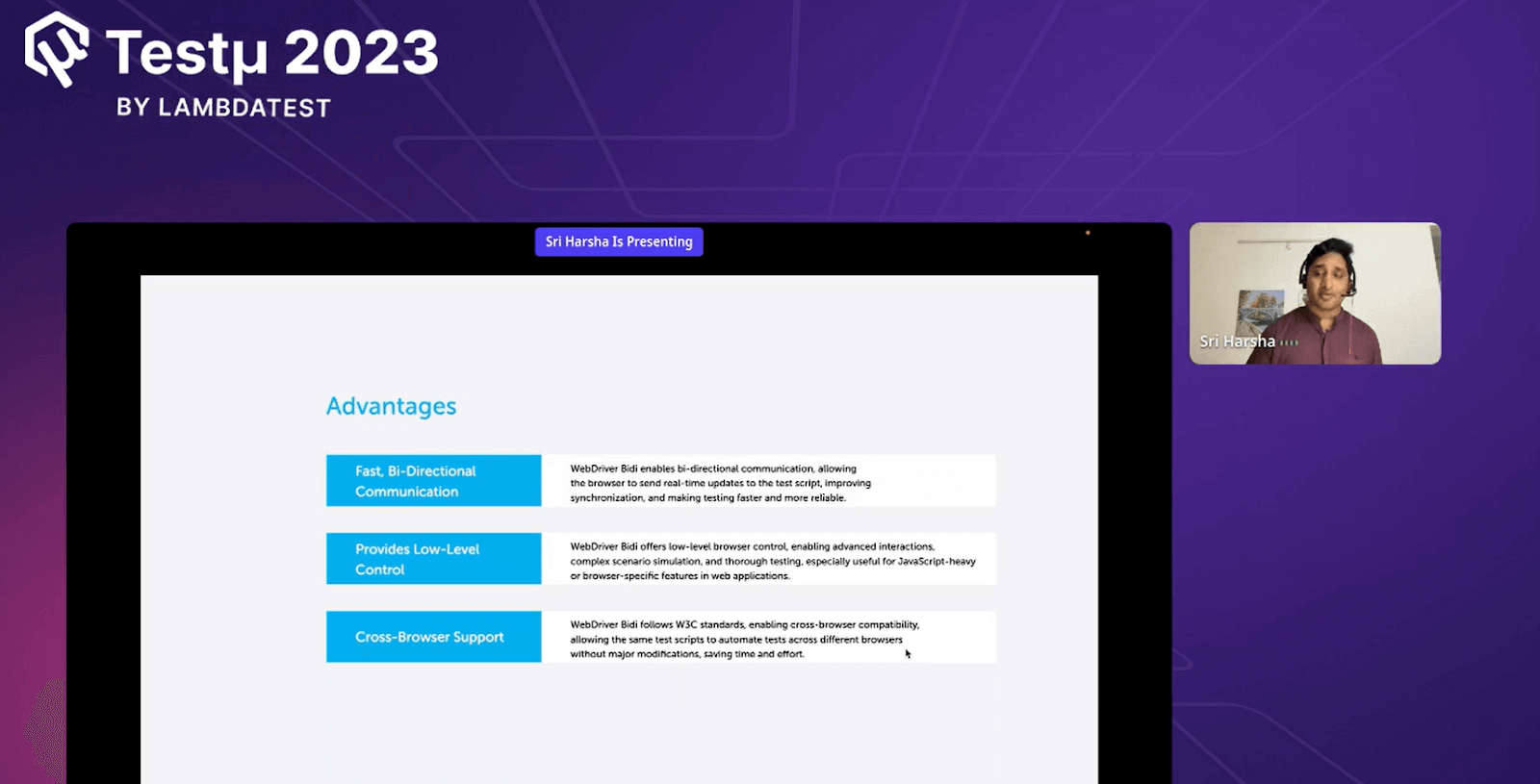
- Fast and Bi-directional communication
WebDriver BiDi enables bidirectional communication, allowing the browser to send real-time updates to the test script, improve synchronization, and make tests faster and more reliable.
- Provides Low-Level Controls
WebDriver BiDi enables Low-Level Controls, enabling interactions, complex scenarios simulation, and thorough testing, which are mainly useful for JavaScript-heavy or browser-specific features in web applications.
- Cross Browser Support
This follows W3C standards, enabling cross-browser compatibility and allowing the same test scripts to automate tests across multiple browsers without significant modifications.
Low-level Controls
Low-level controls can control and interact with various aspects of a browser.
- Listening to JS errors
Listens to JS errors, allowing real-time detection and reporting and improving debugging capabilities during test execution.
- Listening to console logs
Listen to console logs, allowing real-time capturing and analysis of console logs, helping debug and log during test execution.
- DOM Mutation
Allows monitoring and reacting to changes in DOM, facilitating dynamic web application testing and validation.
- Network Interception
Enables capturing and manipulating network requests, reducing advanced testing and analysis of web applications performance.
Current BiDi Status Chart
Check the current status of WebDriver BiDi. These are the current implementations of WebDriver BiDi. The chart below shows the real-time updates from the web applications.
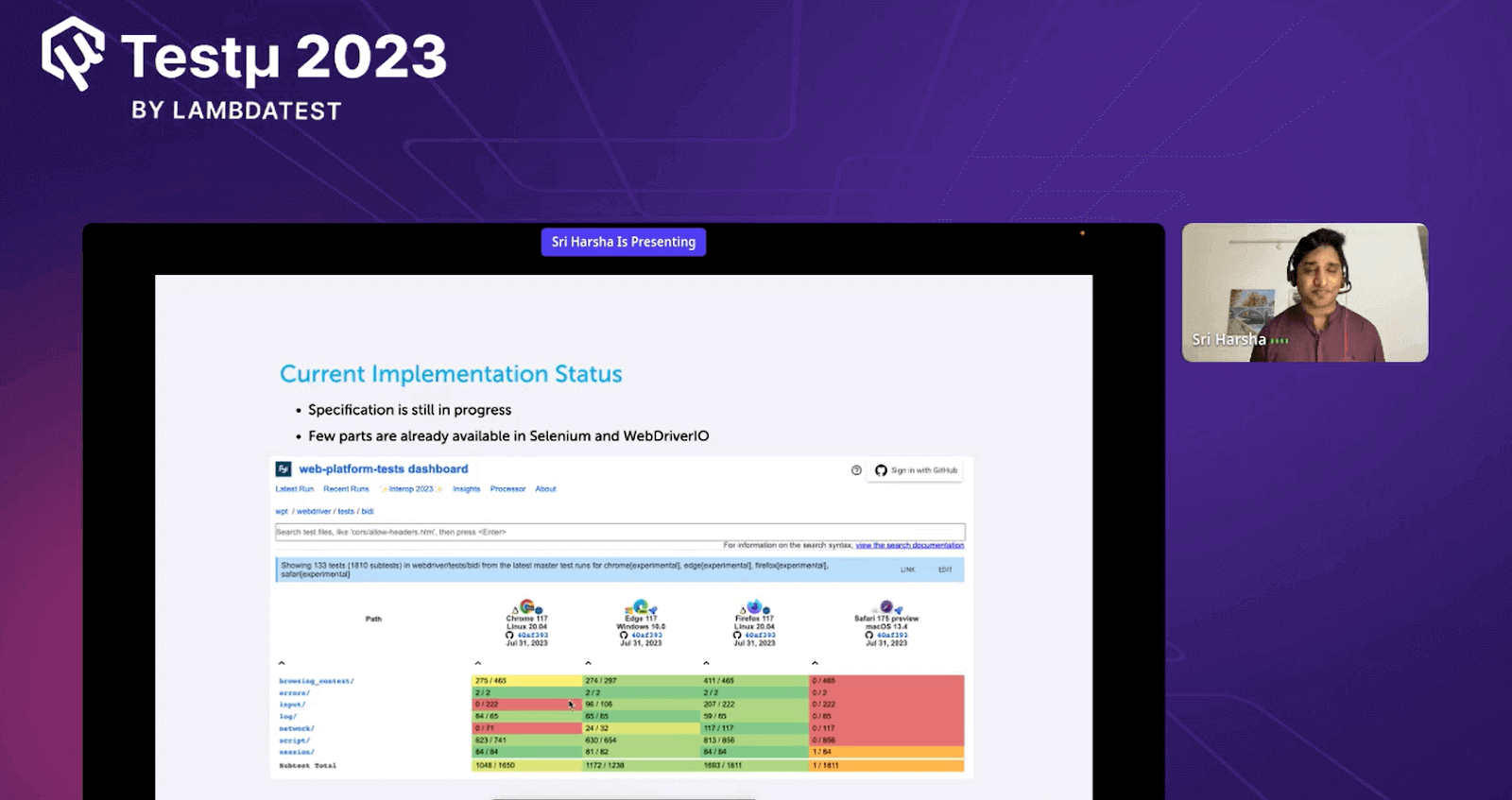
- Red – indicates not yet implemented.
- Green – indicates successfully implemented.
- Yellow – indicates in progress.
Selenium Code Demo
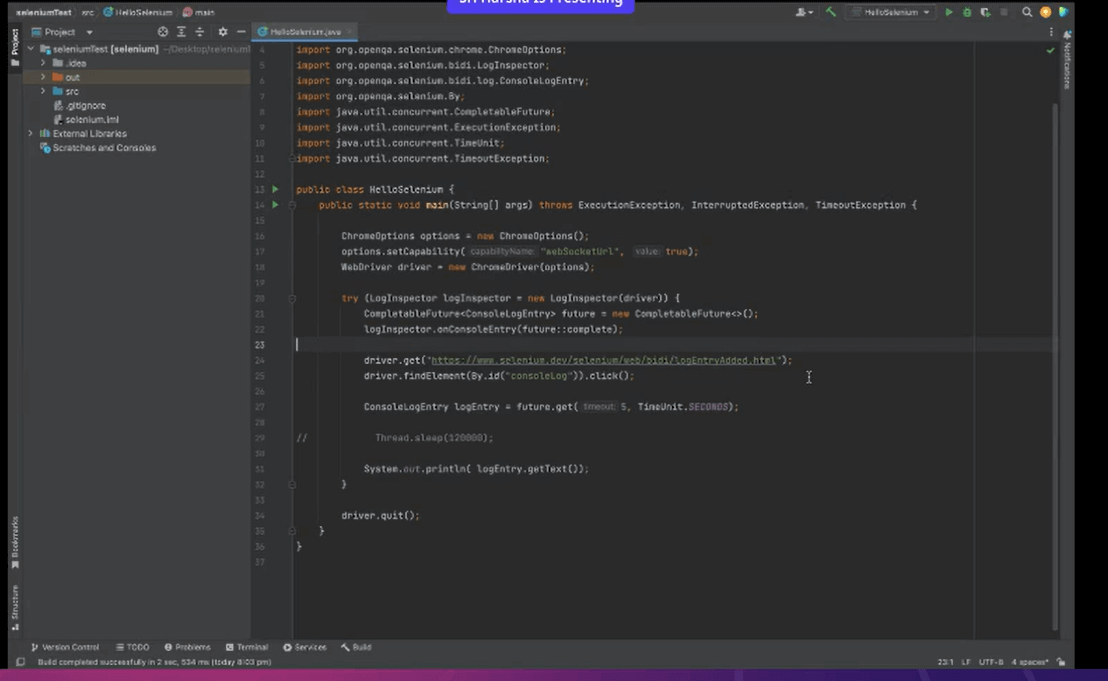
Follow the code snippet to implement the WebDriver BiDi in Selenium.
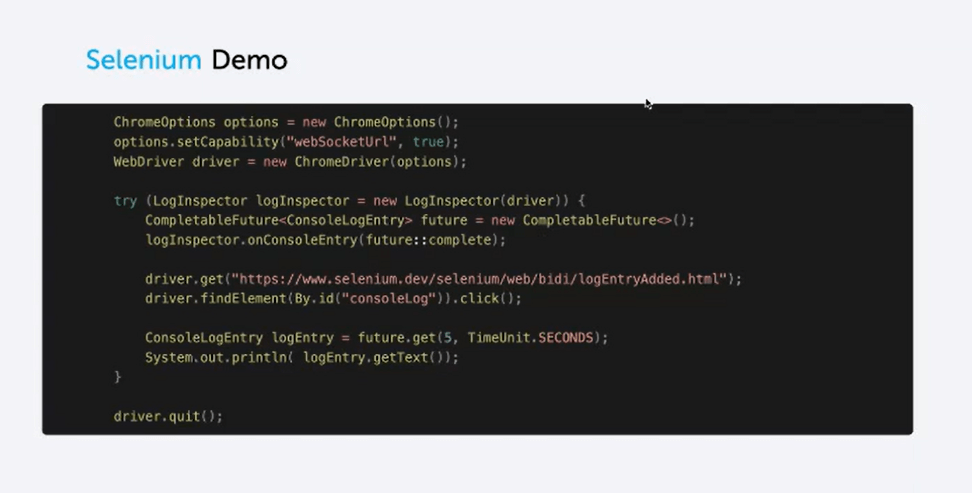
The line of code responsible for implementing is by adding the following capabilities.
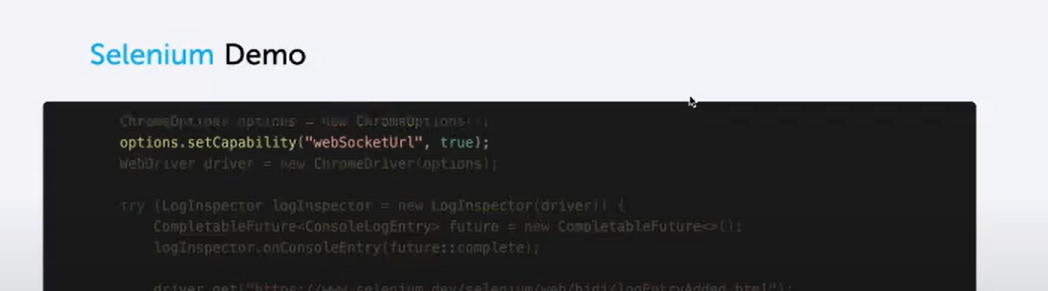
Here, the code enables the WebSockets, which is set to be true, to build a connection in the backend. Now, with this connection, you can listen to logs or JS errors.
Second, Harsha tries to start the server with WebSocket.
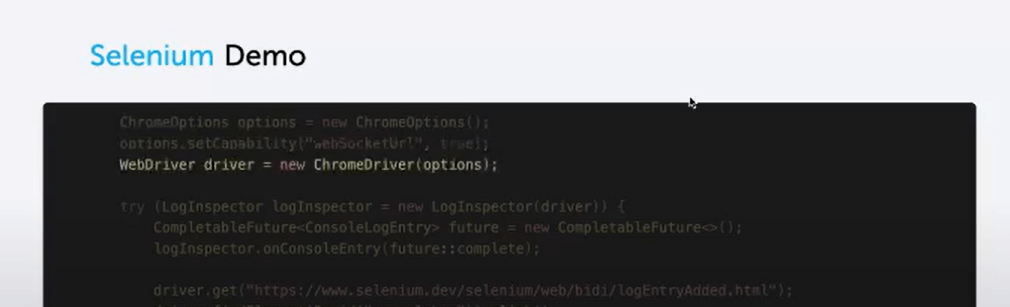
Then, the code tries to inspect the console logs displayed in the developer panel.
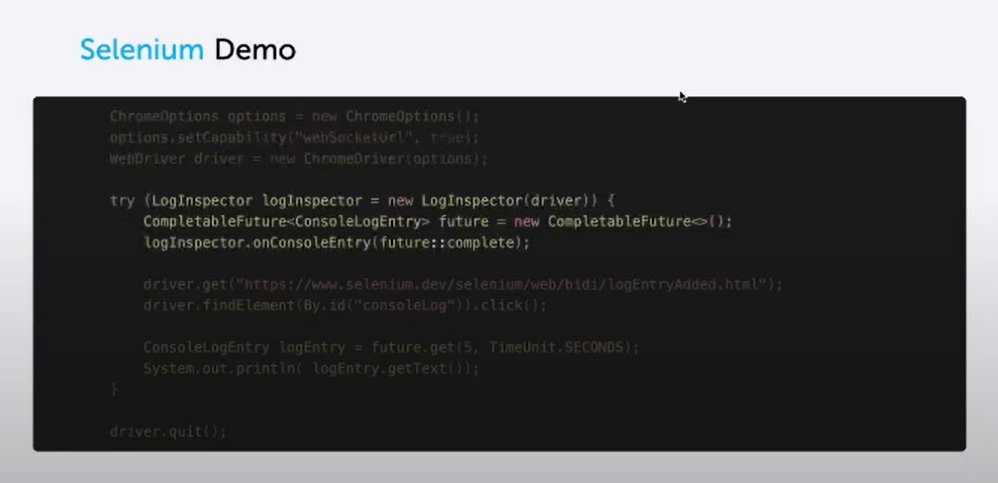
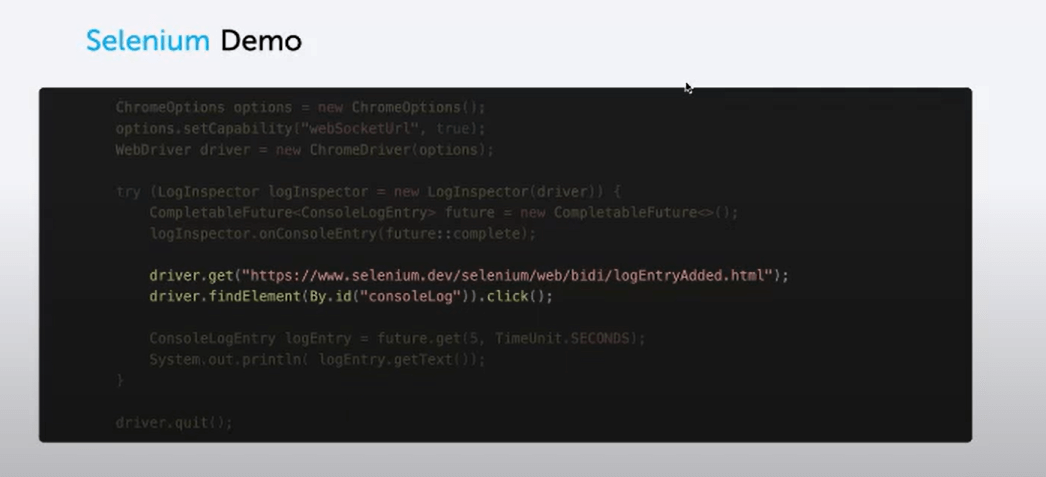
The code will visit the URL mentioned. This URL consists of some buttons based on the console log errors and getting the result in the browser console, which we will cover further.
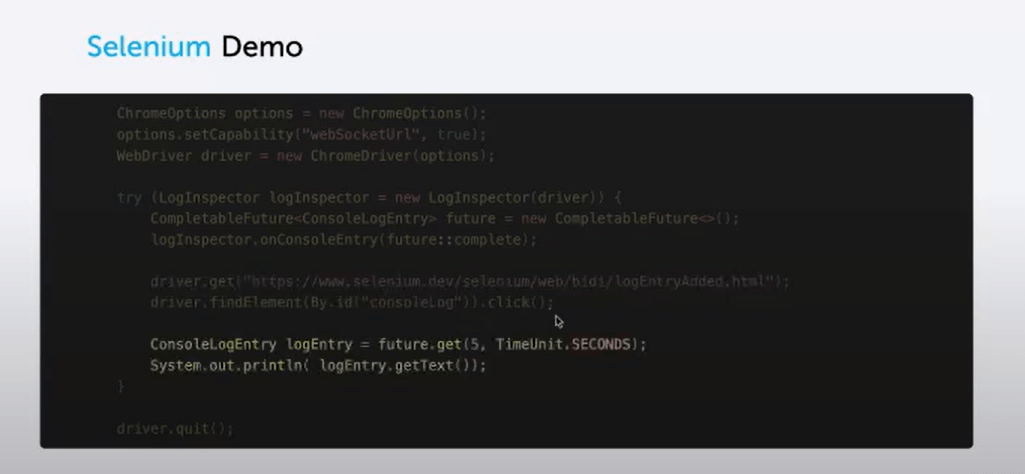
Then, the console log entry is fetched using the WebDriver BiDi.
The URL consists of a button for explanation purposes. Each click on the button displays the log in the console logs area of the developer panel.
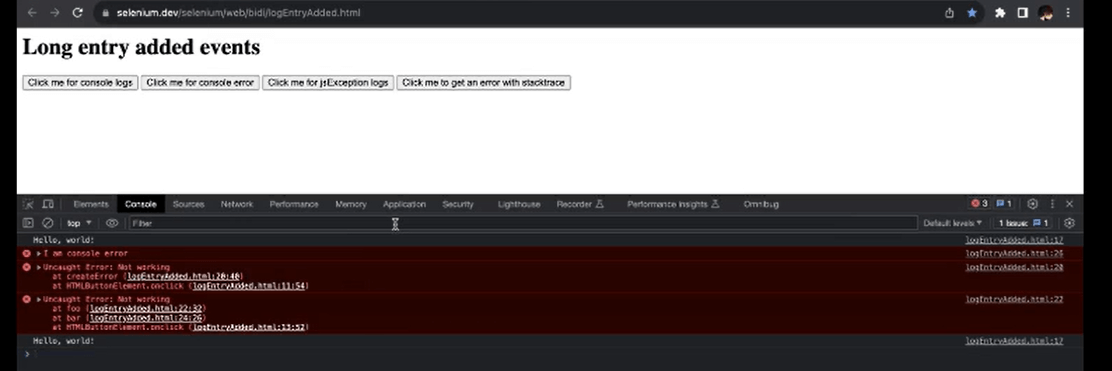
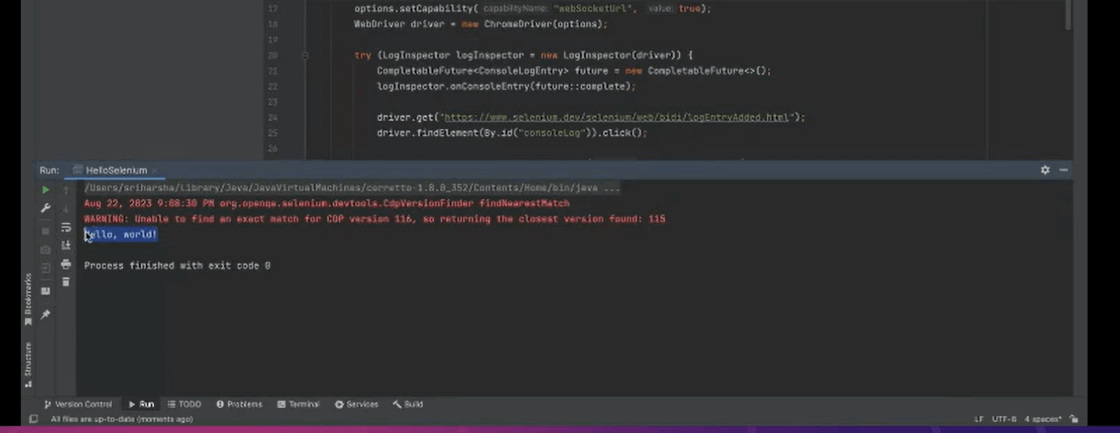
Run code using Selenium
Output
WebDriver BiDi Demo
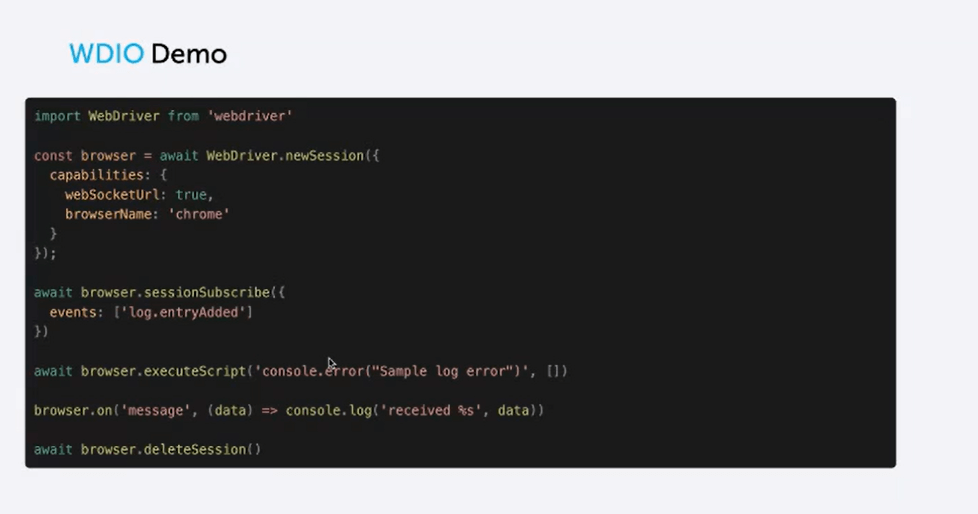
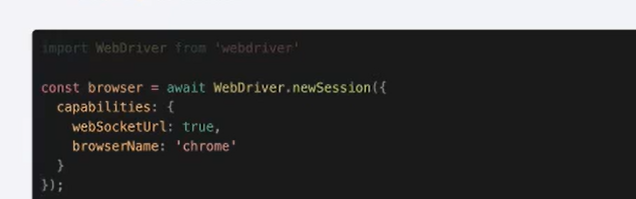
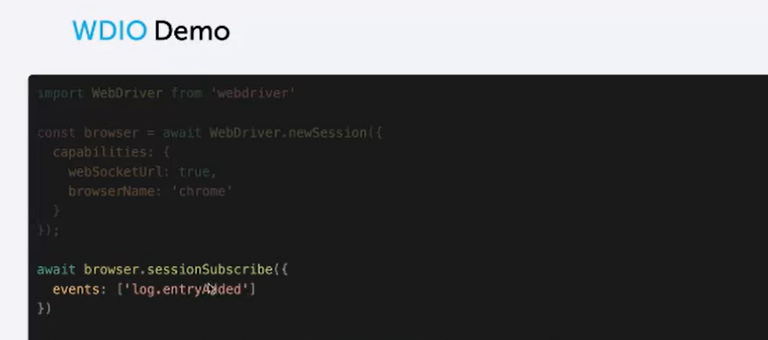
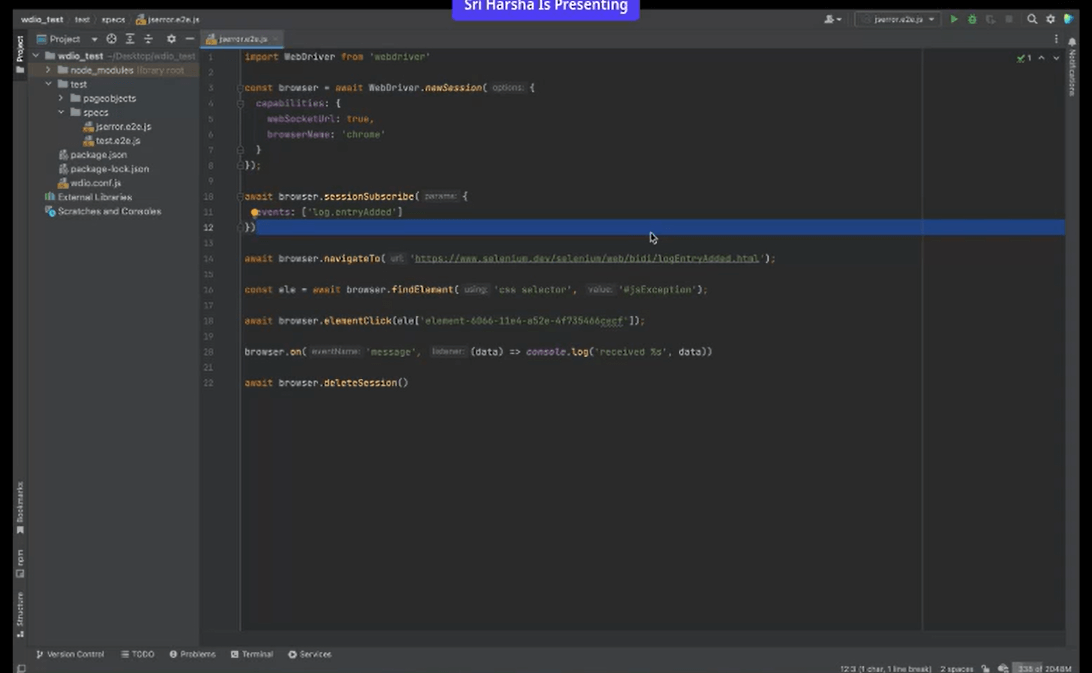
The code of WebDriver BiDi is written in a key-value pair.
You can see the first code set where the connection with WebDriver BiDi is built with some capabilities, as mentioned in the code.
In the next set of codes, the server is getting started with the WebSocket, but you need to subscribe to the sessions to log the entry.
With the help of the next line of the code, the results are captured and stored in the sample log error.
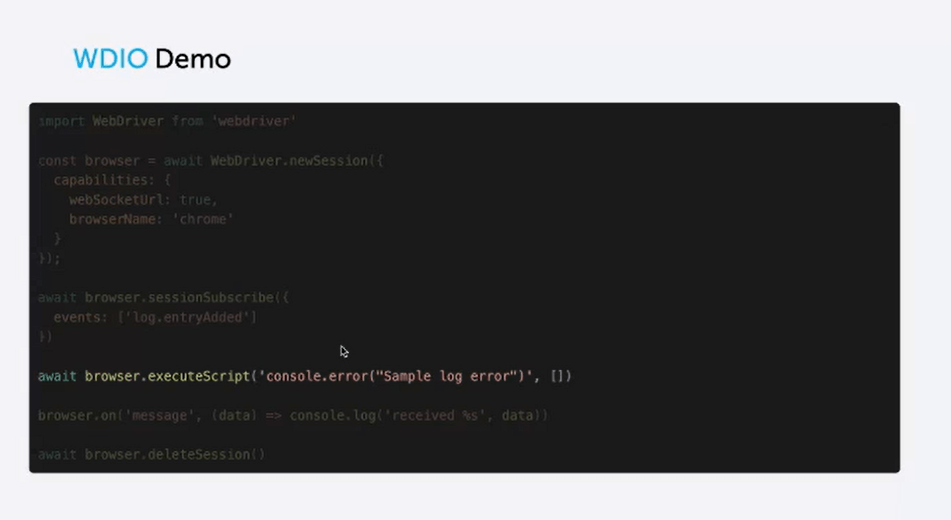
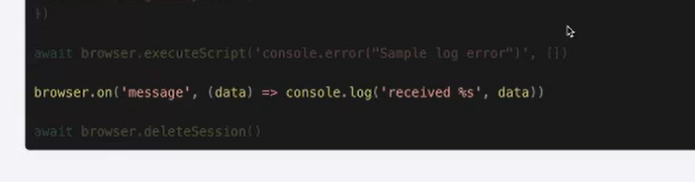
Now that the log error is captured, the same tries to fetch the same on the following line of the code from the console log.
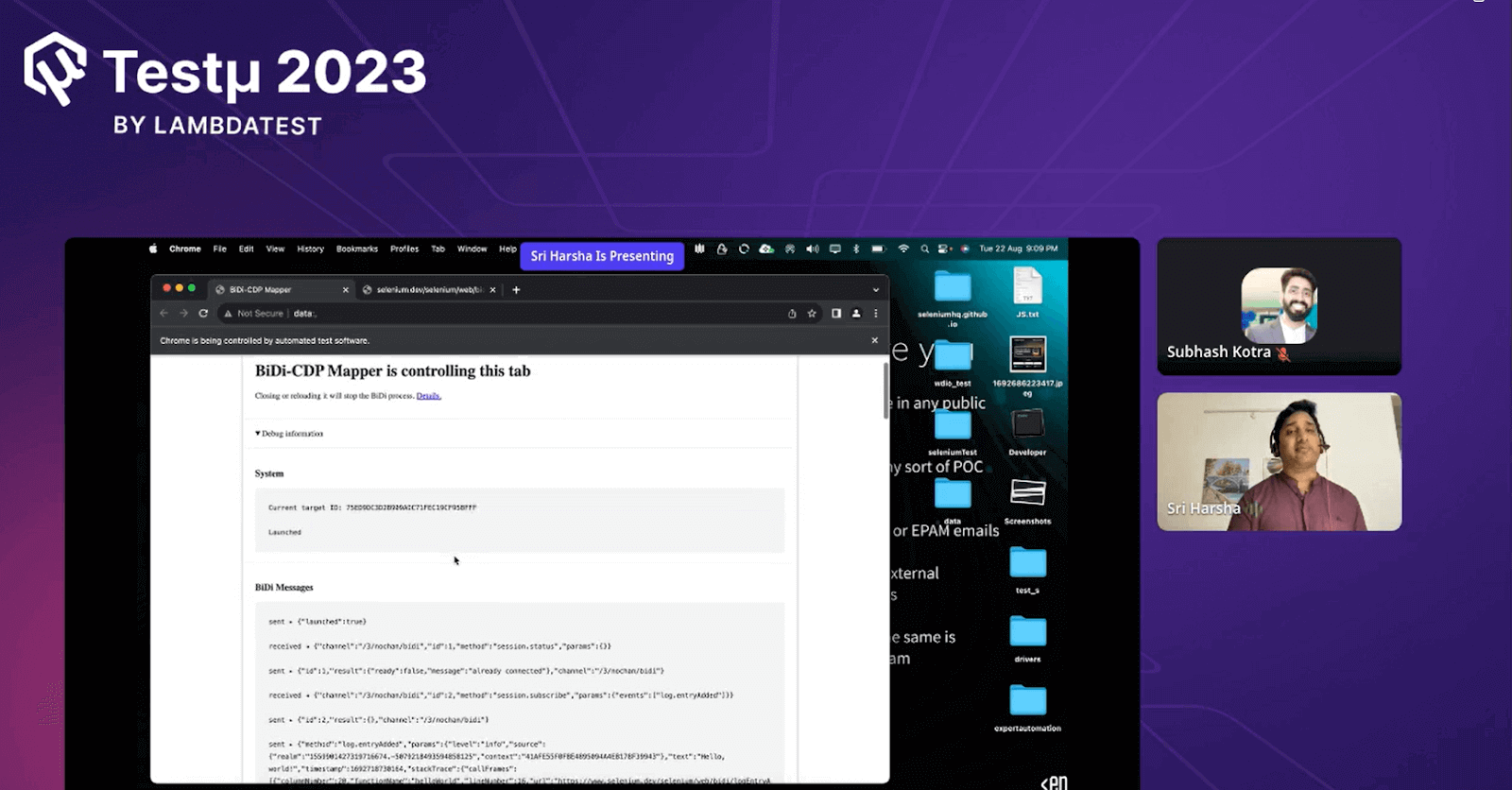
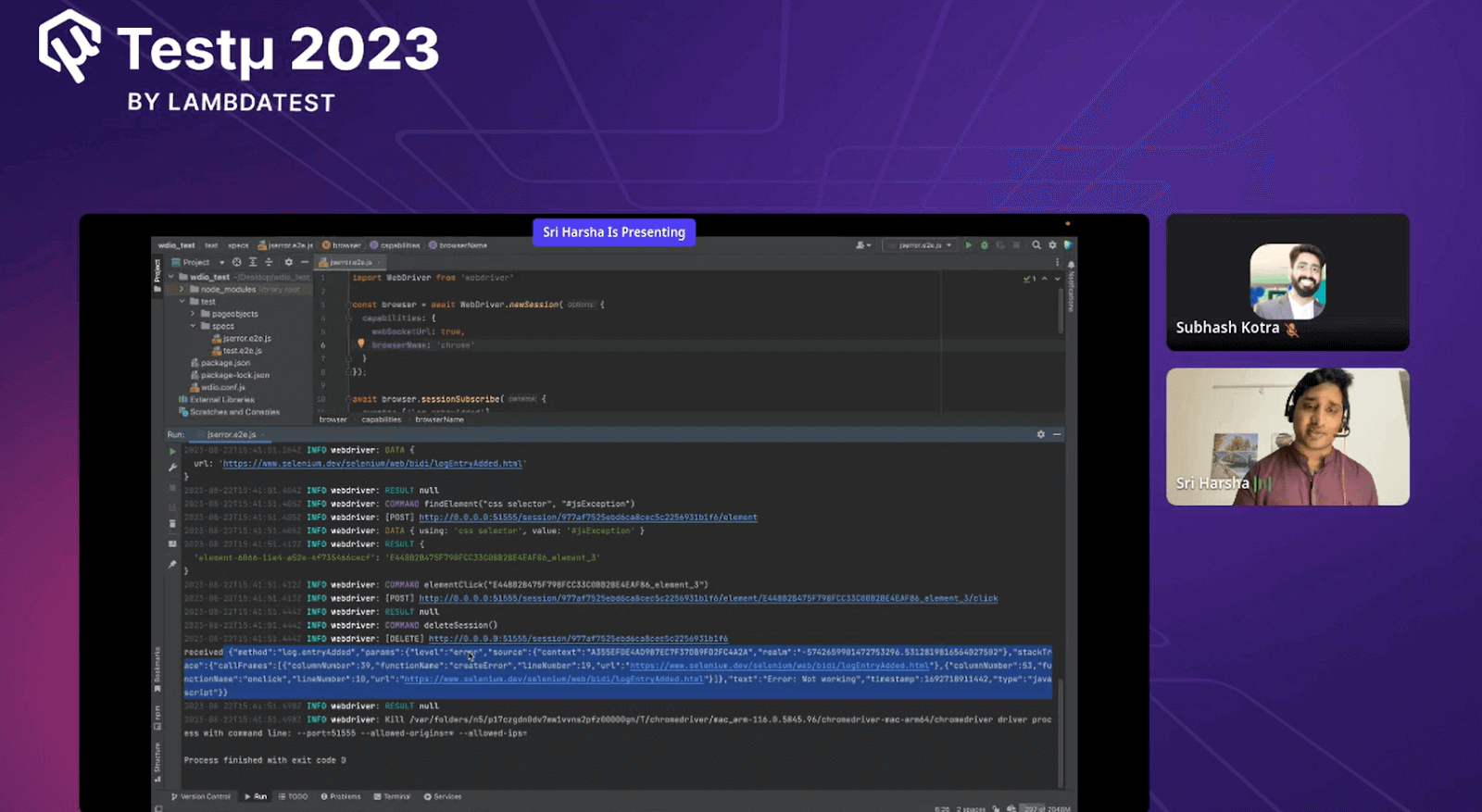
When you execute the code, you will have the WebDriver BiDi process, as shown below.
Using WebDriver BiDi, you will get detailed information on the command you previously executed. The below screen appears when a WebDriver BiDi connection is built into the backend.
Entire Code of WebDriver BiDi
Output
Unlike selenium, the result of the WebDriver BiDi is in JSON format, giving you a complete insight into your execution process.
Some of the concerns presented by the Harsha
- https://w3c.github.io/webdriver-bidi/
- https://chromedevtools.github.io/devtools-protocol/
- https://www.selenium.dev/documentation/webdriver/bidirectional/
- https://webdriver.io/docs/api/webdriverBidi/

Questions & Answers
- Are we going to see WebDriver BiDi in the mobile app as well?Harsha: The possibility is high, but since WebDriver BiDi is still in the implementation stage, it might take some time for WebDriver BiDi to integrate with the mobile app.
- Will there be any possibilities where we can incorporate cross-browser testing with desktop application testing?Harsha: No, as the primary goal of BiDi is to provide devtool access to the WebDriver classics.
- What strategies can be employed to address the challenges of implementing WebDriver BiDi?Harsha: Currently, WebDriver BiDi is in the implementation stage. We are working on browser protocols for a couple of the team members working on implementing WebDriver. Yes, there are a few challenges as time progresses. The functionality is primarily deprecated, and things will get finalized, but we will implement it in the future.
- BiDi is a direction to match the capabilities of Cypress. Does this have the potential to check all the powers of Cypress?Harsha: Since there are a few limitations with Cypress, Handling Frames and windows becomes a bit difficult as Cypress is wholly based on web APIs, But as with the session, the WebDriver BiDi can overcome the Cypress limitations.
- How do you see BiDi amongst its competitors?Harsha: BiDi will rock the world of test automation soon, As there is implementation going on with WebDriver BiDi.
- Can you explain more about Web platform Tests?Harsha: Web Platform Tests is an open-source project that provides a collection of test cases designed to verify the correct implementation of web standards in different browsers.
Harsha: Playwright’s WebSocket API enables direct interaction with the WebSocket endpoint during browser automation. In contrast, Web Platform Tests validate the browsers with web standards through test cases.
- Are there any recommended best practices for incorporating WebDriver BiDi Into an organization’s broader testing strategy?Harsha: There are recommended best practices for integrating WebDriver BiDi into an organization’s testing strategy.
Harsha: WebDriver BiDi may automatically incorporate self-healing elements to handle minor script failures and continue execution without manual intervention.
Harsha: The end of WebDriver BiDi includes hypothetical improvement, increased adoption, and improved browser automation. Chrome DevTools Protocol (CDP) might continue to coexist with WebDriver BiDi because they serve different purposes, with CDP focusing on debugging and inspection while WebDriver BiDi is for browser automation. Both can complement each other to provide a comprehensive toolkit for developers and testers.
Feel free to post more questions on the TestMu AI Community.


Did you find this page helpful?
More Related Hubs
TestMu AI forEnterprise
Get access to solutions built on Enterprise
grade security, privacy, & compliance
- Advanced access controls
- Advanced data retention rules
- Advanced Local Testing
- Premium Support options
- Early access to beta features
- Private Slack Channel
- Unlimited Manual Accessibility DevTools Tests