

Next-Gen App & Browser Testing Cloud
Trusted by 2 Mn+ QAs & Devs to accelerate their release cycles


Uncaught RangeError: Maximum call stack in JavaScript
Sometimes while scripting we use functions that in the end go out of range, while performing tasks. These errors can be easily tackled, if while implementation you keep track of the ranges of variable types used.

Robin Jangu
December 28, 2025
Errors occur where you least expect them, JS developers face this nemesis on a daily basis.
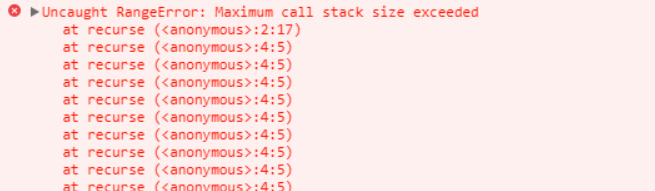
There are 2 ways to get these wonderful error messages:
1) Non-Terminating Recursive functions
Browser allocates memory to all data types. Sometimes calling a recursive function over and over again, causes the browser to send you this message as the memory that can be allocated for your use in not unlimited.
There is nothing painful for a coder than a non-terminating function or a method of recursion that tends to get stuck in an infinite loop.
Be considerate while calling functions, also dry run is the best practice to prevent them.
Maximum call stack gets overflow and washes away your hopes of running the code correctly.(XD)
var a = new Array(4294967295);  //OK
var b = new Array(-1); //range error

var num = 2.555555;
document.writeln(num.toExponential(4));  //OK
document.writeln(num.toExponential(-2)); //range error!

num = 2.9999;
document.writeln(num.toFixed(2));   //OK
document.writeln(num.toFixed(25));  //range error!

num = 2.3456;
document.writeln(num.toPrecision(1));   //OK
document.writeln(num.toPrecision(22));  //range error!
2) Out of Range
If someone asks you what your name is.
You won’t reply ‘2000 yrs’.
var num = 1;
try {
     num.toPrecision(500);  //no can't have 500 significant digits
    }
catch(err) {
     document.getElementById("mylife").innerHTML =err.name;
           }
Certain functions in JavaScript have ranges of inputs that you can give. Always be careful of the ranges. Sometimes while scripting we use functions that in the end go out of range, while performing tasks. These errors can be easily tackled, if while implementation you keep track of the ranges of variable types used.
While browsers like Chrome will give error notifications, IE will crash.
It should be of utmost priority that you check the valid input ranges.
Examples:
Number.toFixed(digits) 0 to 20
Number.toPrecision(digits) 1 to 21
Number.toExponential(digits) 0 to 20
Null is not 0
Hopefully this blog will help coders a bit in their frustrating hard work.
Let us learn from your mistakes too, please comment.



Did you find this page helpful?
More Related Hubs
TestMu AI forEnterprise
Get access to solutions built on Enterprise
grade security, privacy, & compliance
- Advanced access controls
- Advanced data retention rules
- Advanced Local Testing
- Premium Support options
- Early access to beta features
- Private Slack Channel
- Unlimited Manual Accessibility DevTools Tests