

Next-Gen App & Browser Testing Cloud
Trusted by 2 Mn+ QAs & Devs to accelerate their release cycles

On This Page
- Generating Python Random String
- Examples on Using These Functions to Generate Random Strings in Python of Various Types
- Advanced Techniques for Generating Random Strings using Python
- Applications Of Random Strings in Python
- Comparing Different Techniques For Generating Random Strings in Python
- Best Practices for Generating Random Strings in Python

How To Use Python For Random String Generation
Learn how to generate random strings using Python, a useful skill for tasks like password generation or test data creation.

Jainish Patel
December 24, 2025
An unpredictable and non-repetitive string of characters is referred to as a random string. In programming, random strings are crucial for several tasks, including the creation of test data, the development of unique IDs, the encryption of data, and the implementation of randomization-required algorithms. It makes programs more adaptable and robust by introducing a component of surprise and originality.
The random module in Python is an excellent utility that offers functions for producing random numbers, choices, and strings. It can produce random integers, floating-point numbers, sequences, and many more. The module allows programmers to create random strings in Python with altered compositions and lengths.
The generation of various data sets and the modeling of random events are made possible by this functionality. Python’s random module is a flexible and dependable tool for handling randomization in programming jobs because it also offers choices to create seeds for reproducibility or to use other sources for unpredictability.
In this tutorial on using Python for random string generation, we are going to look at Python modules like random, secrets, and uuid for creating random strings. In addition to discussing the installation process, we will see different methods provided by random module like random.randint(), random.sample(), random.choice(), and random.choices(). To get hands-on with the methods we are going to create alphanumeric, lowercase/uppercase, and particular character/symbol strings of varied lengths using examples. The secrets module’s advanced features, such as secrets.choice(), secrets.token_bytes(), secrets.token_hex(), and many more methods will also be covered. We’ll talk about real-world uses including creating passwords, test data, and UUIDs. We’ll cover comparisons, and best practices. By the end of this tutorial, you will be able to use Python to efficiently generate random strings.
Generating Python Random String
The random module is a Python in-built module. This module implements pseudo-random number generators for various distributions like int and float-point. Pseudo-random implies that the generated numbers are not truly random.
There is a uniform selection from a range of integers. For sequences, some functions produce random permutations of lists in place, uniformly select a random element, and perform random sampling without replacement. It is possible to compute the uniform, normal (Gaussian), lognormal, negative exponential, gamma, and beta distributions on the real line. The von Mises distribution is available for producing angle distributions.
Installation
The random module doesn’t require installation. It is a built-in Python module; it can simply be imported into a working file to import the necessary functions or the entire module. To import the random module in a .py file, write the following code:
import random
# or
import random as rand
Overview of different functions available for generating random strings in Python
This section will discuss various methods offered by the random module like randint(), sample(), choice(), and choices() which will help generate Python random strings in different ways.
random.randint()
The random.randint() function which creates a random number inclusive of both ends between the supplied range [a, b]. The lower and upper bounds of the range are represented by the two arguments, a and b, that the function accepts.
Syntax:
random.randint(start, end)
Parameters:
- randint(start, end): Both of them must be integer(int) type values.
Returns:
- A random integer in the range [start, end], including the end values.
For string:
# Import modules
import random
# Generates a random number between 0 to 27
num = random.randint(0, 26)
print("Random number is: ", num)


sample= "generatingStringUsingPython"
print("Random char from the string is: ", sample[num])

Output:

For a list of strings:
import random


num = random.randint(0, 3)
print("Random number is: ", num)


example_list = ["selenium", "python", "learning", "test"]
print("Random char from the string is: ", example_list[num])

Output:

random.sample()
All of the characters in a string produced by random.sample() method are distinct and non-repeating. However, random.choice() method produces a string that can include repeating characters. Therefore, we can assert that using random.sample() to provide a unique random string.
Syntax:
random.sample(sequence, k)
Parameters:
- sequence is a mandatory parameter that can be a string, list, or tuple
- k is a non-mandatory parameter that specifies the length of the returned list, tuple, or string.
Returns:
- A new list of elements is chosen from the sequence of length k.
For string:
import random


sample_string = "generatingStringUsingPython"
# Prints list of random char of length 5 from the given string.
print("With string:", random.sample(sample_string, 5))

Output:

For tuple of strings:
import random


sample_tuple = ("python", "test", "version", "lambda", "test","selenium")
# A list of random items of length 4 from the given tuple will be printed.
print("With tuple:", random.sample(sample_tuple, 4))

Output:

For the set of characters:
import random


sample_set = {"p", "y", "t", "h", "o", "n"}
# A list of random items of length 2 from the given set will be printed.
print("With set:", random.sample(sample_set, 2))

Output:

NOTE: After Python 3.9, instances of the set are no longer supported. The population must be a sequence. The set must first be converted to a list or tuple, preferably in a deterministic order so that the sample is reproducible.
random.choice()
The random.choice() method is used to generate the sequence of characters and digits that can repeat the string in any order. It can be used with a list, tuple, or string.
Syntax:
random.choice(sequence)
Parameters:
- sequence is a mandatory parameter that can be a string, list, or tuple
Returns:
- The choice() returns a random item from the string, list, or tuple.
For string:
# Import modules
import random


# Set the required length
length_of_string = 12


sample = "generatingStringUsingPython"
# choice method will only return a single char or value
generated_string1 = ''.join(random.choice(sample))
print("Resultant string without loop is : " + str(generated_string1))


# To get multiple values one needs to use a loop with the choice method
generated_string2 = ''.join(random.choice(sample) for _ in range(length_of_string))
print("Resultant string is : " + str(generated_string2))

Output:

For a list of strings:
import random


# pass the list as a parameter
example_list = ["selenium", "python", "learning", "test"]


print(random.choice(example_list))
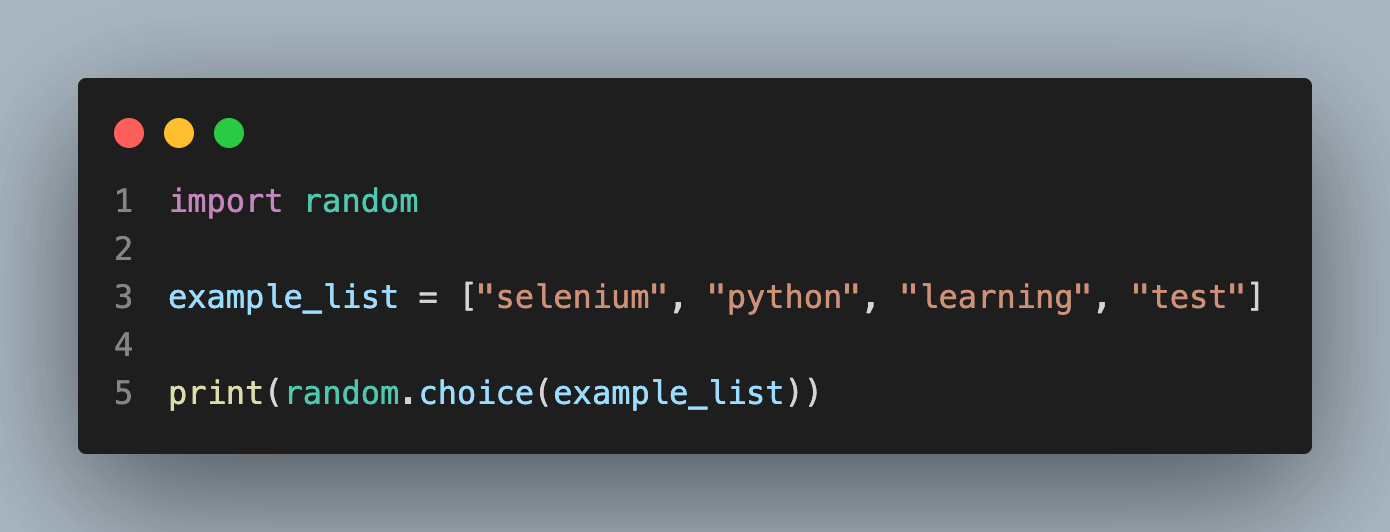
Output:

random.choices()
The Python string generates a sequence of letters and numbers that can repeat the string in any order using the random.choices() method. Multiple random elements from the list with replacement are returned by the choices() method. With the weights or cum_weights parameter, you can adjust the likelihood of each result. A string, a range, a list, a tuple, or any other type of sequence can be used as an element.
Syntax:
random.choices(sequence, weights=None, cum_weights=None, k=1)
Parameters:
- Sequence is a required parameter that can be a string, list, or tuple.
- Weights is an optional parameter which is used to weigh the possibility for each value.
- cum_weights is a parameter that may be used to weigh the likelihood of each value; however, the likelihood is accumulated in this case.
- k is a non-mandatory parameter that specifies the length of the returned list, tuple, or string.
Returns:
- The choices() returns a random item of the passed length from the string, list, or tuple.
For string:
# Import modules
# Import modules
import random


# Set the required length
length_of_string = 12
sample_str = "ABCDEFGHIJKLMNOPQRSTUVWXYZ0123456789"
# k is an argument which will set the length
generated_string = ''.join(random.choices(sample_str, k = length_of_string))
print("Resultant string is : " + str(generated_string))
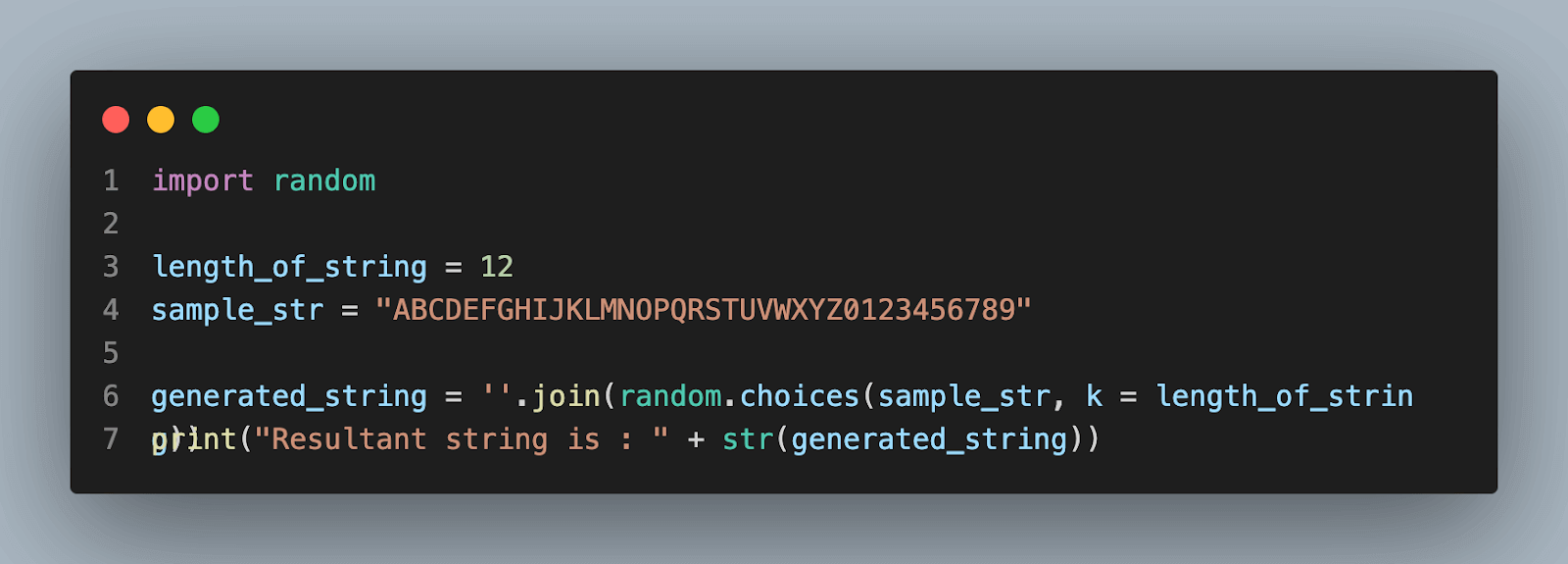
Output:

For a list of strings:
# Import modules
import random


# randomly created a list
example_list = ["test", "selenium", "python"]


print(random.choices(example_list, weights = [10, 2, 1], k = 5))
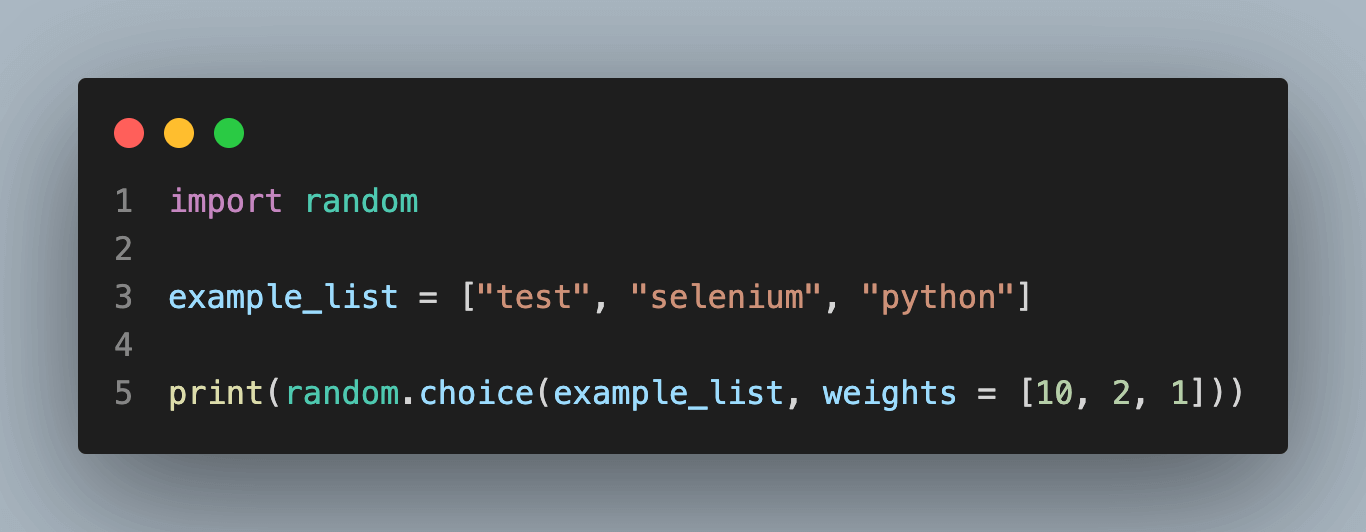
Output:


Examples on Using These Functions to Generate Random Strings in Python of Various Types:
Alphanumeric randomize strings
One can generate Python random strings of desired length consisting of alphanumeric characters using the random.choice() function in combination with the string.ascii_letters, string.ascii_uppercase, string.ascii_lowercase, and string.digits constants from the string module.
Here’s an example:
# Import modules
import random
import string


# Set the required length
length = 12


# ascii_letters consist of alphabets for 'a' to 'z' and 'A' to 'Z'
# digits consist of '0' to '9'
characters = string.ascii_letters + string.digits
generated_string = ''.join(random.choice(characters) for _ in range(length))
# If you want to avoid using loops then choices is a better option
generated_string = ''.join(random.choices(characters, k=length))
print(generated_string)

Output:

Lowercase/Uppercase randomize strings
To generate random strings in Python with only uppercase or lowercase alphabetic letters, one can use the string.ascii_lowercase or string.ascii_uppercase constants along with the random.choice() or random.choices() method.
Here’s an example for uppercase:
# Import modules
import random
import string


length = 10
# ascii_uppercase will provide a range from 'A' to 'Z'
generated_string = ''.join(random.choice(string.ascii_uppercase) for _ in range(length))


# OR


generated_string = ''.join(random.choices(string.ascii_uppercase, k=length))
print(generated_string)
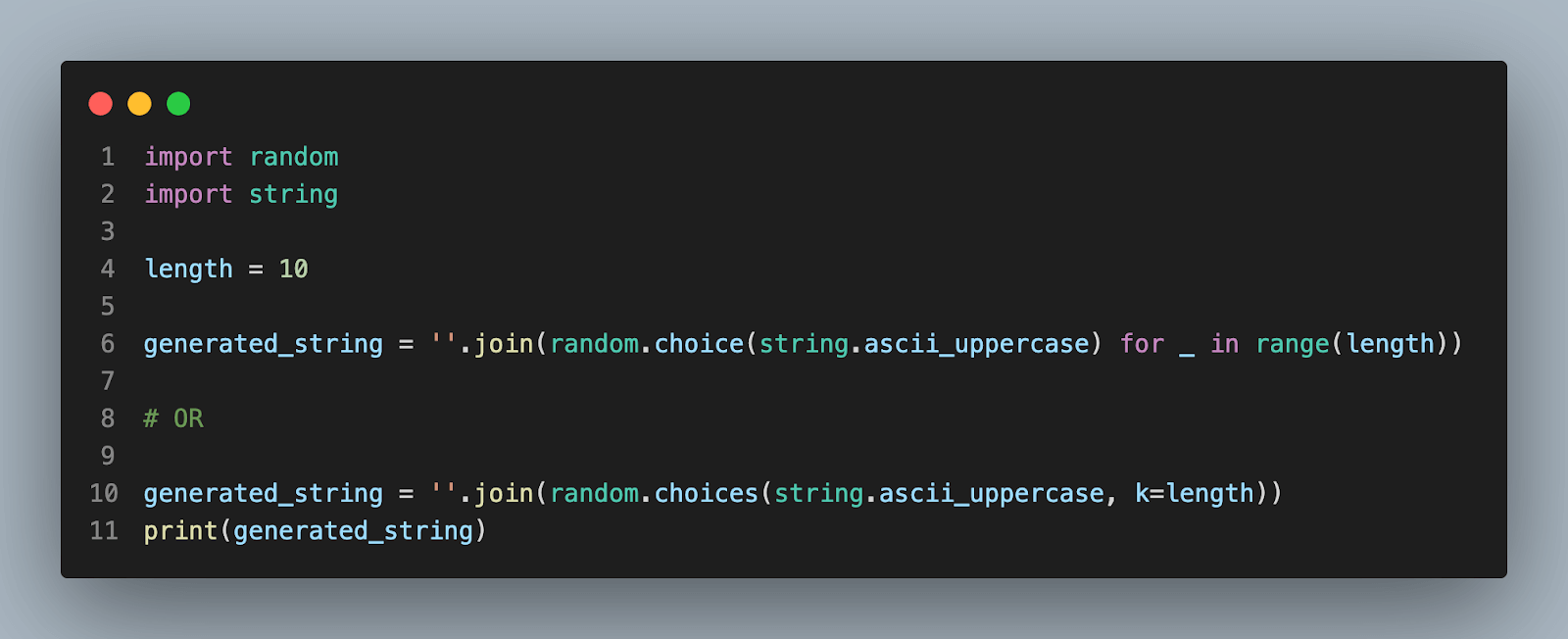
Output:

Here’s an example for lowercase:
# Import modules
import random
import string


length = 10
# ascii_lowercase will provide range from 'a' to 'z'
generated_string = ''.join(random.choice(string.ascii_lowercase) for _ in range(length))


# OR


generated_string = ''.join(random.choices(string.ascii_lowercase, k=length))
print(generated_string)
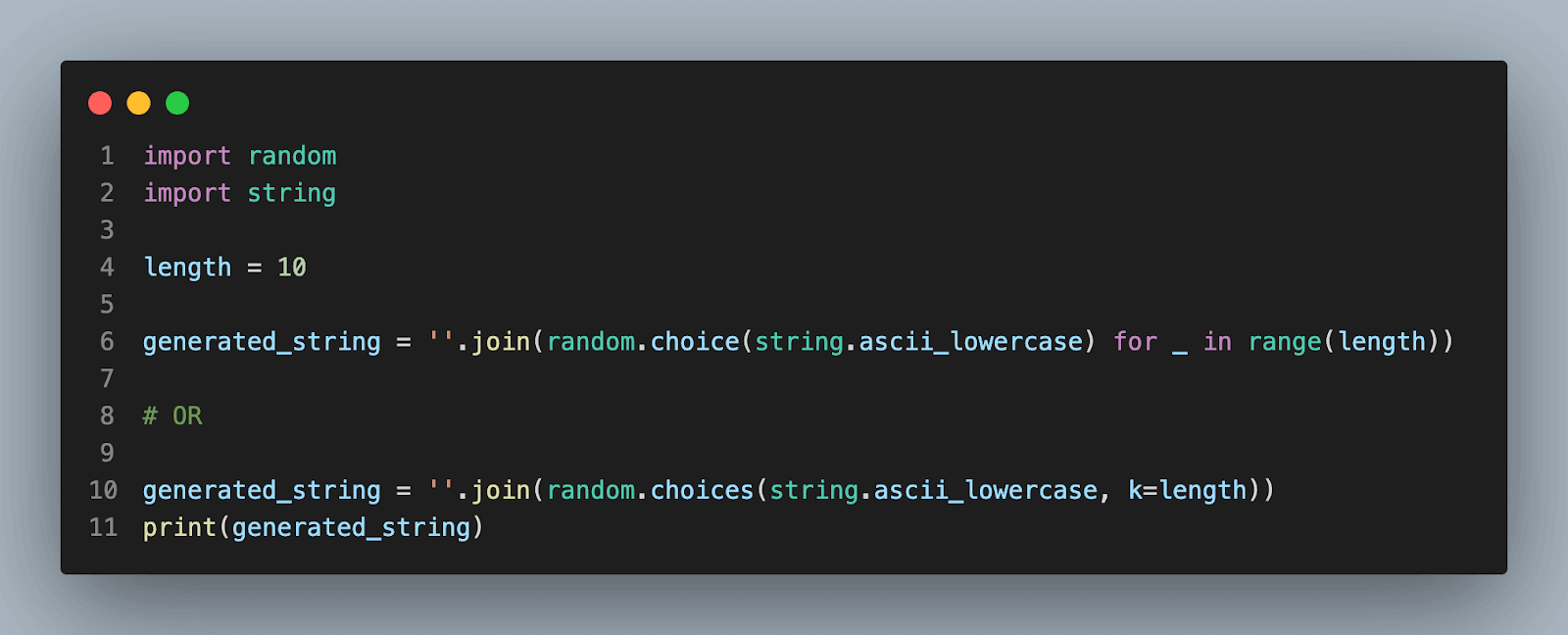
Output:

Strings with specific characters/symbols
You can create a character pool and use the random.choice() or random.choices() function to create random strings in Python containing certain characters or symbols.
The following is an illustration of how to create a string using lowercase letters, numbers, and special characters:
import random
import string


length = 8


str_characters = "!@#$%^&*" + string.ascii_lowercase + string.digits
generated_string = ''.join(random.choice(str_characters) for _ in range(length))


# OR


generated_string = ''.join(random.choices(str_characters, k=length))
print(generated_string)

Output:

Strings of specific length
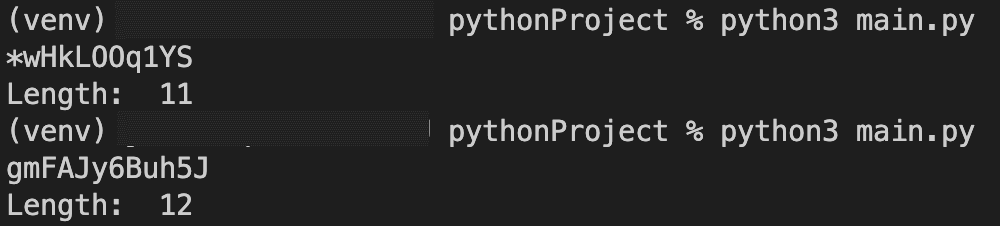
You can change the range(length) option in the examples above to generate random strings of a particular length using choice() method; However, If you are using choices() then the k parameter will control the length of the string.
Let’s look at the example of a variable-length string of alphabetic letters:
import random
import string


min_length = 8
max_length = 12


length = random.randint(min_length, max_length)


str_characters = string.ascii_letters + string.digits + "!@#$%^&*"
generated_string = ''.join(random.choice(str_characters) for _ in range(length))


# OR


generated_string = ''.join(random.choices(str_characters, k=length))
print(generated_string)
print("Length: ", len(generated_string))

Output:
Advanced Techniques for Generating Random Strings using Python
At this point, we have covered all major functions which can help generate Python random strings. You might be thinking of its use cases. You might have thought of using random strings for security and creating user ids for databases. However, using the random module for this purpose is not preferred. To address such a use case, python has some other modules which use similar concepts to random module but with better privacy and security. In this section, we will discuss two such modules.
Secrets module
The secrets module is meant to generate cryptographically strong random numbers suitable for handling confidential data such as account authentication, passwords, security tokens, and related secrets. The most secure source of randomization is made accessible by this module. Python 3.6 and later versions have inbuilt support for this module. Specifically, the secrets module should be used instead of the random module’s default pseudo-random number generator, intended for modeling and simulation rather than security or cryptography. Moreover, it uses the os.urandom() function to generate random numbers from sources provided by the operating system.
We will see some majorly used methods provided by the secrets module.
secrets.choice()
# Import modules
import secrets
import string


sample_str = string.ascii_letters + string.digits


# Usage of secrets.choice()
password_code = ''.join(secrets.choice(sample_str) for _ in range(10))


# The final length of the password_code will be 10
print(password_code)
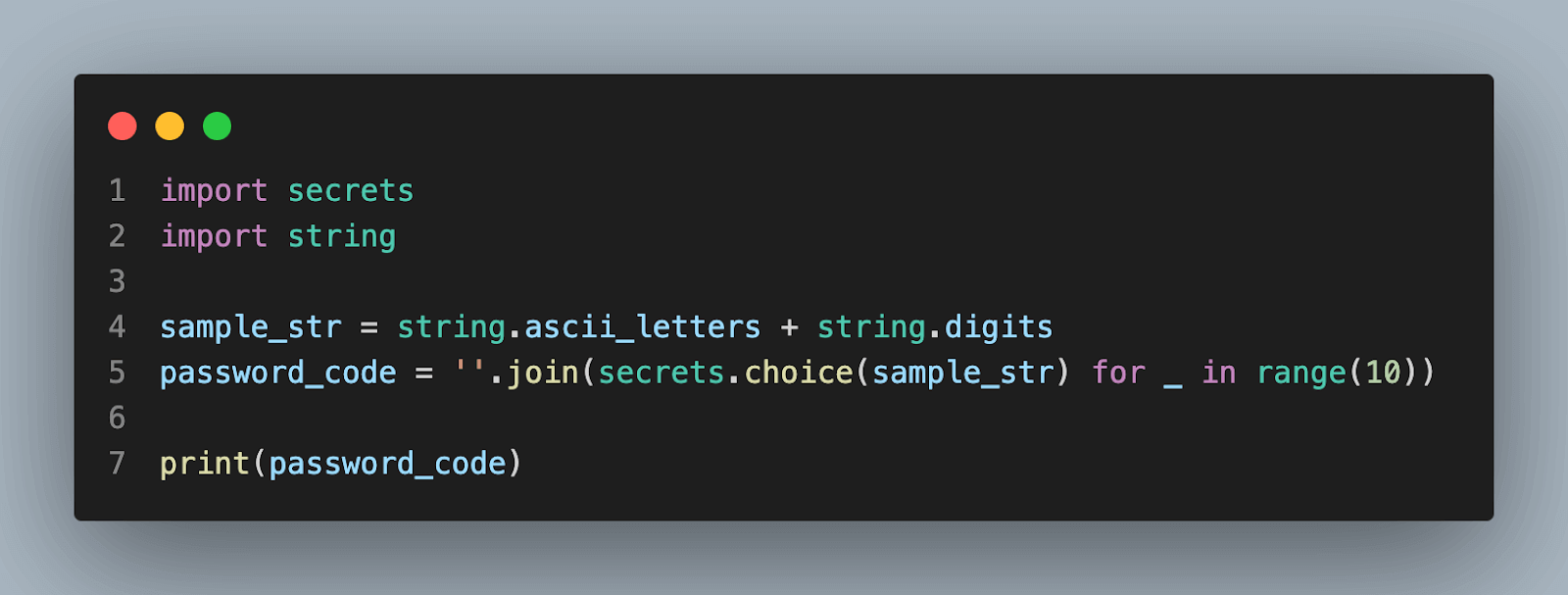
Output:

secrets.randbelow()
import secrets


# This function returns a random integer in the range [0, n).
password_code = secrets.randbelow(30)
print(password_code)

Output:

secrets.randbits()
import secrets


# This function returns an int with k random bits.
password_code = secrets.randbits(10)
print(password_code)

Output:

Generating tokens is very useful for a variety of tasks and the secrets module provides various options for it.
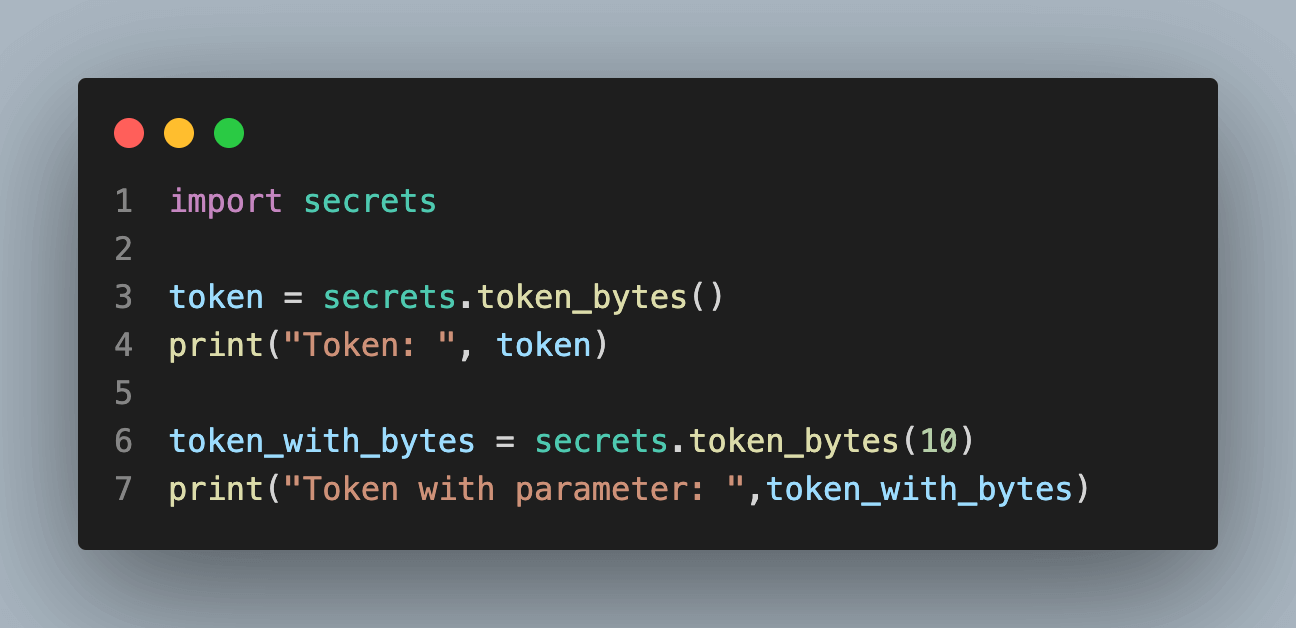
secrets.token_bytes()
import secrets


# If no value is provided to the token_bytes() a reasonable default is used.
token = secrets.token_bytes()
print("Token: ", token)


# This method also accepts integer as a value
token_with_bytes = secrets.token_bytes(10)
print("Token with parameter: ",token_with_bytes)
Output:

secrets.token_hex()
This function is responsible for producing a random hexadecimal text string made up of n random bytes. In the absence of a value, a logical default is applied.
import secrets


# 16 bits hexadecimal value
token_16 = secrets.token_hex(16)
print("Token with hexadecimal: ", token_16)


# 32 bits hexadecimal value
token_32 = secrets.token_hex(32)
print("Token with hexadecimal: ",token_32)

Output:

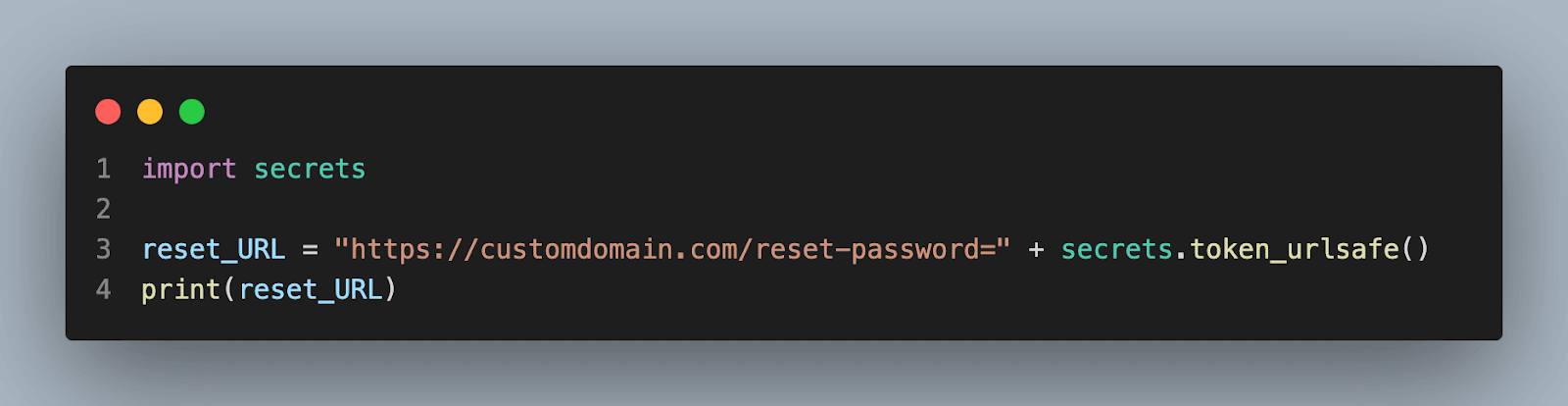
secrets.token_urlsafe()
This function is responsible for producing an arbitrary text string that is URL-safe and contains n random bytes. It can be used for password recovery(forgot password).
import secrets


reset_URL = "https://customdomain.com/reset-password=" + secrets.token_urlsafe()
print(reset_URL)
Output:

uuid module
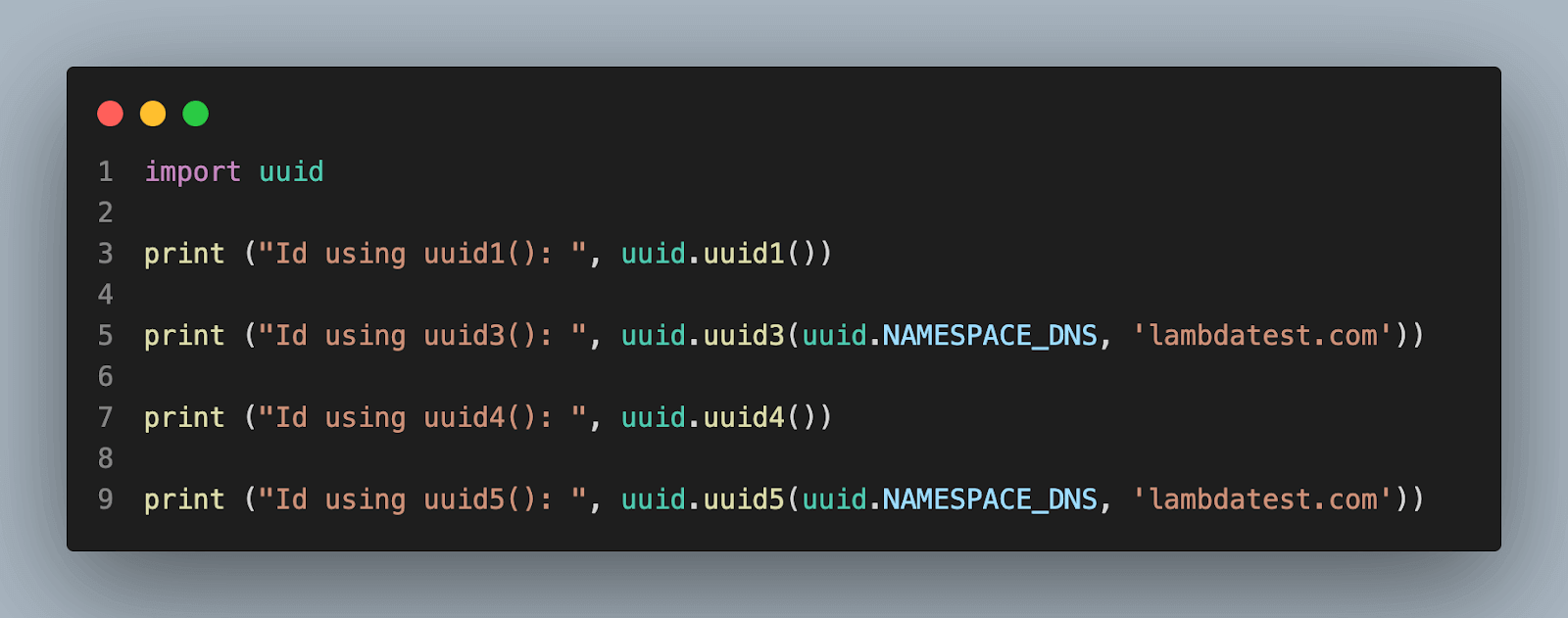
UUID, or Universal Unique Identifier, is a Python module that facilitates the creation of random objects with 128-bit ids. It offers uniqueness by producing IDs based on time and computer hardware (MAC, etc.). In accordance with RFC 4122, this module offers immutable UUID objects (the UUID class) and the functions uuid1(), uuid3(), uuid4(), and uuid5() for creating versions 1, 3, 4, and 5.
Example of using uuid:
import uuid
 # Random id using uuid1()
print ("Id using uuid1(): ", uuid.uuid1())


# Random id using uuid3()
print ("Id using uuid3(): ", uuid.uuid3(uuid.NAMESPACE_DNS, 'lambdatest.com'))


# Random id using uuid4()
print ("Id using uuid4(): ", uuid.uuid4())


# Random id using uuid5()
print ("Id using uuid5(): ", uuid.uuid5(uuid.NAMESPACE_DNS, 'lambdatest.com'))
Output:

| UUID version | Parameter required | Internal Algorithm |
|---|---|---|
| UUID1 | No parameter is required | UUID is defined based on the host ID and current time |
| UUID3 | uuid.NAMESPACE_DNS and uuid.NAMESPACE_URL | UUID is defined based on using an MD5 hash of a namespace UUID and a name |
| UUID4 | No parameter is required | Generates a random UUID |
| UUID5 | uuid.NAMESPACE_DNS and uuid.NAMESPACE_URL | UUID is defined based on using an SHA-1 hash of a namespace UUID and a name |
Note: Calling uuid1() or uuid4() is definitely the best option if all you need is a unique ID. Because uuid1() generates a UUID containing the computer’s network address, it should be noted that this may threaten privacy. So if you want to generate a random UUID then using uuid4() is a better option.
Applications Of Random Strings in Python
Random strings play a crucial role in various applications like password generators, generating auth tokens, unique identifiers, and creating test data. This section will cover how to use random, secrets, and uuid modules for different applications in detail.
Generating passwords
The level of protection offered by randomly generated passwords is higher than that of readily guessed or widely used passwords. Strong and secure random passwords can be created using Python’s random or secrets package. You can build secure passwords from brute-force assaults by choosing the password’s length and including various types of characters like alphabets, digits, and special characters.
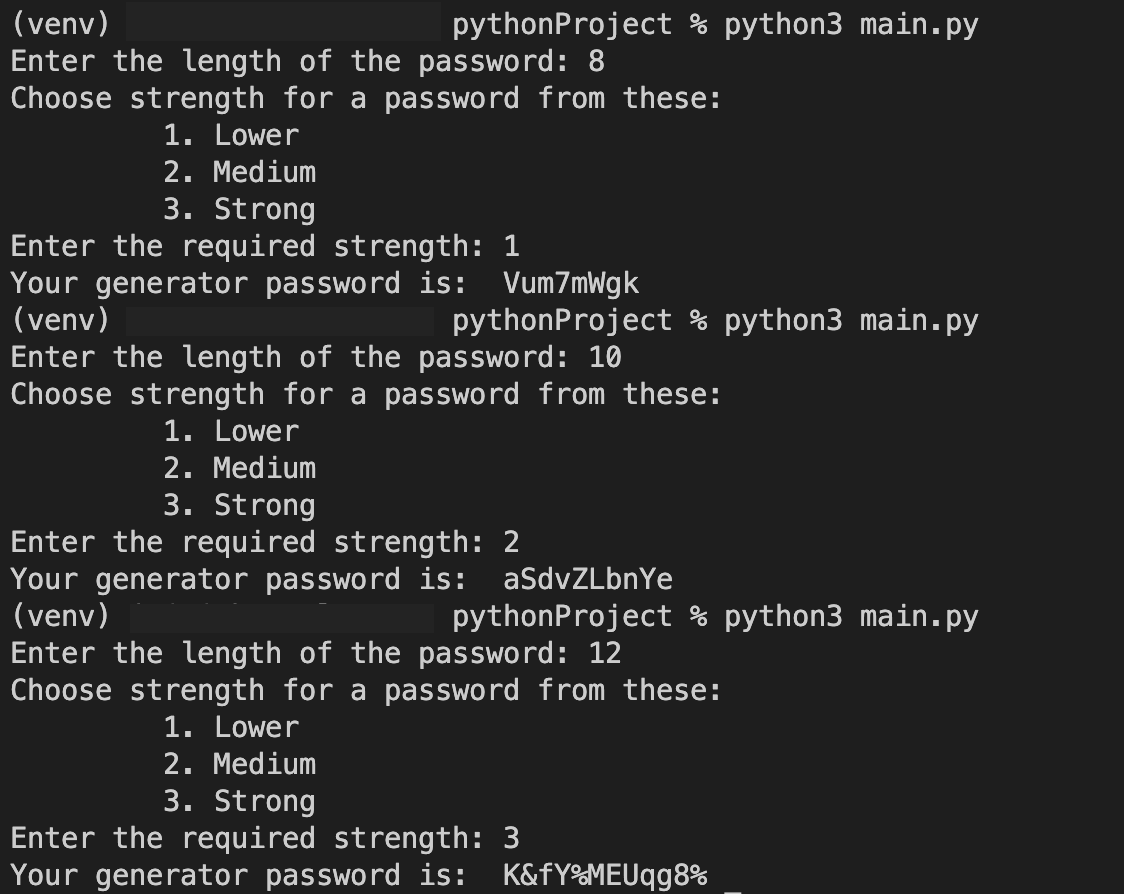
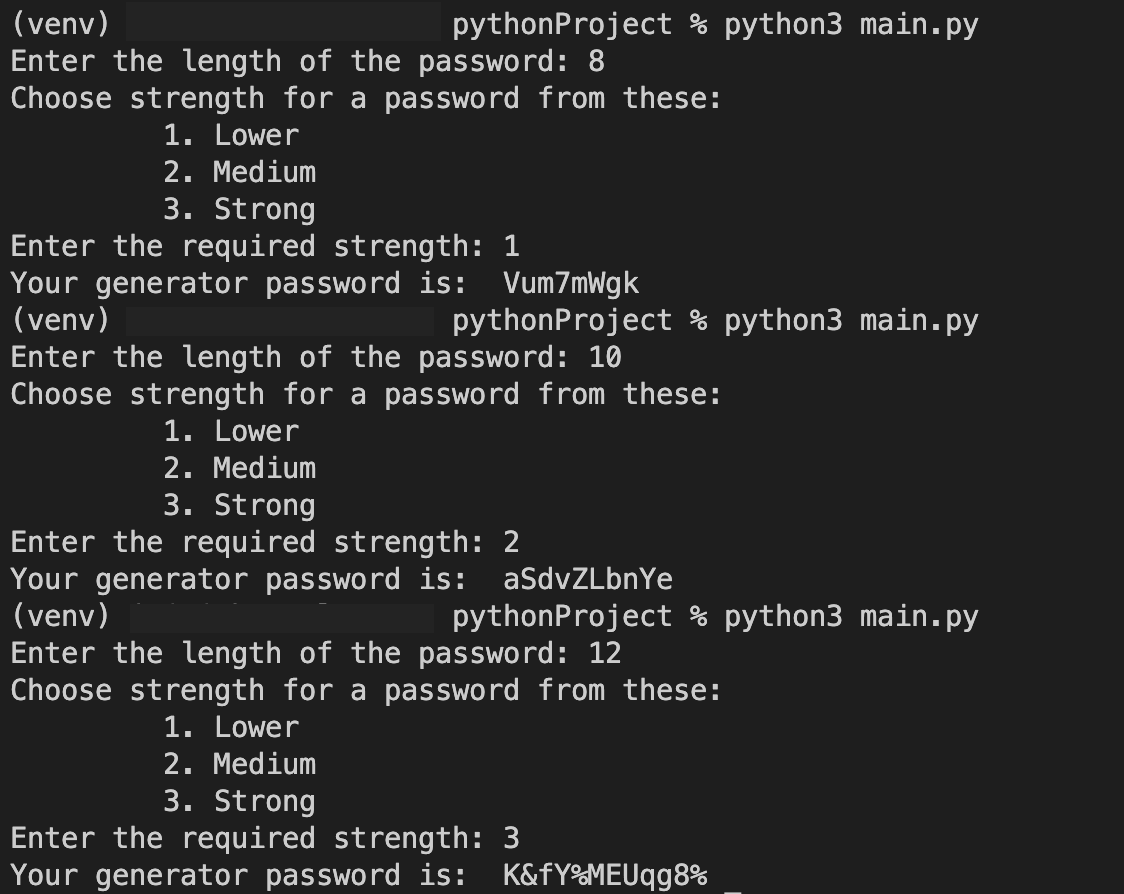
The below example uses the random module for lower-strength passwords and the secrets module for medium-strength and strong-strength passwords to create a strong password. The secrets module is discussed in the above section.
import random
import string
import secrets
def password_generator(length, strength):


   # lower consists of 'a' to 'z' and '0' to '9' range.
   lower = string.ascii_lowercase + string.digits
   # medium consists of 'A' to 'Z', 'a' to 'z', and '0' to '9' range.
   medium = string.ascii_letters + string.digits

   # strong consists of 'A' to 'Z', 'a' to 'z', '0' to '9', and special characters range.
   strong = string.ascii_letters + string.digits+ "!@#$%^&*()"
   password = ""

   # If the strength selected is low
   if strength == 1:
      password = ''.join(random.choices(lower, k = length))
      return password

   # If strength selected is medium
   elif strength == 2:
      password = ''.join(secrets.choice(medium) for _ in range(length))
      return password

   # If the strength selected is strong
   elif strength == 3:
      password = ''.join(secrets.choice(strong) for _ in range(length))
      return password

   else:
      password = "Invalid choice of strength."
      return password


length = int(input("Enter the length of the password: "))

print('''Choose strength for a password from these:
1. Lower
2. Medium
3. Strong''')

strength = int(input("Enter the required strength: "))

print("Your generator password is: ", password_generator(length=length,strength=strength))

Output:
Generating different UUIDs
As we discussed earlier how to generate different versions of UUID. Now let’s create a Python program where a user just selects a version of the UUID and in return, the program prints the generated UUID.
import uuid

def generate_UUID(version, website_URL):
   # If the user wants version 1 of UUID
   if version == 1:
      return uuid.uuid1()
   # If the user wants version 3 of UUID
   elif version == 3:
      return uuid.uuid3(uuid.NAMESPACE_DNS, website_URL)
   # If the user wants version 4 of UUID
   elif version == 4:
      return uuid.uuid4()
   # If the user wants version 5 of UUID
   elif version == 5:
      return uuid.uuid5(uuid.NAMESPACE_DNS, website_URL)
   # Invalid
   else:
      return "INVALID VERSION"


print('''Choose strength for a password from these:
1 -> UUID version 1
3 -> UUID version 3
4 -> UUID version 4
5 -> UUID version 5
0 -> EXIT''')


while(True):
   version = int(input("Enter the version of the UUID: "))

   if version == 0:
      break
   website_url = ""
   if (version == 3 or version == 5):
      website_url = input("Enter the website url: ")

   print(f"Your UUID is: {generate_UUID(version,website_url)}
")

Output:
Generating unique identifiers
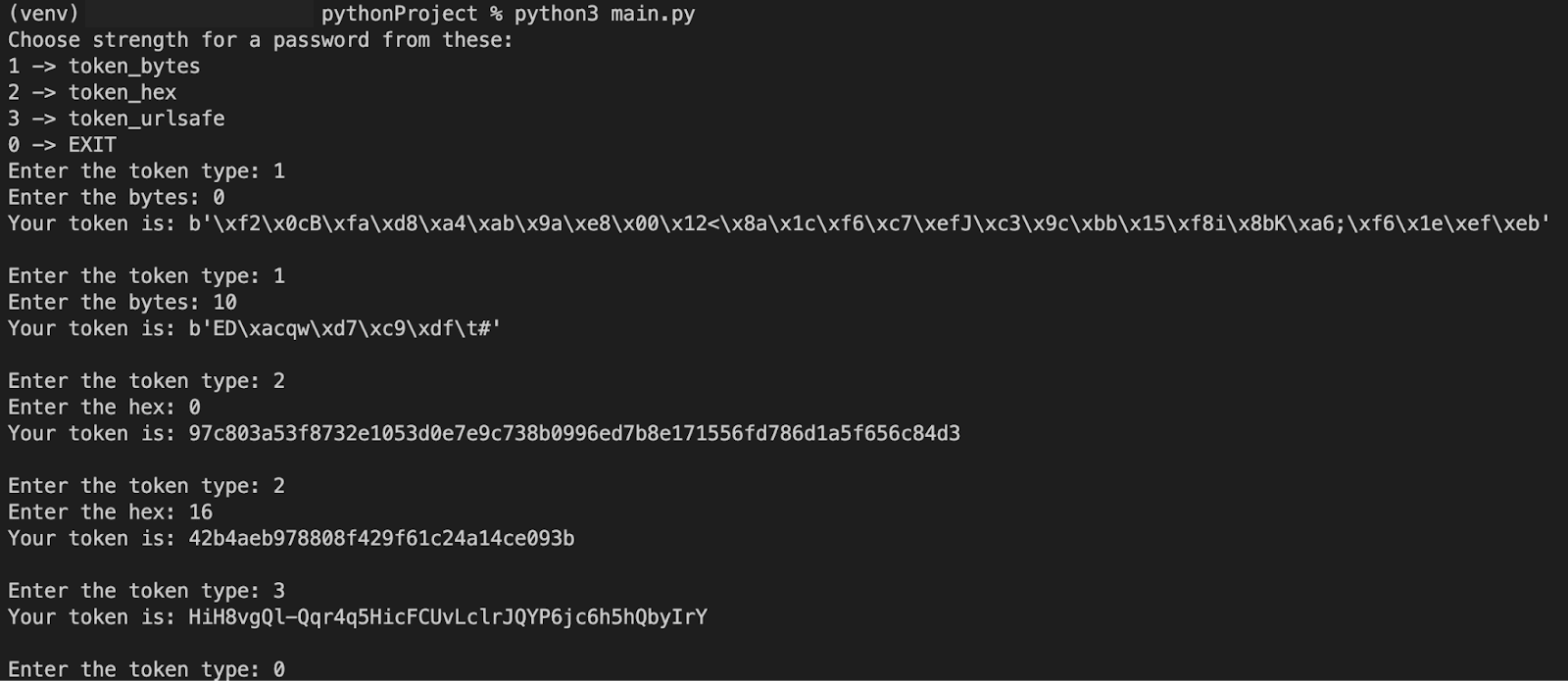
There are various types of unique identifiers we discussed in the above section. Now that we know how to use each of them, let’s combine them in one program and according to requirements one can get it and use it in their applications.
import secrets

def generate_UUID(token, num):
   # If the user wants to generate token_bytes()
   if token == 1:
      if num == 0:
         return secrets.token_bytes()
      return secrets.token_bytes(num)

   # If the user wants to generate token_hex()
   elif token == 2:
      if num == 0:
         return secrets.token_hex()
      return secrets.token_hex(num)

   # If the user wants to generate token_urlsafe()
   elif token == 3:
      return secrets.token_urlsafe()
   else:
      return "INVALID VERSION"

print('''Choose strength for a password from these:
1 -> token_bytes
2 -> token_hex
3 -> token_urlsafe
0 -> EXIT''')

while(True):
   version = int(input("Enter the token type: "))

   if version == 0:
      break
   num = 0
   if version == 1:
      num = int(input("Enter the bytes: "))
   if version == 2:
      num = int(input("Enter the hex: "))
   print(f"Your token is: {generate_UUID(version,num)}
")

Output:
Generating test data for unit testing
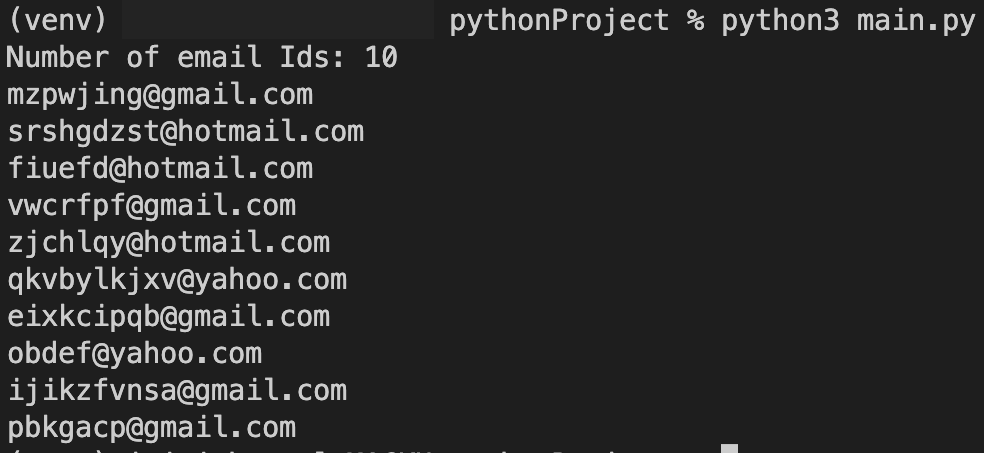
It is frequently important to create random input data while designing unit tests in order to account for various circumstances. Using random strings to generate random names, email addresses, or other forms of data can help create realistic test scenarios. Such random test data can be produced using the random module.
import random
import string

def generate_random_email():
   # Random length for the username
   username_length = random.randint(5, 10)
   # List of domain names
   domain_names = ['gmail.com', 'yahoo.com', 'hotmail.com']

   # Random username
   username = ''.join(random.choices(string.ascii_lowercase, k = username_length))

   # Select a random domain name
   domain = random.choice(domain_names)

   # Combine the username and domain to form the email ID
   email = username + '@' + domain

   return email


# Generate a random email ID
num = int(input("Number of email Ids: "))

for _ in range(num):
   random_email = generate_random_email()
   print(random_email)

Output:

Note: Looking for a tool to generate random string? Use free online Random String Generator by Lambdatest to generate random characters, ranging from a minimum of 8 characters to a maximum of 25 characters for all your purposes. Regardless of the development tool you prefer, TestMu AI provides a comprehensive collection of over 100 free online tools , all conveniently accessible in one place. With TestMu AI, developers have a wide range of tools at their disposal, simplifying various aspects of the development process. From HTML, XML, and JSON format converters to powerful test data generators, TestMu AI offers a wide array of indispensable tools that enhance productivity and efficiency in various aspects of software development and testing. At its core, TestMu AI is a cutting-edge cloud testing platform designed to facilitate continuous quality assurance. It empowers developers and testers to conduct comprehensive testing of their websites and mobile applications across an expansive range of 3000+ real browsers, devices, and operating systems.
Comparing Different Techniques For Generating Random Strings in Python
| Comparison | Random | Secrets |
|---|---|---|
| Supported After | All major versions including Python 1.x and Python 2.x series. | Python 3.6 and after |
| Performance | May not scale well for very long strings. | The difference is usually negligible for generating short to moderate-length random strings. |
| Security | It is not meant to produce safe random strings. It uses a pseudo-random number generator (PRNG), therefore if the seed is known, the generated sequences may be anticipated. Therefore, it cannot be used to create secure passwords or to create sensitive data. | It is made specifically to produce safe random strings. It uses an operating system-provided random number generator that is cryptographically secure to ensure a better level of security. |
| Use Cases | Ideal for Generating Test Data for Unit Testing. | Ideal for generating Session IDs and Passwords |
Best Practices for Generating Random Strings in Python
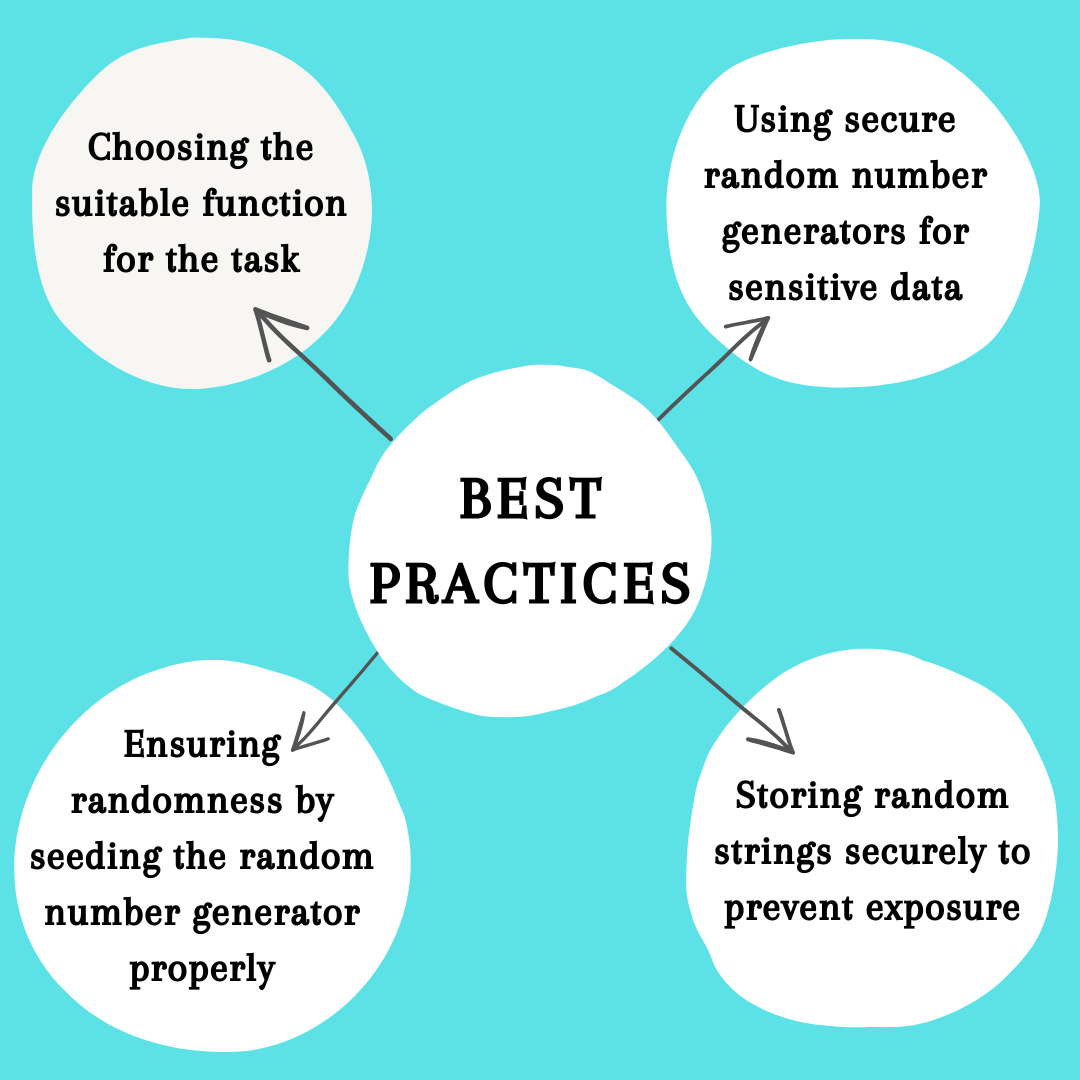
There are several best practices to ensure security and randomness. Let’s discuss various practices one by one in detail.
Choosing the suitable function for the task
Python provides multiple methods and modules for generating random strings, such as random.random(), random.randint(), random.choice(), and secrets.token_hex(). The choice of function depends on the requirements of the task.
Using secure random number generators for sensitive data
Use a cryptographically secure random number generator to guarantee the security of sensitive data, such as passwords or tokens. Python’s secrets module offers such functionality. It generates random data by using the entropy provided by the underlying operating system, making it appropriate for sensitive data.
Ensuring randomness by seeding the random number generator properly
You can duplicate the same random number sequence by seeding the random number generator. However, it’s typically preferable to have unique strings every time the program runs for producing random strings. Therefore, unless there is a compelling purpose to do so, it is typically advised against directly seeding the random number generator.
Storing random strings securely to prevent exposure
It’s critical to handle random strings safely if you need to keep them, especially private ones like passwords or tokens. Keep them out of plain text and readily available files. Instead, before storing passwords in a database, implement suitable security methods like hashing and salting. Ensure the storage area is securely locked and only accessed by those with permission.
Keep in mind that creating random strings by itself does not ensure security. To ensure the protection of sensitive data, it’s crucial to take into account the whole security procedures in your application, including data handling, storage, and transfer.
Conclusion
In this article, we explored various techniques for generating Python random strings. We began by discussing the installation process and providing an overview of the different functions available for generating random strings in Python, such as random.randint(), random.sample(), random.choice(), and random.choices().
We then delved into examples of how to use these functions to generate Python random strings of different types, including alphanumeric strings, lowercase/uppercase strings, strings with specific characters/symbols, and strings of specific lengths.
Moving on, we explored advanced techniques using the secrets module, which offers more secure random number generation. We covered functions such as secrets.choice(), secrets.randbelow(), secrets.randbits(), secrets.token_bytes(), secrets.token_hex(), and secrets.token_urlsafe(). Additionally, we discussed the uuid module and its usefulness in generating unique identifiers.
We explored the applications of random strings in Python, including generating passwords, different UUIDs, unique identifiers, and test data for unit testing.
In our comparison of different techniques, we highlighted the importance of generating random strings in Python correctly and securely. The proper generation of random strings is crucial for maintaining data integrity and security in various applications.
In conclusion, generating random strings in Python is a fundamental task with numerous applications. By following the techniques and best practices outlined in this guide, you can ensure the generation of secure and reliable random strings. Remember to choose the appropriate function, use secure random number generators, seed the generator properly, and store random strings securely. By implementing these practices, you can enhance the integrity and security of your applications that rely on random strings.


Frequently asked questions
Did you find this page helpful?
More Related Hubs
TestMu AI forEnterprise
Get access to solutions built on Enterprise
grade security, privacy, & compliance
- Advanced access controls
- Advanced data retention rules
- Advanced Local Testing
- Premium Support options
- Early access to beta features
- Private Slack Channel
- Unlimited Manual Accessibility DevTools Tests