

Next-Gen App & Browser Testing Cloud
Trusted by 2 Mn+ QAs & Devs to accelerate their release cycles


On This Page
- Accelerate Web Automation Testing with Cypress on TestMu AI
- LT Browser is now Free for Lifetime!
- Live with YouTrack Integration
- Newly Added Browsers, Browser Versions & Emulators!
- An Enhanced Automation Dashboard
- New Geolocation for Real Time Testing & Enhancements to Screenshot API Testing
- That’s all for today!

- Home
- /
- Blog
- /
- June ‘21 Updates: Live With Cypress Testing, LT Browser Made Free Forever, YouTrack Integration & More!
June ‘21 Updates: Live With Cypress Testing, LT Browser Made Free Forever, YouTrack Integration & More!
We have made quite a few changes to the platform this month and the first thing you may notice is that Cypress testing is now live. But that’s not all! Learn more about all that’s new at TestMu AI from June ‘21.

Salman Khan
January 27, 2026
Howdy testers! June has ended, and it’s time to give you a refresher on everything that happened at TestMu AI over the last month. We are thrilled to share that we are live with Cypress testing and that our very own LT Browser is free for all TestMu AI users. That’s not all, folks! We have also added a whole new range of browsers, devices & features to make testing more effortless than ever.
Let’s check out all that’s new at TestMu AI.
Accelerate Web Automation Testing with Cypress on TestMu AI
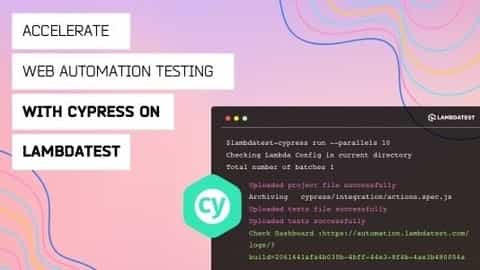
With TestMu AI, you can now run cross-browser tests using the Cypress framework. Further, you will be able to perform Cypress testing in parallel across multiple browser environments, which reduces your testing time. A speedy alternative to the Selenium Automation tool, Cypress was released in late 2017 as a fun and easy way to create E2E (end-to-end) automated tests. In contrast to traditional WebDriver based web automation, it relies on browser APIs directly and not on the WebDriver.
Currently, TestMu AI supports the below-listed browsers, browser versions, and Operating Systems for Cypress testing.
Note: The Operating systems, with (*) mentioned against them, will be live soon.
In case you want to get started with Cypress, do check out our blog that gives a brief Introduction To Cypress Test Automation Framework.

LT Browser is now Free for Lifetime!
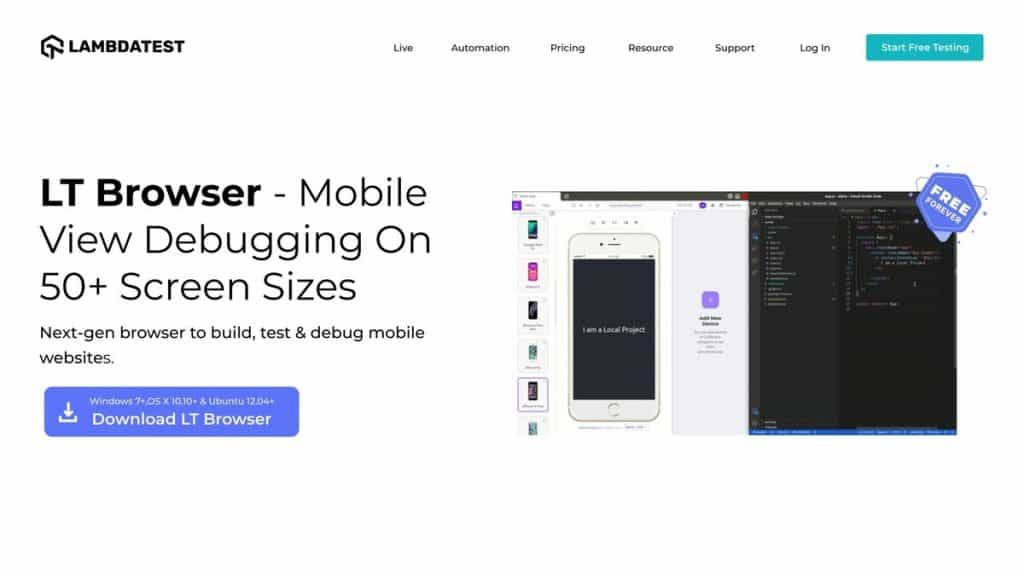
Our very own dev-friendly offering – LT Browser, which is a next-gen browser to build, test & debug mobile websites, is now FREE for LIFETIME! You can perform the following using the feature-packed LT Browser:
- Test websites on pre-installed mobile device view ports
- Test websites on custom device viewports
- Test on two devices simultaneously
- Debug multiple device sizes with inbuilt DevTools
- Generate detailed Lighthouse performance reports of your website in a single click
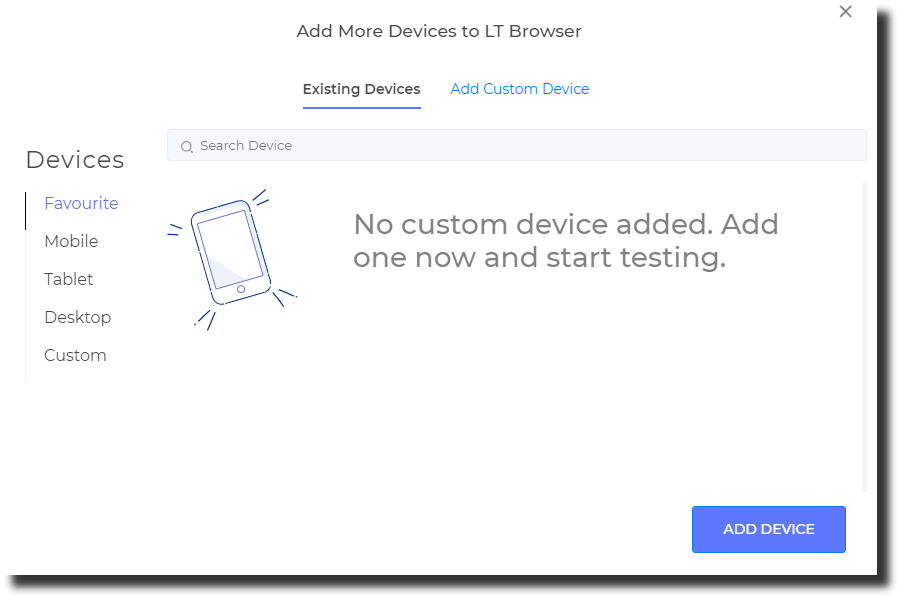
Additionally, we have also introduced a Devices category to the Add New Device option to make device management easier for you.
Start using LT Browser right away if you haven’t done so already!

Live with YouTrack Integration
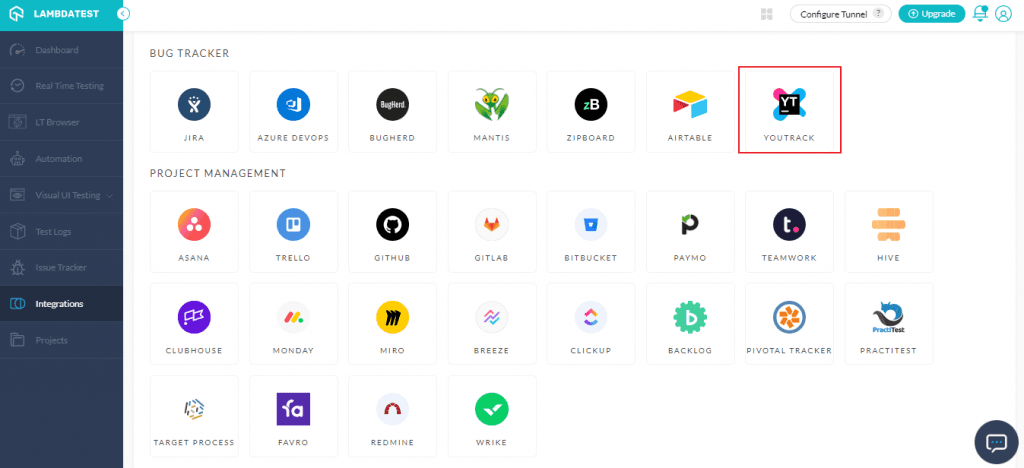
TestMu AI can now be integrated with YouTrack, a fantastic bug tracking and project management tool developed by JetBrains. You can create agile boards, create reports, generate Gantt charts, create dashboards, and track time with it. YouTrack lets you find issues quickly based on autocomplete queries, manipulate them in batches, customize all problem attributes, and create customized workflows.
TestMu AI’s integration with YouTrack allows you to push bugs straight from TestMu AI to YourTrack projects. So besides taking screenshots, you can annotate bugs and share them with your colleagues.
Check out our YouTrack integration documentation for more information.
Newly Added Browsers, Browser Versions & Emulators!
Here’s a list of all the browsers, browser versions, and device emulators we have added to our platform in June.
Real Time Testing
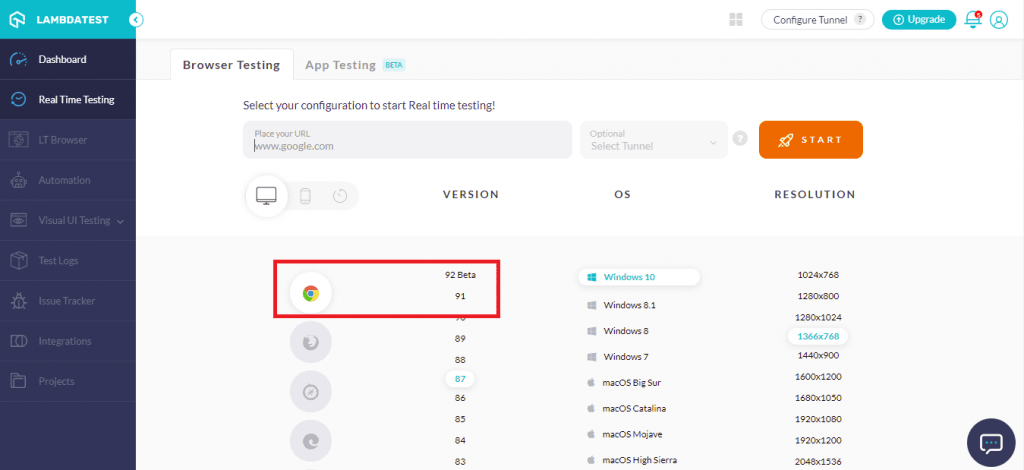
Now you can perform real time testing and check the browser compatibility of your website/web app for the following newly added browser versions:
- Chrome 92 Beta, 91
- Firefox 90 Beta, 89
- Edge 92 Beta, 91
- Opera 77 Beta
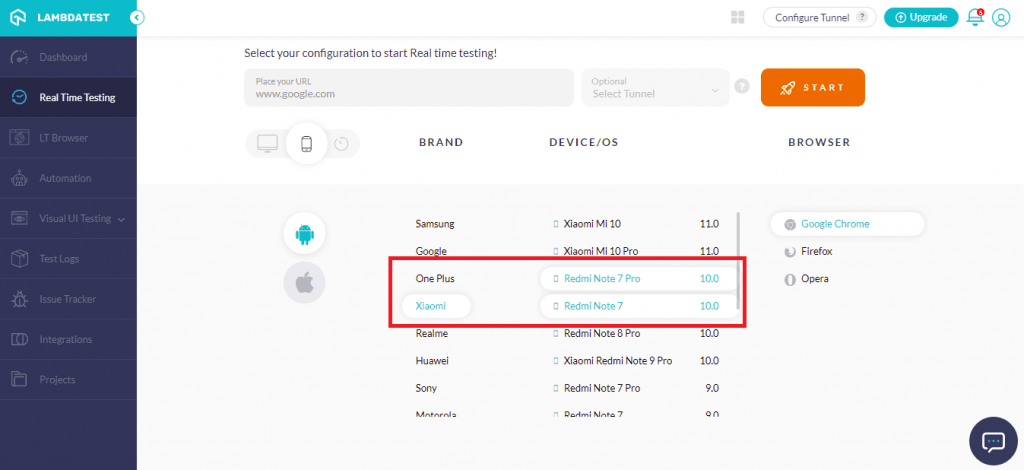
Additionally, you can also perform live-interactive testing of your website/web app on the following Android emulators:
- Realme 5, 5 Pro
- Samsung Galaxy M30s, M30
- Redmi Note 7, 7 Pro, Note 8 Pro
- OnePlus A6000
- Vivo V17 Pro
Screenshot Testing
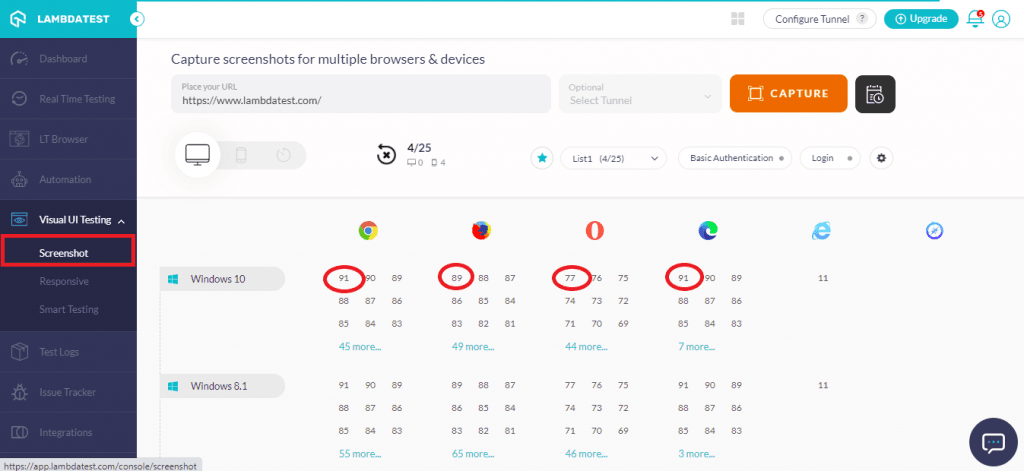
Now you can ensure your website’s compatibility by performing screenshot testing on these latest browser versions:
- Chrome 91
- Firefox 89
- Edge 91
- Opera 77
Automation Testing
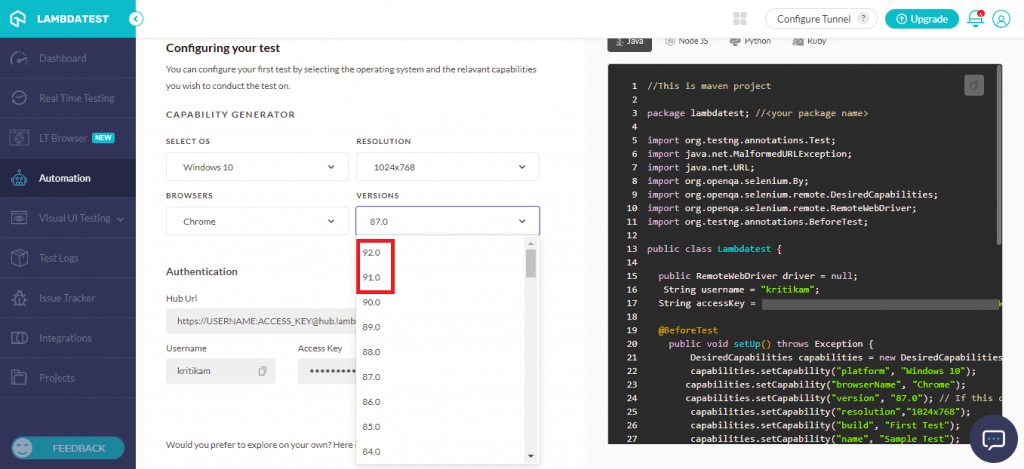
Now you can perform automation testing for our recently added browsers listed here-
For Windows OS:
- Chrome 92 Beta, 91
- Firefox 90 Beta, 89
- Edge 92 Beta, 91
For macOS:
- Chrome 91
- Firefox 89
- Edge 91
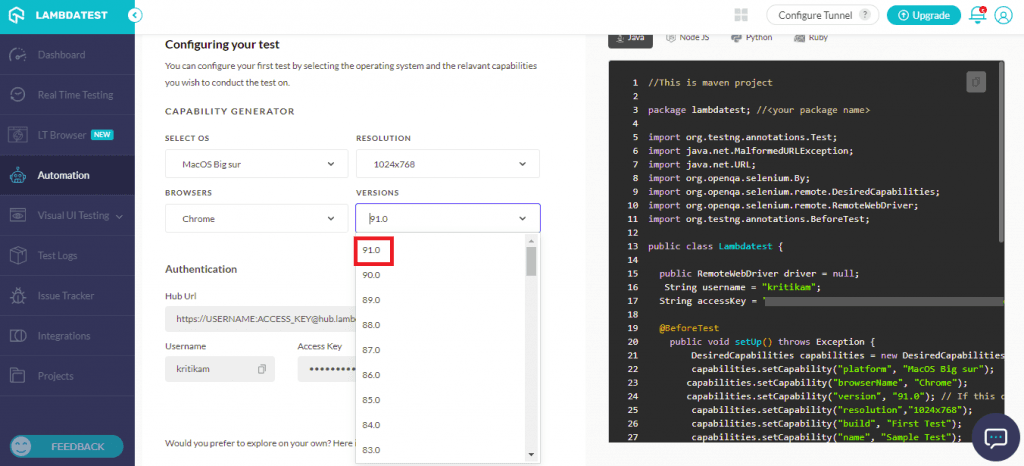
Note: You can generate Selenium capabilities for the browsers listed above from our Desired Capabilities Generator.
Do check the following video that demonstrates how to generate desired capabilities In Selenium using TestMu AI’s Desired Capabilities Generator:
Here’s a comparison of the CSS capabilities offered by these newly-added browser versions:
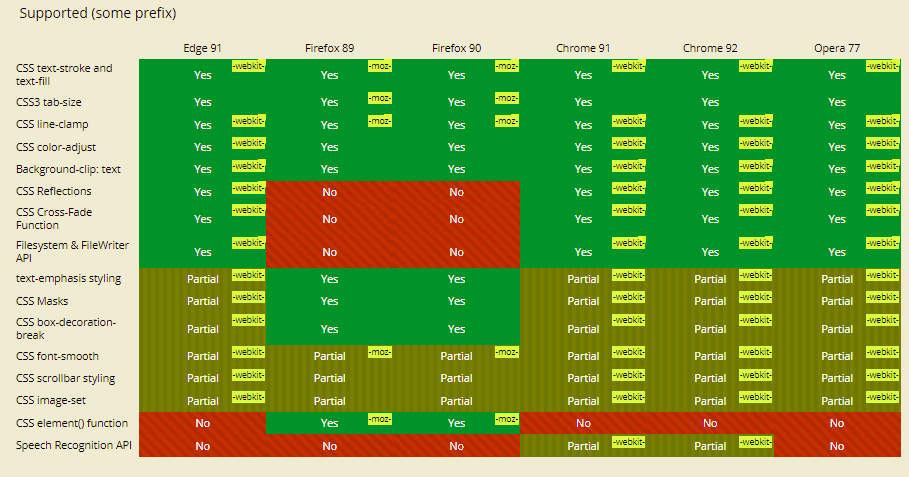
Source: CanIuse
An Enhanced Automation Dashboard
In addition to the new browsers and browser version, we have also made a few enhancements to Automation testing & the dashboard.
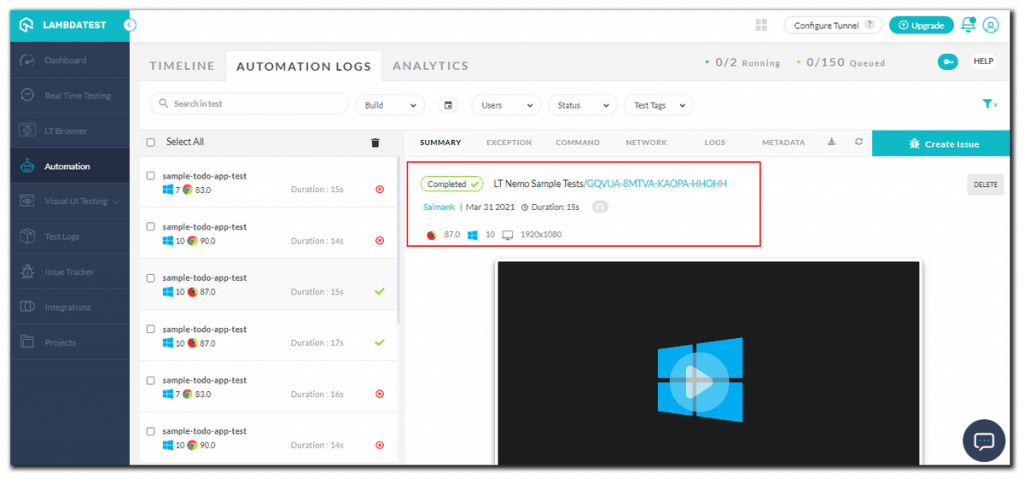
- Now you will be able to find and fix bugs quickly with the new and updated Automation test complete dashboard, as shown below.
- With the addition of maskCommands capability, you will now be able to hide or mask sensitive data/information sent to or retrieved from the remote browsers at TestMu AI. All keystrokes and other required values will be hidden by using the command. The sensitive information will be replaced with ‘*’ in session logs (both raw and text).
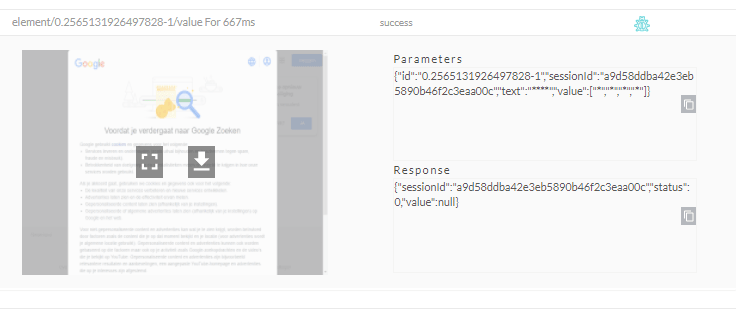
Check out our Selenium capabilities documentation for more information.
New Geolocation for Real Time Testing & Enhancements to Screenshot API Testing
Geolocation testing is a fantastic feature that lets you test your website or web app across many locations, regardless of your current whereabouts. In case you are using the Selenium framework, do check out our detailed blog that demonstrates geolocation testing with Selenium.
To make your testing experience more enhanced than ever, we have added a few new additions to Real Time Testing & Screenshot Testing.
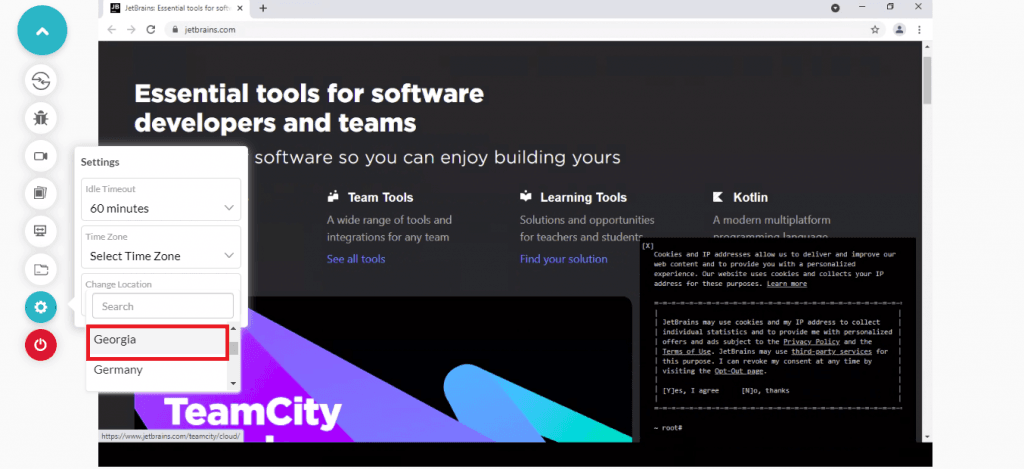
- Real Time Testing – You will now be able to perform Geolocation testing of your websites & web apps for a newly added geolocation (i.e. Georgia).
- Screenshot Testing– You can now set a test name (test_name) while performing screenshot testing using API.
That’s all for today!
That is it for the June ‘21 product updates. Stay assured that there’s a lot more where that came from and we have some very big, exciting features coming up real soon. Stay tuned & make sure that you join our Community to keep in touch with everything new at TestMu AI, plus you get to become a part of a fast-growing testing community!
Happy testing!

Austin Siewert
CEO, Vercel
Discovered @TestMu AI yesterday. Best browser testing tool I've found for my use case. Great pricing model for the limited testing I do 👏
2M+ Devs and QAs rely on TestMu AI
Deliver immersive digital experiences with Next-Generation Mobile Apps and Cross Browser Testing Cloud



Did you find this page helpful?
More Related Hubs
TestMu AI forEnterprise
Get access to solutions built on Enterprise
grade security, privacy, & compliance
- Advanced access controls
- Advanced data retention rules
- Advanced Local Testing
- Premium Support options
- Early access to beta features
- Private Slack Channel
- Unlimited Manual Accessibility DevTools Tests