

Next-Gen App & Browser Testing Cloud
Trusted by 2 Mn+ QAs & Devs to accelerate their release cycles


How to Perform Cross Browser Testing From Various Geo Locations
Does your website look the same from North America as it looks from some other location? Websites behave differently from different geo locations and that might concern you the most if you are running some ads on your website or your website makes show different features to different users based on location

Deeksha Agarwal
January 30, 2026

Update: 27th September 2018. This method is now updated and is described in our blog on Geolocation Testing Through VPN on TestMu AI.
Does your website look the same from North America as it looks from some other location? Websites behave differently from different geo locations and that might concern you the most if you are running some ads on your website or your website makes show different features to different users based on location, or if you have an internationalized website that show different language web pages based on user location.
Have you ever gone into some deep research by checking google results of a specific keyword from different location?
If not, have a look at the keyword ‘TestMu AI’ when searched from location Germany.
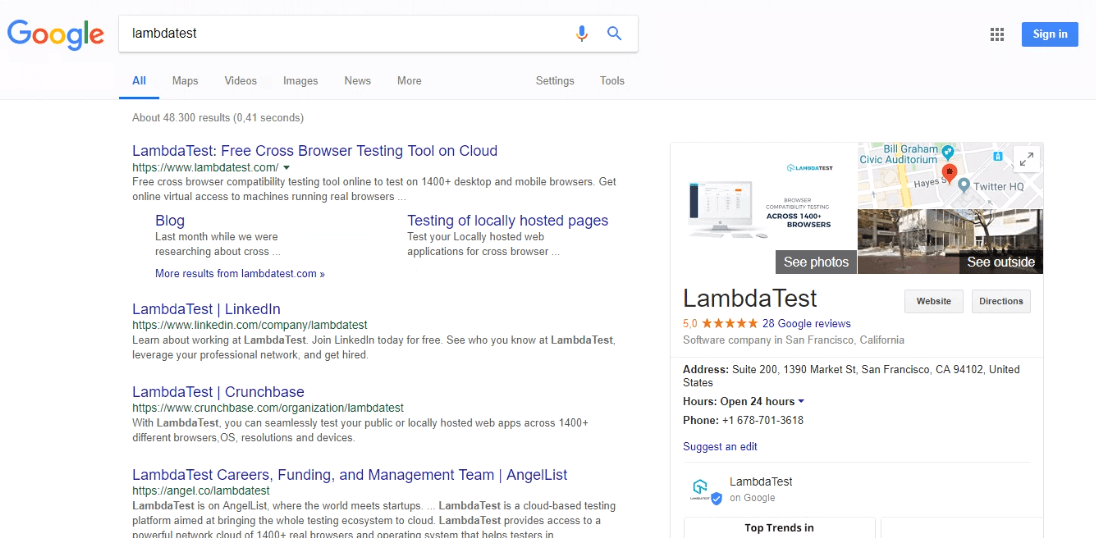
And check this screenshot where I have searched ‘TestMu AI’ from US location.
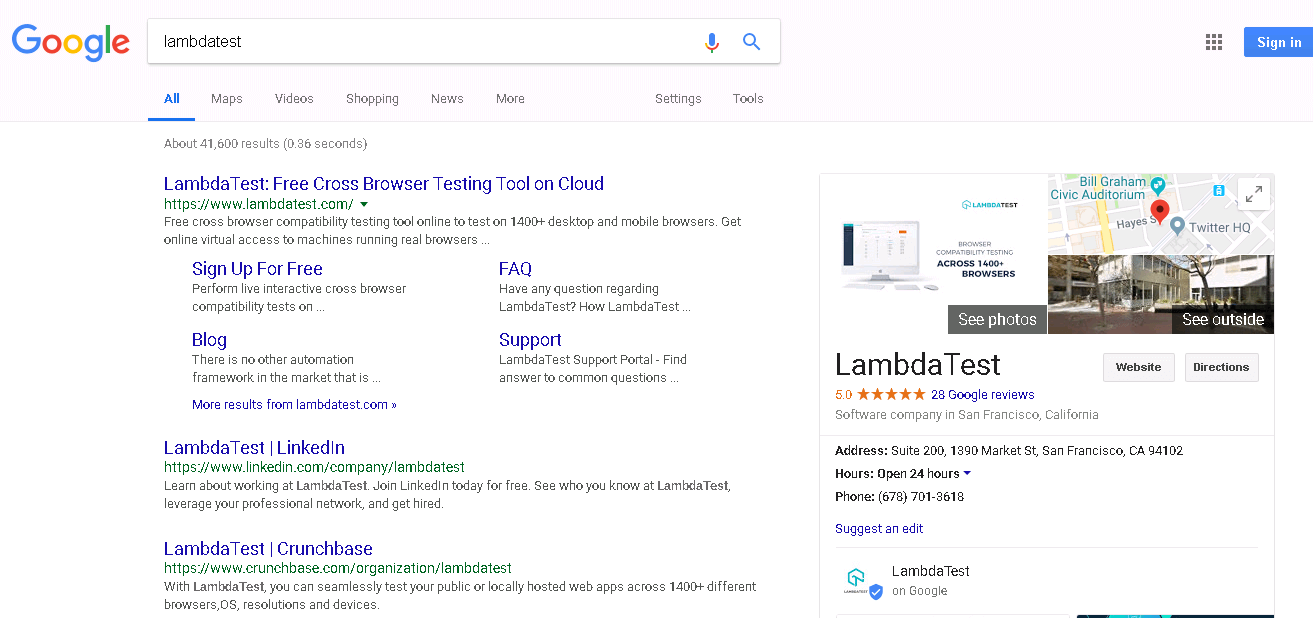
You may find the visible differences that are quite easy to understand like:
- In US location, you can see that Sign Up, FAQ, Blog, Support cards are generated under the first search result but search in Germany they are just created for Blog and Testing of locally hosted pages.
- You can see that the order of search results is also different.
This is just a basic example. When you location to define a major characteristic of your website it becomes necessary to check your website from different geo locations.
- If you allow payment on your website, ideally users from US should see the total amount to be paid in USD while the ones paying from Germany should get an estimate in Euro. This is just an important factor which usually went unnoticed by us. In addition location may also change the payment gateway. For example the payment gateway used in USA may not be compliant with new GDPR policies of Europe and you may need to show different payment gate for European users.
- Same goes for your website’s search results, the audience from US will have a different taste in terms of accessories, clothings, eating habits, etc as compared to people from Germany. So, if your website is internationally hosted, you might want to check what your search is showing to them.
- If you’re running Ads on your website, you might be interested in knowing what ads are being shown on your website in a different location. So, what’re you going to do? Again, you would test from different geo location.
Cross Browser Testing from Different Geo Locations
The major point that catches the attention of the users lies behind the browser or OS or device that they are using. As I have already mentioned in a blog about the effect of location on cross browser device selection, you need to change your priority browsers according to the locations.
People in different locations have different liking for browsers, operating systems and devices.
So, if you’re checking for Germany location, you might want to prioritize your browsers as: Chrome, Firefox, and Safari and if you are testing for Japan you’ll need to go for Chrome, Safari, IE. That’s the catch here. Cross browser testing from different geo locations.
Before going into its details, there are some terms that we would be using in the post which you should know beforehand.
You can also test using different locations by connecting VPN on your local system and then browsing your website in your local browser. But if you want to perform Cross browser Testing using different location, then you will need to connect tunnel and then perform testing using tunnel on VPN.

Testing on Different Locations using VPN
Now if you want to test your pages on different locations, all you need to do is install a VPN solution, change your location to the desired location in the VPN solution, and start testing on your browser. All traffic will be routed via VPN and your system browser’s apparent feel would be as if it’s in another country. The challenge comes, when you have to perform of your webpages.
TestMu AI Tunnel + VPN= Cross browser testing from different location
TestMu AI Tunnel creates a secure shell protocol based connecting tunnel between your system and TestMu AI servers. In other words, TestMu AI Tunnel allows you to connect your local machine to TestMu AI cloud platform and test on TestMu AI browsers. This feature is used mainly for testing locally hosted or privately hosted web pages and web apps. The important point to note here, is that once you have connected TestMu AI Tunnel, all pages that you open in TestMu AI platform are routed through your local system’s internet. So if your location is set to California via VPN, then pages you open at TestMu AI platform would show as if they are being opened from California location.
Let me explain it in a simpler way.
There is a VPN connected to your local machine. So, your local machine is using some distant location as per your desire. Say, your local machine is on California’s IP after getting connected to VPN. Now, you want to perform cross browser testing of your website on different combinations of chrome using California’s IP. All you now need is to connect TestMu AI Tunnel with your machine and access your website on the desired chrome combination. And woohoo! You’re now viewing your website from California. Simple?
So, let’s just set this up step by step.
- Create an account on TestMu AI. The major plus is, it’s free of cost.
- Install VPN on your local machine. You can install any chrome extension if you’re using chrome like: SetUpVPN, DotVPN, Colorful Galaxy or install some other VPN service.
- Create an account and start the VPN.
- Once you start the VPN, type ‘what is my IP location’ in the new tab. You’ll get to know the IP location along with your IP address.
- Create an account on TestMu AI. The major plus is, it’s free of cost.
- Install VPN on your local machine. You can install any chrome extension if you’re using chrome like: SetUpVPN, DotVPN, Colorful Galaxy or install some other VPN service.
- Create an account and start the VPN.
- Once you start the VPN, type ‘what is my IP location’ in the new tab. You’ll get to know the IP location along with your IP address.
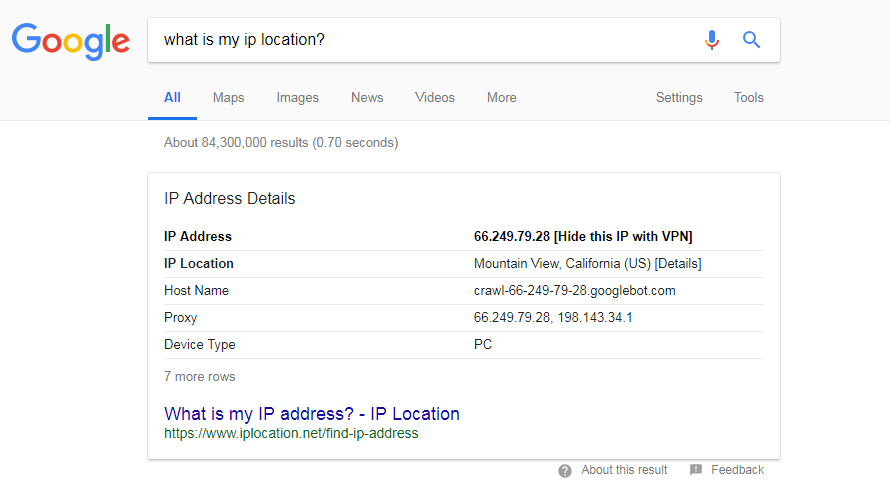
- Once set with this, login to your TestMu AI account and connect SSH tunnel using the following documentation on connecting localhost tunnel.
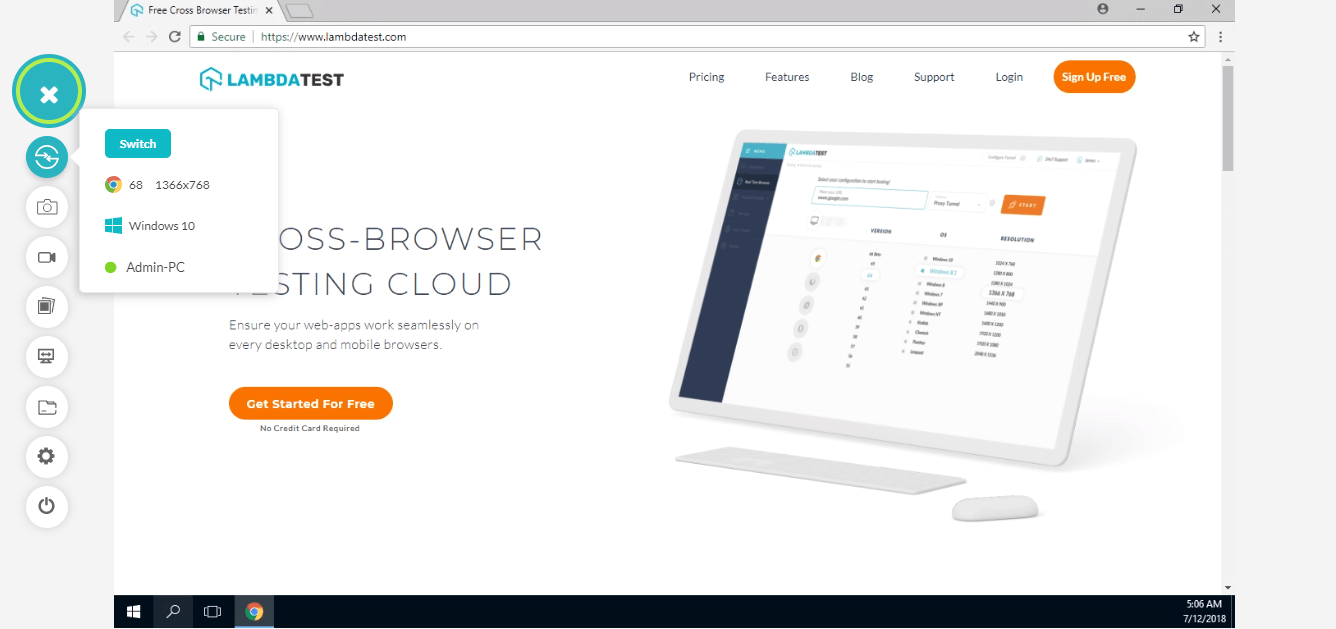
- After connecting the localhost tunnel, just launch your desired browser. I have launched lambdatest.com on Chrome 68, Windows 10 by selecting tunnel while launching.
- As you can see in the screenshot below, lambdatest.com is accessed from California on Chrome 68, Windows 10.
- To make sure of this, you can also check the IP address and the IP location inside the VM using the same text.
- Once set with this, login to your TestMu AI account and connect SSH tunnel using the following documentation on connecting localhost tunnel.
- After connecting the localhost tunnel, just launch your desired browser. I have launched lambdatest.com on Chrome 68, Windows 10 by selecting tunnel while launching.
- As you can see in the screenshot below, lambdatest.com is accessed from California on Chrome 68, Windows 10.
- To make sure of this, you can also check the IP address and the IP location inside the VM using the same text.
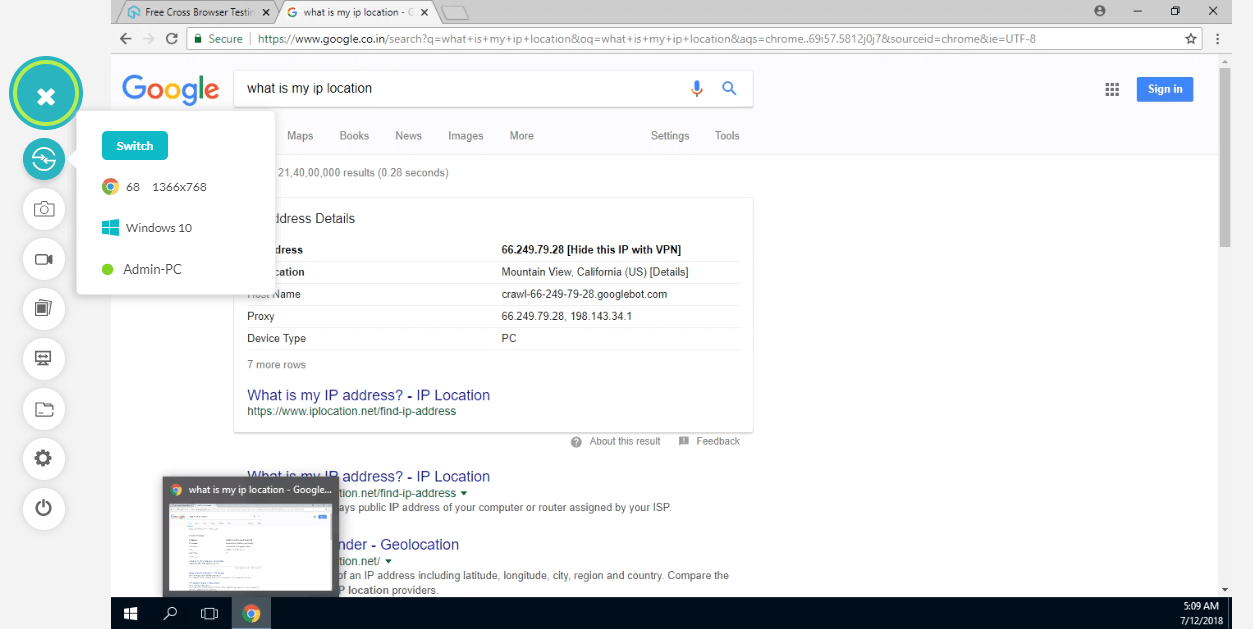
So, this way you can test your website from different geo locations.
Cross browser testing a website from different geo locations is as important as performing cross browser testing itself. This will help you from some unexpected user issues worldwide by solving them beforehand.
To delve deeper into browser compatibility testing world, refer to our blogs on browser compatibility and testing.
And if you face any problem while testing your website from different geo locations, just chat with us or drop us a mail at [email protected].
Happy Testing!


Did you find this page helpful?
More Related Hubs
TestMu AI forEnterprise
Get access to solutions built on Enterprise
grade security, privacy, & compliance
- Advanced access controls
- Advanced data retention rules
- Advanced Local Testing
- Premium Support options
- Early access to beta features
- Private Slack Channel
- Unlimited Manual Accessibility DevTools Tests