/explore Command
Use /explore to tell Rook what local material describes your agent. The target can be a PRD, an office document, an image, a documentation folder, an agent source directory, or a complete local repository.
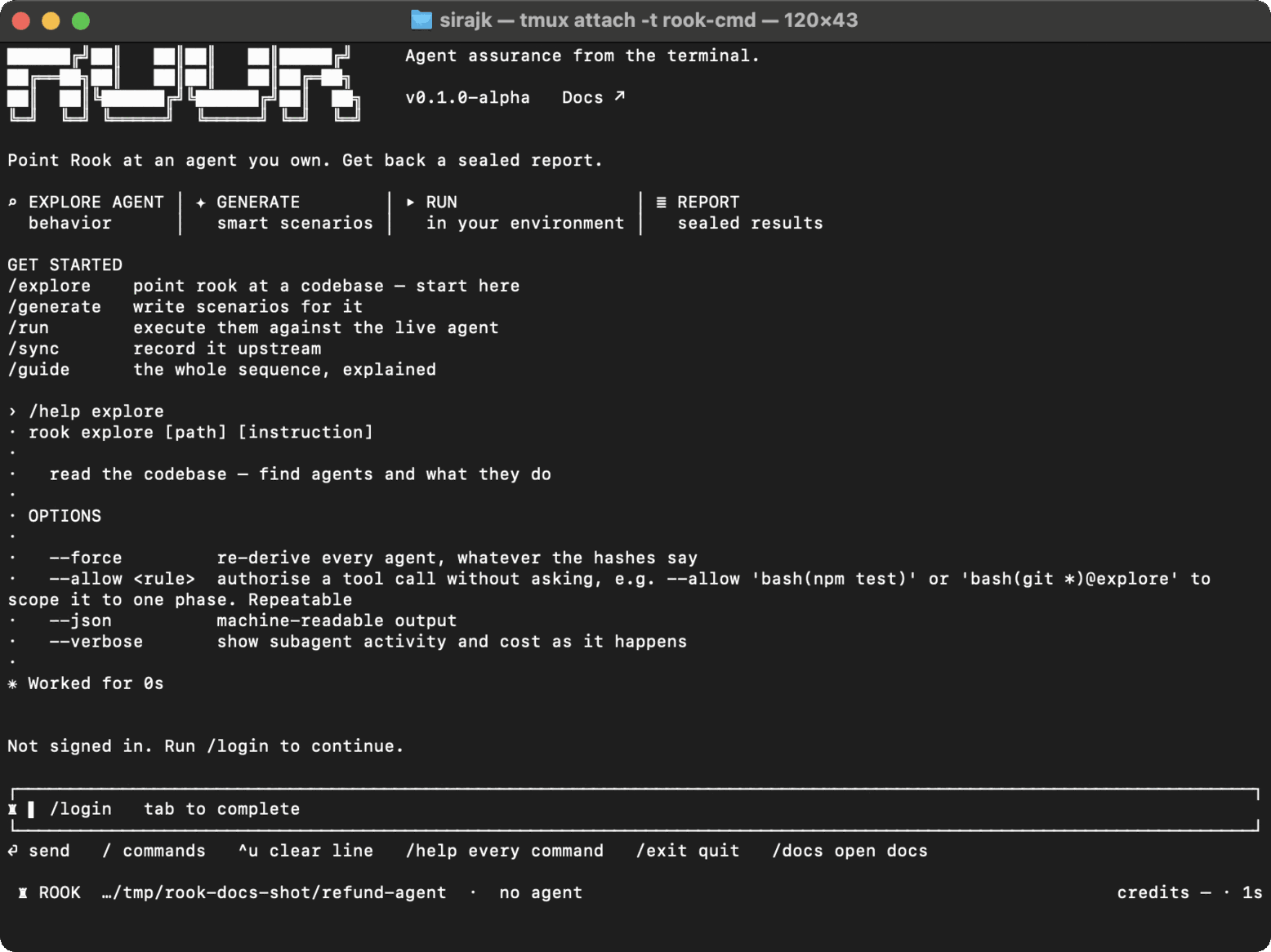
Syntax
/explore [path] [instruction...] [--force] [--allow <exact-rule>] [--json] [--verbose]
From a shell, replace the leading slash with rook.
| Option | Purpose |
|---|---|
path | Local file or directory. Defaults to the current directory. |
--force | Re-read even when tracked files appear unchanged. |
instruction... | Free-text guidance about what to emphasize or ignore. |
--allow <rule> | Pre-authorize one exact tool rule for this launch. Repeatable. |
--json | Emit machine-readable events. |
--verbose | Include tool activity and credit-use details. |
Real-world examples
PRD only:
/explore docs/refund-agent-prd.md
PRD and knowledge base:
/explore docs focus on PRD.md and knowledge, and treat them as intended behavior
Source workspace:
/explore services/travel-agent
Headless:
rook explore docs/refund-agent-prd.md focus on refund approval rules --json
Step-by-step
- Select or create a project with
/project, then choose the narrowest target path that contains enough evidence. - Add guidance when filenames alone do not express the intended scope.
- Start exploration. Rook scans and hashes the target, and its discovery tools may read files immediately.
- Review any later permission request before allowing a shell command or another gated operation.
- Review the discovered features, tools, sources, and open questions.
- Choose the active agent with
/agent, generate scenarios, and use/syncwhen the local tree is ready to share.
State and evidence
Discovery writes agent and feature records below the selected project's directory in .testmuai/rook/projects/. Incremental exploration reuses unchanged material; --force bypasses that optimization. Exploration is local-first and does not publish a new project version until /sync succeeds.
A PRD or knowledge base describes what should happen. It cannot prove which tools the deployed agent implements or whether a live action succeeded.
Limitations and errors
- URLs are rejected as exploration targets. For GitHub, clone your own repository and explore the local checkout.
- Rook extracts text and structure from PDF, DOCX, and XLSX files and can inspect common image formats. Password-protected, corrupt, or unsupported files are reported instead of silently treated as text.
- There is no pre-read approval screen. For a target inside the launch workspace, the path narrows discovery but is not a filesystem access boundary: discovery tools remain rooted at the launch workspace and can inspect sibling files. If siblings are sensitive, copy the allowed materials into an isolated workspace before starting Rook, or configure explicit deny rules.
- If the result contains the wrong boundary, rerun with a narrower path and explicit guidance.

 Chat with Us
 Ask the Community