Changing Individual Test Details
You can modify individual test details on TestMu AI, either from the Automation Dashboard after a run or programmatically during execution. This guide covers editing a test from the dashboard, marking test status, and renaming tests.
Edit Test Details from the Dashboard
Rename a test, change its status, or add a remark after a run, directly from the Automation Dashboard.
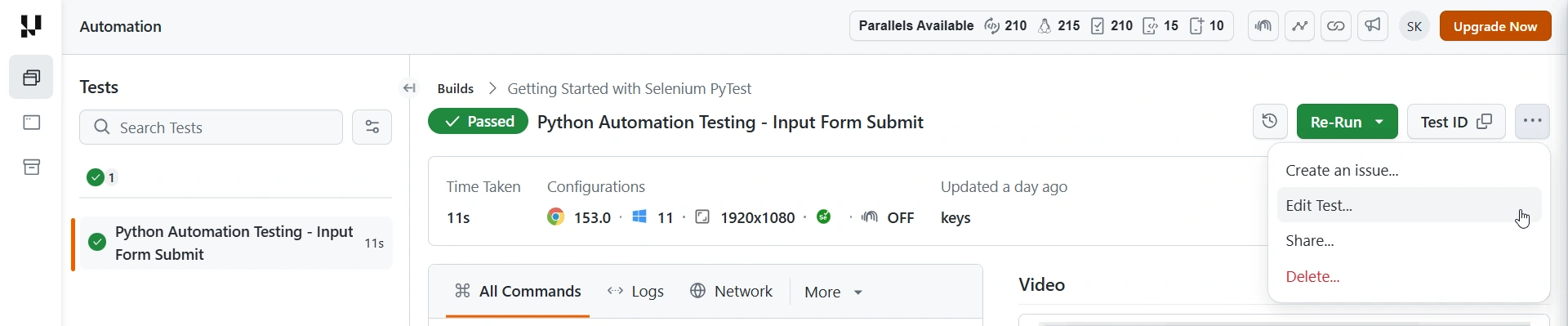
- Open the test's detail page, click the … (options) menu in the top-right of the test summary, and select Edit Test.
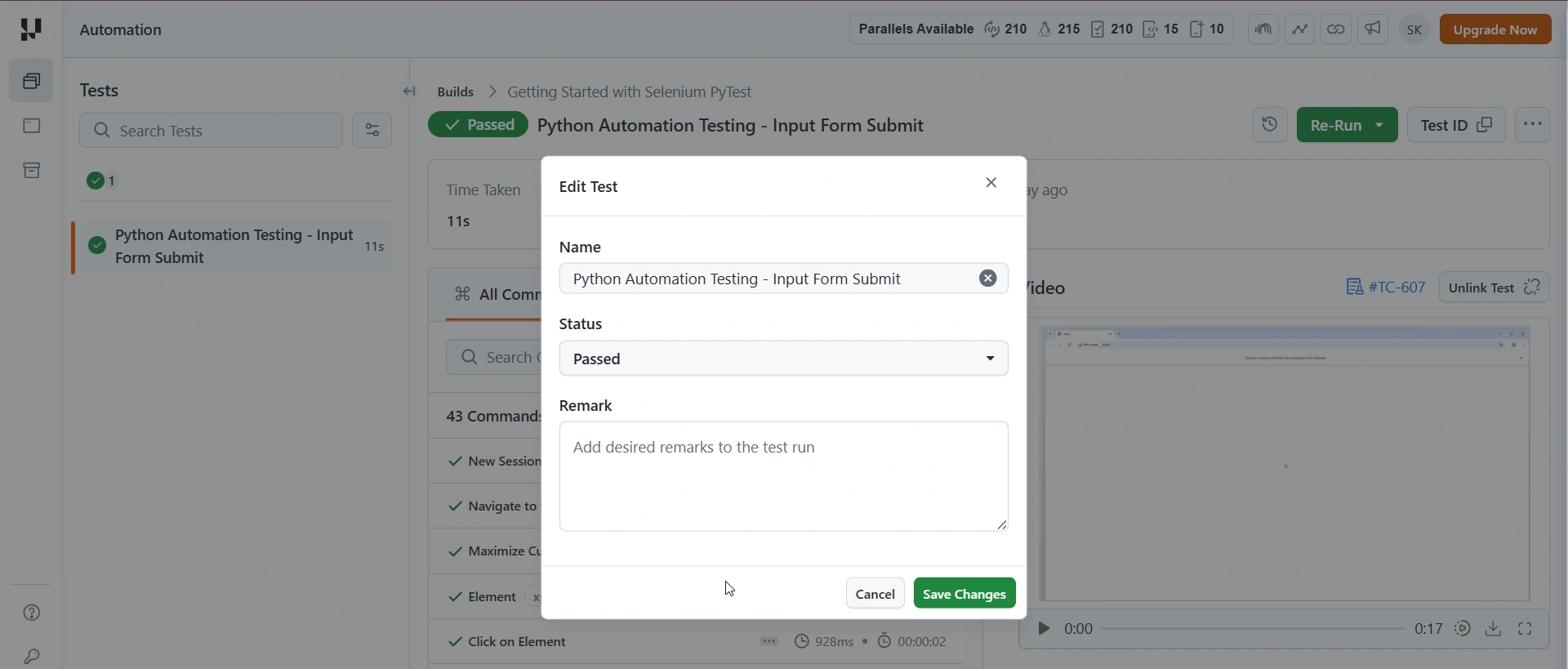
- In the Edit Test dialog, update the Name, Status, or Remark, then click Save Changes.
To set the status or name programmatically during the run instead, use the hooks below.
Mark Test Status as Pass or Fail
Use the lambda-status hook via JavascriptExecutor to set the final status of a test on the TestMu AI dashboard.
When you run Selenium tests on the TestMu AI grid, a test that your local assertions marked as failed may show as completed on the dashboard. Use the lambda-status hook to explicitly set the correct status.
You can set these status values: passed, failed, skipped, ignored, unknown, error.
Code Samples
Verified- Java
- JavaScript
- Python
- C#
- PHP
- Ruby
// Mark test as passed
((JavascriptExecutor) driver).executeScript("lambda-status=passed");

// Mark test as failed
((JavascriptExecutor) driver).executeScript("lambda-status=failed");
// Mark test as passed
await driver.executeScript('lambda-status=passed');

// Mark test as failed
await driver.executeScript('lambda-status=failed');
# Mark test as passed
driver.execute_script("lambda-status=passed")

# Mark test as failed
driver.execute_script("lambda-status=failed")
// Mark test as passed
((IJavaScriptExecutor)driver).ExecuteScript("lambda-status=passed");

// Mark test as failed
((IJavaScriptExecutor)driver).ExecuteScript("lambda-status=failed");
// Mark test as passed
$driver->executeScript("lambda-status=passed");

// Mark test as failed
$driver->executeScript("lambda-status=failed");
# Mark test as passed
driver.execute_script("lambda-status=passed")

# Mark test as failed
driver.execute_script("lambda-status=failed")
Place the lambda-status call inside your test's teardown or @AfterMethod block so the status is set before the session ends. For the full list of Lambda Hooks, see Lambda Hooks.
Rename Your Test
Use the lambda-name hook to update the test name after execution has started.
You can rename a running test to reflect dynamic data such as iteration count or data-driven parameters. Pass the new name through JavascriptExecutor:
Verified- Java
- JavaScript
- Python
- C#
- PHP
- Ruby
((JavascriptExecutor) driver).executeScript("lambda-name=Your_test_name");
await driver.executeScript('lambda-name=Your_test_name');
driver.execute_script("lambda-name=Your_test_name")
((IJavaScriptExecutor)driver).ExecuteScript("lambda-name=Your_test_name");
$driver->executeScript("lambda-name=Your_test_name");
driver.execute_script("lambda-name=Your_test_name")


 Chat with Us