Group Tests Using Custom Tags
TestMu AI lets you group automation tests with custom tags. Add a tags capability with your tag names to a test, run it, then view and filter tests by those tags from the Builds list on the dashboard. The examples below use a sample TestNG script.
How to Create Custom Tags on the Selenium Grid
Pass a tags capability with a String array of tag names inside LT:Options.
Add custom tags while writing your Selenium test. When you build your Selenium capabilities, set the tags capability to a String array of the tag names you want on the test:
// The tags you want to apply to this test
String[] customTags = { "Tag 1", "Tag 2", "Tag 3" };

// Add the tags capability inside LT:Options
MutableCapabilities ltOptions = new MutableCapabilities();
ltOptions.setCapability("tags", customTags);

ChromeOptions browserOptions = new ChromeOptions();
browserOptions.setCapability("LT:Options", ltOptions);
Run the test with these capabilities. Once it runs on the grid, view and filter your tests by these tags on the dashboard.
How to View and Filter Tests by Custom Tags
Filter the Builds list by your custom tags from the Sort & Filters panel.
On the Automation Dashboard, open Configure > Sort & Filters and select Test Tags. Choose one or more of your tags to show only the tests that carry them; selecting several combines them.
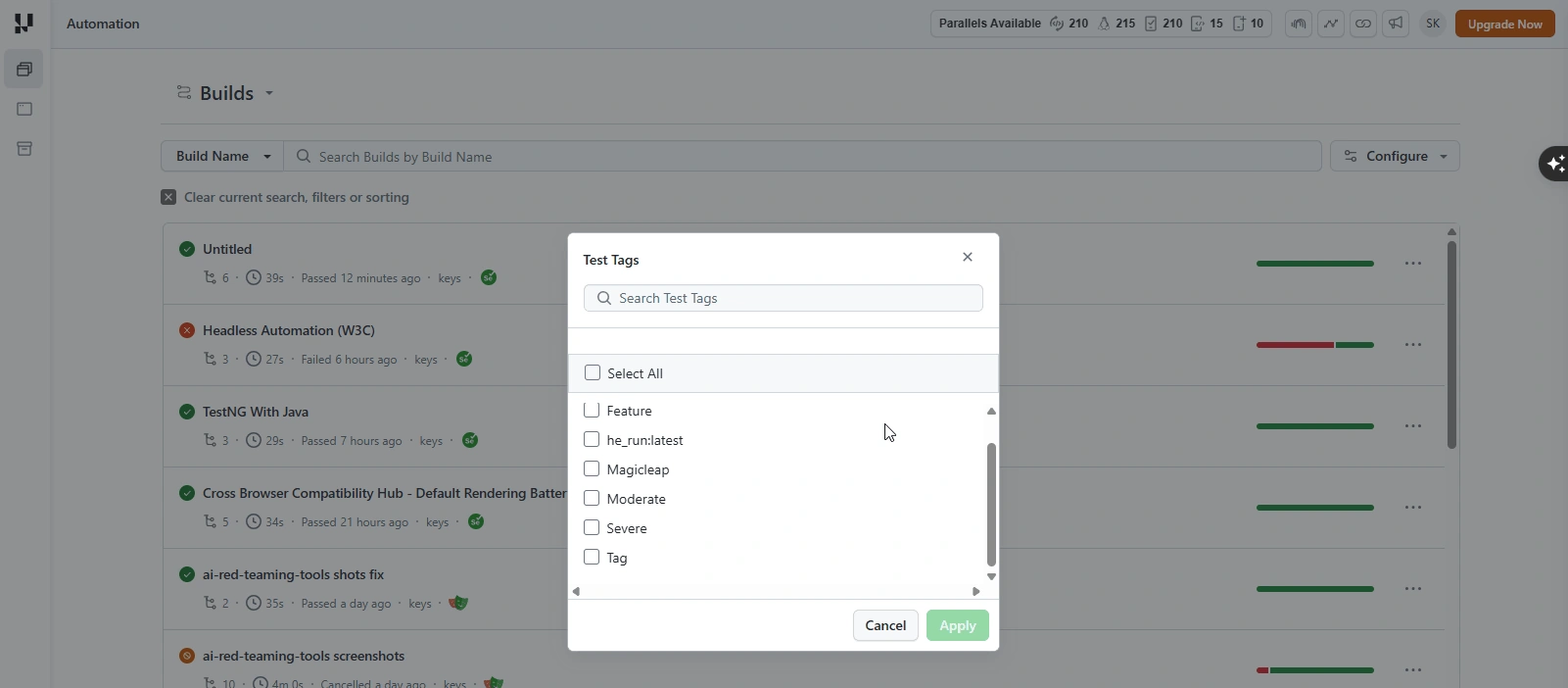
To filter by tags applied to the build rather than the test, use the Build Tags filter. See Group and Filter Builds Using Build Tags and Organize Tests & Builds.
You have successfully created a custom tag and grouped your tests based on the custom tag. If you have questions, share them with us through our 24/7 chat support or by mailing us at support@testmuai.com.


 Chat with Us