Bulk API Import in KaneAI
Bulk API Import brings existing API definitions into a KaneAI test without recreating each request. Select the requests you need, map their variables, and optionally add response-header assertions to every imported API.
Overview
Open the import wizard from the /API command in the instruction input. The wizard takes you through Select requests, Map variables, Authentication, Assertions, and Review.
Each imported request becomes an editable API step. If you select header assertions, KaneAI adds separate assertion steps immediately after each API step. You can combine these steps with UI interactions in the same test.
For creating an individual request or pasting a cURL command, see API Testing.
Before you begin
- Open a KaneAI authoring session.
- Prepare a supported collection or specification file no larger than 500 KB.
- Have the variable values and authentication details your selected requests need.
- Optionally, prepare an environment file to supply variable values.
| Input | Supported format | Purpose |
|---|---|---|
| Postman Collection | .json (v2.1) | Import requests from a collection, grouped by folder. |
| OpenAPI specification | .json, .yaml, .yml | Import API operations from a specification. |
| Environment file (optional) | Postman environment .json or .env | Supply variable values for the mapping step. |
Import APIs into your test
1. Upload your files
- Type
/APIin the instruction input, or type/and select API. - In Create an API call, select Import from file.
- Upload your collection or specification.
- Optionally, upload an environment file.
- Review the detected file type, request count, folders, authentication schemes, and environment variables. Use Replace or Remove if you selected the wrong file.
- Select Select requests.
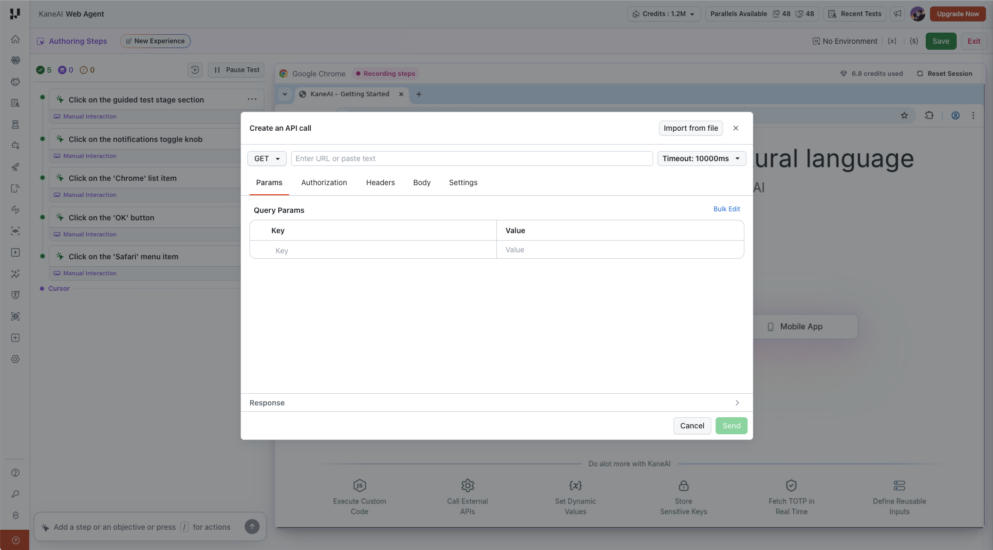
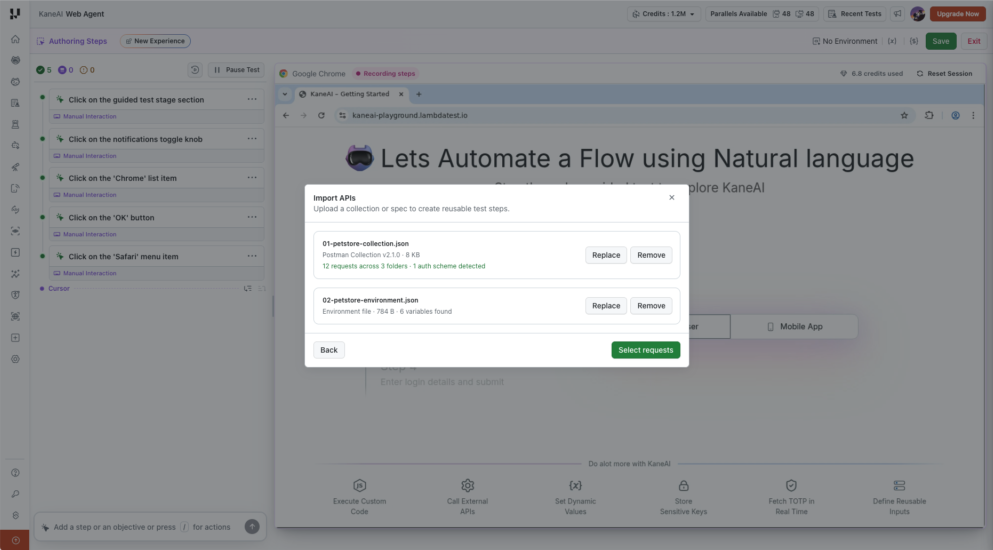
2. Select requests
Review the requests grouped by folder. Each request shows its name, HTTP method, and URL, including variable placeholders.
- Use a folder checkbox to select or clear its requests together.
- Use an individual checkbox to include or exclude one request.
- Keep at least one request selected, then select Map variables.
Only the selected requests are imported.
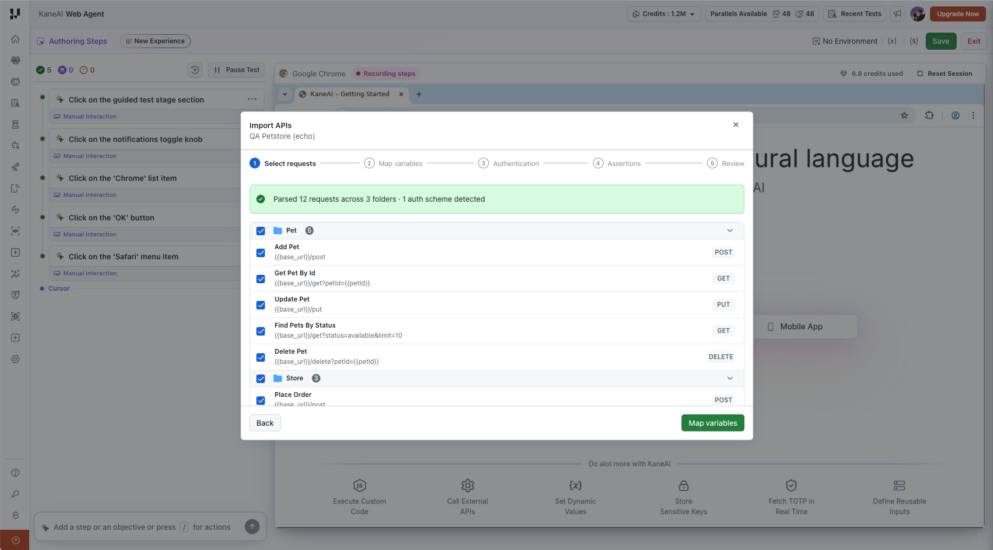
3. Map variables
KaneAI lists the variables detected in your files and matches them against existing KaneAI variables. Each row identifies the variable's source and, where applicable, how many requests use it.
For each variable:
- Review Kane will to see whether KaneAI will reuse an existing variable or create a new one.
- Review Goes to to check the destination variable.
- Compare the current value with the file value. When the values differ, use the file-value action if you want to apply the imported value.
- Enter any missing values required by your requests.
- Review the new and reused variable counts, then select Authentication.
New variables are created as Global Variables in the illustrated flow. Review the destination shown in your session before continuing. Secret values are masked in the mapping list.
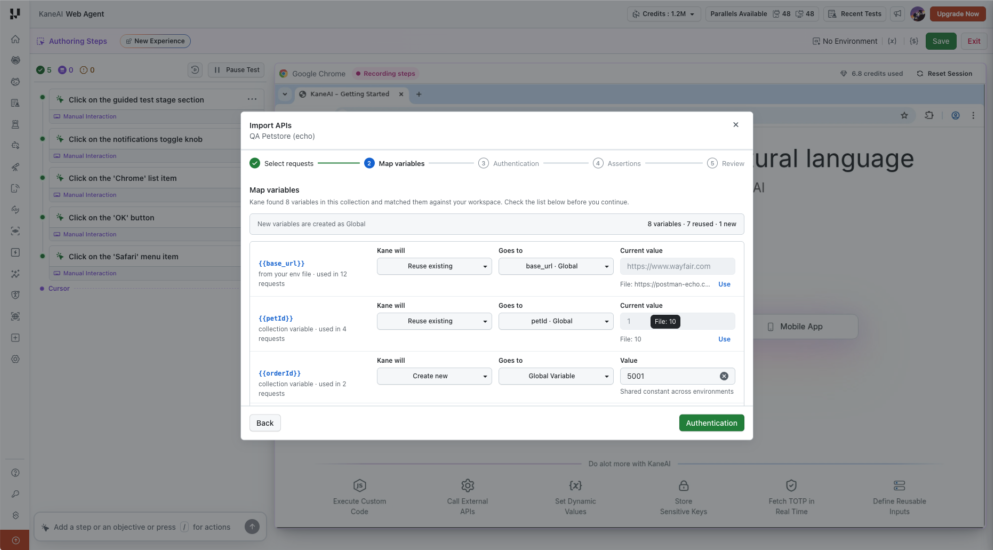
Check the base URL carefully when reusing variables. An existing base_url can point to a different application or environment from the one in your collection. For example, a collection intended for https://postman-echo.com must use the corresponding base URL to call its /get and /post endpoints.
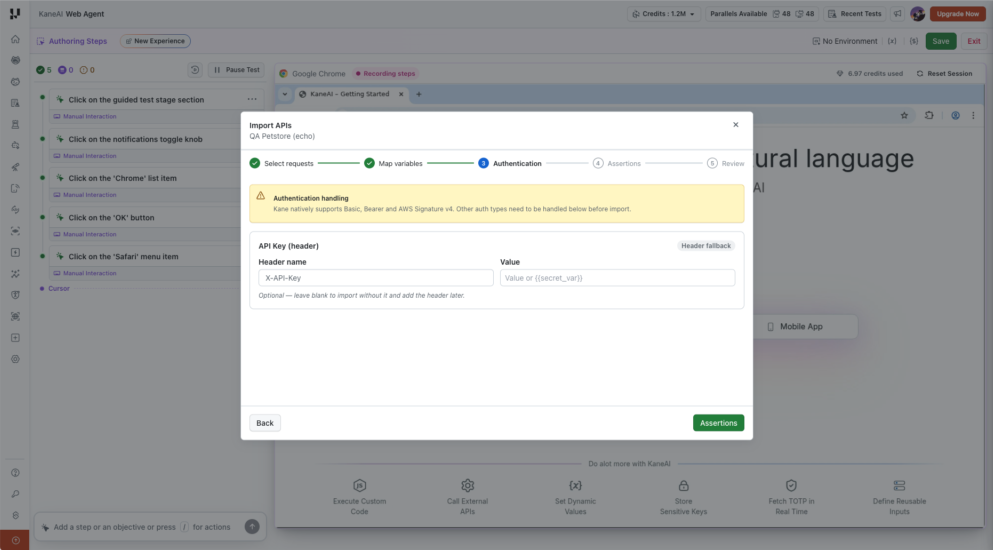
4. Review authentication
KaneAI natively supports Basic, Bearer, and AWS Signature v4 authentication. Review any additional handling shown for authentication detected in the file.
For API Key (header), provide the Header name and Value in the header fallback section. The value can reference a variable, such as {{secret_var}}.
You can leave the header fallback blank to import without it and add the header later. Complete the required authentication before executing a request that depends on it.
Select Assertions to continue.
5. Choose optional header assertions
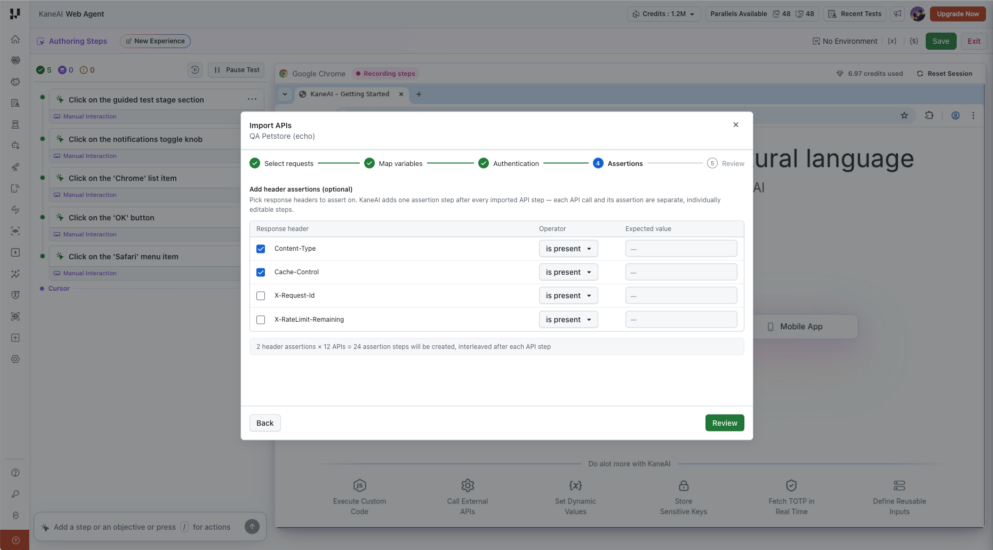
The Assertions step lets you apply response-header checks to every selected API. Available headers in the illustrated flow include Content-Type, Cache-Control, X-Request-Id, and X-RateLimit-Remaining.
-
Select each response header you want to check.
-
Choose its Operator:
Operator Check Expected value is present The response includes the header. Not required. equals The header equals the specified value. Required. contains The header contains the specified value. Required. -
Enter an Expected value when required.
-
Select Review. Leave all headers unselected to import API steps without header assertions.
KaneAI creates one assertion step per selected header for every imported API:
Assertion steps = selected headers × selected APIs
Total steps = API steps + assertion steps
For example, 12 APIs with two selected headers create 24 assertion steps, for a total of 36 steps. These counts depend on your selections.
A passing header check does not establish that the API returned a successful status or the expected response body. An error response can also include Content-Type or Cache-Control. Add checks for the response values your test requires using API Response Assertions.
6. Review and import
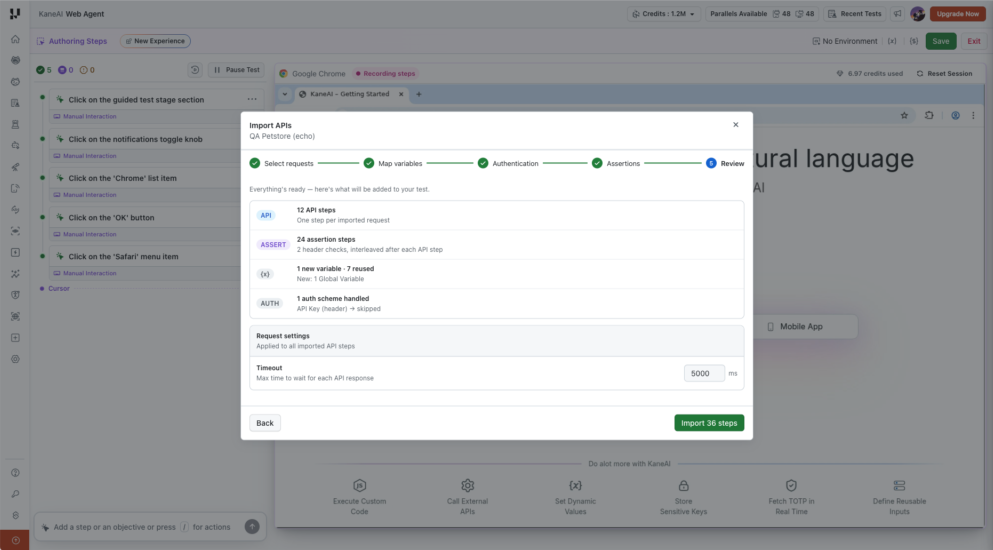
- Check the number of API steps, assertion steps, new and reused variables, and the authentication summary.
- Under Request settings, set the Timeout in milliseconds. This applies to all imported API steps.
- Select Import N steps, where N is the total shown in the review.
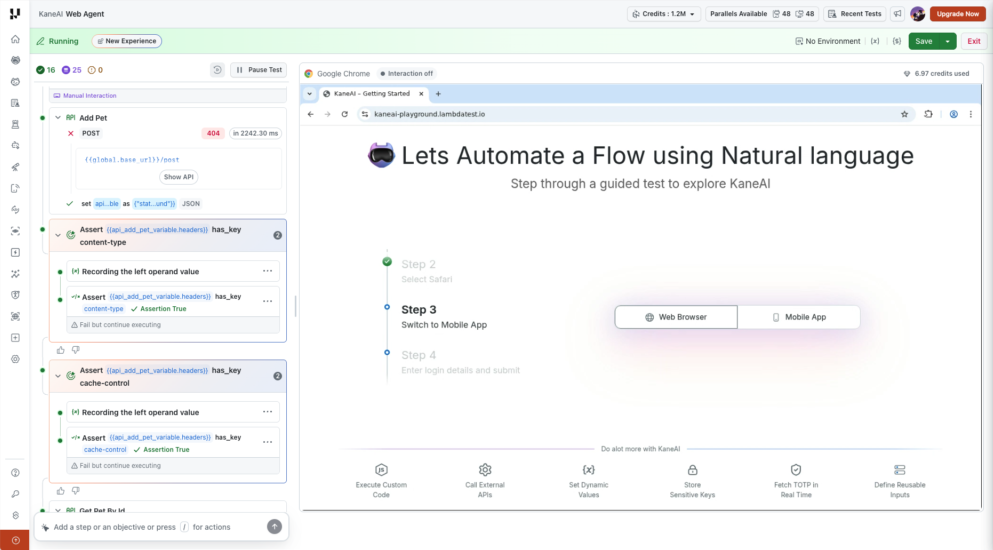
KaneAI adds each API call and its selected header assertions as separate steps, in this order:
API request 1
  Header assertion 1
  Header assertion 2
API request 2
  Header assertion 1
  Header assertion 2
Review the imported steps and their response variables. You can edit individual API calls and assertions after import.
Common issues
| Issue | What to check |
|---|---|
| The file cannot be parsed. | Confirm it is a supported collection or specification, with valid JSON or YAML, rather than an arbitrary JSON file. |
| A request reaches the wrong endpoint. | Check the mapped base URL and other reused values. Use the API Console to inspect the resolved request. |
| A request returns an authentication error. | Review its Authorization and Headers settings, variable values, and any authentication skipped during import. |
| An API returns an error while its header assertion passes. | Inspect the status and body. Header presence alone does not validate the business outcome. |
| A header assertion fails on some APIs. | Confirm those endpoints return the selected header and value. Bulk header checks apply to every imported request; edit individual assertions where needed. |
Limitations
- The maximum file size for API import is 500 KB.
- Import brings request definitions into KaneAI. Postman pre-request and post-response scripts are not imported or executed.
- Bulk assertions in this wizard check response headers. Create JSONPath or schema assertions separately for response-body validation.
- File import is one-way. It does not maintain a live connection to the Postman workspace or synchronize later collection changes.
Related resources
Have any feedback or request? Reach out to us via support@testmuai.com and we would be happy to hear from you.


 Chat with Us