Extent Report
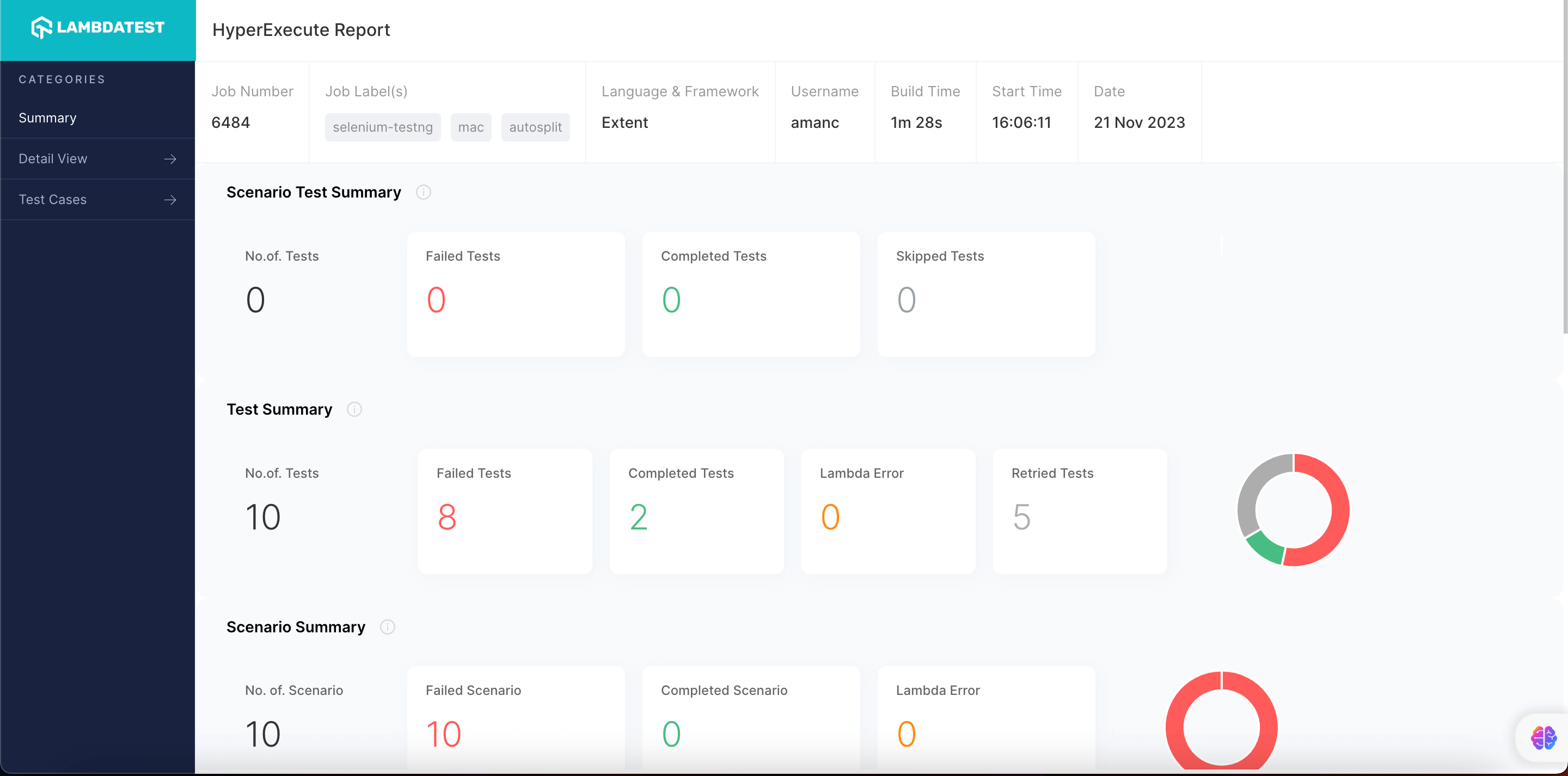
Extent Reports is a powerful reporting library used in test automation frameworks to generate visually appealing and detailed test reports. It provides insights into the status of each test case, including whether they passed, failed, or were skipped, along with additional information such as logs, screenshots, and system/environment details. This makes it especially popular in Selenium, Appium, and API testing frameworks.
Steps to Generate Extent Reports (Version <= 2) on HyperExecute
Follow these steps to enable Extent Reports for your HyperExecute job:
Step 1: Add Dependency
If using Maven, add the following dependency to your pom.xml file:
<dependency>
  <groupId>com.relevantcodes</groupId>
  <artifactId>extentreports</artifactId>
  <version>2.41.2</version>
</dependency>
Step 2: Create an Extent Report Listener
Create a class, e.g., ExtentReportListenerV2.java, to initialize and flush Extent Reports during test execution. This listener will log each test case’s status to the report.
import com.relevantcodes.extentreports.ExtentReports;
import com.relevantcodes.extentreports.ExtentTest;
import com.relevantcodes.extentreports.LogStatus;
import org.testng.ITestContext;
import org.testng.ITestListener;
import org.testng.ITestResult
public class ExtentReportListenerV2 implements ITestListener {
    private static ExtentReports extent;
    private static ThreadLocal<ExtentTest> test = new ThreadLocal<>()
    @Override
    public void onStart(ITestContext context) {
        // Initialize ExtentReports with the report path
        extent = new ExtentReports("extent-report.html", true);
        extent.addSystemInfo("Environment", "QA").addSystemInfo("User", "Tester");
    }
Steps to Generate Extent Reports (Version > 2) on HyperExecute
Follow these steps to enable Extent Reports for your HyperExecute job:
Step 1: Add Dependency
If using Maven, add the latest extentreports dependency to pom.xml file:
<dependency>
  <groupId>com.aventstack</groupId>
  <artifactId>extentreports</artifactId>
  <version>5.0.9</version> <!-- Use latest version available -->
</dependency>
Step 2: Create an Extent Report Listener
For Extent Reports > 2, use ExtentHtmlReporter to generate and customize the HTML report. Create ExtentReportListener.java:
import com.aventstack.extentreports.ExtentReports;
import com.aventstack.extentreports.ExtentTest;
import com.aventstack.extentreports.reporter.ExtentHtmlReporter;
import com.aventstack.extentreports.reporter.configuration.Theme;
import org.testng.ITestContext;
import org.testng.ITestListener;
import org.testng.ITestResult
public class ExtentReportListener implements ITestListener {
    private static ExtentReports extent;
    private static ThreadLocal<ExtentTest> test = new ThreadLocal<>()
    @Override
    public void onStart(ITestContext context) {
        ExtentHtmlReporter htmlReporter = new ExtentHtmlReporter("extent-report.html");
        htmlReporter.config().setTheme(Theme.STANDARD);
        htmlReporter.config().setDocumentTitle("Test Report");
        htmlReporter.config().setReportName("Automation Test Results")
        extent = new ExtentReports();
        extent.attachReporter(htmlReporter);
    }
Configure the HyperExecute YAML File
In your HyperExecute YAML configuration, define the report parameters like this:
report: true
partialReports:
    type: json
    location: reports/json
    frameworkName: extent


 Chat with Us