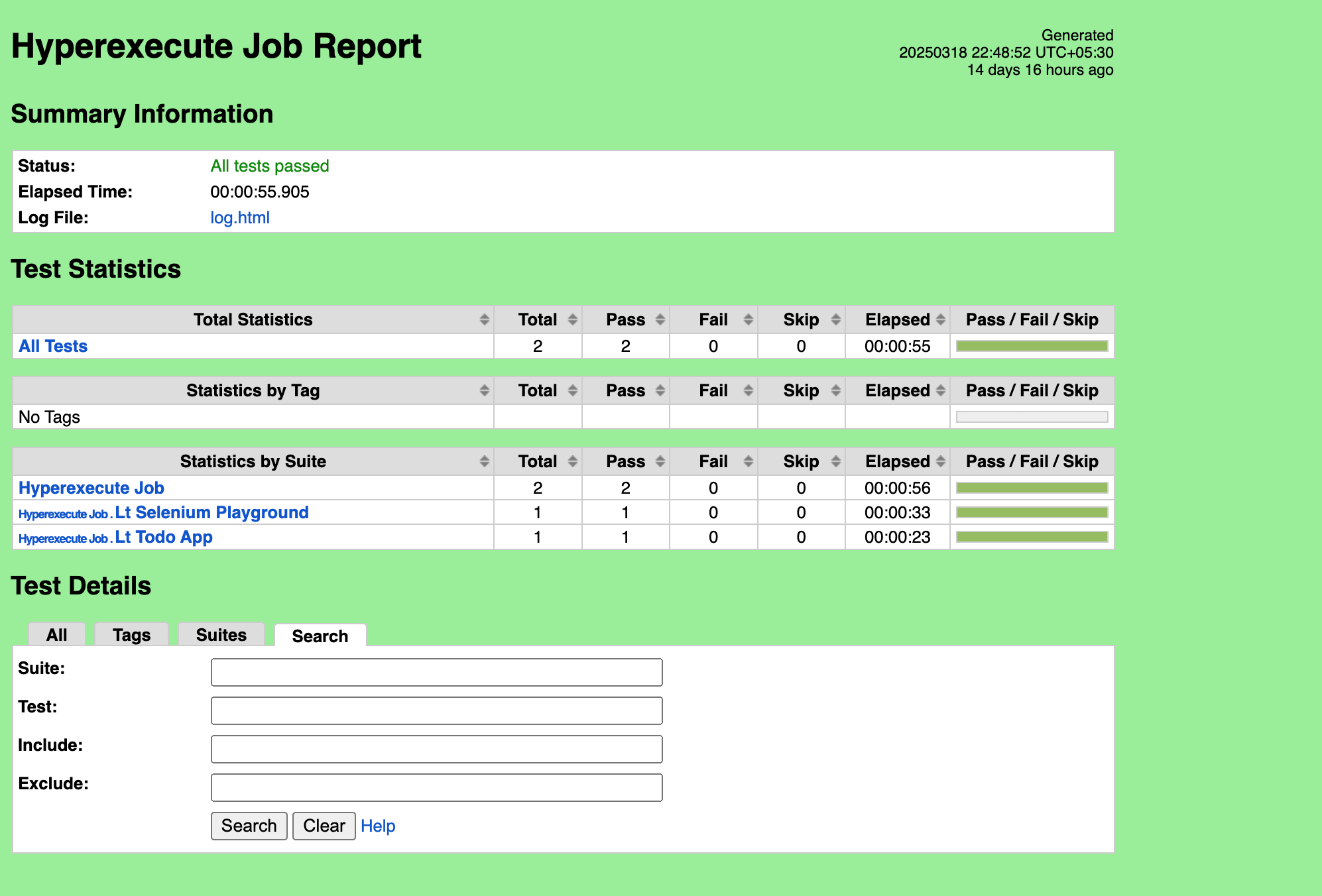
Robot Report
Robot Framework is a generic, open-source automation framework designed for acceptance testing, acceptance test-driven development (ATDD), and robotic process automation (RPA). It is widely used in software testing due to its simplicity, extensibility, and ease of use. The framework is keyword-driven, meaning that tests are written using predefined keywords, making it accessible even to non-programmers.
Ensure your project is configured with the Robot framework and all test scripts are in place.
Steps to Generate Robot Reports on HyperExecute
Step 1: Configure all the necessary dependencies and configurations to your project.
Step 2: Configure the report parameters in the HyperExecute YAML file
Add the following configurations in your YAML file:
VerifiedtestRunnerCommand: YOUR_RUNNER_COMMAND --outputdir Reports
report: true
partialReports:
type: json
location: Reports
frameworkName: robot
Step 3: Now execute your job by triggering the HyperExecute CLI. You can visit the HyperExecute dashboard to download the report after job completion.


 Chat with Us