Filter HyperExecute Jobs by Label (AND / OR)
The Jobs page in HyperExecute lets you narrow the list of jobs by Label. The Label filter supports two modes:
- AND (default): show jobs that have every selected label.
- OR: show jobs that have at least one of the selected labels.
Both modes work from the same Labels dialog. The mode is picked by how you click the labels: a plain click adds a label with AND, and a Shift + click adds it with OR.
| At a glance | |
|---|---|
| Where | HyperExecute → Jobs → Label filter |
| AND (default) | Plain click on each label |
| OR | Shift + click (or Shift + Space) from the second label onward |
| How to check the mode | Reopen the Labels dialog: View Query appears for OR filters |
| Shared in the URL | AND uses job_label=..., OR uses label_groups=... |
Filter with AND (default)
Use AND when you want jobs that have all of the selected labels.
- On the Jobs page, click Label in the filter bar.
- Click each label you want. A plain click adds the label with AND.
- Click Apply Filter.
The list shows only jobs that have every selected label.
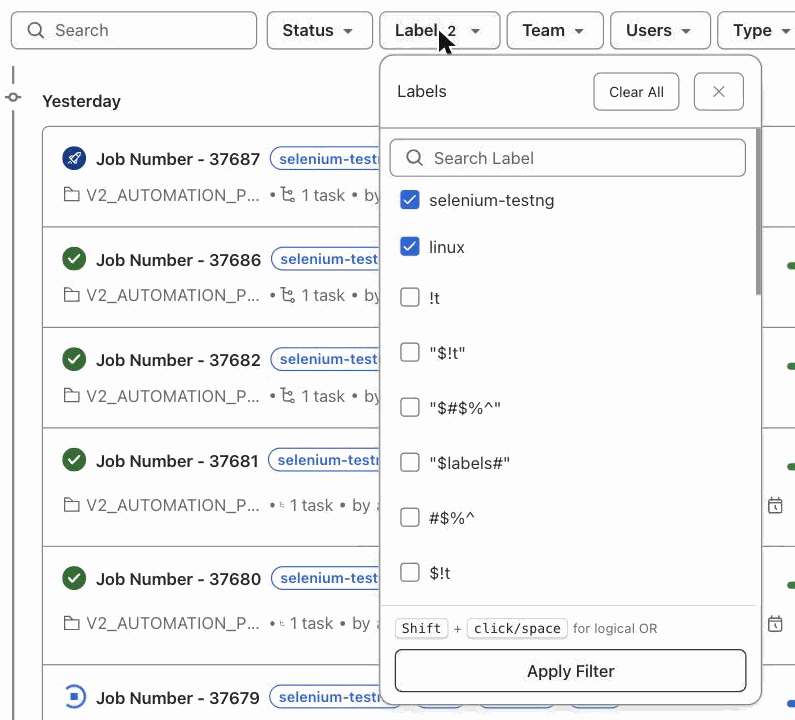
After you apply the filter, the chip shows the number of selected labels:

Filter with OR
Use OR when you want jobs that have any of the selected labels.
- Click Label in the filter bar.
- Click the first label.
- Hold Shift and click (or press Shift + Space on) each additional label.
- (Optional) Click View Query to see the expression that will be applied.
- Click Apply Filter.
The list shows jobs that have at least one of the selected labels.
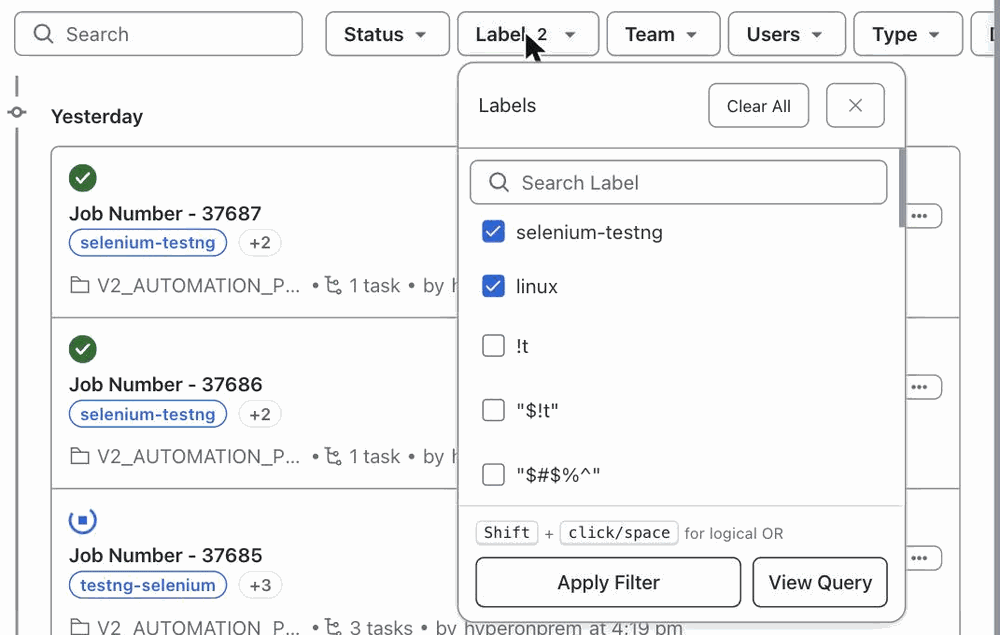
View Query shows the expression, for example selenium-testng OR linux:
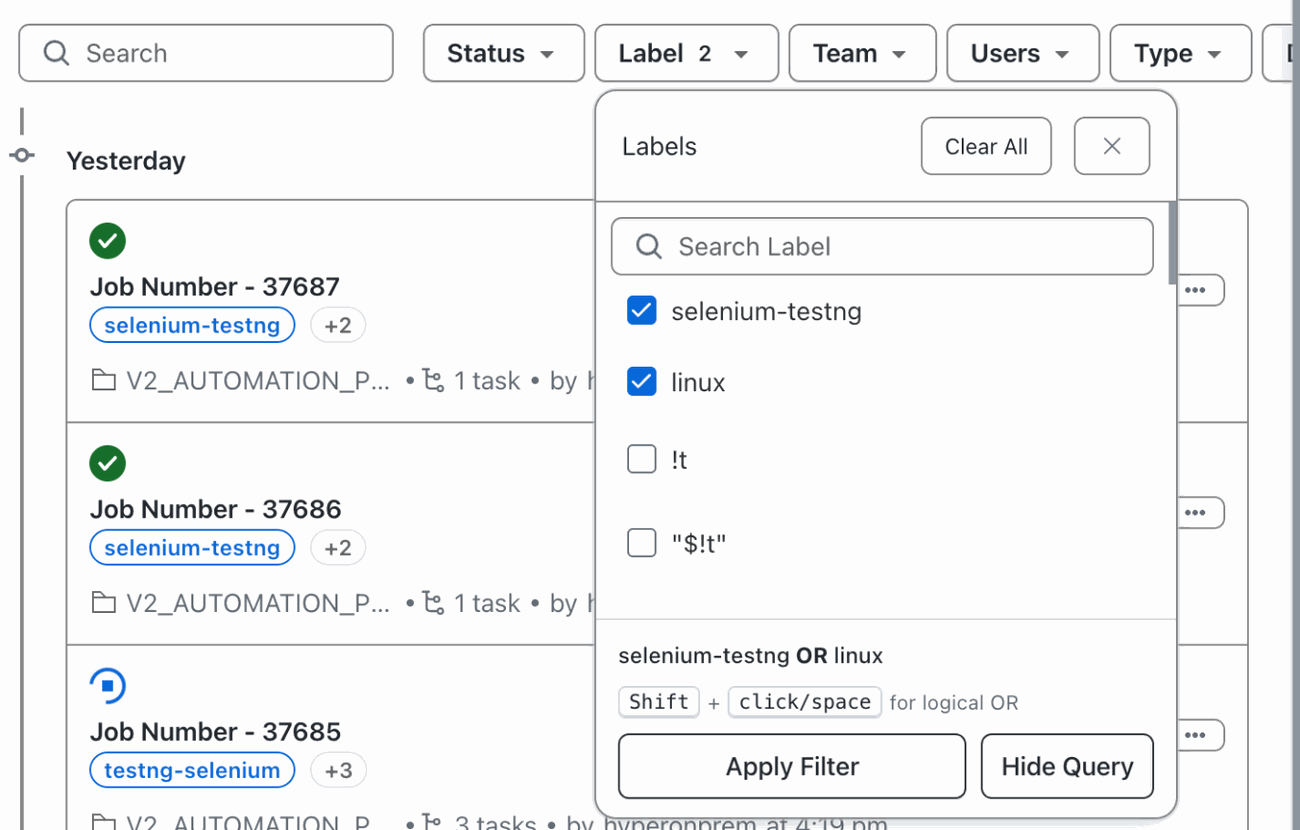
After you apply the filter, the chip looks the same as it does for an AND filter:

AND vs OR at a glance
| AND | OR | |
|---|---|---|
| How to select | Plain click | Shift + click, or Shift + Space, from the second label onward |
| View Query button | Not shown | Shown, with the expression |
| Chip after Apply Filter | Label 2 | Label 2 |
| Request field | job_label | label_groups |
| URL | ?filterBy=job_label&job_label=<base64>,<base64> | ?label_groups=<base64 JSON> |
| Example | Jobs with selenium-testng and linux | Jobs with selenium-testng or linux |
Shared links
The URL keeps the filter mode. If you copy the page URL and share it, the other person sees the same filter in the same mode.
- AND link:
filterBy=job_label&job_label=... - OR link:
label_groups=<base64 JSON>. There is nofilterByparameter on OR links. The value decodes to a list of groups, for example[["selenium-testng"],["linux"]]for a two-label OR filter.
A filter with a single label always uses job_label in the URL, so the AND and OR forms are the same when only one label is selected.
Combining Label with other filters
The Label filter works independently of the other filters on the Jobs page.
- Label can be AND or OR, as described above.
- Status, Team, Users and Type always combine selected values with OR, because each job has only one value for those filters.
- Different filters are combined with AND across the filter bar.
For example, you can set Label to AND (selenium-testng + linux) and Status to its usual OR (Completed + Failed), and the Jobs list will show jobs that match both the Label condition and the Status condition.
Notes
- The hint
Shift + click/space for logical ORat the bottom of the Labels dialog is the main cue for switching to OR. - Each selection in the dialog is one mode. A selection made with only plain clicks is AND. Any Shift + click flips the whole selection to OR.
- Shift + click on the first label has nothing to combine, so it behaves the same as a plain click. Use Shift from the second label onward to switch the mode to OR.
- Mixing plain and Shift + clicks (for example A plain, B plain, C Shift + click) does not build groups. Any Shift + click flips the whole selection to OR, so the example above is
A OR B OR C, not(A AND B) OR C. - The chip on the filter bar shows the label count only, for example
Label 2, for both AND and OR filters. Reopen the Labels dialog to confirm the mode (the View Query button appears for OR). - View Query appears only in OR mode.
- Grouped conditions such as
(a AND b) OR care not built in the dialog. The Jobs API accepts them in thelabel_groupsURL parameter and preserves them when a link is opened, so you can only reach them by opening a shared URL that already carries them. - On screens narrower than about 1100px, the filter chips collapse into a single Filters menu. The Label chip, and the counts it shows, work the same way inside that menu.
Frequently asked questions
How do I filter HyperExecute Jobs so they must have all of the selected labels?
Click Label in the filter bar, then click each label you want with a plain click. A plain click adds the label with AND, so the Jobs list shows only jobs that have every selected label. Click Apply Filter to see the results.
How do I filter HyperExecute Jobs so they can have any of the selected labels?
Click Label in the filter bar and click the first label. From the second label onward, hold Shift and click (or press Shift + Space on) each additional label. The View Query button appears and shows the expression, for example selenium-testng OR linux. Click Apply Filter to see jobs that have any of the selected labels.
What is the difference between the job_label and label_groups URL parameters?
job_label is used for AND filters and lists one base64-encoded label per value, for example ?filterBy=job_label&job_label=<base64>,<base64>. label_groups is used for OR and grouped filters and holds a base64-encoded JSON array of groups, for example [["selenium-testng"],["linux"]] for a two-label OR filter. A filter with a single label always uses job_label, so the URL is the same in both modes.
How can I tell which mode a Label filter is in after I apply it?
The chip on the filter bar shows the count, for example Label 2, in both AND and OR modes. To check the mode, reopen the Labels dialog: the View Query button appears for OR filters, and the URL contains label_groups=... instead of job_label=....
Can I combine a Label AND filter with other filters?
Yes. Each filter in the Jobs filter bar is independent. You can set Label to AND and Status to its usual OR between selected values at the same time, and the two filters are combined with AND across filters.


 Chat with Us