Receive the Job Status via a Callback URL
HyperExecute can send the result of a job to a URL you choose. When the job finishes, HyperExecute sends one HTTPS POST request to the callback URL with the job status, the test counts and a link to the job.
There are two ways to set the callback URL:
| Option | Use it for | Setting |
|---|---|---|
| Option 1: HyperExecute YAML | Jobs you run with the HyperExecute CLI | callbackURL |
| Option 2: KaneAI Test Runs | KaneAI test runs you start on HyperExecute from CI/CD | callback_url |
Both options send the same callback request.
Callback URL Requirements
- The URL must use
https://and be publicly reachable. - The URL must be 255 characters or fewer and must not contain a username or password.
- The endpoint must accept a
POSTrequest with a JSON body.
Option 1: HyperExecute YAML
YAML Configuration
Add the callbackURL flag to your HyperExecute YAML file:
callbackURL: https://your-server.example.com/hyperexecute/callback
How to Receive the Job Status via a Callback URL?
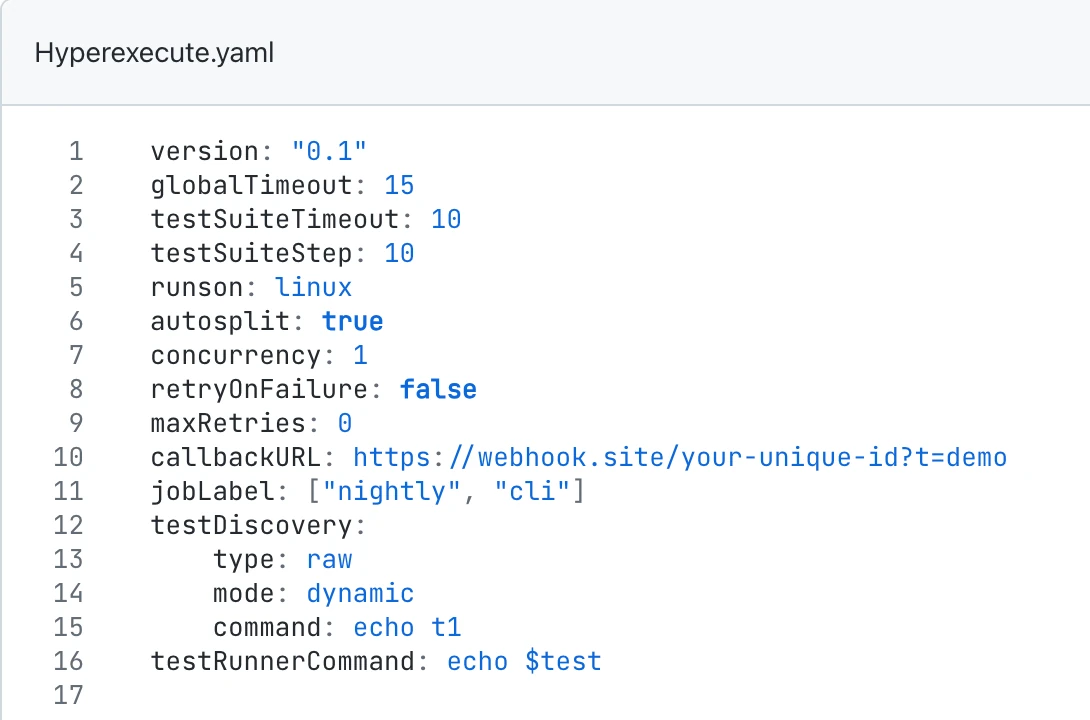
Step 1: Add the callbackURL flag to your YAML file. A complete example, saved as hyperexecute.yaml:
version: "0.1"
runson: linux
autosplit: true
concurrency: 1
globalTimeout: 15
testSuiteTimeout: 10
testDiscovery:
  type: raw
  mode: dynamic
  command: echo "test1"
testRunnerCommand: echo "Running $test"
callbackURL: https://your-server.example.com/hyperexecute/callback
Step 2: Run the job with the latest HyperExecute CLI:
./hyperexecute --user YOUR_USERNAME --key YOUR_ACCESS_KEY --config hyperexecute.yaml
Step 3: Open the job on the HyperExecute dashboard and click YAML to confirm the callback URL:
Step 4: When the job finishes, your endpoint receives the callback request:
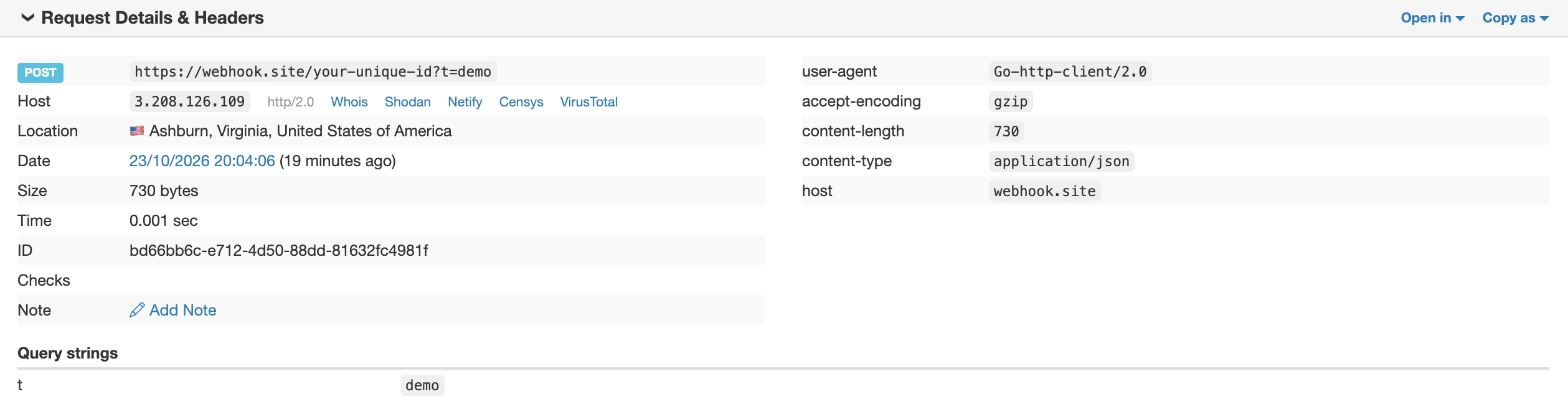
NOTE: Query parameters in your callback URL are kept in the request.
Option 2: KaneAI Test Runs
When you run a KaneAI test run on HyperExecute from your CI/CD pipeline, add callback_url to the request body:
curl --location 'https://test-manager-api.lambdatest.com/api/atm/v1/hyperexecute' \
--header 'Content-Type: application/json' \
--header 'Authorization: Basic <Base64Auth>' \
--data '{
    "test_run_id": "YOUR_TEST_RUN_ID",
    "callback_url": "https://your-server.example.com/hyperexecute/callback"
}'
NOTE: A test run with both web and app test cases runs as two jobs and sends two callbacks, one for each job.
callback_urlis not supported for sequential test runs.
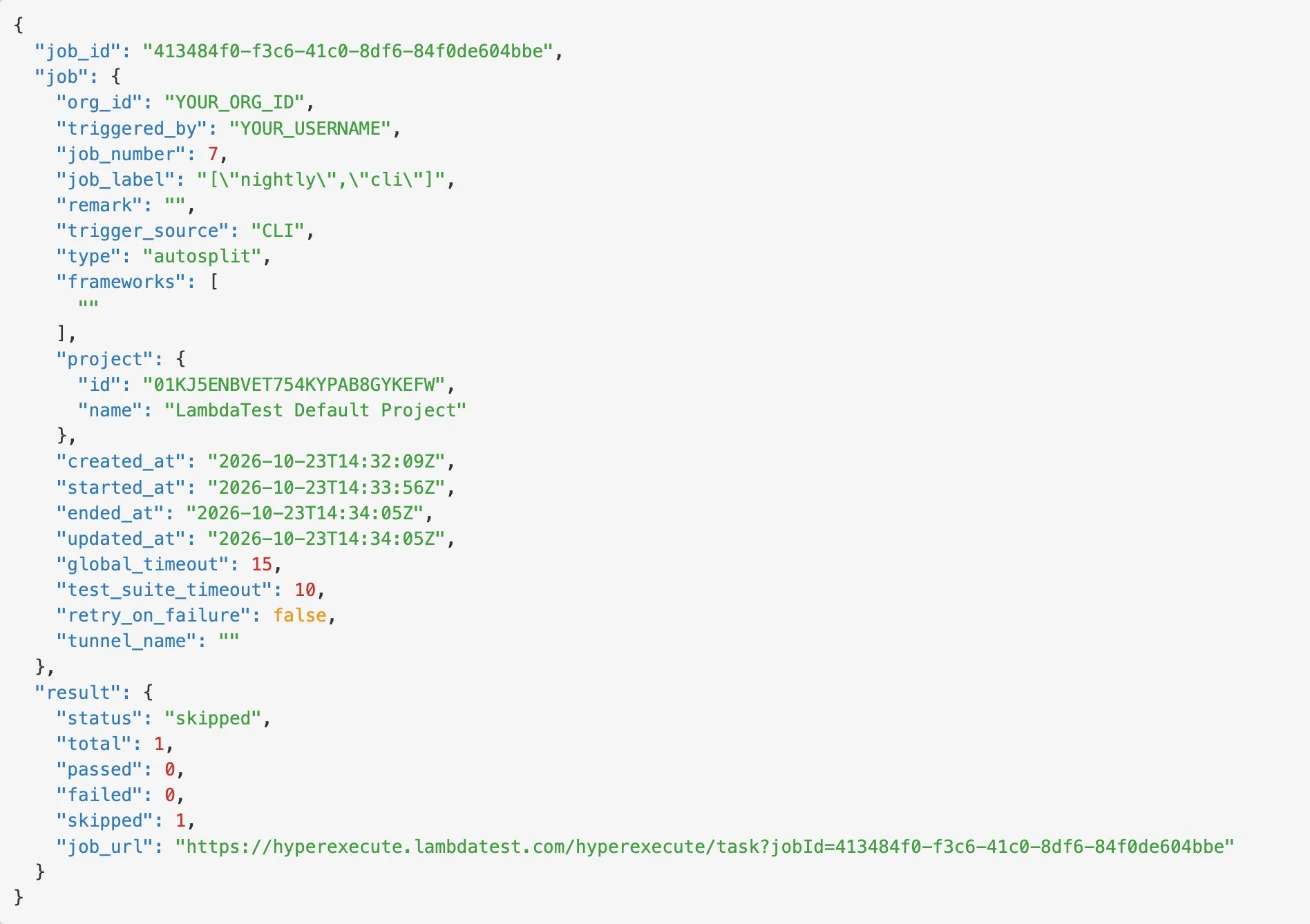
Callback Request Body
The request body is JSON:
{
  "job_id": "413484f0-f3c6-41c0-8df6-84f0de604bbe",
  "job": {
    "org_id": "YOUR_ORG_ID",
    "triggered_by": "YOUR_USERNAME",
    "job_number": 7,
    "job_label": "[\"nightly\",\"cli\"]",
    "remark": "",
    "trigger_source": "CLI",
    "type": "autosplit",
    "frameworks": [""],
    "project": {
      "id": "01KJ5ENBVET754KYPAB8GYKEFW",
      "name": "LambdaTest Default Project"
    },
    "created_at": "2026-10-23T14:32:09Z",
    "started_at": "2026-10-23T14:33:56Z",
    "ended_at": "2026-10-23T14:34:05Z",
    "updated_at": "2026-10-23T14:34:05Z",
    "global_timeout": 15,
    "test_suite_timeout": 10,
    "retry_on_failure": false,
    "tunnel_name": ""
  },
  "result": {
    "status": "skipped",
    "total": 1,
    "passed": 0,
    "failed": 0,
    "skipped": 1,
    "job_url": "https://hyperexecute.lambdatest.com/hyperexecute/task?jobId=413484f0-f3c6-41c0-8df6-84f0de604bbe"
  }
}
Responding to the Callback
- Return a
2xxstatus code. - The request is not signed. To confirm it, look up the job with the HyperExecute API using
job_id.
Troubleshooting
| Problem | Fix |
|---|---|
callbackURL must use the https scheme | Use an https:// URL. |
callbackURL must be 255 characters or fewer | Shorten the URL. |
callbackURL must not contain userinfo | Remove user:password@ from the URL. |
callback_url is not supported for sequential test runs | Remove callback_url, or run the test run in parallel. |
| No callback arrives | Use the latest HyperExecute CLI and a public https:// URL that returns 2xx without a redirect. |
| No callback for a job that did not start | Only jobs that run send a callback. Fix the error shown when the job was started. |


 Chat with Us