Rook Architecture and Data Flow
Rook has four application components: the CLI (including its local UI), controller, API, and hosted Web UI. The agent under test is your connected target. The local UI reads workspace files; the hosted Web UI reads synchronized API records. Neither review interface executes tests. Model orchestration happens through the controller.
Execution happens from your machine; evidence is recorded locally first. Model context and synchronized evidence cross separate cloud boundaries.
Your Machine
Reads and writes the workspace. Contains no managed prompts or model keys.
Runs in your environment. Its tool calls and writes have real effects.
Agents, features, scenarios, profiles, hooks, runs, and verdict evidence under .testmuai/rook/.
rook ui --local serves workspace evidence on loopback, including unsynchronized and test-mode runs. Built into the CLI; no hosted login.
Explicit Boundary Crossings
TestMu AI
Supplies managed prompts, model access, authentication, and credit accounting.
Stores synchronized versions, runs, verdicts, and artifacts in PostgreSQL and object storage.
rook ui opens shared, synchronized evidence and comparisons. Browser sign-in and project access are required. It does not read your current local files.
Components
Rook CLI
Location: Your machine
Reads the workspace, writes scenarios and profiles, runs hooks, records evidence, and coordinates synchronization.
State: Local files under .testmuai/rook/
Local UI: Built-in loopback viewer over these files, opened with rook ui --local.
Agent Under Test
Location: Your environment
Receives real goals through the profile's execute hook and may produce real external effects.
State: Owned by the target system
Rook Controller
Location: TestMu AI
Supplies role-specific prompts, model access, credit accounting, and authenticated model-backed operations.
State: Stateless
Rook API
Location: TestMu AI
Stores synchronized versions, runs, verdicts, and artifacts.
State: PostgreSQL and object storage
Hosted Web UI
Location: TestMu AI
Presents synchronized projects and run evidence through records supplied by the Rook API.
Model Boundary
The CLI ships with no model prompt and no model API key. For a model-backed task, it sends a role name and scoped task context to the controller. The controller supplies the corresponding system prompt and returns the model response.
This keeps model credentials and centrally managed prompts out of the distributed binary while allowing discovery, scenario generation, profile authoring, judging, and RCA to use specialized roles.
Local Invocation Path
Verifiedscenario goal
↓ standard input
profile execute hook
↓ real invocation
agent under test
↓ JSON on standard output
reply · conversation · usage · calls · custom evidence
↓
local run directory
The hook contains the transport-specific code. It can call HTTP, a command, a subprocess, a socket, or an adapter. Rook owns the lifecycle order; the script owns how each phase reaches the target.
The agent runs in its actual environment. Rook does not virtualize or roll back target writes. Use staging systems and disposable fixtures.
Controller Flow
Model-backed operations follow a role-based request:
- The CLI identifies the operation and role, such as agent discovery, scenario generation, hook authoring, judging, or RCA.
- It sends only the context needed for that role to the controller.
- The controller supplies its managed prompt and model credentials.
- The result returns to the CLI, which validates it and writes the resulting project or run files locally.
Commands that only inspect existing state—such as status, scenarios, env, and most mcp operations—do not need a model call.
Local State Is the Record
.testmuai/rook/ is authoritative for the workspace. rook sync copies the current project tree to the Rook API. Run results are also recorded locally as they happen and can be reconciled upstream later.
local project tree ── rook sync ──▶ Rook API ──▶ cloud UI
local run evidence ── runs sync ───▶ Rook API ──▶ reports and comparison
local workspace ── rook ui --local ──▶ loopback viewer (no upload)
Cloud state does not silently overwrite the local workspace. Ahead, behind, and diverged states are reported for deliberate reconciliation.
Trust and Secret Boundaries
- Profile files name the environment variables their hooks read, under
env; values set withenv setstay in the global Rook home.syncuploads profiles and hook scripts as written, so neither should contain a literal secret. - Hook scripts execute locally and receive short-lived Rook context through
ROOK_*variables. - Repository-declared or discovered MCP servers require explicit approval before Rook starts them.
- Permission grants are scoped to operations and phases so approval during exploration does not automatically authorize judging or CI.
- A judge should verify through read-only evidence sources. Calling a write operation to check whether a write occurred would create new state rather than verify existing state.
What Leaves the Machine
Rook uses different outbound paths for model work and persistence:
- Model-backed commands: the CLI sends the selected role and scoped task context to the controller. Depending on the operation, that context can include relevant source excerpts, agent definitions, scenario material, or recorded evidence needed to produce the result.
- Project synchronization:
rook syncsends the reviewed project tree to the Rook API. It is an explicit action rather than a background upload. - Run records: completed run results are written locally first and recorded through the Rook API as the run progresses or during later reconciliation.
- Profiles and hook scripts:
rook syncuploads profiles and their hook scripts as written. Values stored withrook env set, the local credential store, and controller model keys are not part of the sync, so keep literal secrets out of profiles and scripts. - Profile authoring:
rook profile addandrook profile fixshow the model what you paste and what the hook prints. A token in either goes with it. - Telemetry: operational events (no prompts, no code, no command arguments) are sent by default.
ROOK_TELEMETRY=offkeeps them on the machine; see Telemetry. - Session transcripts: each session writes
transcript.jsonlunder~/.testmuai/rook/sessions/. It stays on the machine unless you bundle it withrook export logs --sessionand share the bundle. - Local results UI:
rook ui --localserves the on-disk evidence without requiring an account or network connection.
Review source material and result evidence for sensitive target data before model-backed operations, synchronization, or artifact upload in CI.
Evidence Boundary
Rook distinguishes the target's statement from independently observable evidence. A reply can be graded for content, but a claimed ticket, refund, deployment, or file change should be checked through tool-call evidence, filesystem observation, a read endpoint, a trace, or an approved read-only MCP tool.
If the required observation is unavailable, the result is Unable to Verify. It is never converted into a pass or failure merely to produce a complete-looking score.
Related Documentation
Open the Local or Hosted UI
For local evidence, run rook ui --local from the intended workspace and project. Open agent → runs → run → scenario. Keep the process running; its loopback URL is not a team-sharing link. It can display local --test runs that never appear in the hosted timeline.
For shared review, open rook.lambdatest.com/projects. Public packages default to ROOK_ENV=prod; use the same service, account, and project when authenticating and synchronizing.
The hosted browser app reads records and artifacts through the API. Neither UI executes your hook scripts or starts the target agent. See the combined UI guide for both review paths and screenshots.
Local UI: The Workspace Read Path
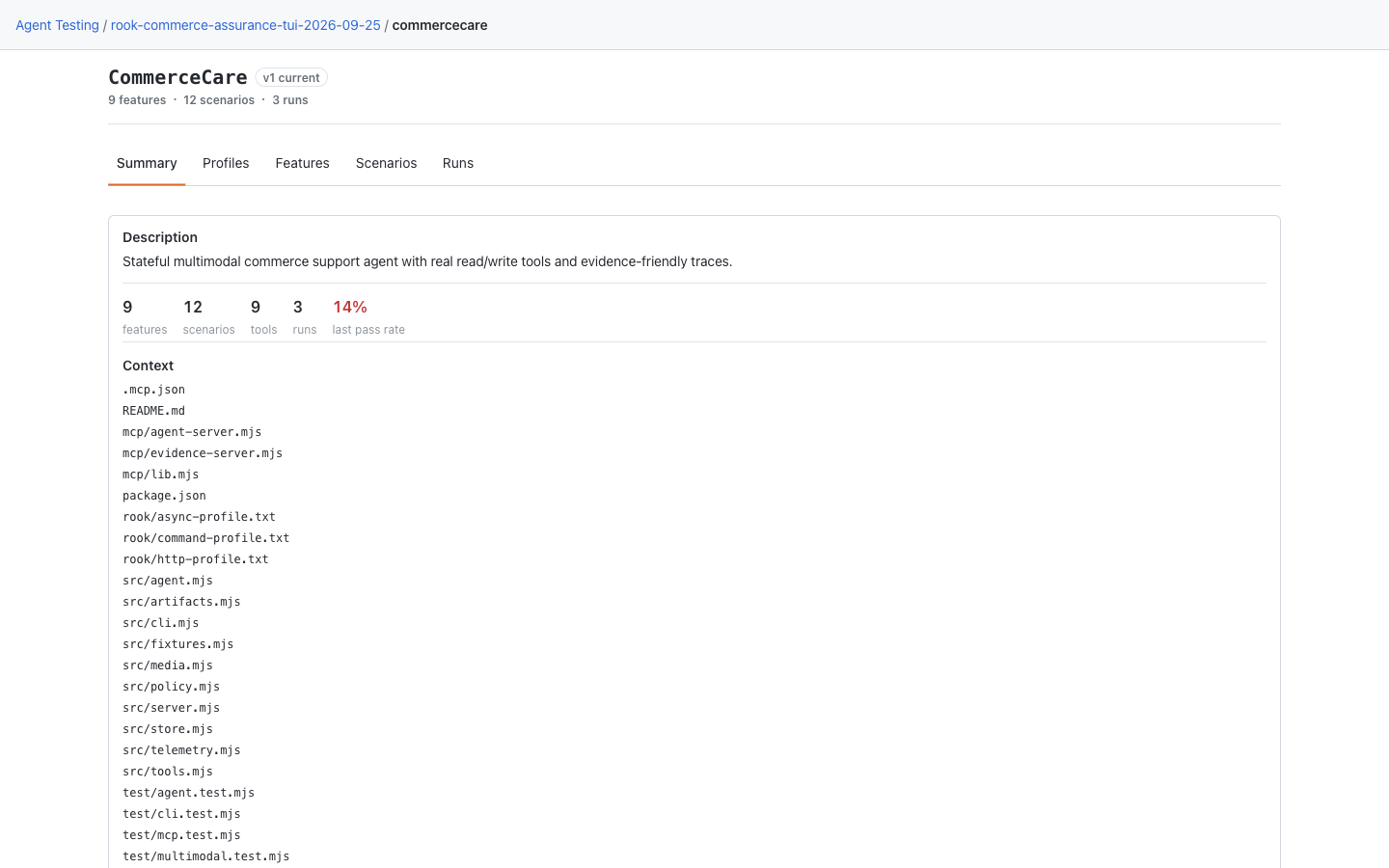
The local Summary reads the description and source context from the selected workspace, with links to the specification and findings. Separate tabs show profiles, features, scenarios, and runs. A recorded version badge does not prove today's working files match the hosted version; displaying a local file does not publish it. See the local UI rollout note for older CLI layouts.
Hosted Web UI: The API Read Path
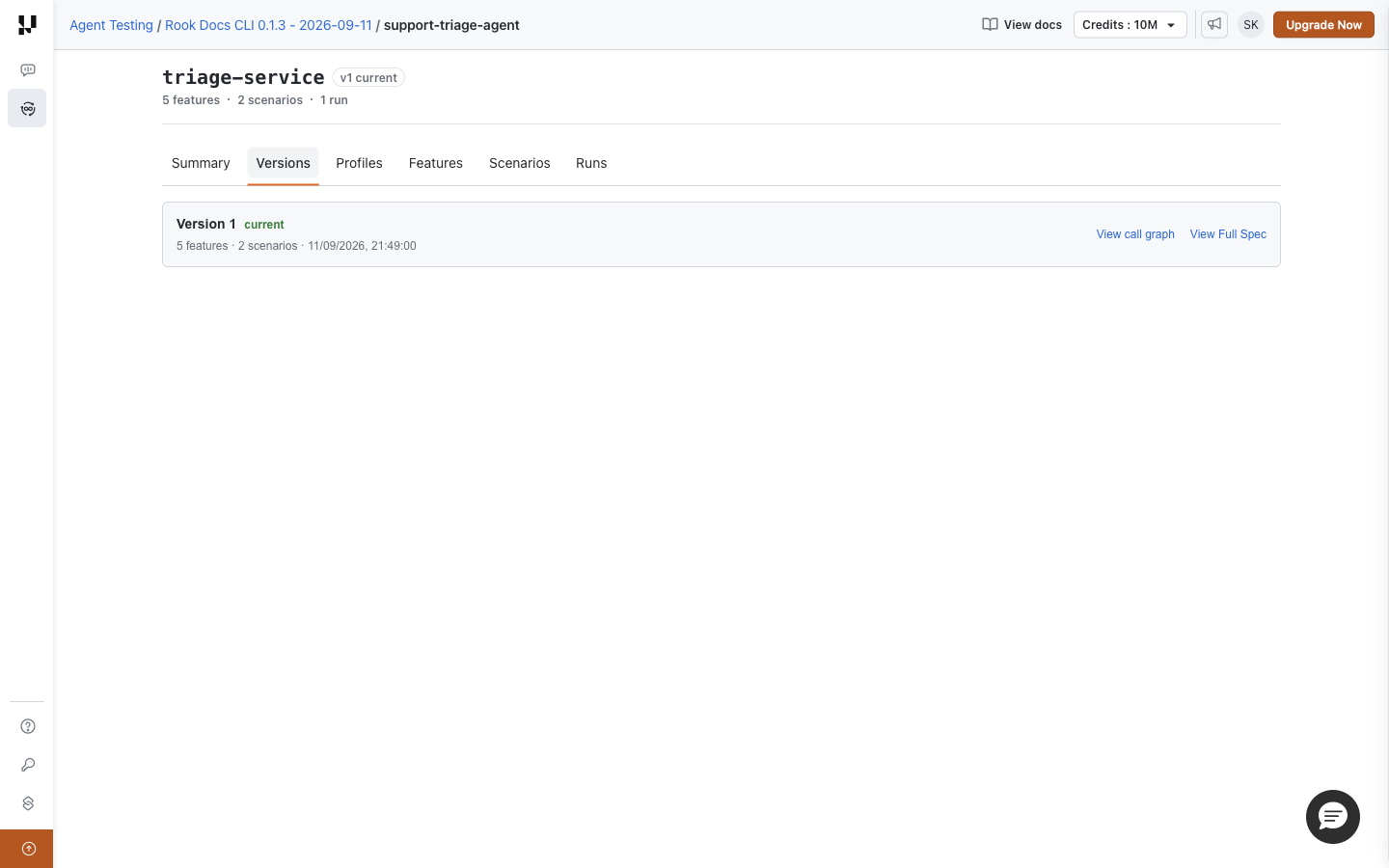
Open project → agent → Versions to inspect definitions already recorded upstream. The version row offers its specification and call graph. The local UI has no separate Versions tab; current local files and a pinned hosted version can legitimately differ.


 Chat with Us