Rook Environment and Secrets
A profile names the environment variables its hooks read, and why; it does not hold their values. Values you set with env set are stored under the global Rook home, outside the repository. Two paths can still carry a secret off the machine:
rook syncuploads profiles and hook scripts as written. A token typed into a profile,hook_env, or a hook script is uploaded with it.profile addandprofile fixshow the model what you paste and what the hook prints. A pasted curl with a live token, or a hook that echoes its credentials, sends that value with the rest.
Manage Local Values
Launch rook in your agent workspace. In the interactive TUI, start with /env list to inspect configured names and masked values. The following capture sets and lists a non-secret demonstration value, not a credential:
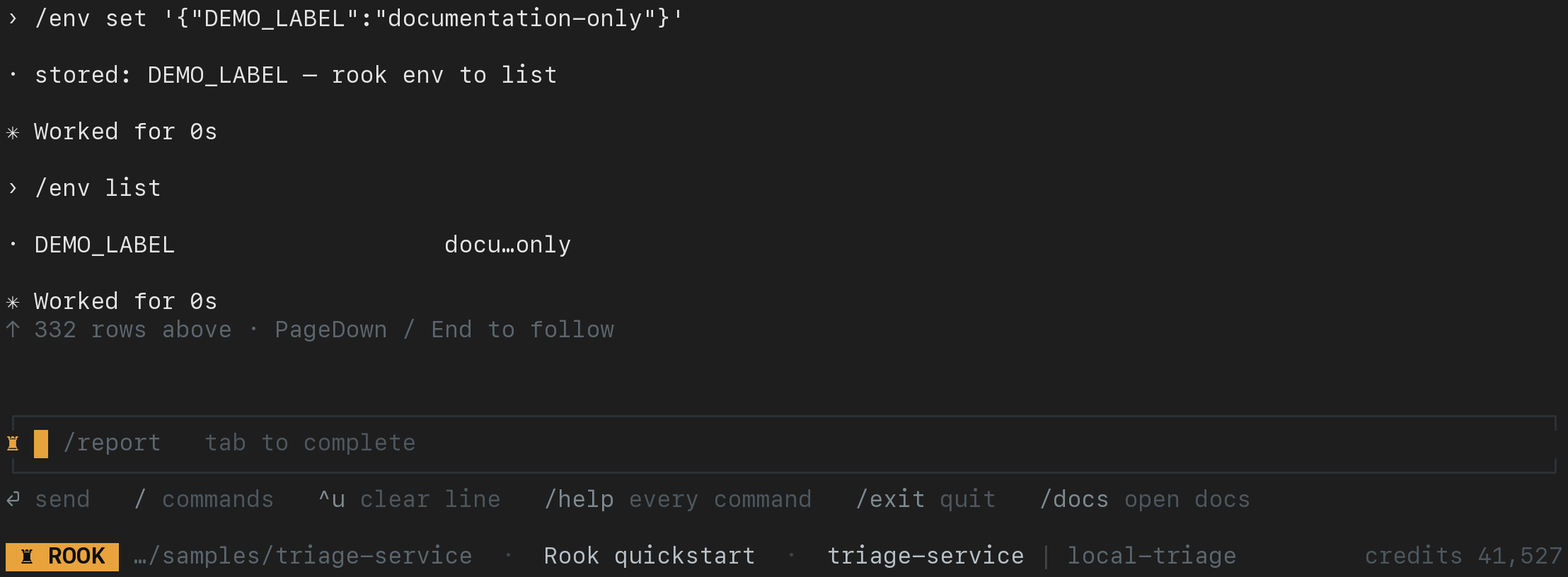
For a harmless first check, enter these commands one at a time:
/env set '{"DEMO_LABEL":"documentation-only"}'
/env list
/env rm DEMO_LABEL
Keep the outer single quotes around the JSON object, including in the TUI. env list masks the middle of each value but can reveal a prefix and suffix; inspect the screen before sharing it. Never capture real secrets or /env show output.
For an actual profile, use the variable names it declares. Shell equivalents are:
Verifiedrook env list
rook env set '{"API_KEY":"sk-...","BASE_URL":"https://staging.example.com"}'
rook env show API_KEY
rook env rm API_KEY
| Command | Behavior |
|---|---|
env list | Lists configured names with masked values. It is the default subcommand. |
env set | Stores one or more key-value pairs from a JSON object. |
env show | Prints one value in full; take care with terminals and logs. |
env rm | Removes the local value. |
Values are stored below the global Rook home, outside the repository, and scoped to the workspace’s absolute path. Shell-exported values override stored values. A generated hook reads process.env.API_KEY; its profile lists the variable name and purpose.
Profile Declaration
Verifiedenv:
- variable: API_KEY
purpose: read-only token for the staging support API
- variable: BASE_URL
purpose: environment to test
The purpose field should state the authority behind the value. A variable name alone does not tell a reviewer whether the credential can only read status or can move money.
Before spending a run, Rook checks that every value declared by the profile is available. This prevents a large suite from failing after many paid invocations because a single token was never configured.
Global and Workspace State
| Path | Contains |
|---|---|
~/.testmuai/rook/ | Credentials, environment values, terminal history, logs, installed versions, and machine-specific session state. On POSIX systems, the directory uses mode 0700; native Windows uses the user home's .testmuai\rook directory and Windows file permissions. |
<repo>/.testmuai/rook/ | Projects, agents, features, scenarios, profiles, hook scripts, runs, and evidence intended to be reviewable and committable. |
Shared Authentication
Stored OAuth authentication is shared by processes using the same Rook home, profile, and environment:
- several terminals share one sign-in;
- logout in one terminal is observed by the others;
- login restores access for all of them;
- token renewal is serialized so concurrent terminals converge on the same refreshed token;
- an interrupted run is saved where it stopped and is not automatically resumed after login.
For unattended use, inject LT_USERNAME and LT_ACCESS_KEY through your secret manager. Rook uses this pair ahead of stored OAuth credentials. A different ROOK_HOME does not isolate credentials already exported in the shell.
Public packages use ROOK_ENV=prod for the service behind the hosted Web UI. Set the service environment before authentication and project operations. This does not change the endpoint your target-agent hook calls.
Windows PowerShell Variables
Complete Windows installation first. PowerShell sets process environment variables with $env:, rather than export:
$env:ROOK_ENV = 'prod'
$env:BASE_URL = 'https://agent.staging.example.com'
rook.cmd auth status
Replace the target URL with your own test environment. These settings affect the current terminal and processes it starts, not other terminals. For temporary isolated Rook state:
$env:ROOK_HOME = Join-Path $env:TEMP 'rook-isolated'
rook.cmd auth status
This selects a different Rook home; it does not remove any shell-provided credentials. If you intend to use browser login instead of an injected username/access-key pair, remove both from the current session:
Remove-Item Env:LT_USERNAME, Env:LT_ACCESS_KEY -ErrorAction SilentlyContinue
rook.cmd login
Restore the default home for subsequent commands with Remove-Item Env:ROOK_HOME -ErrorAction SilentlyContinue; this does not delete the isolated directory. Do not put real access keys in copied commands or PowerShell history. Use your approved secret manager, or manage Rook's JSON values inside the TUI to avoid differences in native-command argument quoting between PowerShell versions.
Isolate Rook State
Set ROOK_HOME when a process should not share credentials or local values:
export ROOK_HOME="$RUNNER_TEMP/rook"
rook auth status
Common reasons include:
- a CI job with its own account;
- separate staging and production identities;
- a temporary test environment;
- troubleshooting without changing the primary workstation state.
Hook Variables Are Supplied by Rook
Variables such as ROOK_HOOK, ROOK_RUN_ID, ROOK_SCENARIO_ID, ROOK_SESSION, ROOK_TURN, ROOK_CONVERSATION, ROOK_STATE_DIR, ROOK_WORKSPACE, ROOK_PROJECT, and ROOK_AGENT are runtime context for hook scripts. Rook's values take precedence; setting them manually does not substitute for running the hook in a real lifecycle.
Secret Handling Checklist
- Keep values out of profile YAML,
hook_env, hook scripts, and source control;syncuploads the profile and its scripts as written. - Paste requests into
profile addwith placeholders, not live tokens, and keep hooks from printing credentials. - Give profiles the least-privileged credentials needed for the scenarios.
- Do not use
env showin shared terminals or CI logs. - Keep
.testmuai/rook/.gitignoreentries intact for credentials and machine-only state. - Review MCP commands and headers before approval.
- Use a dedicated
ROOK_HOMEfor unattended automation.
Telemetry
Rook records operational events (no prompts, no code, no command arguments) and sends them to TestMu AI, attributed to your organization, to find failures. The first interactive session prints a one-time notice, and nothing is uploaded until that notice has been shown. Logged-out and local-mode sessions do not upload.
Turn it off for one process with ROOK_TELEMETRY=off, or for every run with "telemetry": false in config.json under the Rook home (~/.testmuai/rook/ unless ROOK_HOME is set).
UI Access and Evidence Privacy
The local UI (rook ui --local) reads workspace evidence on loopback without a hosted browser login. The hosted Web UI (rook ui) requires browser access to the chosen environment and project; its sign-in is separate from CLI credentials. ROOK_ENV selects the hosted environment, not a different target-agent endpoint or a remote data source for the local viewer.
Requests, responses, and artifacts in either UI can contain sensitive target data even when profile YAML contains only variable references. Review evidence before upload or sharing; never expose the local server as a public report. See both UI access paths.
Local UI: Identify the Hook to Inspect
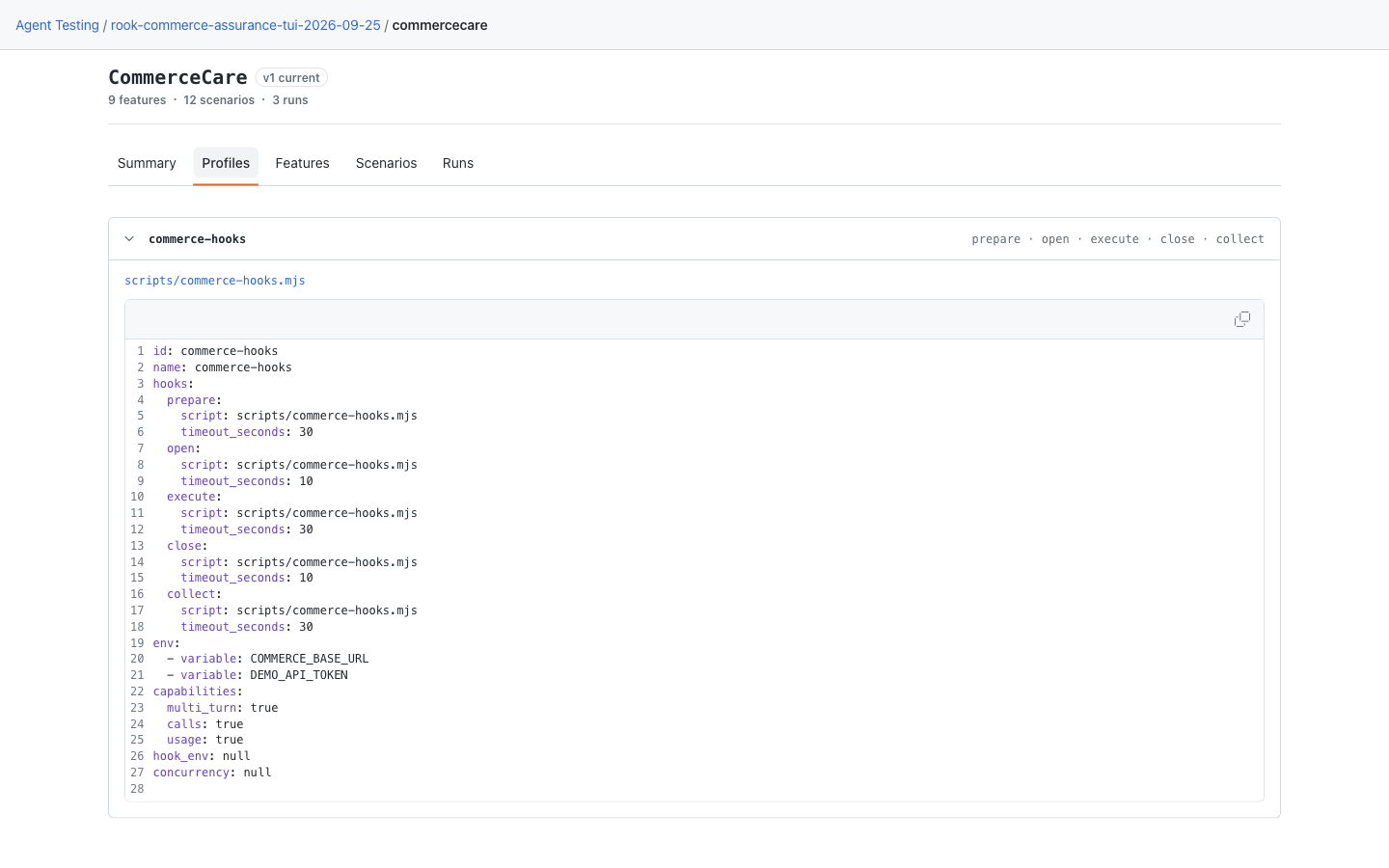
Open the agent's Profiles tab and expand the profile. Its inline YAML identifies the hook script and required variable names; the CommerceCare demo requires COMMERCE_BASE_URL and DEMO_API_TOKEN. These declarations do not show the stored values. Manage values in the CLI—there is no local UI secret editor. See the earlier layout if your CLI still shows the single-page viewer.
Hosted Web UI: Review Environment Requirements
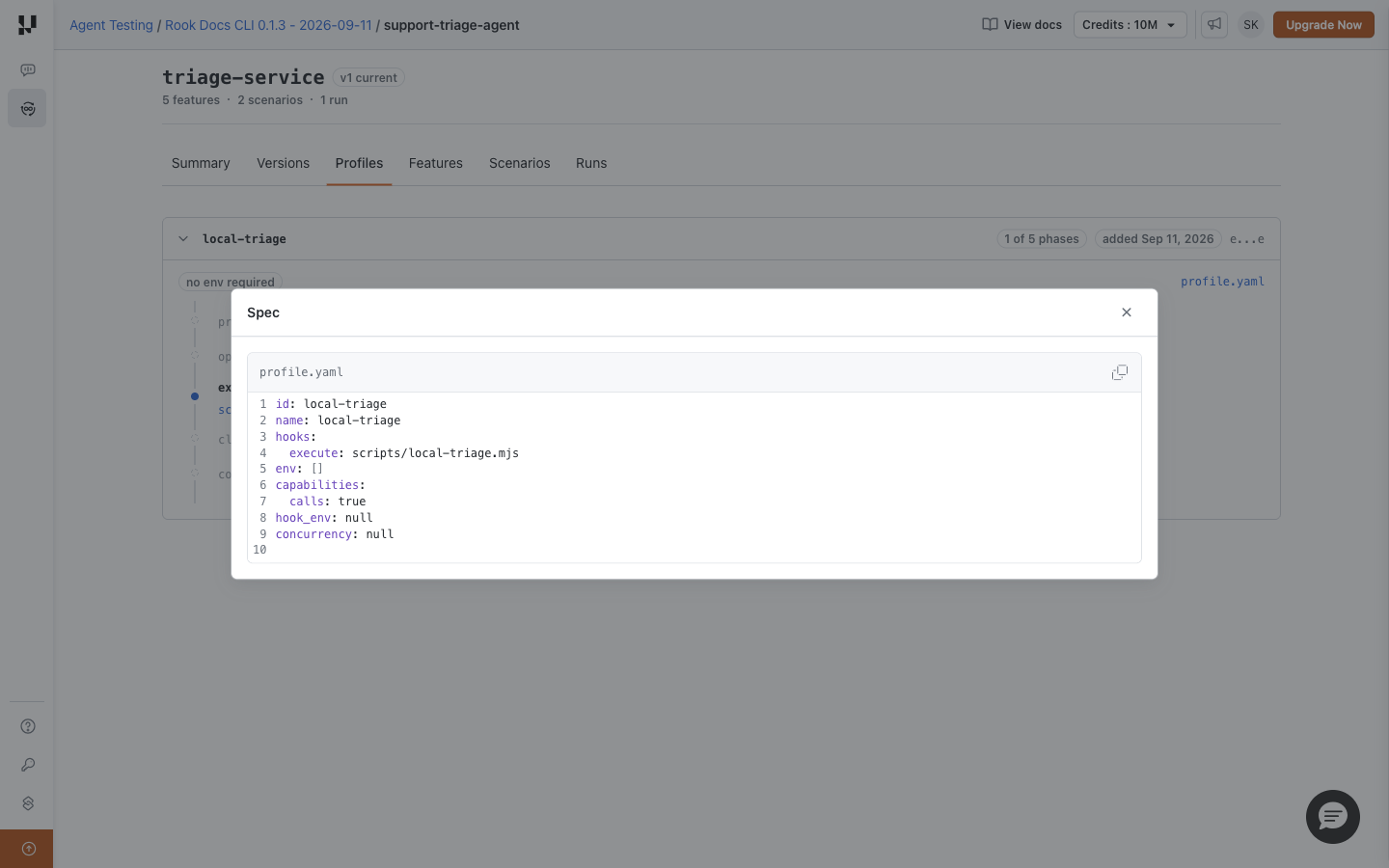
Open Profiles, expand the profile, and click profile.yaml. It records environment requirements, not the secret store. This sample has env: [] because its local test endpoint needs no token; it is not an example of configuring authenticated access. The phase timeline's environment badges also name required variables without displaying their values.


 Chat with Us