Webhooks Integration With TestMu AI
Webhooks provide a way to receive real-time notifications about events in your TestMu AI account. Instead of polling for updates, webhooks push data to your specified endpoints whenever a build completes, enabling seamless integration with your existing workflows and tools.
With the TestMu AI Webhooks Integration, you can:
- Receive instant build data notifications on your configured endpoints.
- Automate downstream processes based on test results.
- Integrate with custom dashboards, CI/CD pipelines, or notification systems.
- Keep QAs and developers in sync with real-time updates.
Prerequisites
- You should have Admin or User level access to see and install integrations.
- You will require Webhook access for successful integration.
- A valid webhook URL endpoint that can receive POST requests.
Integrate Webhooks with your TestMu AI Account
Step 1: Login to your TestMu AI account. You should have Admin or User level access to see and install integrations.
Step 2: Click on Settings -> Integrations -> Communication.
Step 3: Click on the Connect button of the Webhooks block.
Step 4: In the Manage URLs section, enter your webhook URL in the input field provided.
Step 5: Click the Add URL button to save your webhook endpoint.
After successful addition, you will start receiving build data on every build completion.
Configure Notification Preferences
Once the webhook is connected, you can customize which notifications you want to receive. Click on the Webhooks block to open the configuration modal.
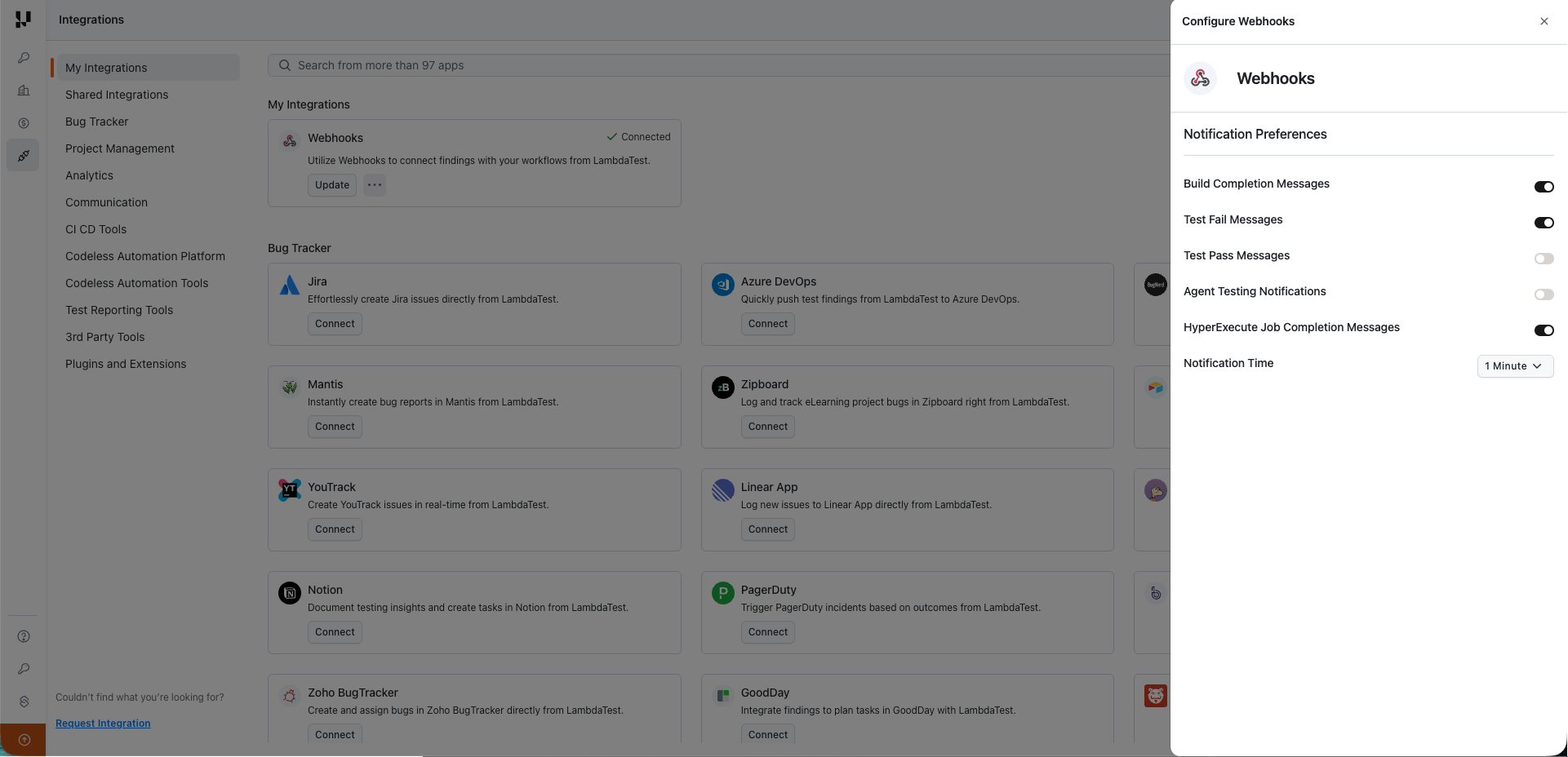
In the Notification Preferences section, you can enable or disable the following notification types:
| Notification Type | Description |
|---|---|
| Build Completion Messages | Receive notifications when a build completes |
| Test Fail Messages | Receive notifications when tests fail |
| Test Pass Messages | Receive notifications when tests pass |
| Agent Testing Notifications | Receive notifications for agent-based testing events |
| HyperExecute Job Completion Messages | Receive notifications when HyperExecute jobs complete |
You can also configure the Notification Time to set a delay before receiving notifications after build completion.
Webhook Payload
When a build completes, TestMu AI sends a POST request to your configured webhook URL with the build data. The payload includes information about:
- Build status and results
- Test execution details
- Timestamps and duration
- Associated metadata
Use Cases
- CI/CD Integration: Trigger downstream jobs in your pipeline based on test results.
- Custom Dashboards: Push test data to your internal monitoring and reporting tools.
- Team Notifications: Forward build results to custom notification systems.
- Automated Reporting: Generate and distribute test reports automatically upon build completion.
Remove Webhooks Integration
Step 1: Login to your TestMu AI account. You should have Admin or User level access to see and install integrations.
Step 2: Click on Settings -> Integrations -> Communication.
Step 3: Click on the Remove button next to the webhook URL you want to delete.

 Chat with Us
 Ask the Community