Generating Multiple Lighthouse Reports Using Lambda Hooks
TestMu AI lets you perform Selenium automation while generating multiple Lighthouse reports through Lambda Hooks. This guide covers the hook structure, expected behavior, and conditions under which the reports are generated or errors are thrown.
Hook Structure
Use the JavaScriptExecutor hook to trigger a Lighthouse report for any URL during your test session.
To generate a Lighthouse report, use the following JavaScriptExecutor hook:
JavascriptExecutor jse = (JavascriptExecutor)driver;
jse.executeScript("lambdatest_executor: {\"action\": \"generateLighthouseReport\", \"arguments\": {\"url\": \"<any url>\"}}");
Generating Lighthouse Report Using Lambda Hooks
Execute the hook multiple times with different URLs to generate reports for each.
- You can execute the hook multiple times with a configurable URL.
- If the Lighthouse report execution fails, a 200 status response with the message Failed to generate Lighthouse report. Please try again. is sent. The test execution continues.
- For browsers other than Chrome, a 4XX error is thrown stating Lighthouse report is supported only for Chrome browser.
- If you generate Lighthouse reports using Lambda hook, turn off the
performance:truecapability. - Successful generation of the report returns a 200 status and a response body containing:
  {
    "message": "Lighthouse report generated successfully",
    "data": "<STRINGIFIED LIGHTHOUSE JSON REPORT>"
  }
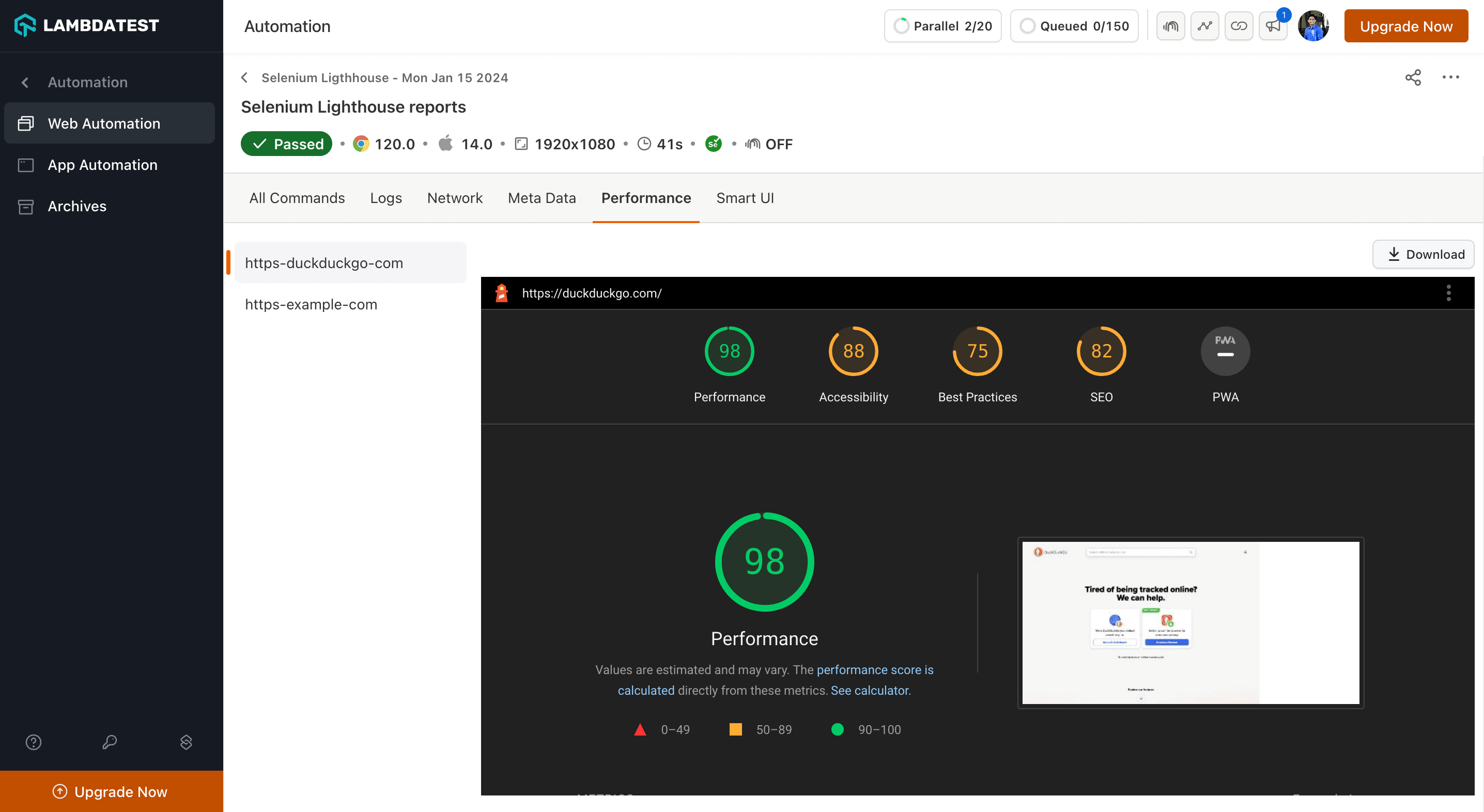
- Lighthouse reports for all hooks executed are visible on the TestMu AI Web Automation Dashboard under the Performance tab.

 Chat with Us
 Ask the Community