Export Test Cases
Export your test cases in bulk as a CSV file for tracking, analysis, and sharing with your team. You can select which fields to include, choose how steps are structured in the output, and download the file in a few clicks.
How to Export
Step 1: Select Test Cases
Navigate to the Test Case Listing page, bulk select the test cases you want to export, and click the Bulk Action button.
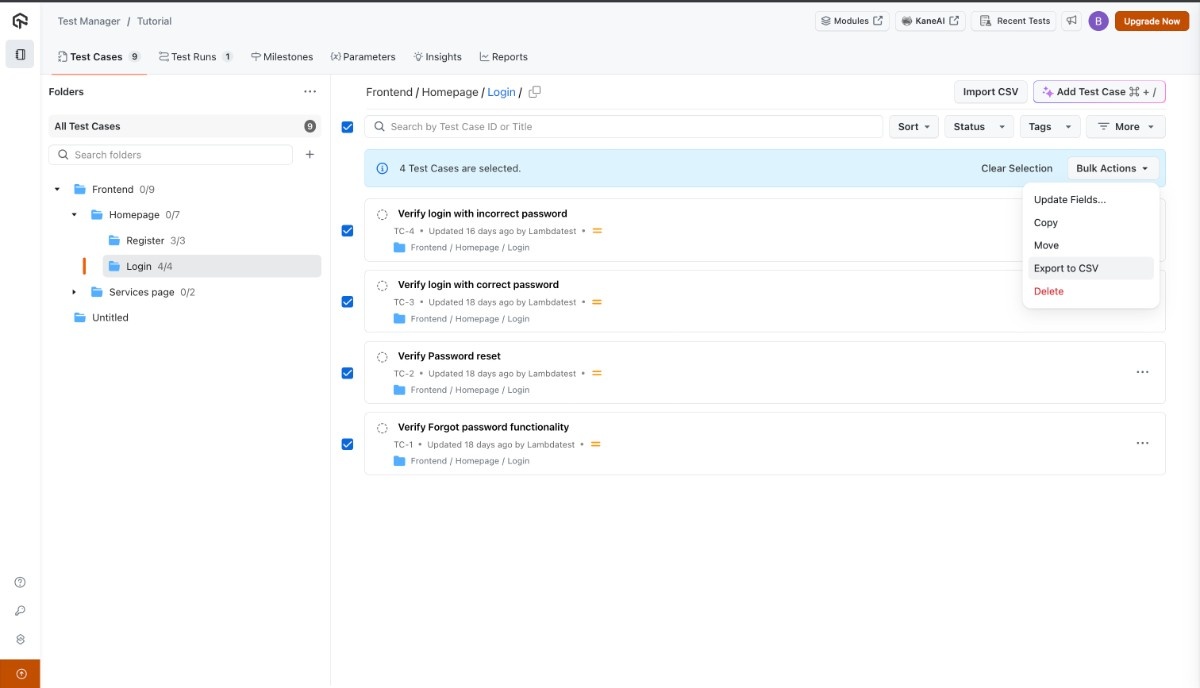
Step 2: Choose Export to CSV
Click Export to CSV from the dropdown menu.
Step 3: Select Fields for Export
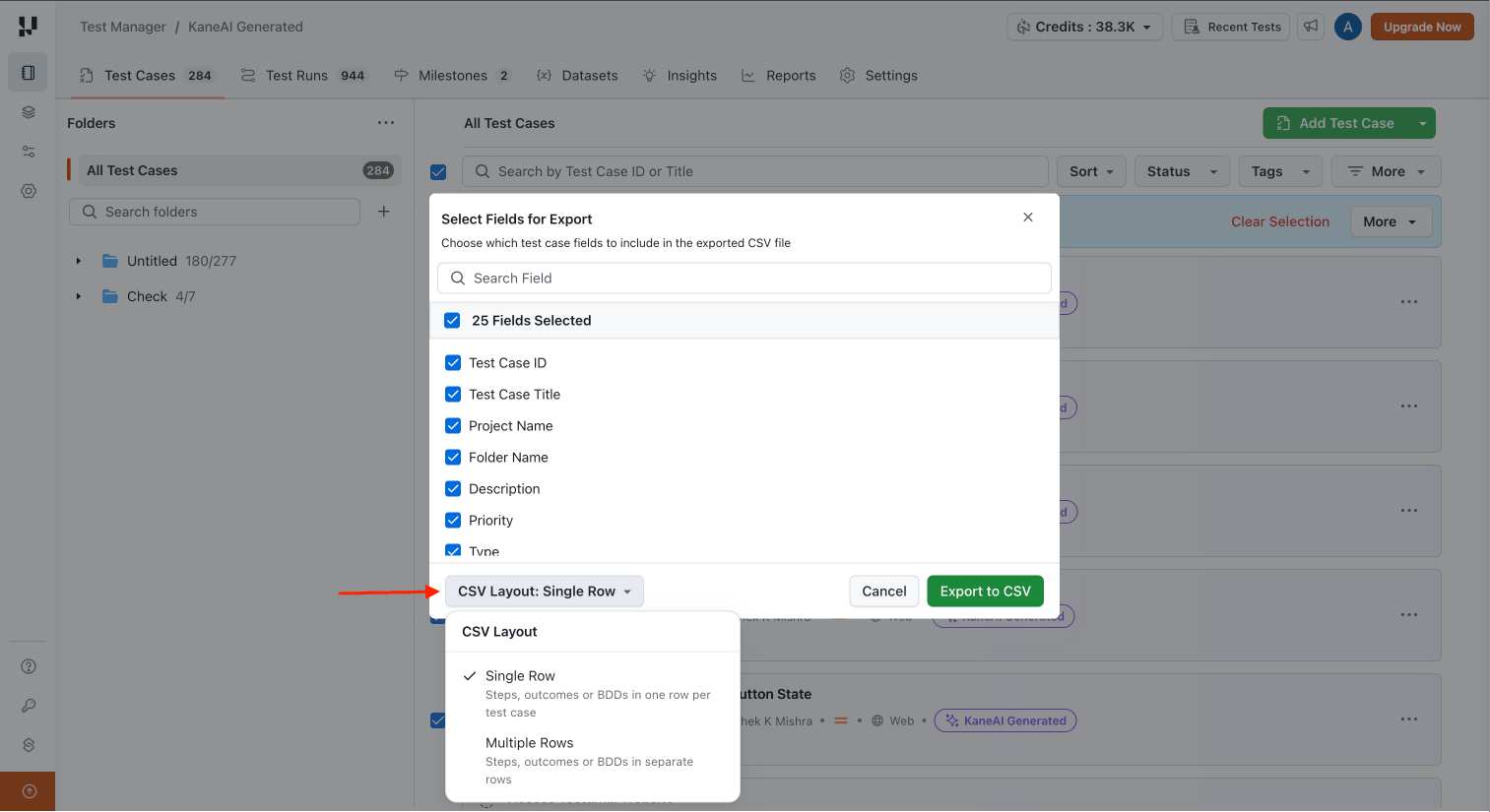
Choose which test case fields to include in the exported CSV file. You can select or deselect individual fields, or use the Select All checkbox to include everything.
Available fields include: Test Case ID, Test Case Title, Project Name, Folder Name, Description, Priority, Type, Status, Tags, Preconditions, Manual Steps, Expected Outcomes, BDD Scenarios, KaneAI Steps, and more.
The ability to export KaneAI Steps is being rolled out gradually and may not be available on all accounts yet.
- Only the natural language instruction of each KaneAI step is exported. Steps such as Execute JavaScript, Execute API, etc. will not include the underlying code in the CSV.
- If you edit or modify KaneAI steps, it may take up to 1 minute for the changes to reflect in the exported CSV.
Step 4: Choose CSV Layout
Select a CSV Layout to control how steps are structured in the exported file:
| Layout | Description |
|---|---|
| Single Row | Steps, outcomes, KaneAI steps, and BDD scenarios are included in the same row as the test case, using a numbered format (e.g., 1. Step one 2. Step two). |
| Multiple Rows | Each step, outcome, KaneAI step, or BDD scenario is placed in a separate row without numbered prefixes. |
Step 5: Download the CSV
Click Export to CSV to download the file.
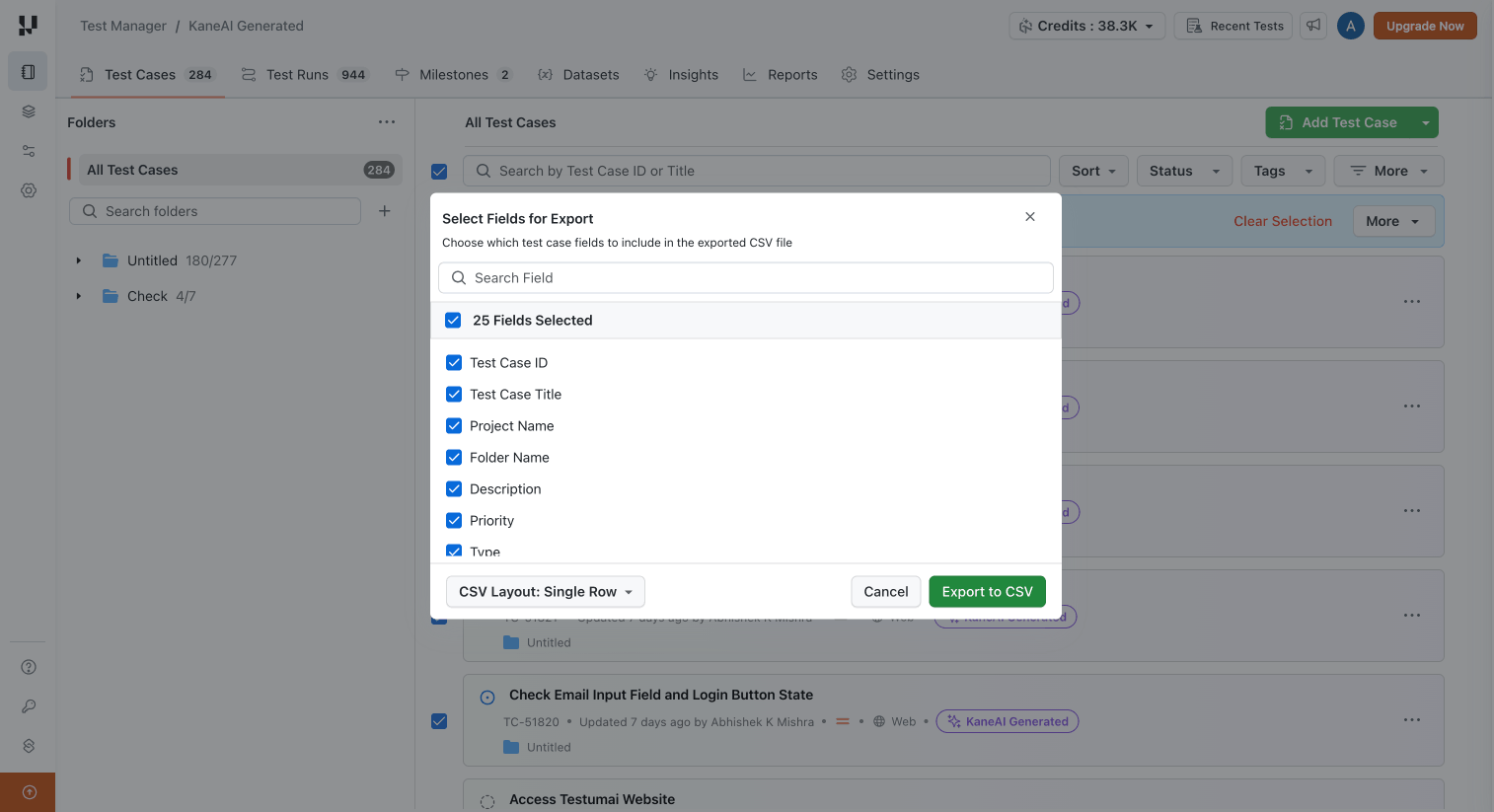
Here is an example of an exported CSV file with single row CSV layout:

The exported file includes all the metadata fields that were selected during export.

 Chat with Us
 Ask the Community