Low Power/Battery Saver Mode for Browser Testing on Real Devices
TestMu AI's Low Power Mode (iOS) / Battery Saver Mode (Android) toggle lets you test how your website behaves under battery-saving conditions during a manual browser testing session on a real device — background refresh stopping, display refresh rate capping at 60 Hz, automatic downloads pausing, and network behavior changes.
This feature is currently in Beta and available exclusively with the Real Device Plus Live Plan.
To unlock this feature, purchase or upgrade to the required plan. If you need assistance, please contact your TestMu AI support representative, reach out to our [24×7 Chat Support], or email us at support@testmuai.com.
Use Cases
- Validate background refresh and sync behavior for web apps when Low Power Mode / Power Saving Mode is active.
- Confirm your site degrades gracefully when the display refresh rate is capped at 60 Hz.
- Test network-dependent flows under battery-saver network restrictions.
- Reproduce real user battery-saving conditions without having to drain a physical device first.
Supported Devices
| Platform | Supported Devices |
|---|---|
| iOS — Low Power Mode | All iPhone & iPad on iOS 16 and above |
| Android — Battery Saver Mode | Samsung and OnePlus devices only |
The toggle is only shown in the session toolbar for supported devices — it stays hidden on unsupported OS versions or OEMs.
Enabling Low Power Mode / Battery Saver Mode
Step 1: Start a manual testing session in Browser Testing on a supported iOS or Android device.
Step 2: Open Device Controls in the session toolbar. The same feature is labeled Low Power Mode on iOS and Battery Saver Mode on Android.
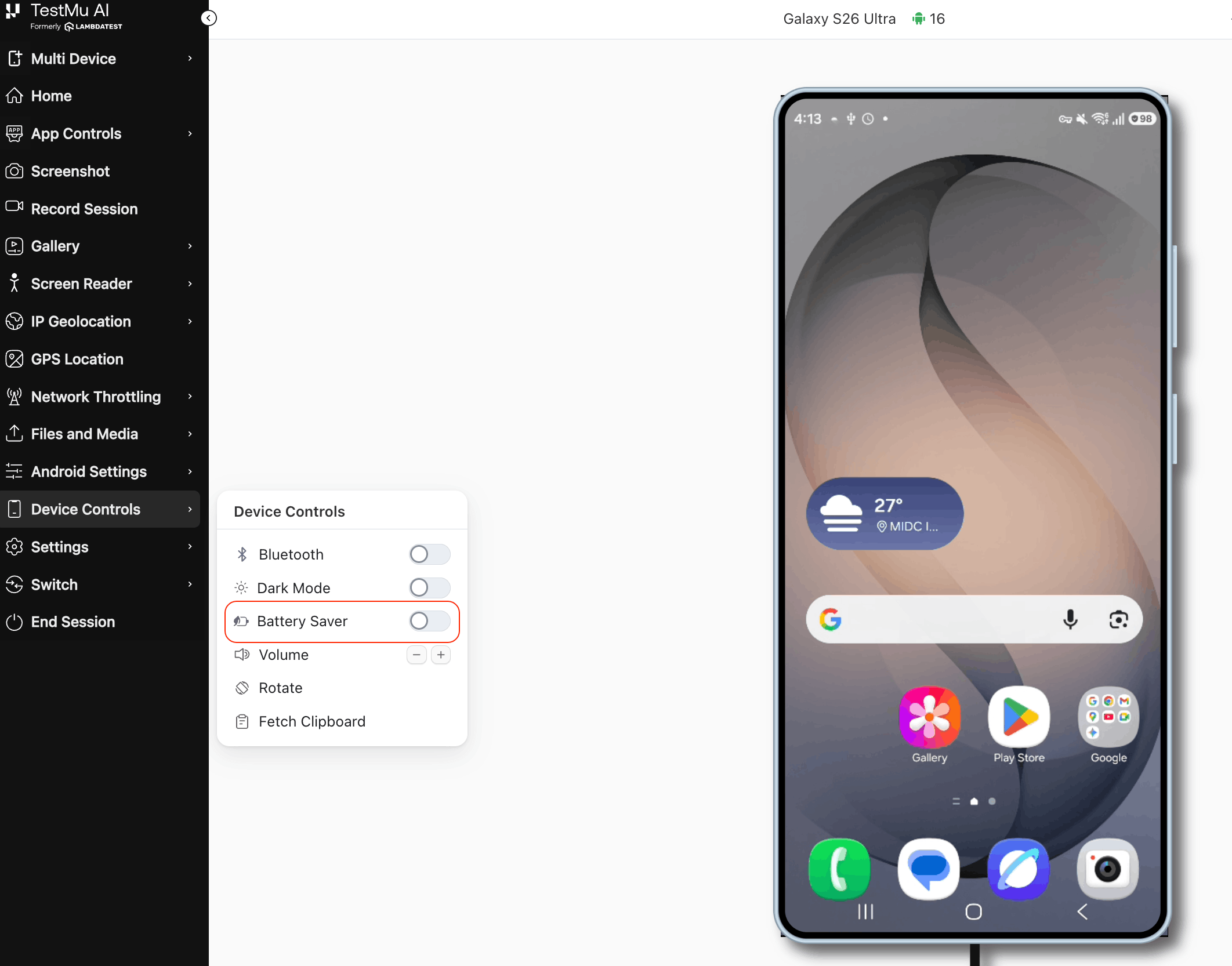
Step 3: Turn the toggle On to enable it on the device. Turn it Off at any time to restore normal power behavior.
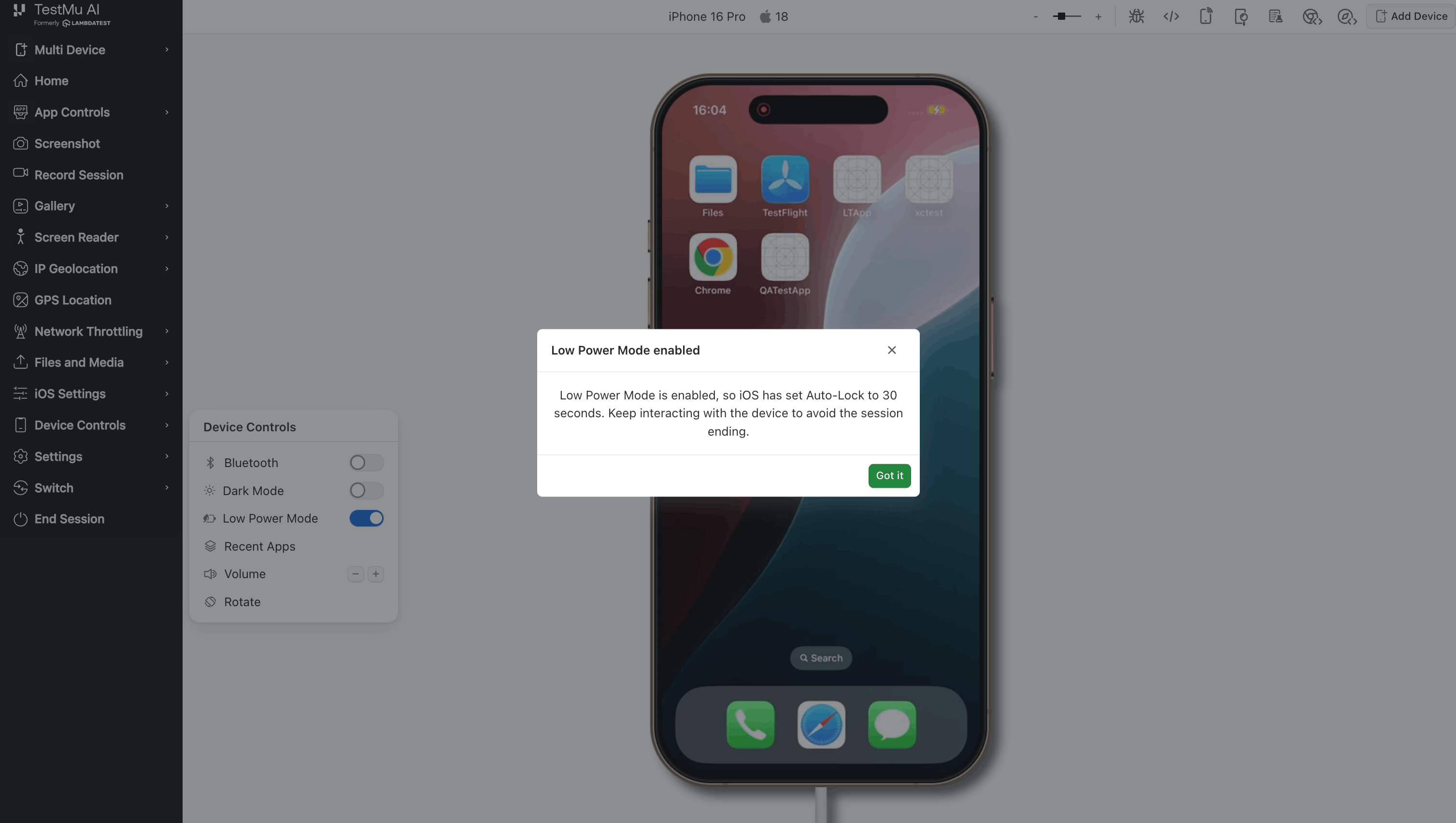
- iOS enabled:
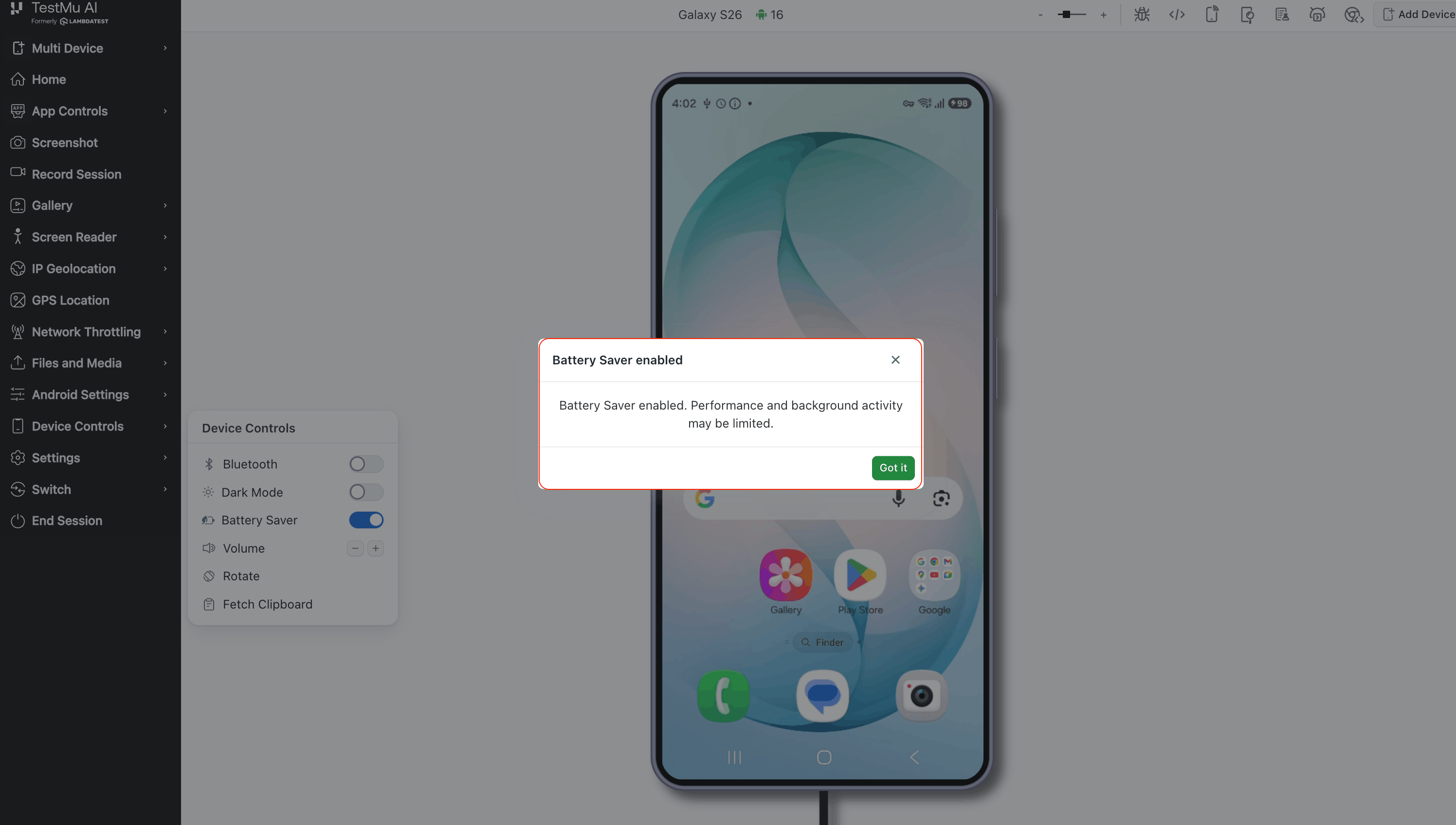
- Android enabled:
- Disabling the mode is always allowed and has no restrictions.
- On Android, the toggle works even while the device is charging.
Things to Know
- No automation support yet: Low Power Mode / Battery Saver Mode is available only through the manual-session UI. There is no Appium/WebDriver capability or hook to set it from an automated test as of now.
- Auto-lock while enabled (iOS): Low Power Mode forces a 30-second auto-lock that can't be changed while it's on, so an idle device may lock itself while it's active. Interact with the device periodically, or turn the mode off, to avoid this.
- Always reset for you: Low Power Mode / Battery Saver Mode is automatically turned off when your session ends, so you never need to remember to switch it off before finishing your test.


 Chat with Us