Bulk Module Update
Maintaining many test cases that share the same module can become slow and error-prone when a module evolves. Each time a module is updated, you would otherwise have to manually open and edit every affected test case and bump the module version one by one.
The Bulk Module Update feature solves this by allowing you to:
- Update a validated module version across multiple eligible KaneAI test cases in one action
- Clearly see which test cases are eligible or ineligible for the update, and why
- Safely roll the new module version into your existing tests while keeping execution verification explicit and controlled
Bulk Module Update is currently supported only for KaneAI test cases. Support for non-KaneAI test cases is coming soon.
This feature is currently being rolled out gradually and may not be available to all users. If you don't see this feature in your account, it will be enabled for you soon.
How to Use Bulk Module Update
Step 1: Access Bulk Module Update
You can start a bulk module update from two places:
From the Module Detail Page
- Navigate to the module whose version you want to bulk-update
- Click the Update Test Cases button
- If the module version is not yet authored/validated or there are no eligible test cases, this button will be disabled
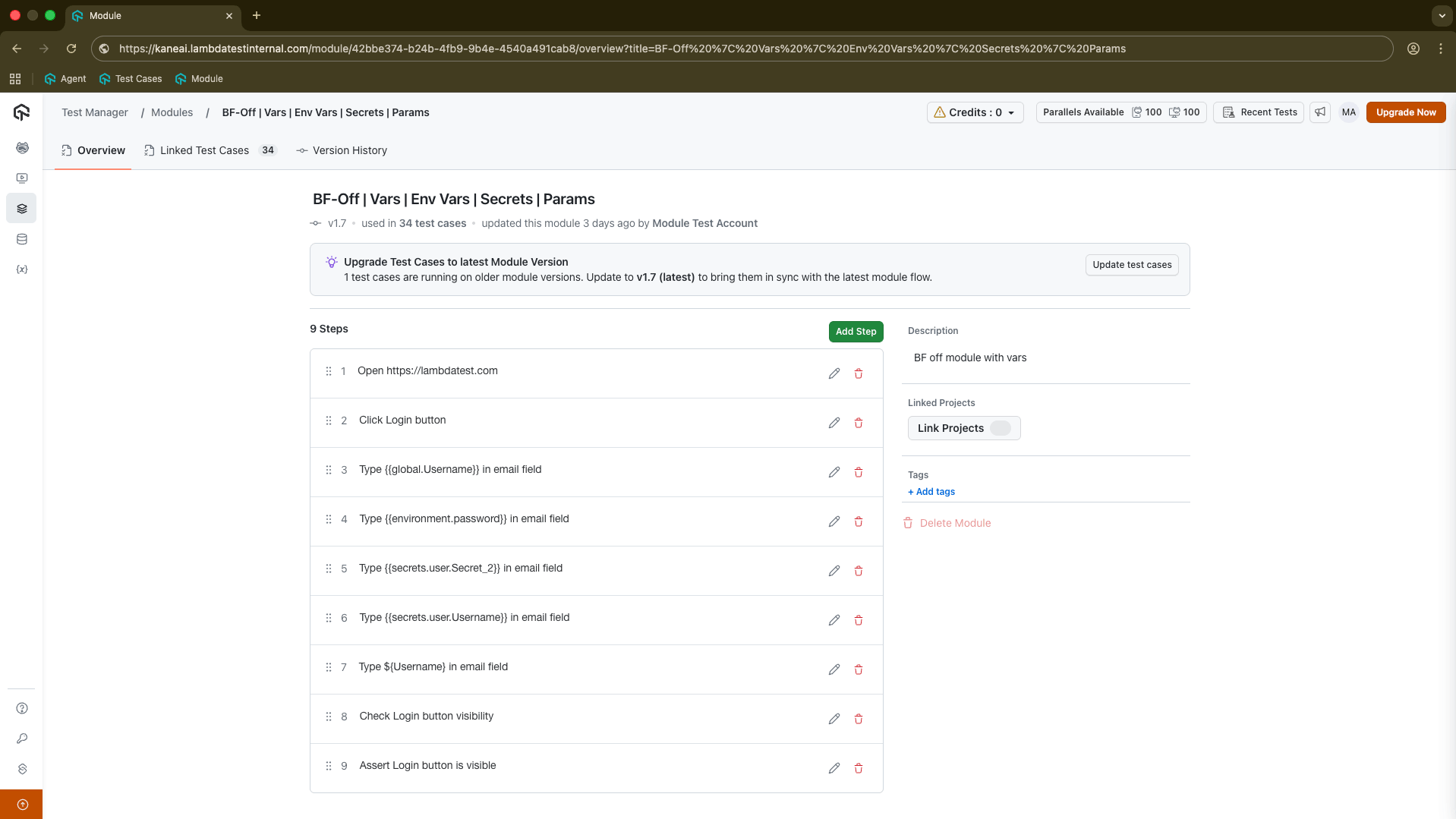
From the Test Case Summary Page
- Open a test case that uses the module version you want to update
- If there is a newer version of the same module and other test cases still use the older version, you will see an Update Module for all Linked Test Cases button
- Click this button to open the bulk update flow, pre-filtered for that module and version
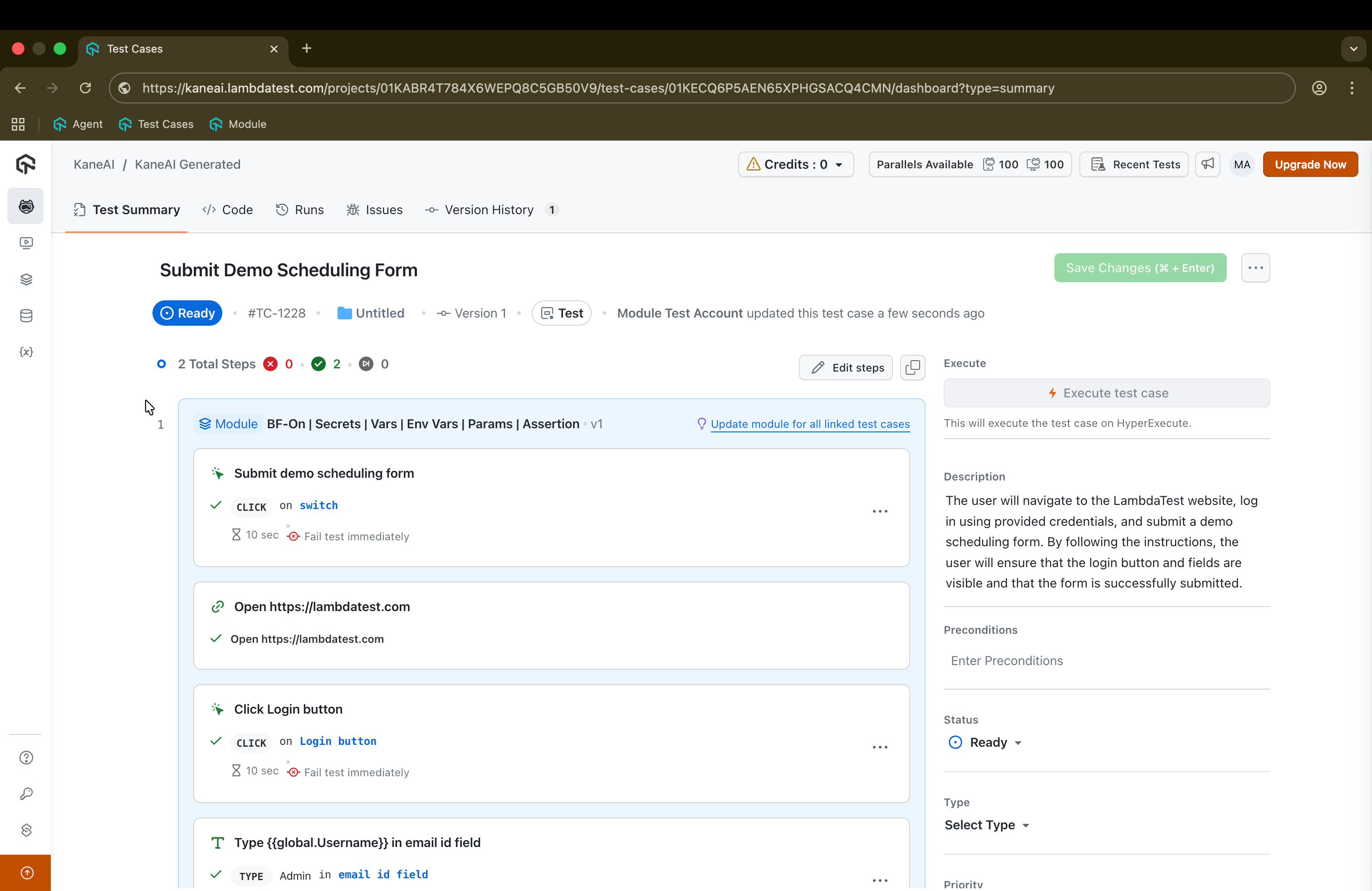
Step 2: Module Validation Check
Before the bulk update flow starts, the system checks whether the selected module version is authored/validated and whether there are eligible test cases to update.
When Update is Disabled
The Update Test Cases button will be disabled if:
- The module version is not authored/validated yet
- There are no eligible test cases (e.g., all linked test cases are faulty, unverified, or non-KaneAI)
You will see a message such as:
"This module version is not authored yet. Author it in a test to enable bulk update."
To resolve: Use the module in a test case and complete its authoring/validation, then ensure eligible KaneAI test cases are available.
Step 3: Select Test Cases
After starting the flow, you will see a list of all test cases linked to the target module version.
Ineligible Test Cases
| Case | Description |
|---|---|
| Faulty Test Cases | Test Cases with Faulty status can't be updated |
| Non-KaneAI Test Cases | Bulk update supports only KaneAI test cases currently |
| Unverified Test Cases | Test Cases with Unverified status can't be updated |
Ineligible test cases are greyed out, disabled for selection, and annotated with the reason.
Select the eligible test cases you want to update and click Next to proceed.
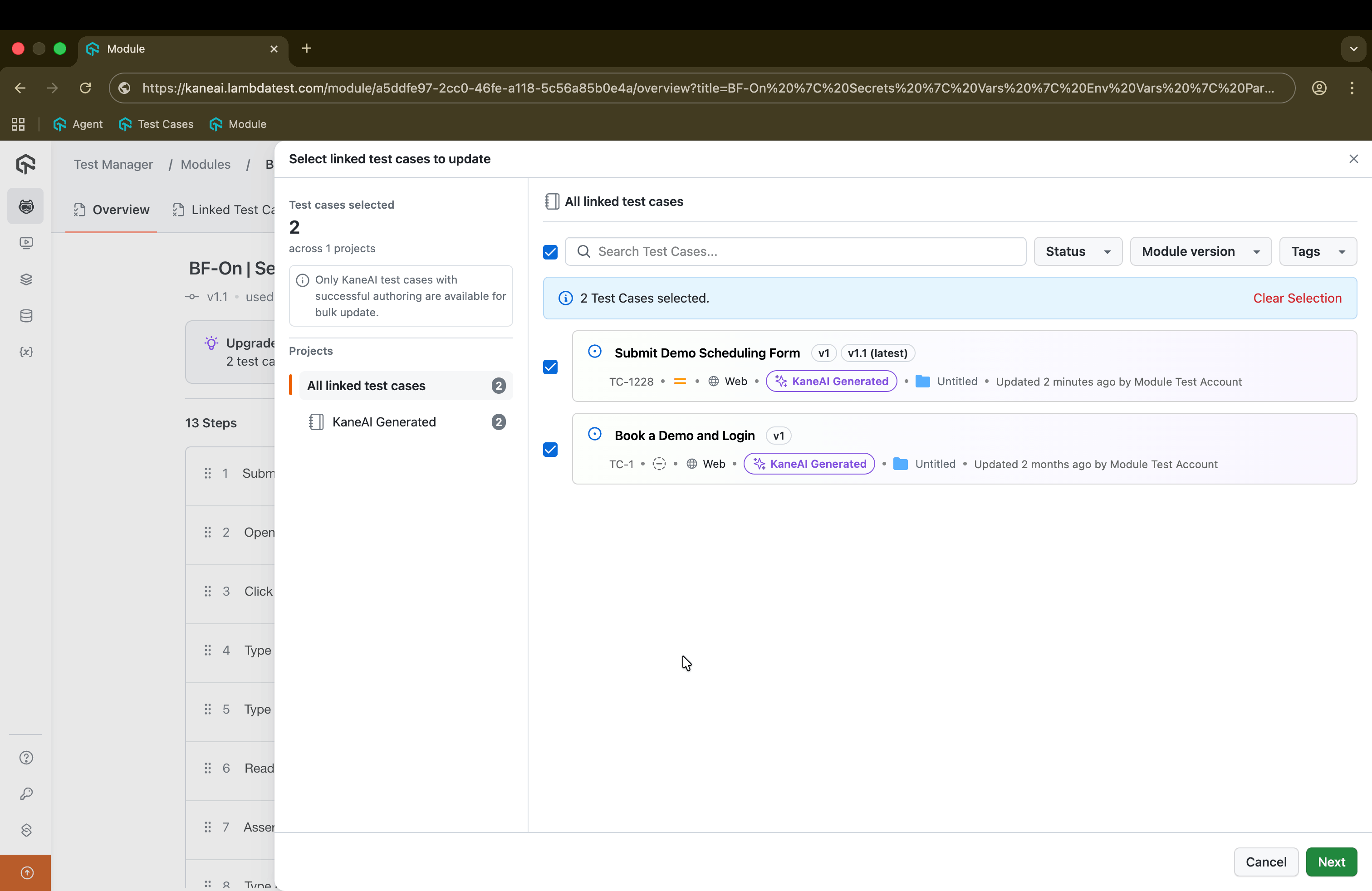
Step 4: Review and Confirm
Before running the bulk update, you will see a final summary screen showing:
- The target module version (the version you are updating to)
- The count of selected eligible test cases
- Optionally, a version movement summary (e.g., from v1 → v2)
- Seamless Module Validation - Module validation will be performed automatically in future releases
- Bulk Code-Gen Validation - Bulk Code-Gen validation will be available in an upcoming update
Click Confirm Update to trigger the bulk job and apply the new module version to all selected test cases.
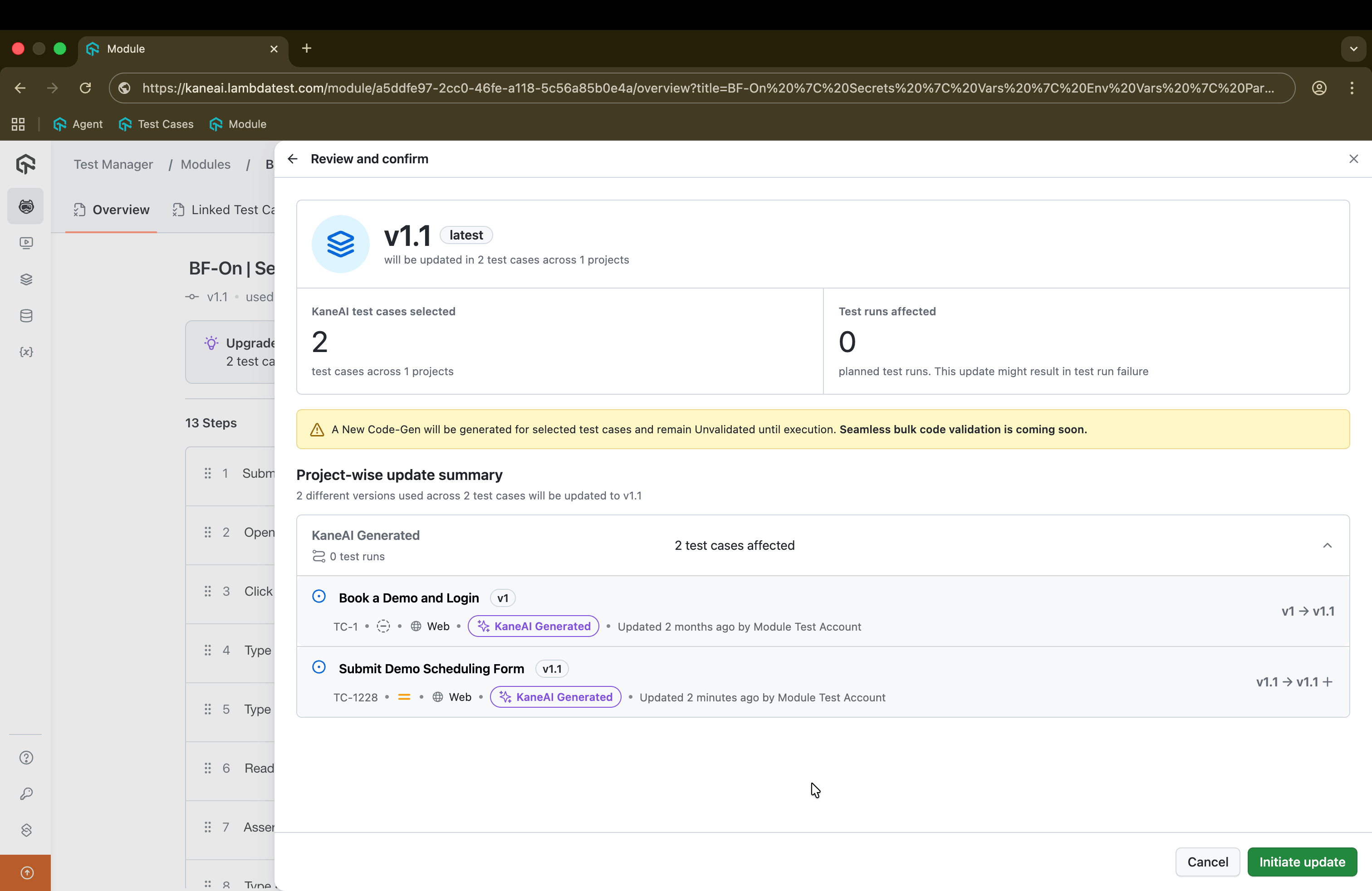
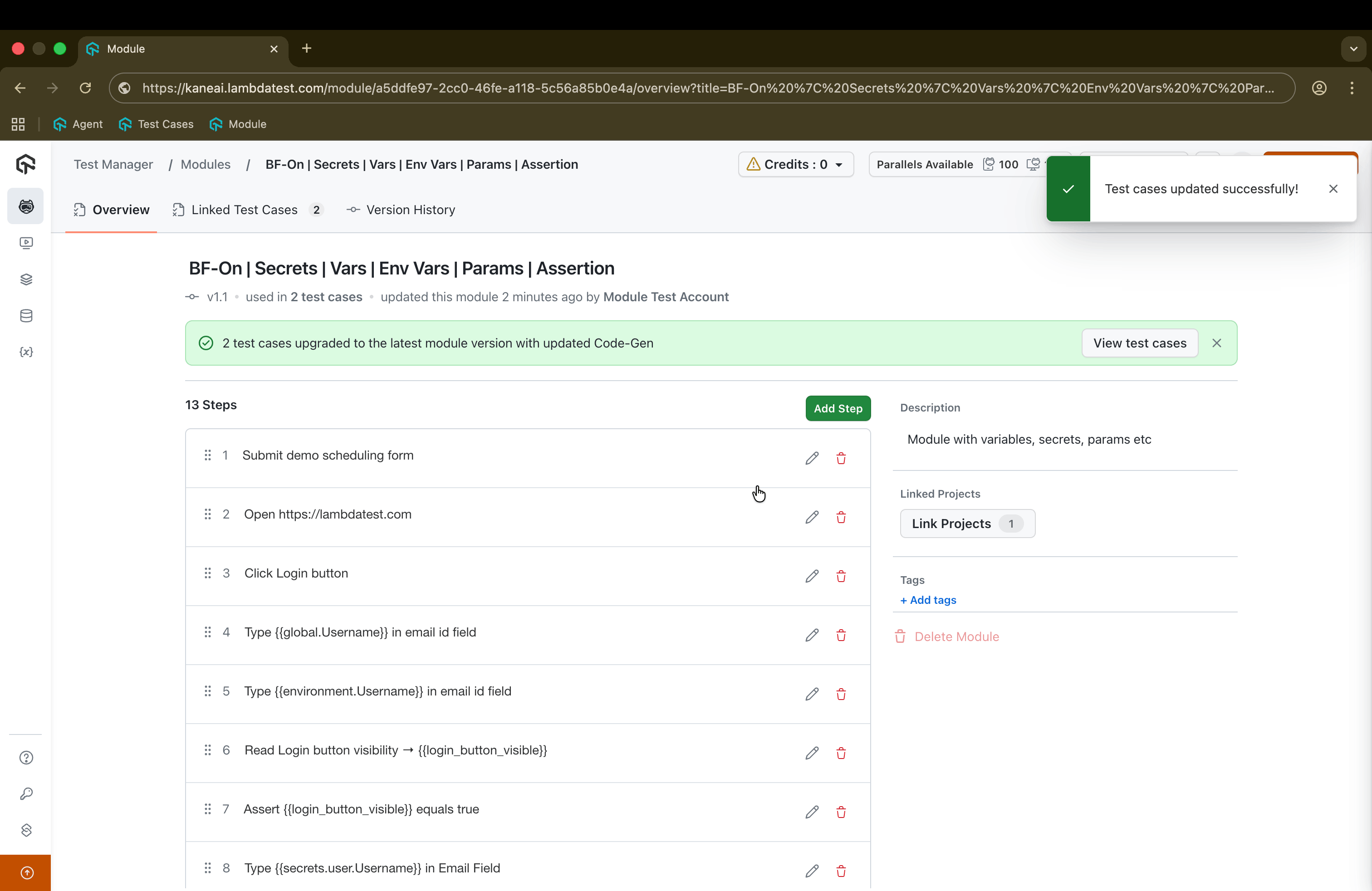
After triggering the update, you will see a success banner along with a toast message as shown in the screenshot below
Step 5: Post-Update Changes
Once the bulk update is completed:
Bulk Job Execution
- A single bulk job is created
- All selected eligible test cases have their module version updated
Changes on Each Updated Test Case
For each updated test case:
| Change | Description |
|---|---|
| Module Version | Updated to the new version |
| Test Case Version | Bumped with commit message: "Module updated from vX to vY (Bulk-Update)" |
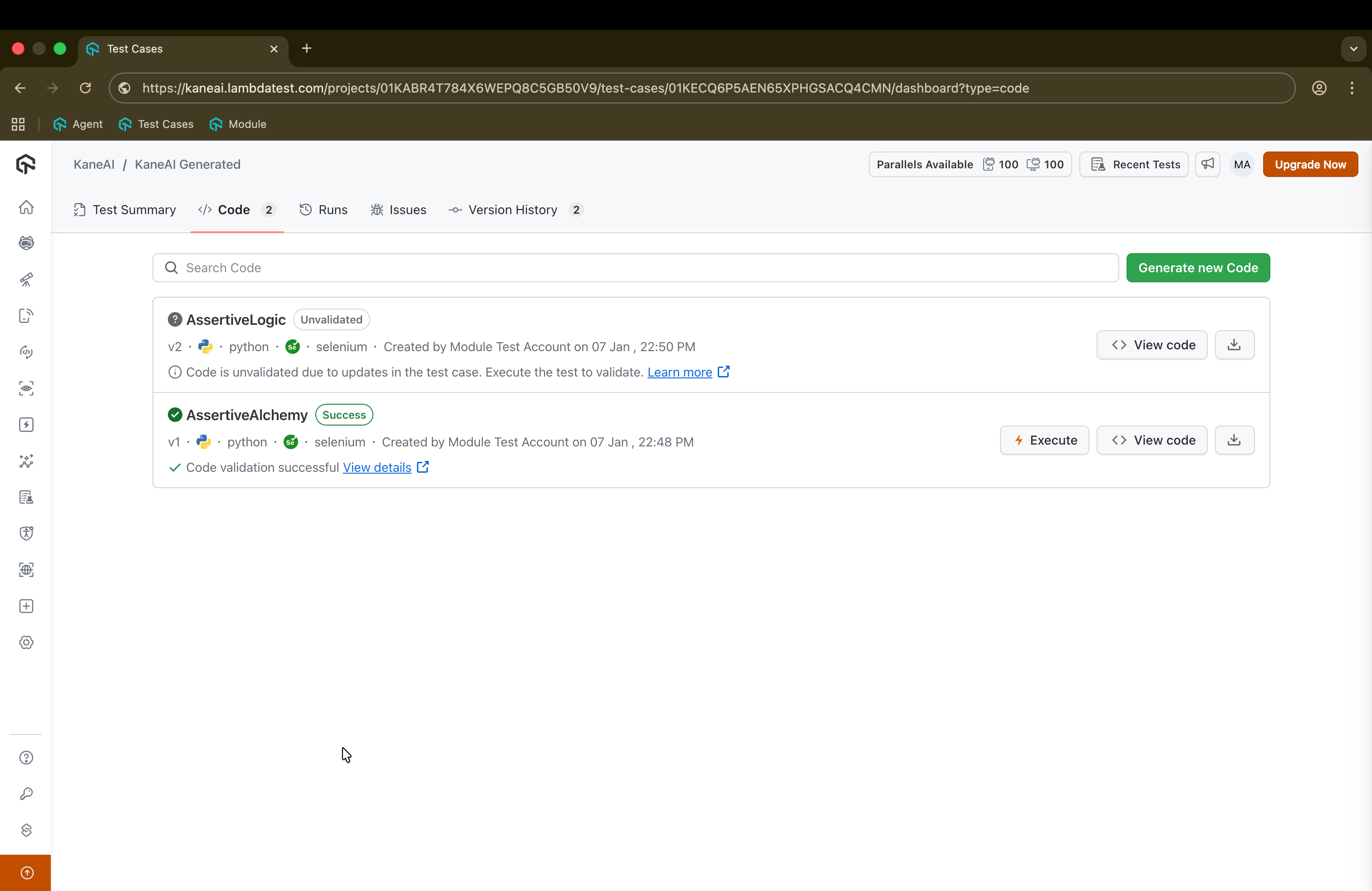
| Code-Gen | New Code-Gen for the updated module is automatically used for future runs |
| Code-Gen Status | Set to Unvalidated |
| Execution Verified | Set to false until new Code-Gen is validated |
Linked Test Cases Tab
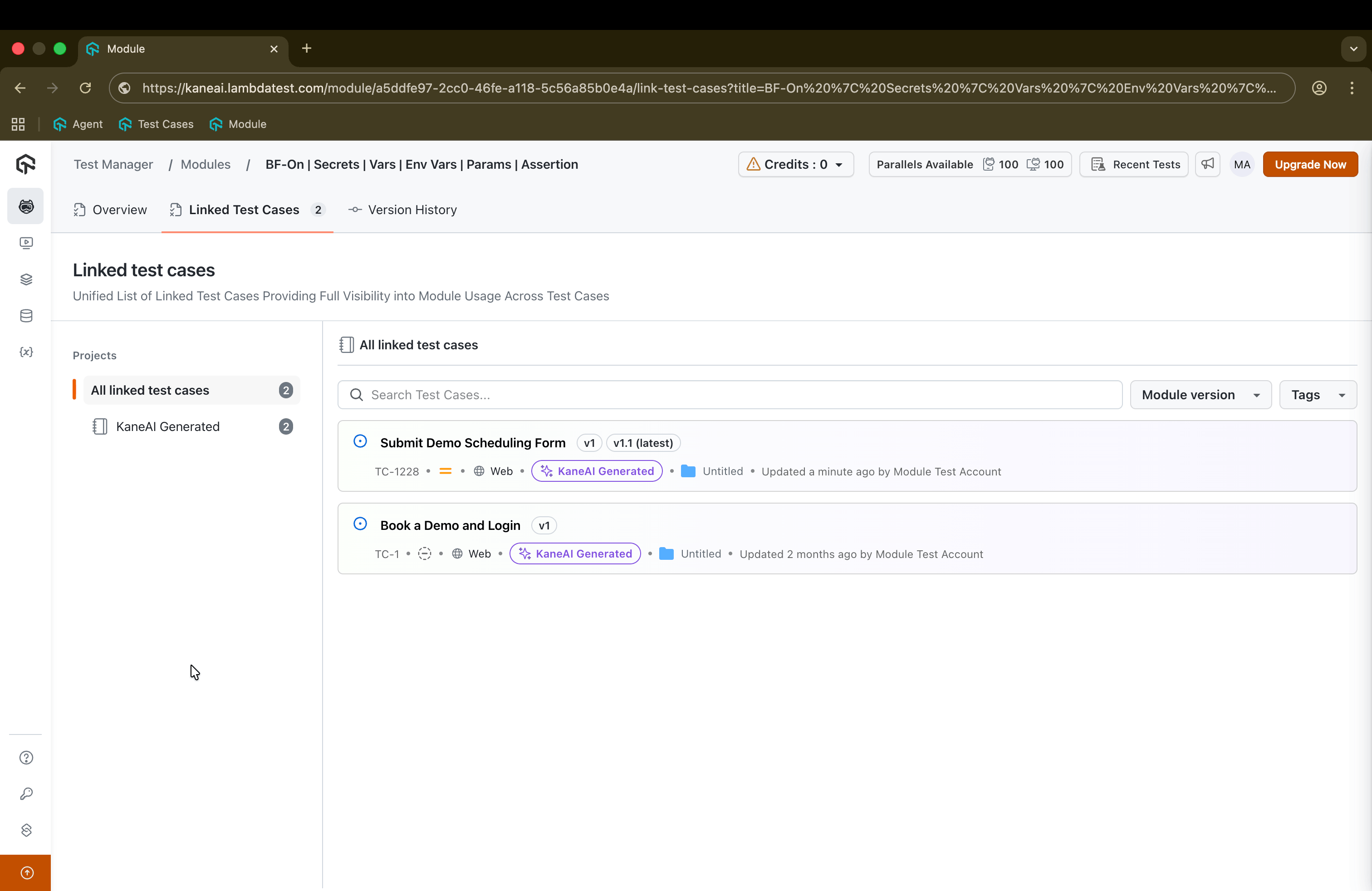
The module detail page includes a Linked Test Cases tab that lists all test cases linked to the module, grouped by module version, with key metadata. From here, you can navigate directly to individual test case summary pages.
Current Limitations
The following limitations apply currently to the Bulk Module Update Feature:
-
No Module Validation in Bulk Flow
- The bulk update flow does not perform module validation.
- You can only bulk‑update to module versions that have already been authored and validated in a KaneAI session.
-
No Bulk Code-Gen Validation
- Bulk validation of Code‑Gen across test cases is not supported yet.
code_gen_statuswill remain Unvalidated after the bulk module update until the Code-gen is successfully executed through a Test Run.
Troubleshooting
"Update Test Cases" Button Is Disabled
Symptoms:
- The Update Test Cases button on the Module Detail Page is disabled
- You see a message: "This module version is not authored yet. Author it in a test to enable bulk update."
Solutions:
- Confirm that the module version has been authored/validated at least once in a test case
- Ensure there are eligible KaneAI test cases linked to this module version (non-faulty, non-unverified)
- Refresh the Module Detail Page and try again
Some Test Cases Are Greyed Out in the Selection List
Symptoms:
- Certain test cases appear greyed out and cannot be selected
- They display reasons such as "Cannot update - test case is faulty"
Solutions:
- For faulty test cases: Fix the underlying issues causing the faulty status, then re-attempt
- For non-KaneAI test cases: Bulk update is not supported; update them manually if needed
- For unverified test cases: Complete verification steps, then revisit the bulk update flow
Tests Still Show "Code-Gen Unvalidated" After Update
Symptoms:
- After the bulk update, test cases show: "Code-Gen updated after module update – will be validated on next execution."
- Code-Gen status remains Unvalidated
Solutions:
- Run or re-run the affected test cases following your standard validation workflow
- Once Code-Gen is validated, the test case's code-gen status will be updated and execution verified will be set to true

 Chat with Us
 Ask the Community