How to Use Private Dependencies in Cypress on TestMu AI
If your Cypress project installs packages from a private registry, you can run those tests on TestMu AI without the build failing on the missing dependency. TestMu AI installs and uses your private packages during the run, so tests that once failed with a LambdaError now execute against the same private code they use locally. You set this up by declaring the private dependency in package.json or lambdatest-config.json, adding a .npmrc file, and passing any access token through the dep_token capability.
This guide uses the TestMu AI sample Cypress Cloud repository. Clone it to follow along with the same files shown here.
Execute Cypress Tests With Private Dependencies
These steps assume you have already run a Cypress test on TestMu AI. If you have not, see how to run your first Cypress test first, then return here to add private dependencies.
Update the TestMu AI Cypress CLI
Update the CLI first so it supports private dependency installation. Install the latest version:
Verifiednpm install -g lambdatest-cypress-cli
The CLI version should be the latest, which is 2.3.0. Check the installed version:
Verifiedlambdatest-cypress --version
Add the Private Dependency
You can declare a private dependency in either the package.json file or the lambdatest-config.json file. Follow the steps for whichever approach fits your project.
-
If passing the private dependency in the
package.jsonfileAdd the private dependency, create a
.npmrcfile in the root directory of your project as highlighted below, and define the dependency in the.npmrcfile as well.
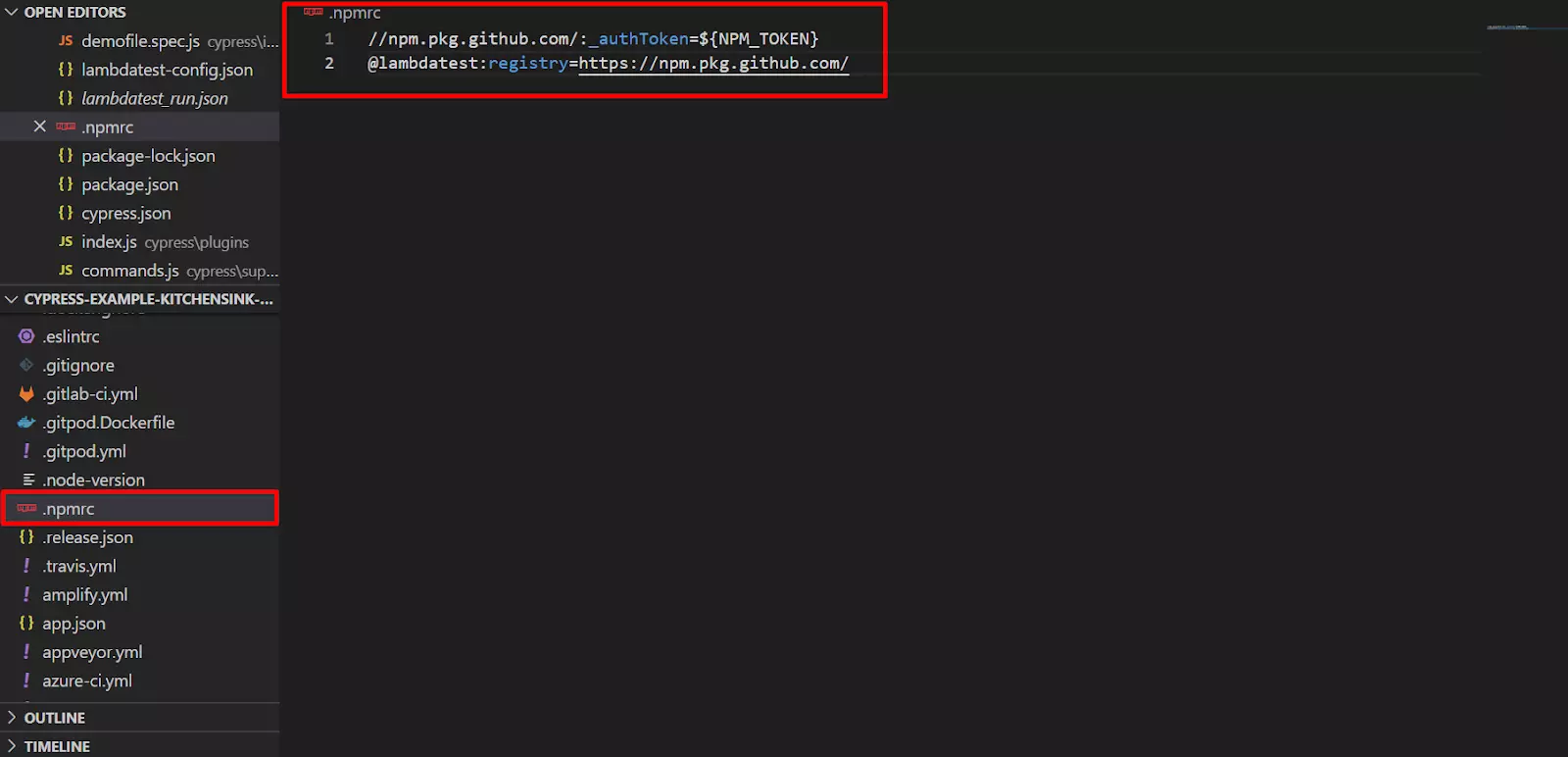
-
If passing the private dependency in the
lambdatest-config.jsonfileIf you define the dependencies in the
lambdatest-config.jsonfile, it overrides thepackage.jsonfile, and the TestMu AI cloud grid reads the dependencies fromlambdatest-config.json. Define the dependencies in thenpm_dependenciesobject insiderun_settingsof thelambdatest-config.jsonfile. Here as well, create a.npmrcfile and define the private dependency in it.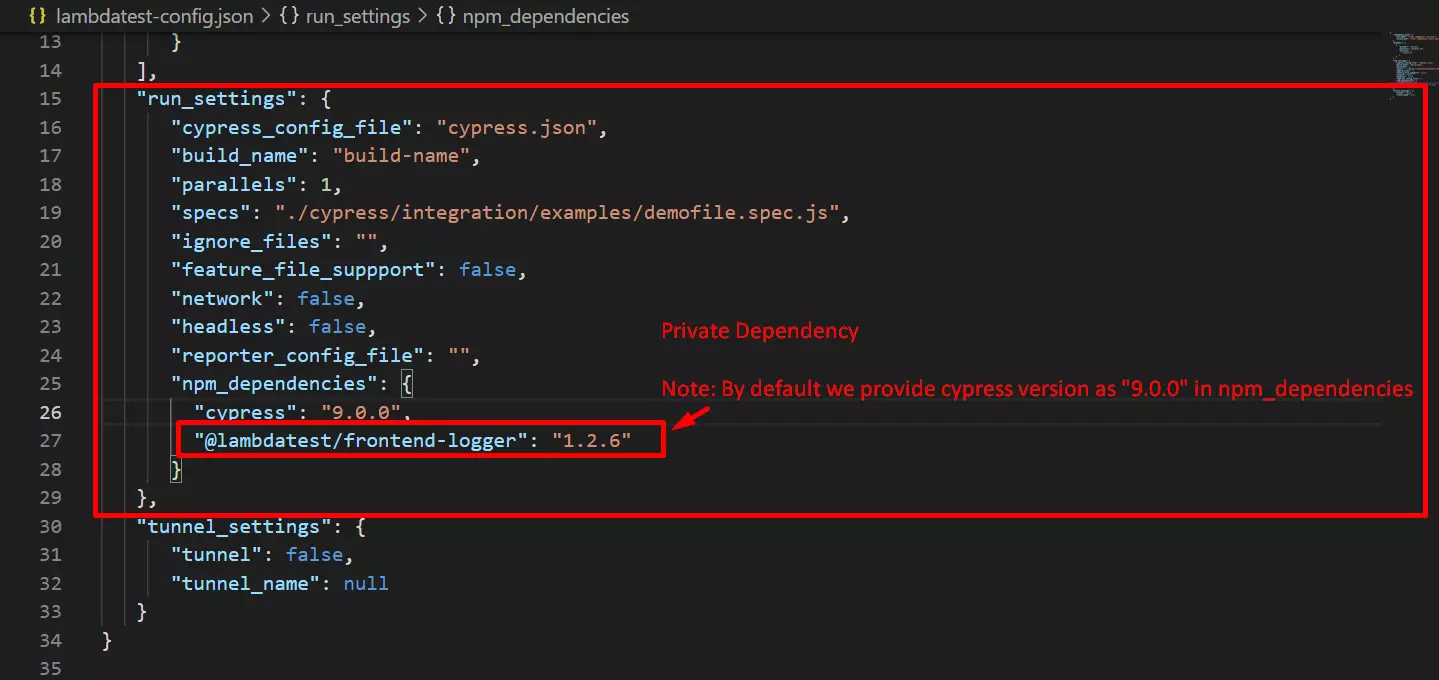
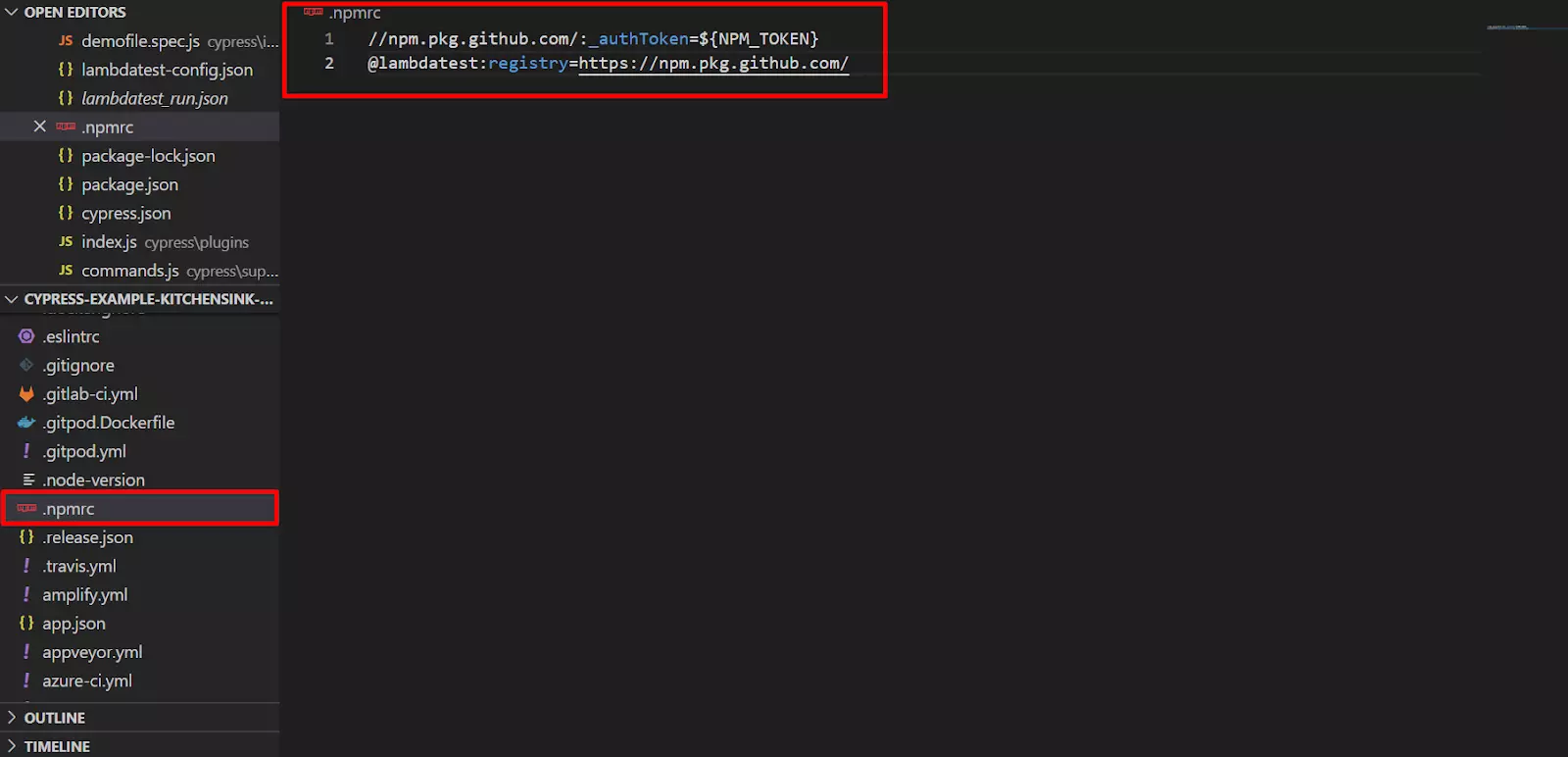 note
If the private dependency uses an access token whose value comes from an environment variable, add the
dep_tokencapability and list those environment variables in it. Pass multiple environment variables as a comma-separated list.The screenshot below shows the
dep_tokencapability defined with its environment variables.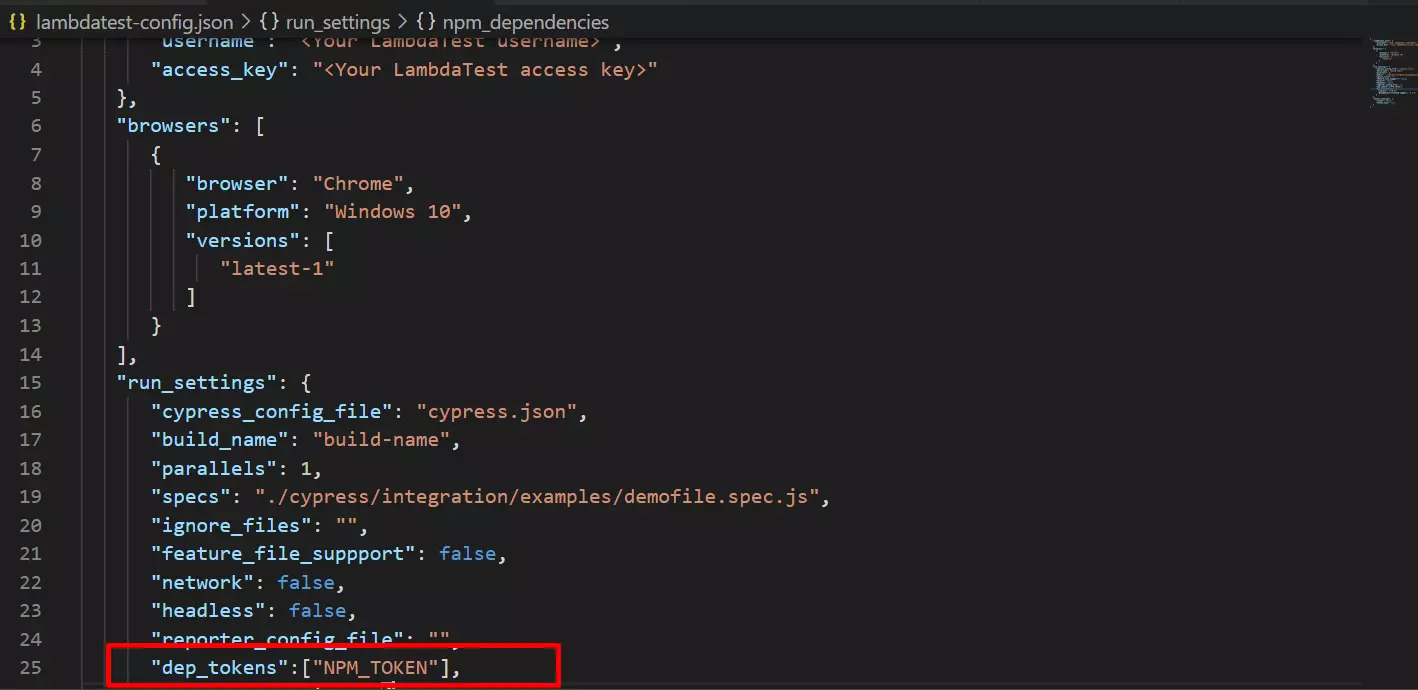 warning
Every key present in
dep_tokenis replaced in the.npmrcfile. If a key is not present in the environment variable, the run throws an error.
After completing this setup, run your tests on the TestMu AI platform. The tests now execute with the private dependencies installed.
To download packages over a tunnel, see how to install npm packages via a tunnel. To set environment variables or change screen resolution, see how to configure Cypress run settings.
Related Cypress Guides
Continue with the guides below to run and debug your Cypress tests on TestMu AI.
- Download artefacts from a Cypress run pulls screenshots, videos, and logs from the cloud machine after a run.
- Reference the Cypress CLI commands documents every
lambdatest-cypresscommand and flag. - Run your first Cypress test clones the sample project and runs a test end to end.
 Chat with Us