TOTP Authentication in KaneAI
Introduction
Teams often need to test SSO or MFA‑protected applications where the second factor is a six‑digit OTP. Native TOTP support in KaneAI generates those codes on the fly from the shared secret key, keeps the entire login journey inside KaneAI with identical behavior in Replay, generated code, and CI, and lets you inject the code directly into your test steps — no external scripts or servers required.
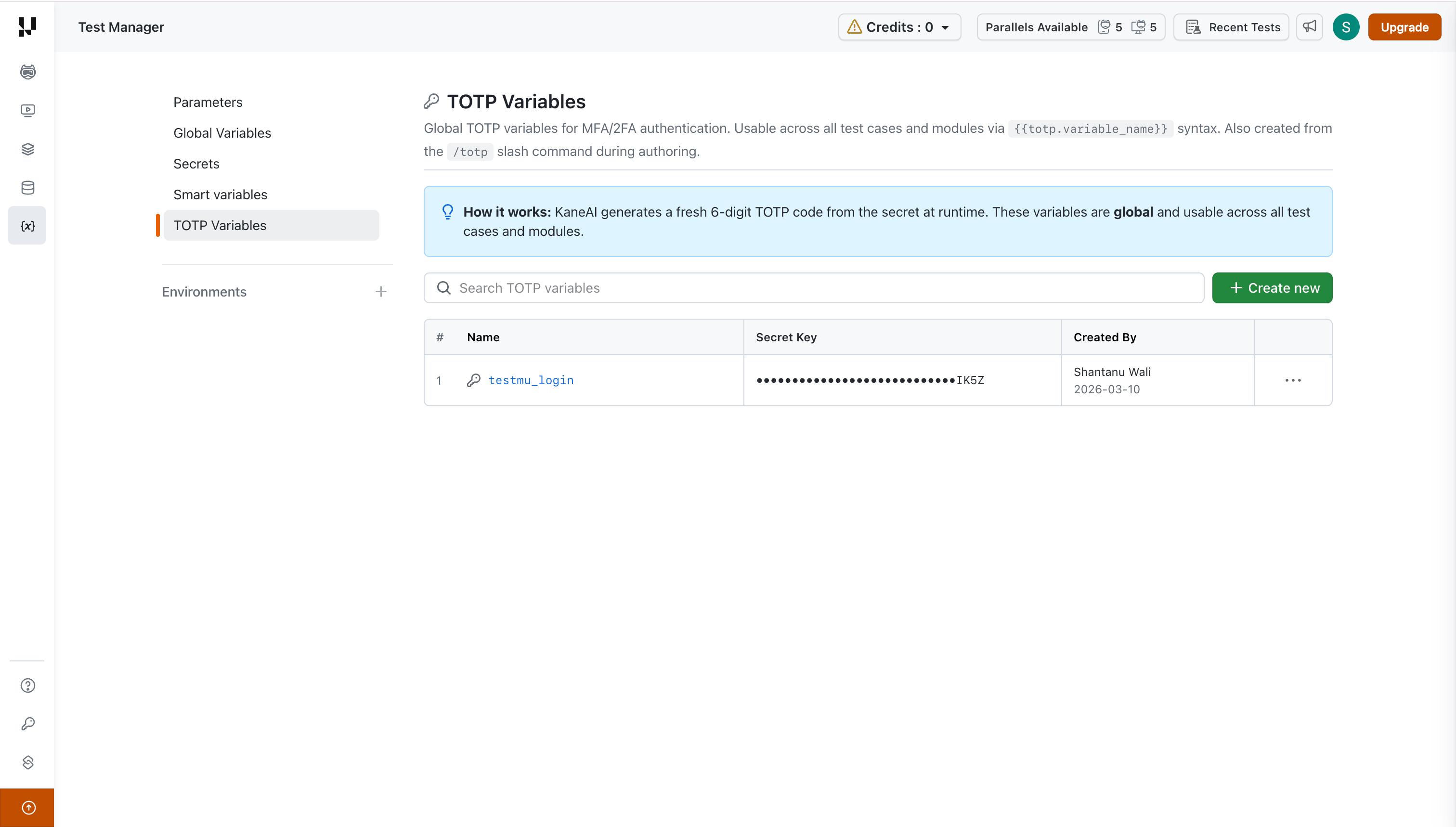
TOTP variables are now global by default. You create them once and reuse them across all test cases and modules in your organization.
How It Works
- Create a global TOTP variable from the Variables > TOTP Variables page or via the
/totpslash command during authoring. - Give the variable a name (e.g.,
sso_totp) and supply the Base32 secret key. - At runtime KaneAI calculates the correct six‑digit code every 30 seconds.
- Reference the code in any test step using
{{totp.variable_name}}.
Prerequisites
- A TOTP‑compatible login flow (e.g., Google Authenticator, Okta Verify, Microsoft Authenticator).
- The secret key (Base32 encoded) associated with the account you want KaneAI to log in as.
Step‑by‑step Guide
Create a Global TOTP Variable
You can create a global TOTP variable in two ways:
Option A — From the Variables Page
- Open Test Manager and navigate to Variables > TOTP Variables.
- Click + Create new.
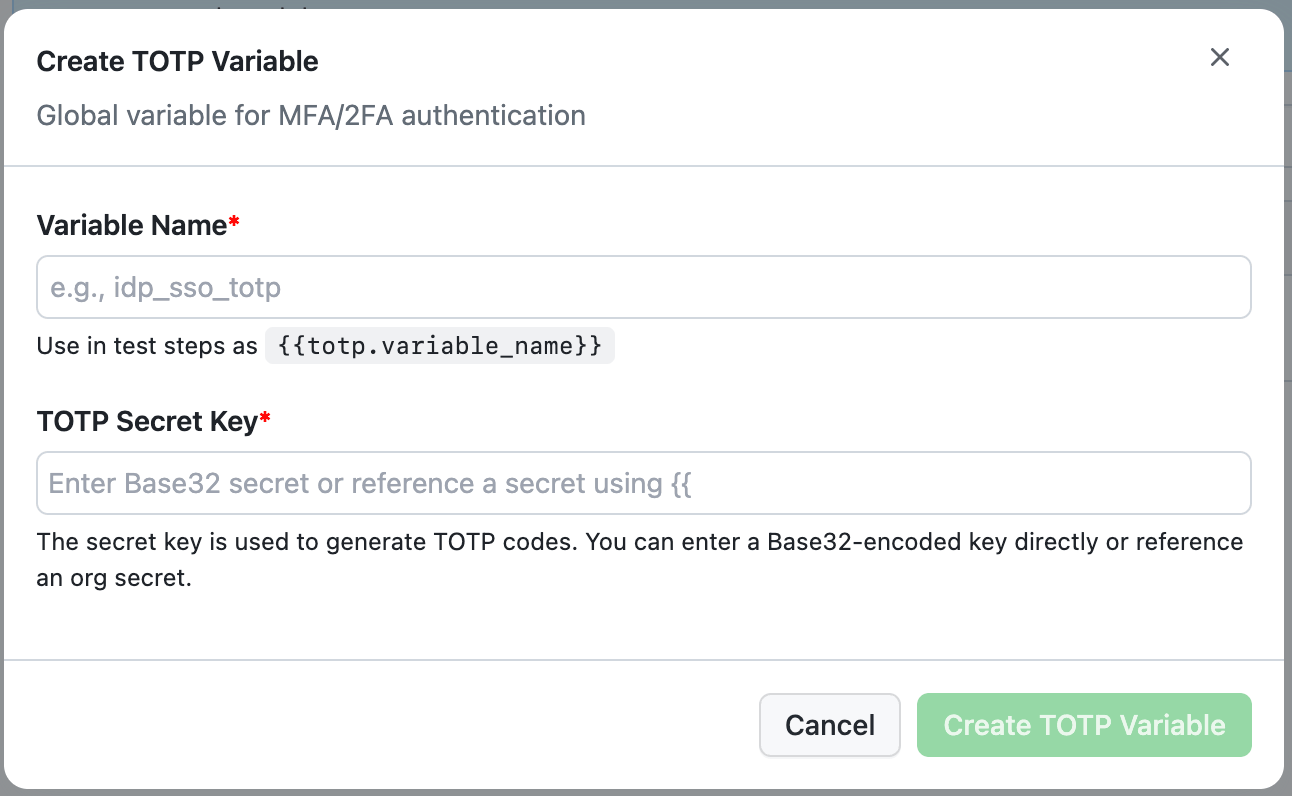
- Enter a Variable Name (e.g.,
sso_totp). - Enter the TOTP Secret Key — paste the Base32 secret directly or reference an org secret using
{{syntax. - Click Create TOTP Variable.
Option B — From the Authoring Session
- Start a KaneAI authoring session and press /.
- Choose Add TOTP Authentication Key.
- Provide a Variable Name and the Base32 secret key.
- Click Save. The variable is created globally and is immediately available across all test cases and modules.
Use a TOTP Variable in Your Test
- Navigate to the OTP input field in your application.
- Reference the variable in your instruction — for example, "Enter
{{totp.sso_totp}}in verify field". - KaneAI generates and inserts the current six‑digit code automatically.
Migrating Existing Local TOTP Variables
If your test cases were created before this update (10th March 2026), they may contain local TOTP variables that were scoped to a single session. These local variables continue to work in existing test runs. However, when you open one of these test cases in the KaneAI playground for editing, you will be prompted to convert the local variables to global.
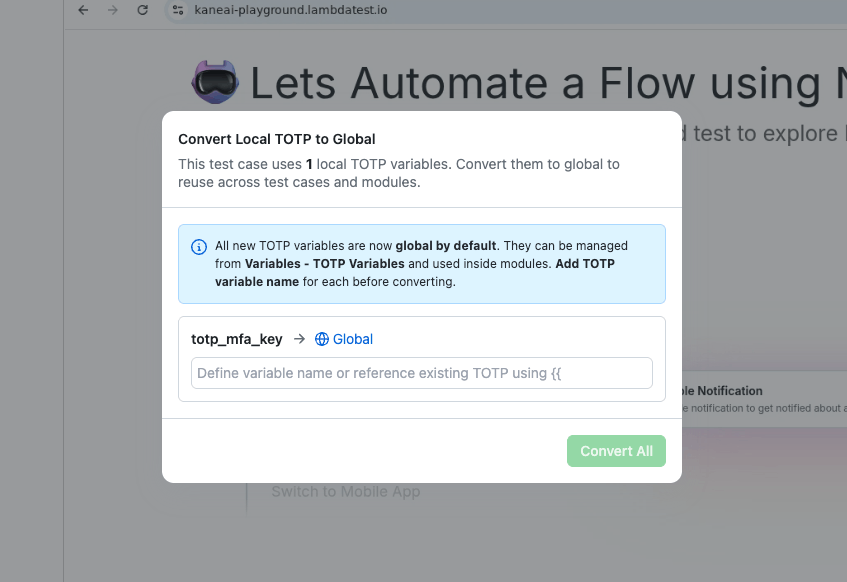
When you open a test case that contains local TOTP variables, KaneAI displays a Convert Local TOTP to Global dialog:
- Review the listed local variables.
- Assign a TOTP variable name for each one (this becomes the global identifier).
- Optionally reference an existing global TOTP variable using
{{syntax instead of creating a new one. - Click Convert All.
- Existing test runs are not affected. Your scheduled jobs, CI pipelines, and previously generated code will continue to work as before.
- The conversion is only triggered when you edit the test case in the KaneAI playground. Until you do, the test case uses its original local variables.
- After conversion, the test case uses
{{totp.variable_name}}syntax, and the variable becomes available across all test cases and modules.
FAQ
Does KaneAI store my secret securely?
Yes. Secrets are encrypted, stored in Vault, and never exposed in logs or generated code.
Do mobile tests support TOTP?
Yes. The {{totp.variable_name}} syntax is available in both Web and Mobile test steps.
Can I reuse the same TOTP variable across multiple test cases?
Yes. Because TOTP variables are global, any test case or module can reference the same variable by name.
What happens to my existing tests that use the old {{totp}} syntax?
Existing test runs continue to execute without changes. When you open the test case for editing in the KaneAI playground, you will be prompted to convert local variables to global and adopt the new {{totp.variable_name}} syntax.

 Chat with Us
 Ask the Community