Integrate TestMu AI with Cypress Dashboard
This article guides you on how to integrate TestMu AI platform with The Cypress Dashboard
In this demo we are demonstrating using TestMu AI's Sample Cypress Cloud Repo. You can find all the resources used for this article in the linked repo.
Steps To Integrate TestMu AI With Cypress Dashboard
Assuming that you have run a Cypress test on TestMu AI platform ( if not, this article here will guide you in running your first Cypress test on TestMu AI), you need to follow these steps below:
Update TestMu AI Cypress CLI
- Before getting started, you would have to update the lambdatest-cypress cli using the command below:
npm install -g lambdatest-cypress-cli
- The CLI version should be the latest i.e. is 2.3.0. You can check the CLI version by running the below command.
lambdatest-cypress --version
Create a project
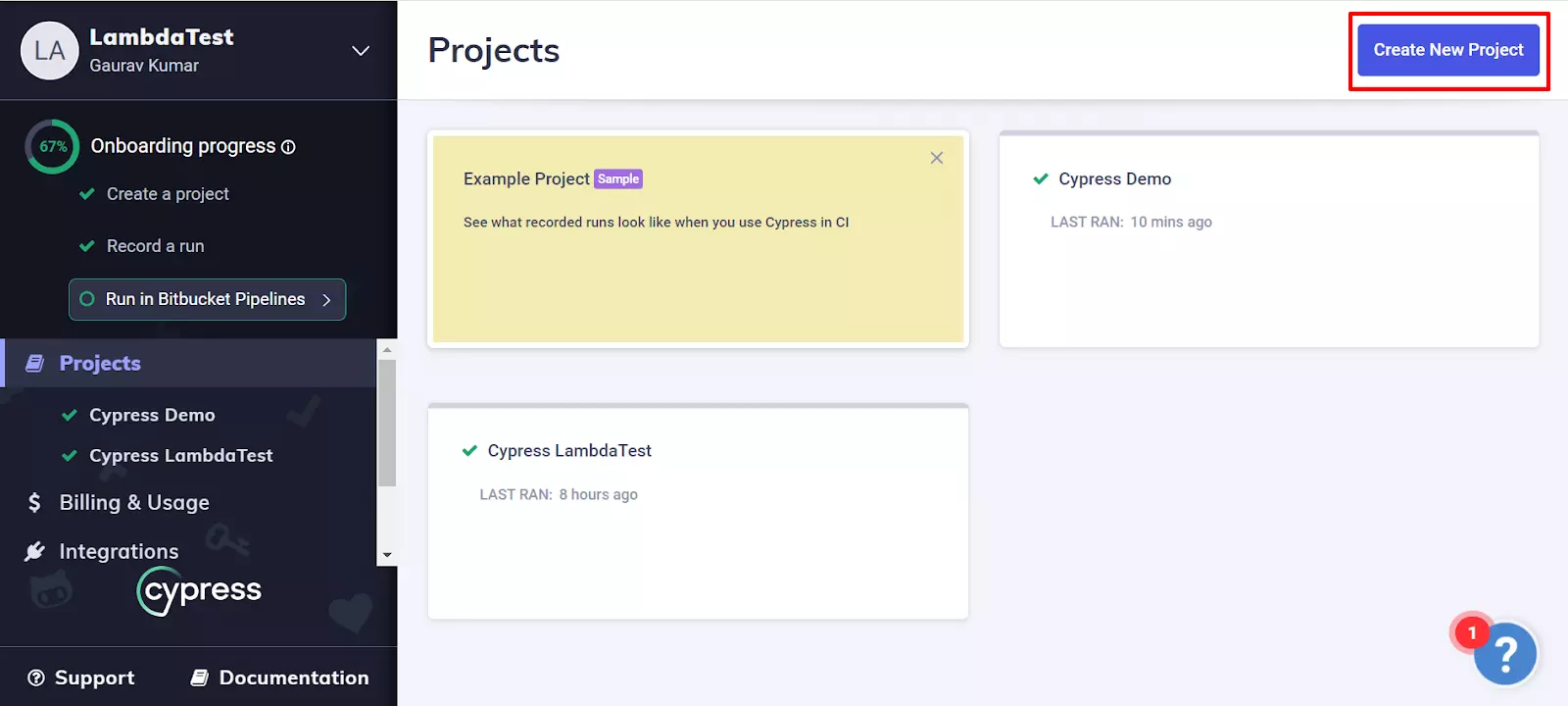
Create a project on Cypress Dashboard as shown below:
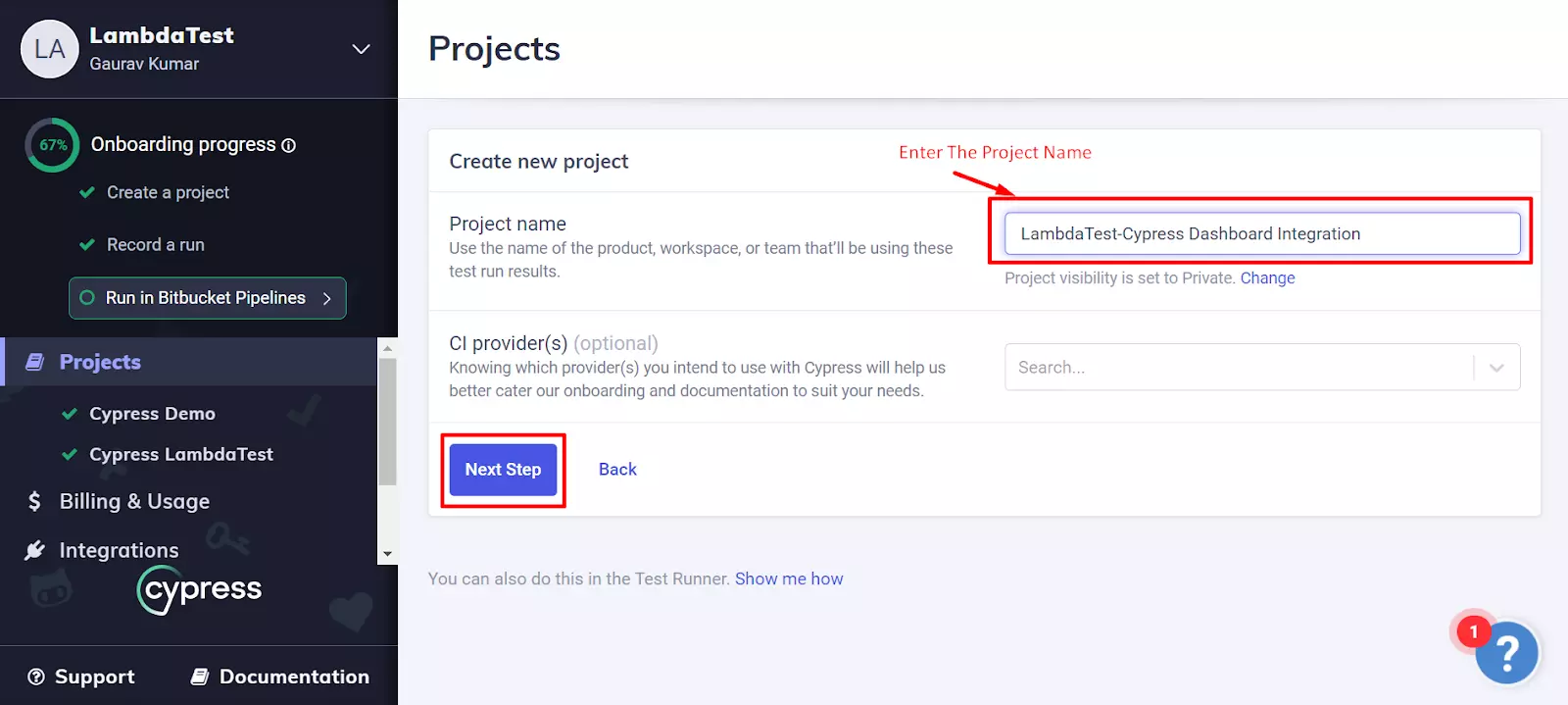
Enter Project Name
Define project ID
Once to create the project on Cypress Dashboard, you will get a project ID and a record key. Define the project ID in the cypress.json file of your project.
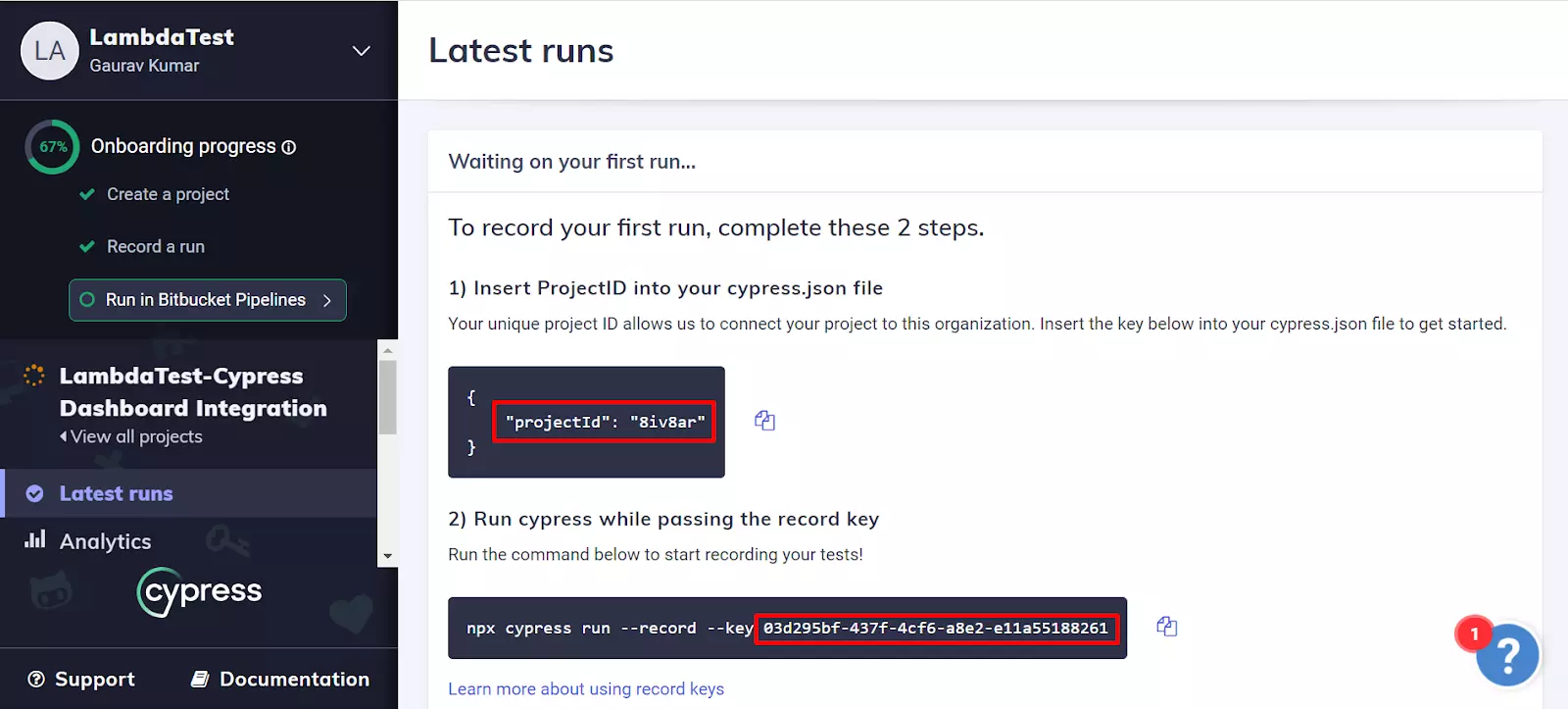

Define Record Key
Define the record key (Generated by Cypress Dashboard) in the run command as mentioned below:
lambdatest-cypress run --cy="--record;--key <key_value>"

TestMu AI-Cypress Integration
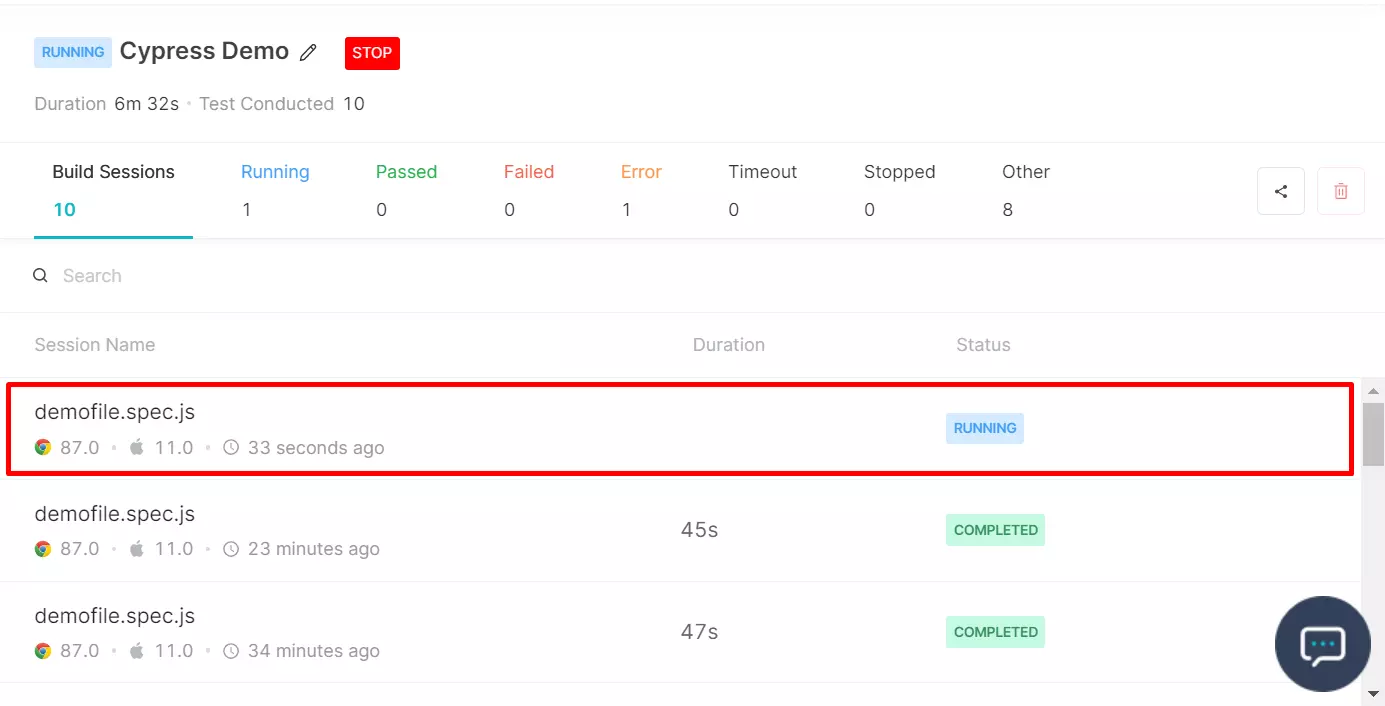
The integration is now done, just open the TestMu AI Dashboard and Cypress Dashboard to view the results.
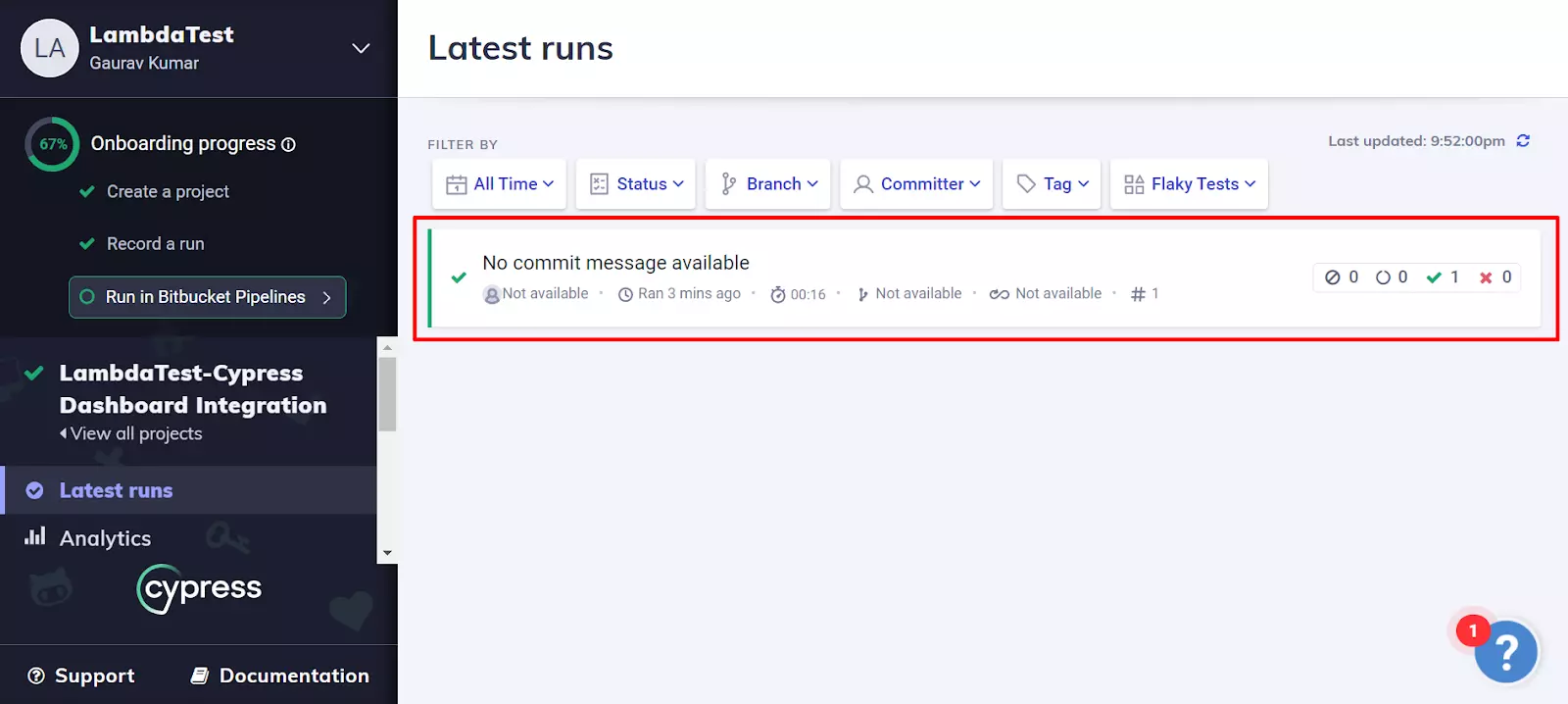
That�s all! In case you have any questions or need any additional information, you could reach out at our [24X7 Chat Support] or mail us directly at [email protected].
Using the Cypress Agent Skill with TestMu AI
The cypress-skill is a part of TestMu AI Skills that guide AI coding assistants in generating production-ready test automation.
The cypress-skill package includes:
cypress-skill/
├── SKILL.md
└── reference/
    ├── playbook.md
    └── advanced-patterns.md
It provides structured guidance for:
- Project structure and setup
- Dependency configuration
- Local execution
- TestMu AI cloud execution
- Debugging patterns
- CI/CD integration
Installing Cypress Agent Skill
Install a Cypress Agent Skill using the command below:
# Clone the repo and copy the skill you need
git clone https://github.com/LambdaTest/agent-skills.git
cp -r agent-skills/cypress-skill .claude/skills/

# Or for Cursor / Copilot
cp -r agent-skills/cypress-skill .cursor/skills/
Note: If you prefer installing all available framework skills instead of only cypress-skill, clone the repository directly into your tool's skills directory (for example, .claude/skills/, .cursor/skills/, .gemini/skills/, or .agent/skills/).

 Chat with Us
 Ask the Community