Deleting Your TestMu AI Account
This documentation will guide you through the steps to delete your TestMu AI account.
Deleting Freemium Account
If you are a TestMu AI freemium user, you can follow the below steps to delete your account.
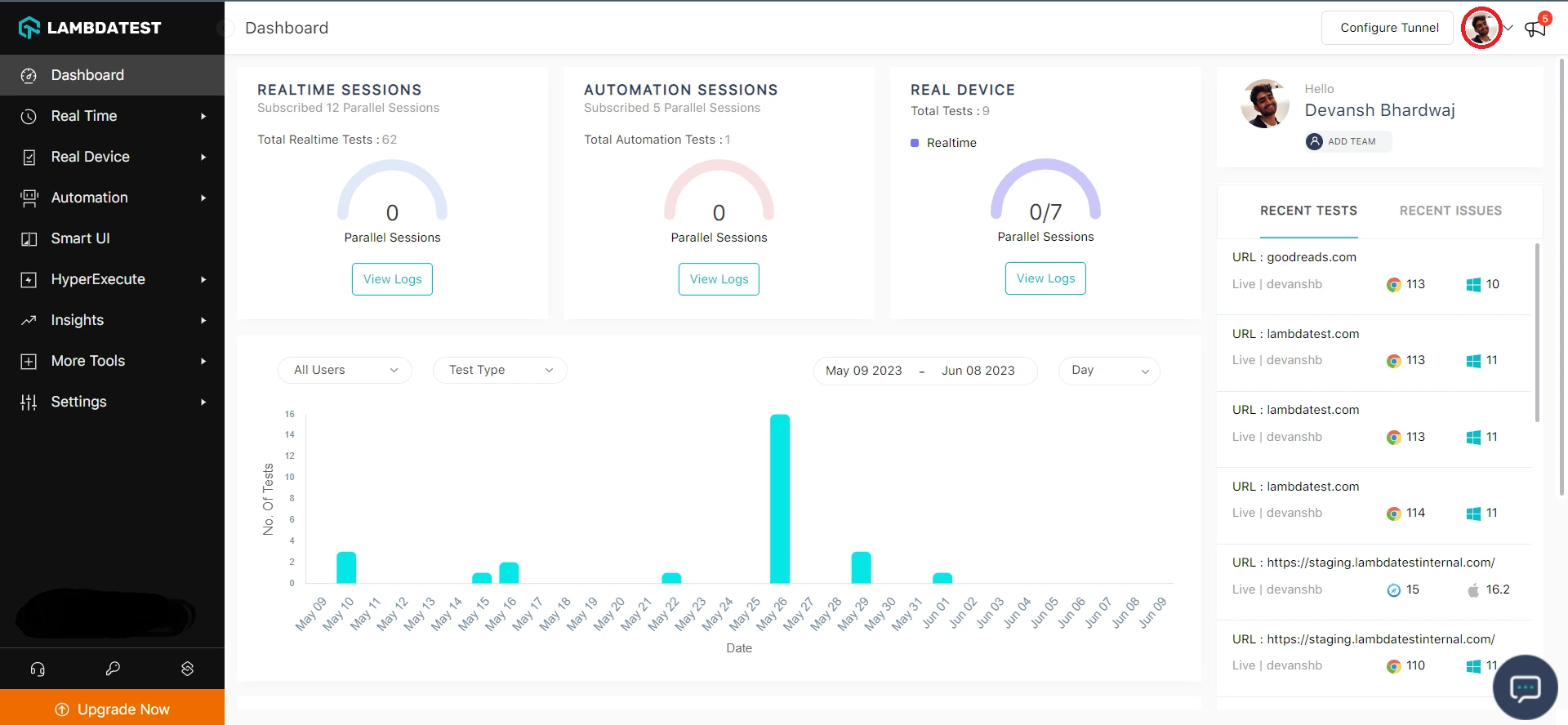
Step 1: Login to your TestMu AI account. Navigate to the upper-right corner and click on 'Profile'.
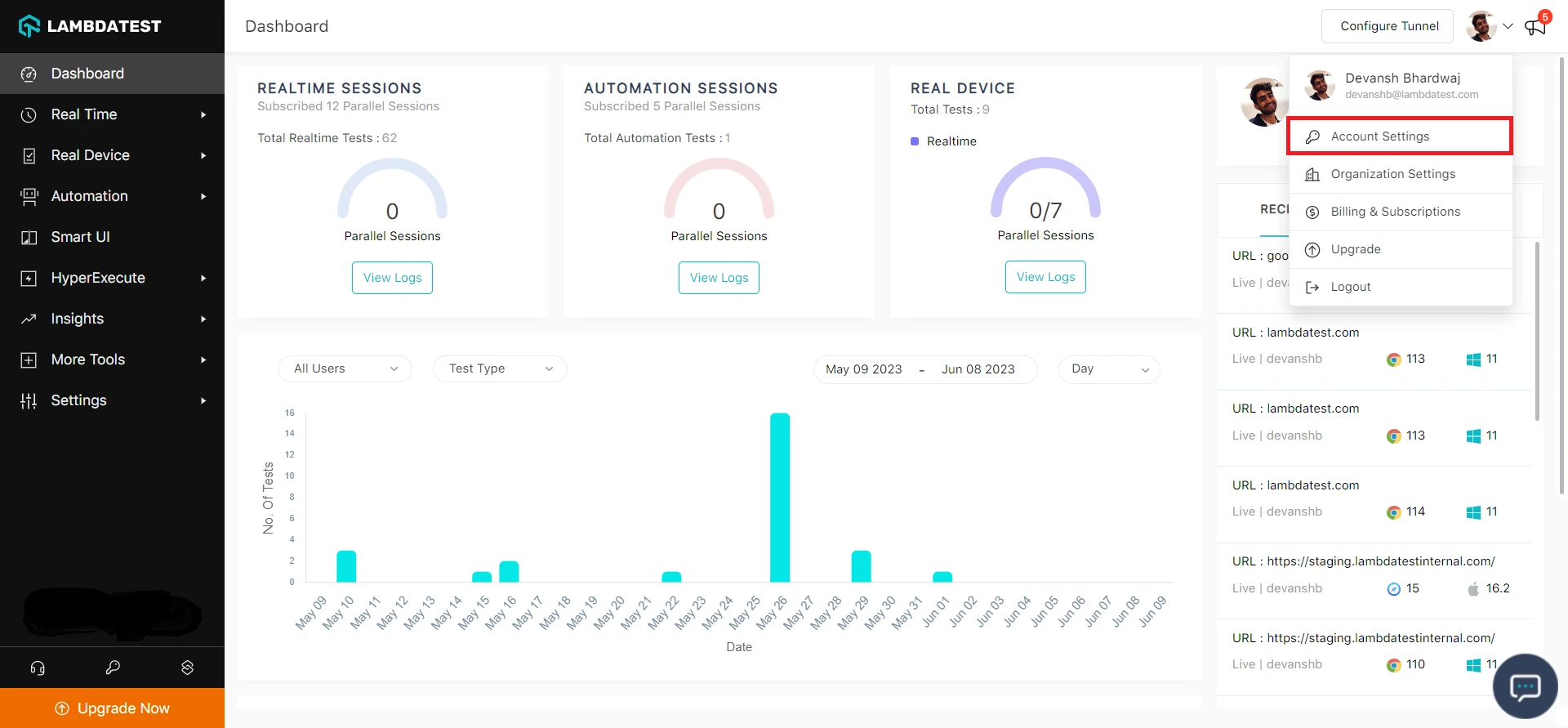
Step 2: From the dropdown, click on Account Settings.
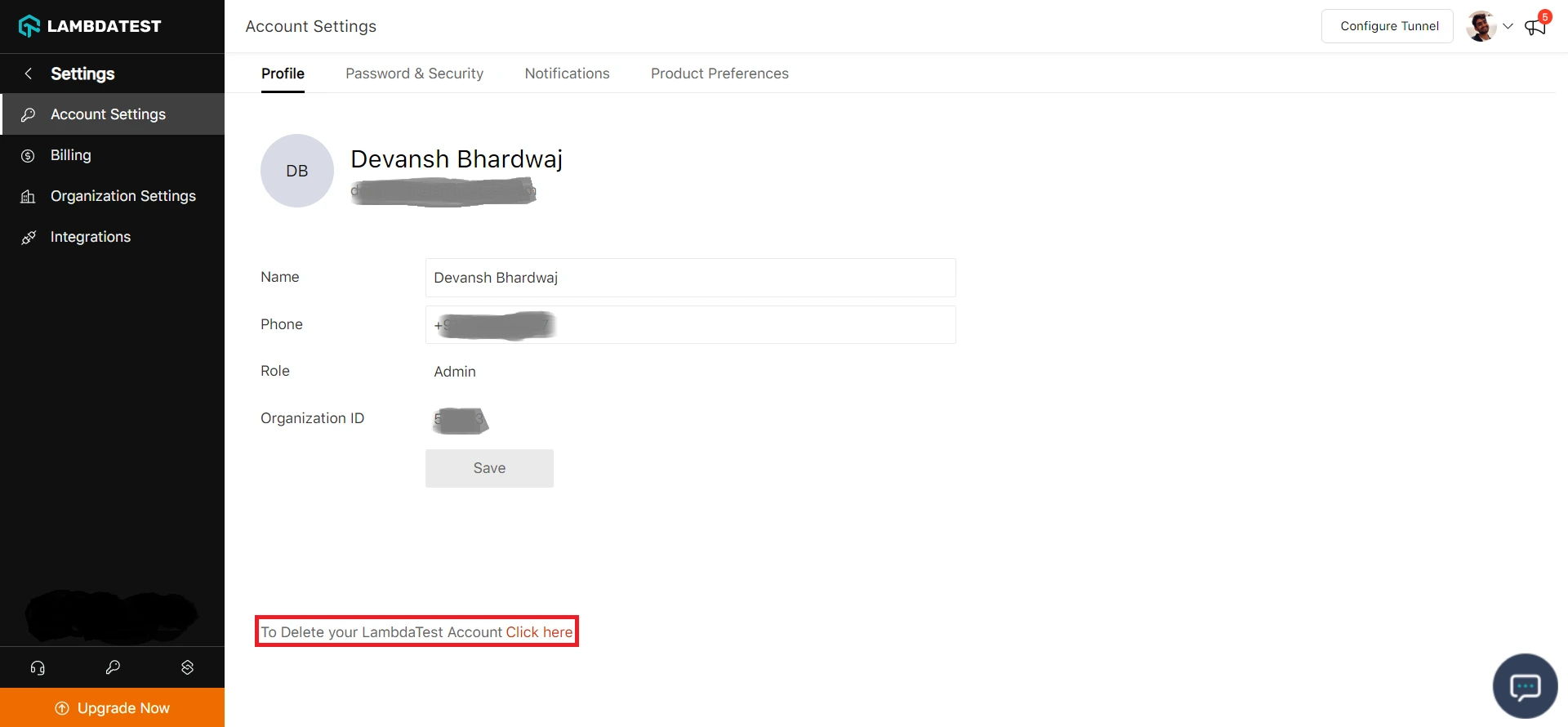
Step 3: To delete your TestMu AI account, head to the Click Here option.
Step 4: An email notification will be sent to your registered e-mail address. An email will consist of the further instruction you need to follow for deleting your TestMu AI account.
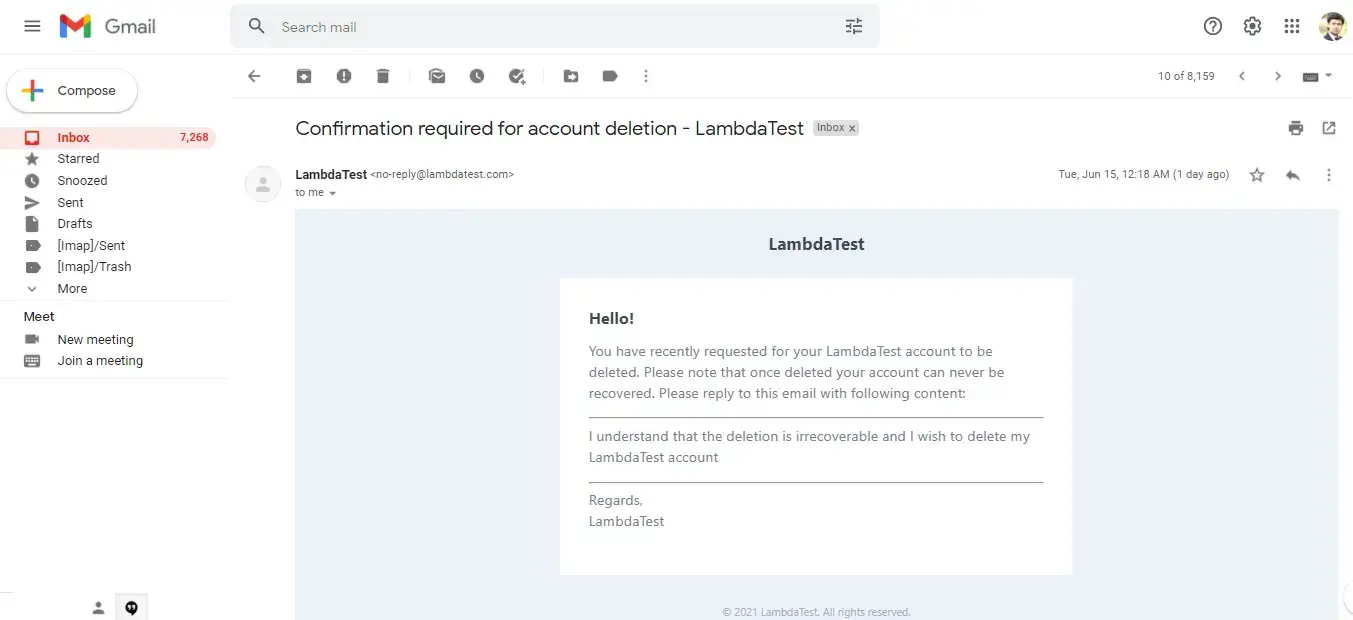
Read the instructions and reply as stated in the e-mail.
I understand that the deletion is irrecoverable and I wish to delete my TestMu AI account.
Step 5: Once your request is processed, your TestMu AI account will be deleted.
Deleting Premium Account
If you are a premium user and wish to delete your account, you will need to cancel your current plan subscription. Once your plan gets expired, you can follow the above-mentioned steps to delete your account. For canceling the current plan subscription, refer to Manage Subscriptions.
Deleting Premium Account Of A Team Member
If you are a member of the TestMu AI organization's team, you will need to seek permission from the team's administrator to remove you from the team. Once removed, you can follow the steps mention in Deleting Premium Account to delete your account.
Removing Member From The Team
As an admin, you can remove the members from an organization.
Step 1: Login to your TestMu AI account. Navigate to the upper-right corner and click on 'Profile'.
Step 2: From the dropdown, click on Account Settings.
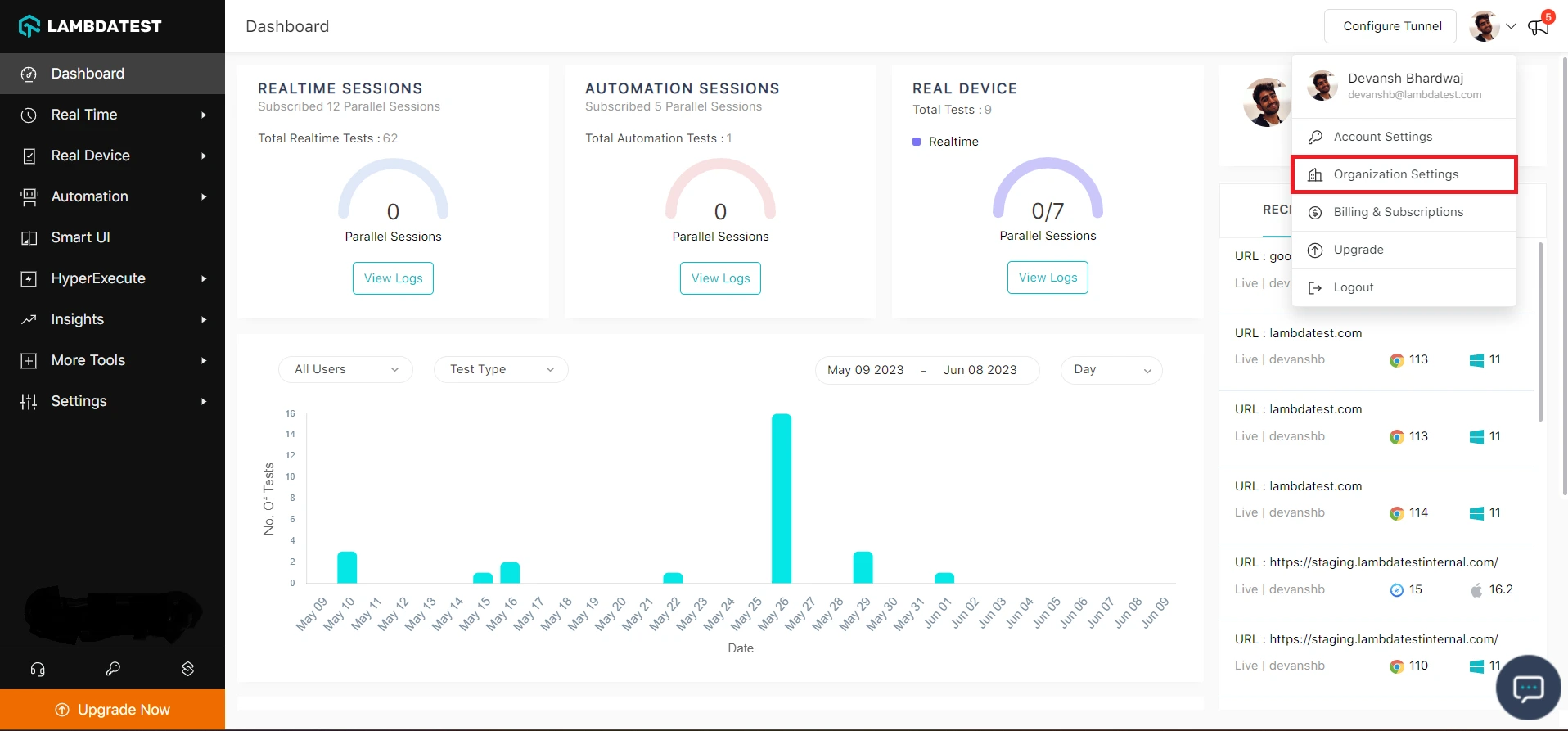
Step 3: Navigate to the user that you want to delete. Click on the three dots next to the user.
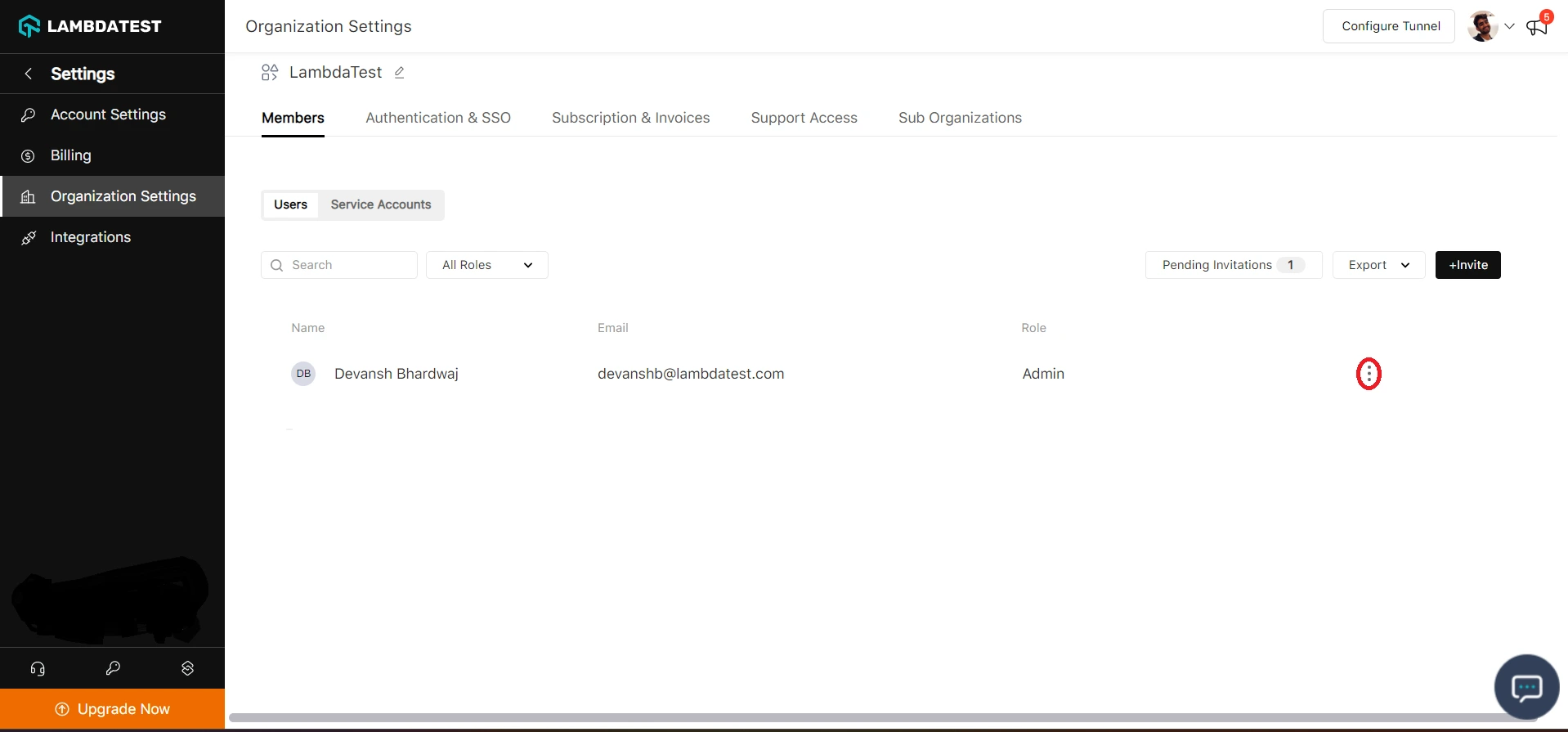
Step 4: From the dropdown, Click on 'Delete'.
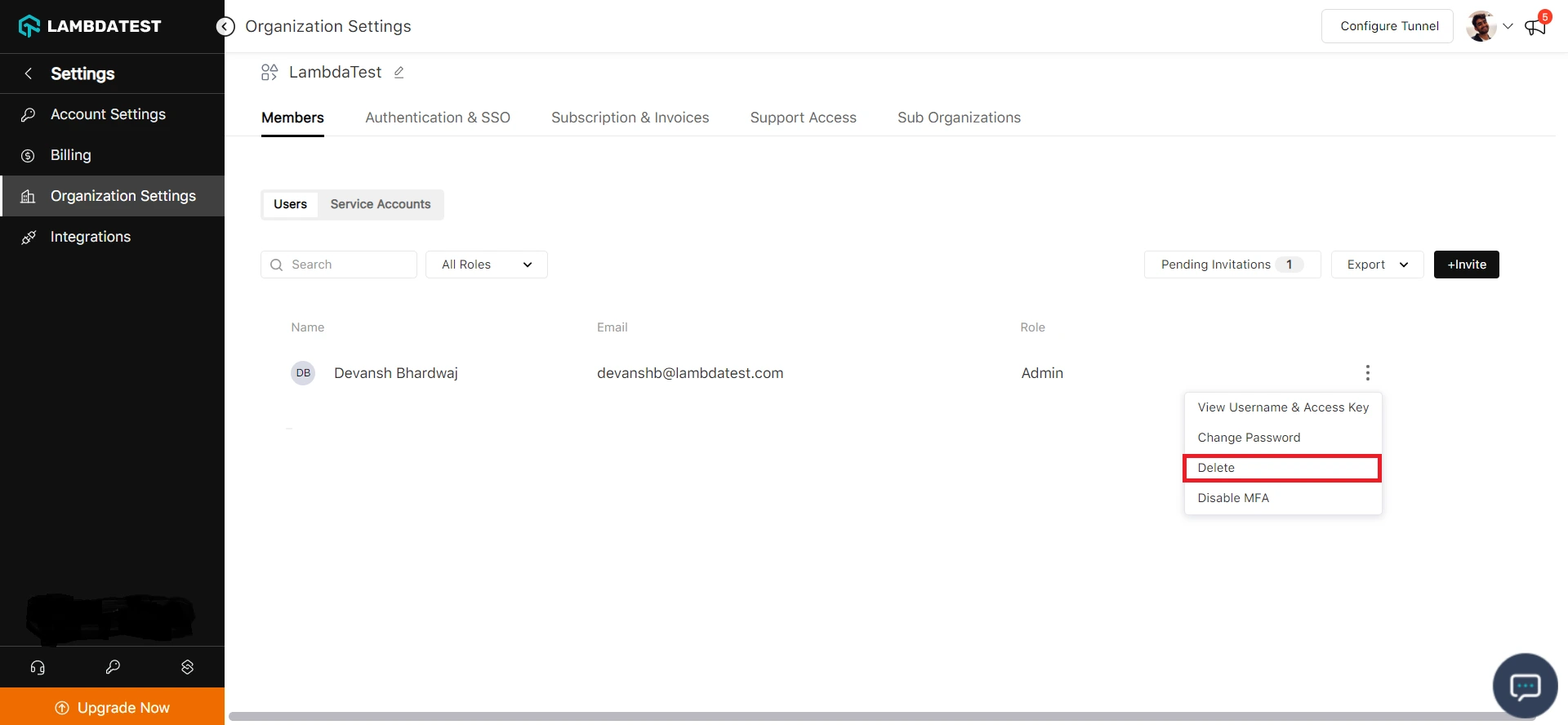
Step 5: A popup box will appear, Click on 'Delete'.
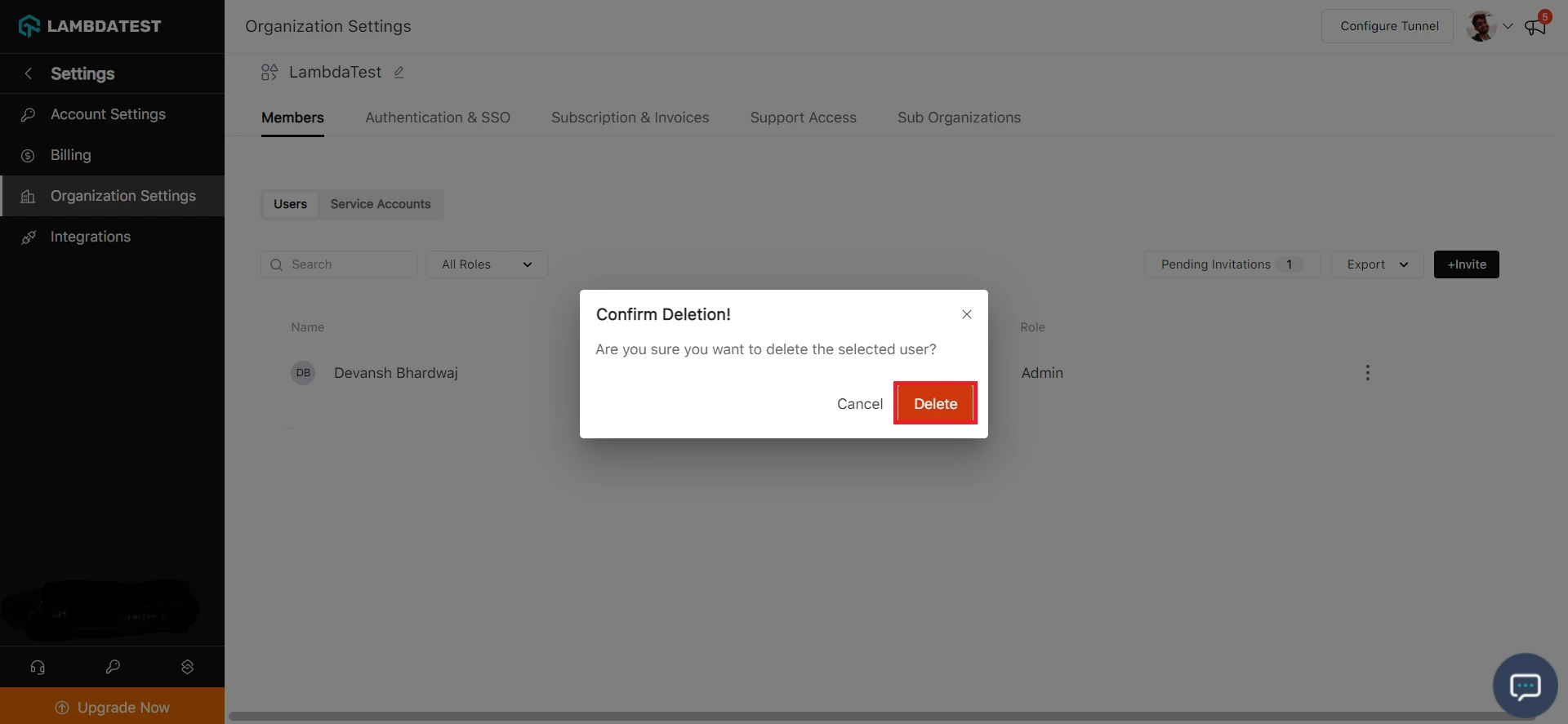 The user will be removed successfully.
In case you have any questions or need any additional information regarding TestMu AI account deletion, you can contact at our 24/7 Chat Support or mail us at [email protected].

 Chat with Us
 Ask the Community