GPS Location Mocking for Mobile App and Browser Authoring
This document provides detailed instructions for utilizing the GPS Location Override feature in KaneAI for both Mobile App and Mobile Browser testing. It covers how to set GPS coordinates at the start of a session as well as within a running session to test location-based application behavior accurately.
Overview
Testing location-based application behavior (such as geo-restricted content, regional UI, compliance flows, or location-aware features) is challenging when device GPS coordinates are dynamic or tied to the physical location of the tester.
The GPS Location Override feature solves this problem by allowing users to explicitly define latitude and longitude values both during session initialization and while an authoring session is in progress. This ensures consistent, repeatable, and deterministic testing of location-dependent scenarios on supported mobile devices.
This feature is supported for both Mobile App and Mobile Browser sessions. For both sessions, GPS location can also be changed within a running session.
How To Use
Select GPS location while Authoring App Test
While creating a test session, go to Advanced Settings and enable GPS location mocking option. Either include the location Coordinates or search for a particular location from the map. Ensure the coordinates fall within the allowed ranges:
- Longitude: -180 to 180
- Latitude: -90 to 90
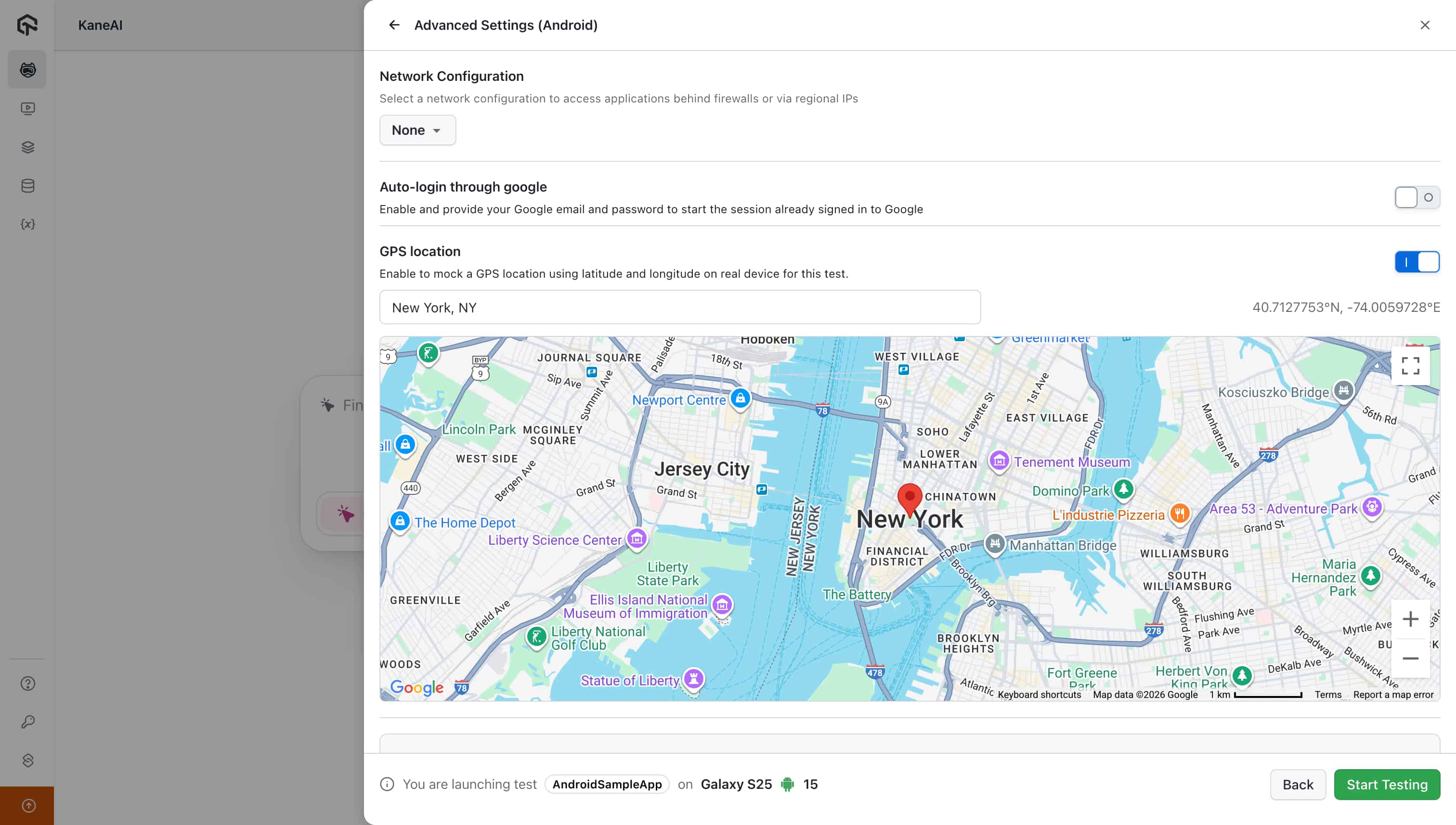
Start the Session
- Launch the session after providing the coordinates.
- The device GPS location is mocked at session start.
- The configured location remains active until it is updated during the session.
Verify the Applied Location
GPS coordinates can be verified:
- Inside the running session by clicking Advanced Settings
- On the Session Summary page after execution
- During Edit Test, the coordinates used in authoring are autoselected in playground
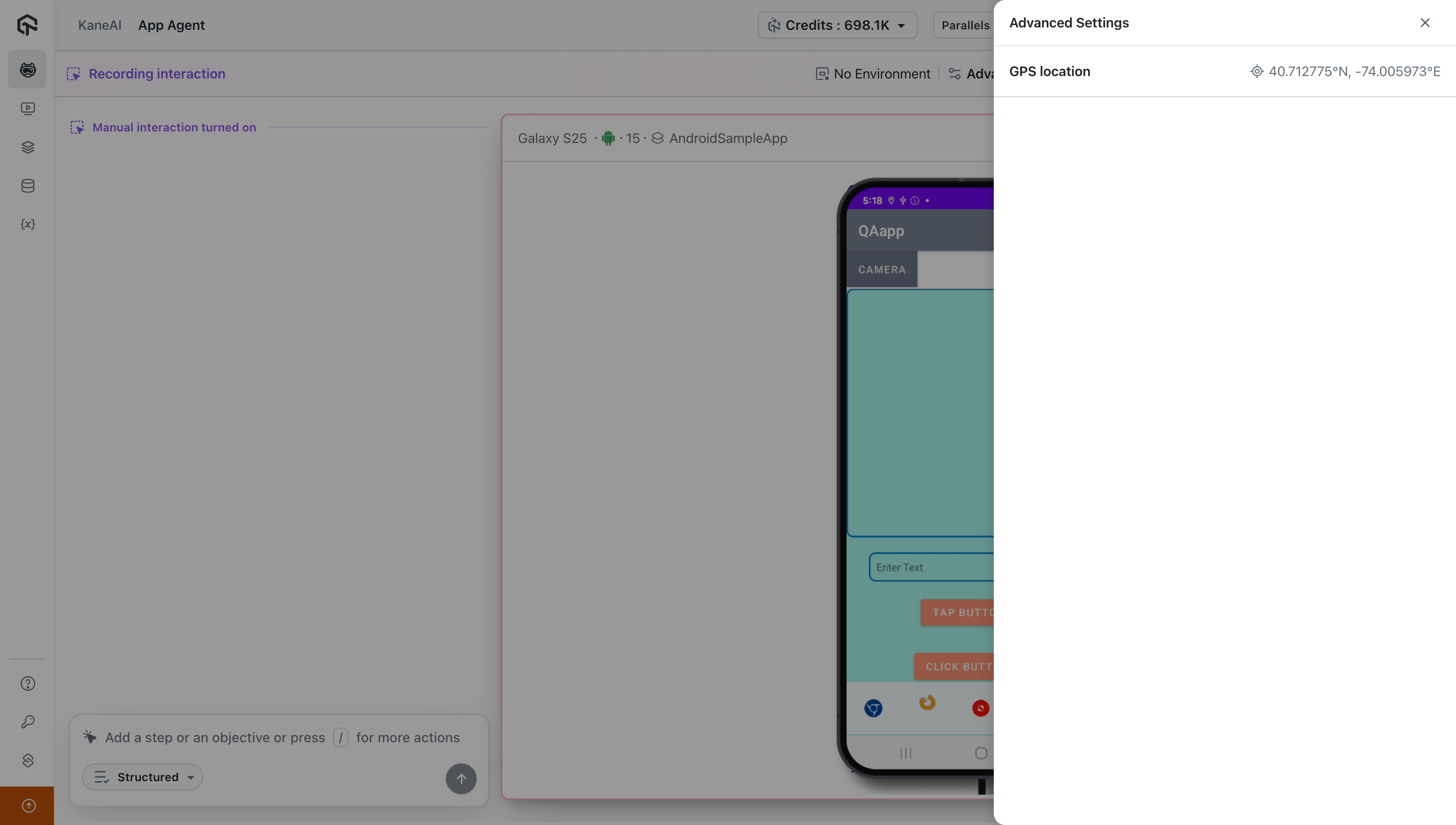
Update GPS Location During an Active Session
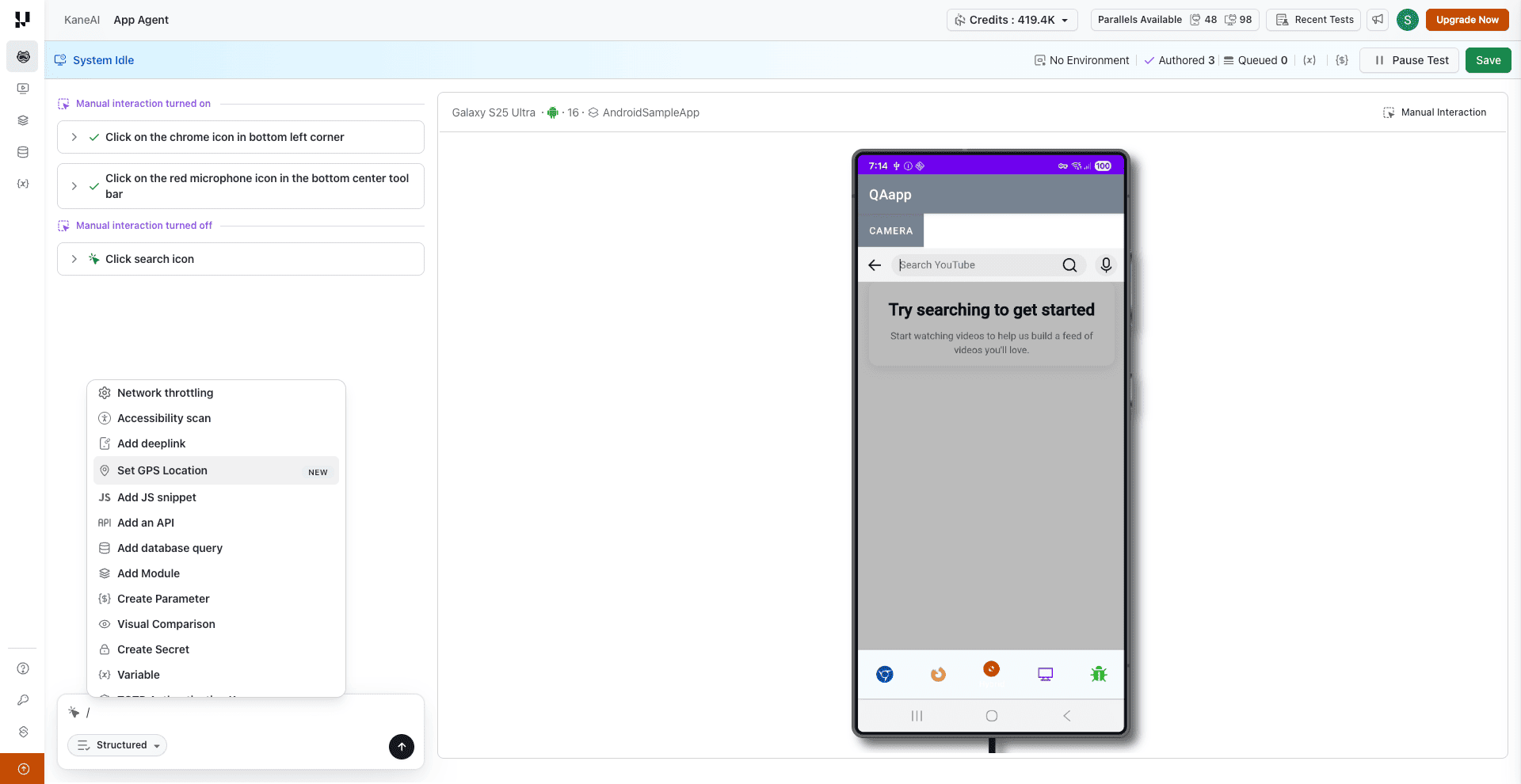
You can also set or update the GPS location while an authoring session is already running using the slash command. This is useful when your test flow requires the device location to change mid-session (e.g., simulating a user traveling between cities).
Step 1: Inside an active authoring session, type / in the action input field to open the slash command menu. Select Set GPS Location.
Step 2: In the Select GPS Location modal, search for a location by name or enter latitude and longitude coordinates directly. The map preview updates to reflect the selected position.
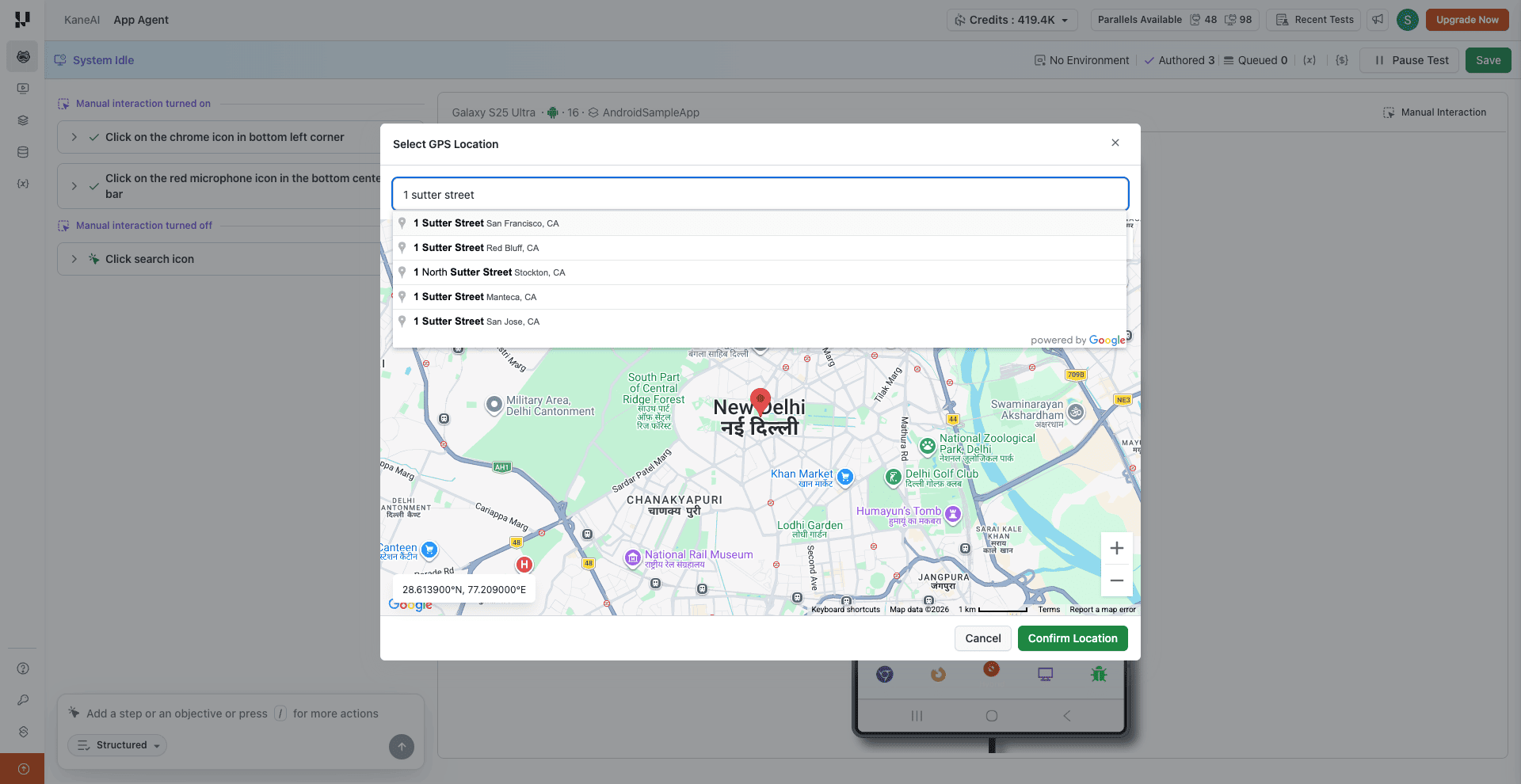
Step 3: Click Confirm Location to apply the new GPS coordinates. A success notification confirms the update, and the new coordinates are recorded as a step in your test.
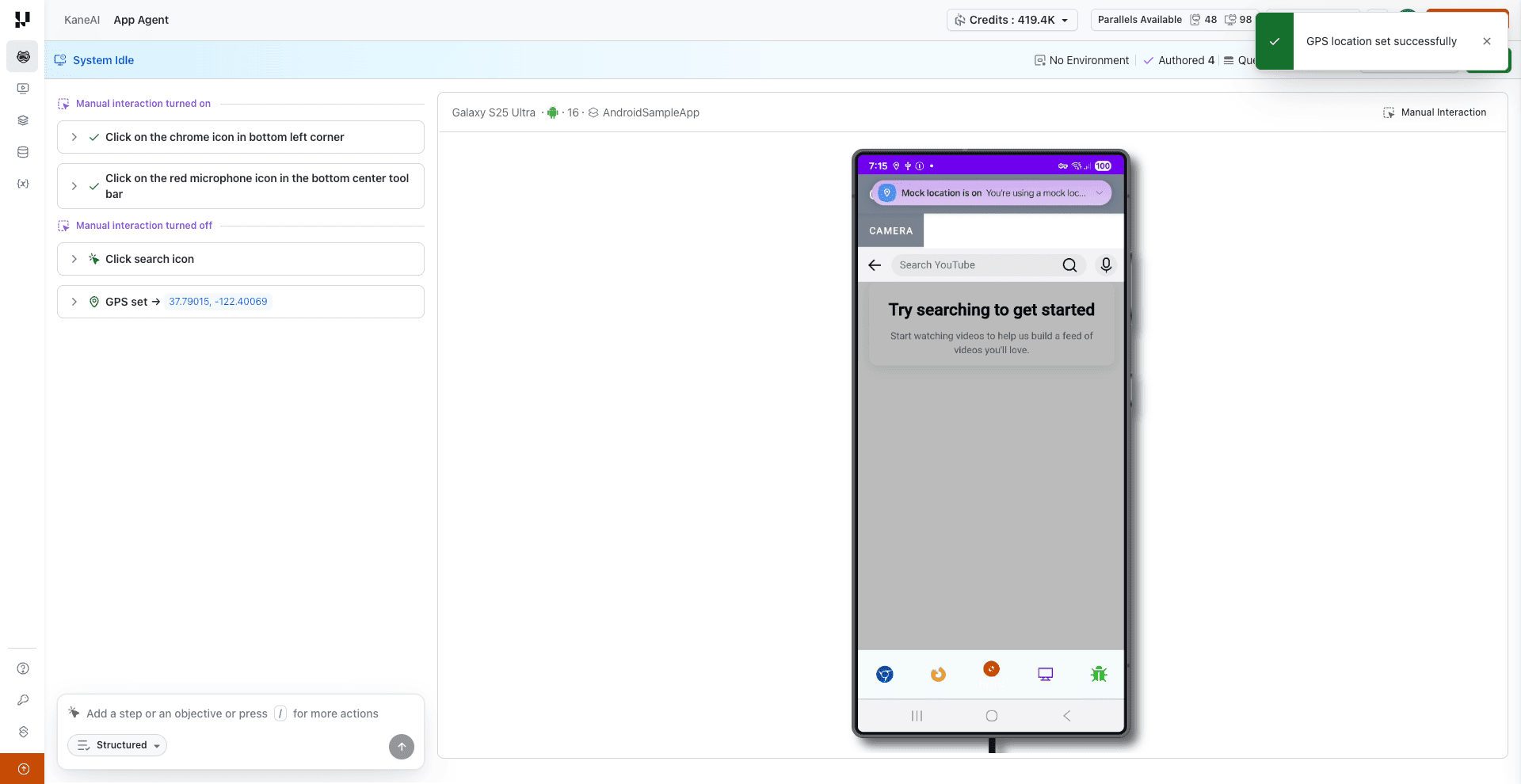
The updated GPS location takes effect immediately on the device and remains active until changed again or the session ends.
Limitations
- GPS override is applied only during session initialization and can be changed mid-session.
- Replay/Edit sessions reuse GPS values from the original session.
Troubleshooting
Invalid Latitude or Longitude Error
Issue: Session fails to start due to a validation error.
Cause:
- Longitude is less than -180 or greater than 180
- Latitude is less than -90 or greater than 90
Resolution:
- Verify that latitude and longitude values are within valid ranges
- Ensure values are passed as valid numbers or numeric strings
Have any feedback or request? Reach out to us via [email protected] and we would be happy to hear from you.

 Chat with Us
 Ask the Community