Authentication
Authenticate your Cypress test runs in the following ways -
- Set up the environment variables. (or)
- Utilizing the CLI params. (or)
- Mention your username and access key in the lambdatest-config.json.
Utilizing CLI Params:
The following args can be used while running tests using the run command.
| Arg | Shorthand | Accepted values |
|---|---|---|
| --username | --user | Your TestMu AI username |
| --access_key | --ak | Your TestMu AI access key |
For example -
lambdatest-cypress run --username=undefined --ak=undefined
Using lambdatest-config.json:
The auth option will help you in specifying your username and access key. You can find your username and access key in the TestMu AI Automation Dashboard. Both, the auth credentials set in environment variables and the ones mentioned in the lambdatest-config.json file will get overridden.
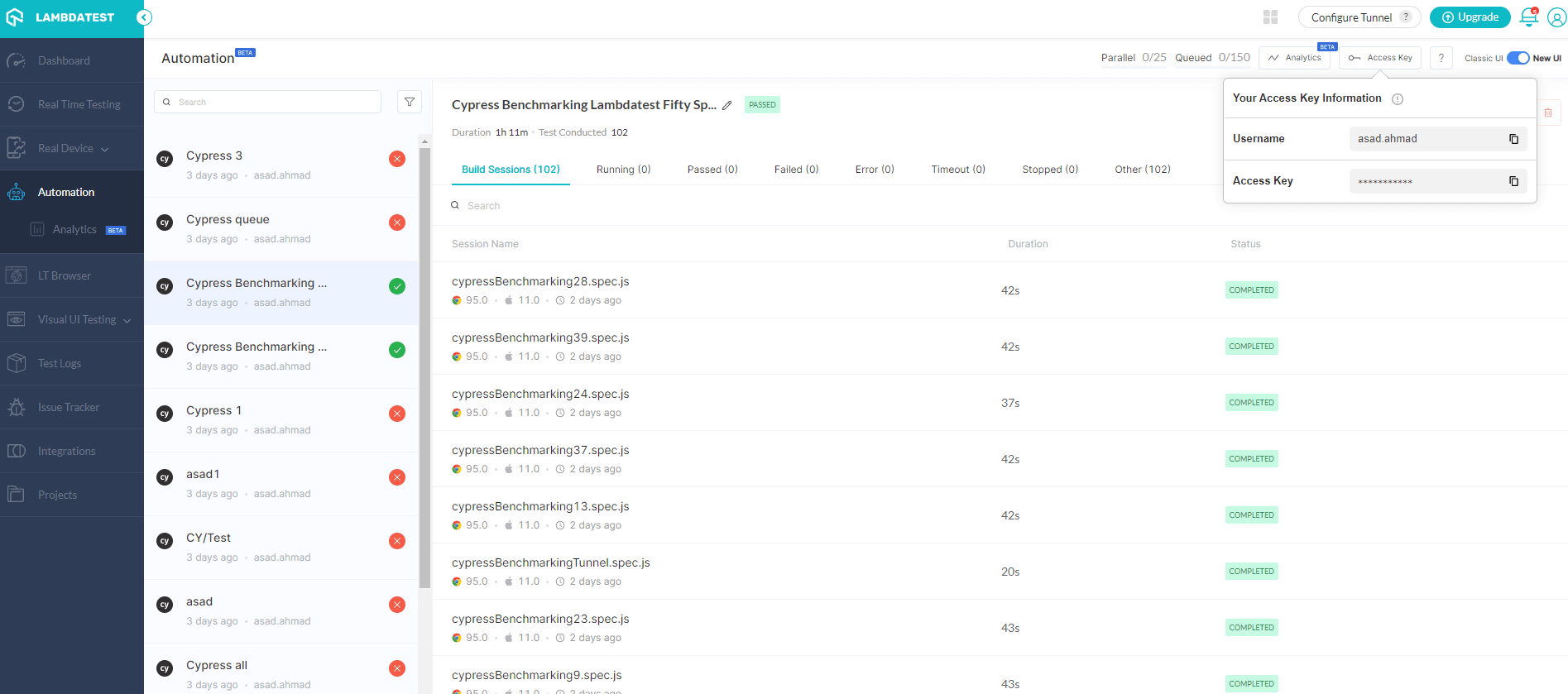
The options supported in the auth are as follows:
| Arg | Accepted values |
|---|---|
| username | Your TestMu AI username |
| access_key | Your TestMu AI access key |
For example -
"lambdatest_auth": {
      "username": "<your username>",
      "access_key": "<your access key>"
   },
Setup the Environment Variables:
While utilizing the CLI params, you can set up the following environment variables.
| Env variable | Accepted values |
|---|---|
| LT_USERNAME | Your TestMu AI username |
| LT_ACCESS_KEY | Your TestMu AI access key |
Or you can also set environment variables using following commands:
- Linux / MacOS
- Windows
export LT_USERNAME="undefined" \
export LT_ACCESS_KEY="undefined"
set LT_USERNAME="undefined" `
set LT_ACCESS_KEY="undefined"
By doing so, the auth credentials you use in your lambdatest-config.json file will get overridden only if these options are not provided in lambdatest-config.json file.

 Chat with Us
 Ask the Community