Report Bugs on your Integration tools from TestMu AI Accessibility Testing
The Bug Reporting feature in TestMu AI Accessibility Testing helps you to efficiently log, track, and manage accessibility issues identified during testing. This feature ensures seamless collaboration between testers and developers by integrating with popular issue tracking tools.
Key Features
- Integration with Issue Tracking Tools : Supports integrations with Jira, Trello, Asana, GitHub, GitLab, and Slack.
- Detailed Issue Reports : Capture essential details such as element selectors, contrast issues, ARIA violations, and WCAG compliance errors.
- Team Collaboration : Assign bugs to team members, set priorities, and track resolution status.
Steps to Report a Bug
Prerequisite
- Integrate your TestMu AI account with your required Bug Tracker platform.
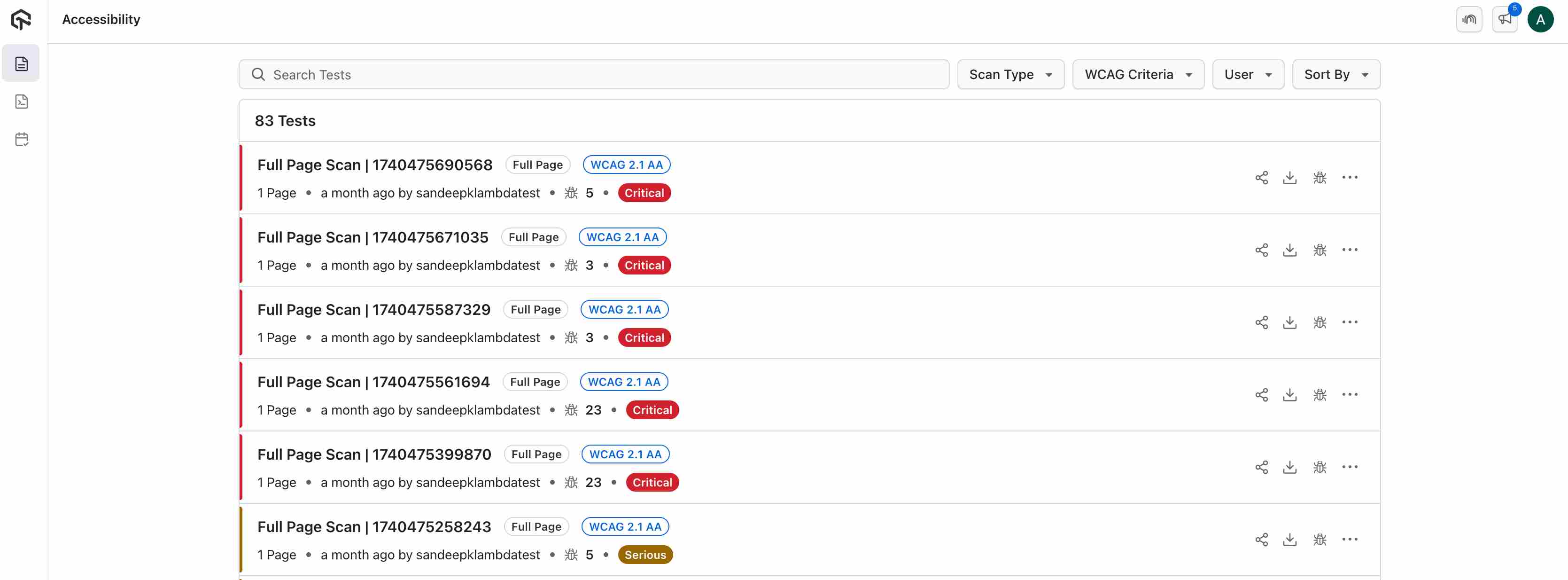
Step 1. Navigating to Accessibility Test Report
- Navigate to Accessibility section in your TestMu AI dashboard.
- Go to the Manual/Automation Reports.
- Select the report for which you want to mark it as Bug.
Step 2. Reporting an Issue
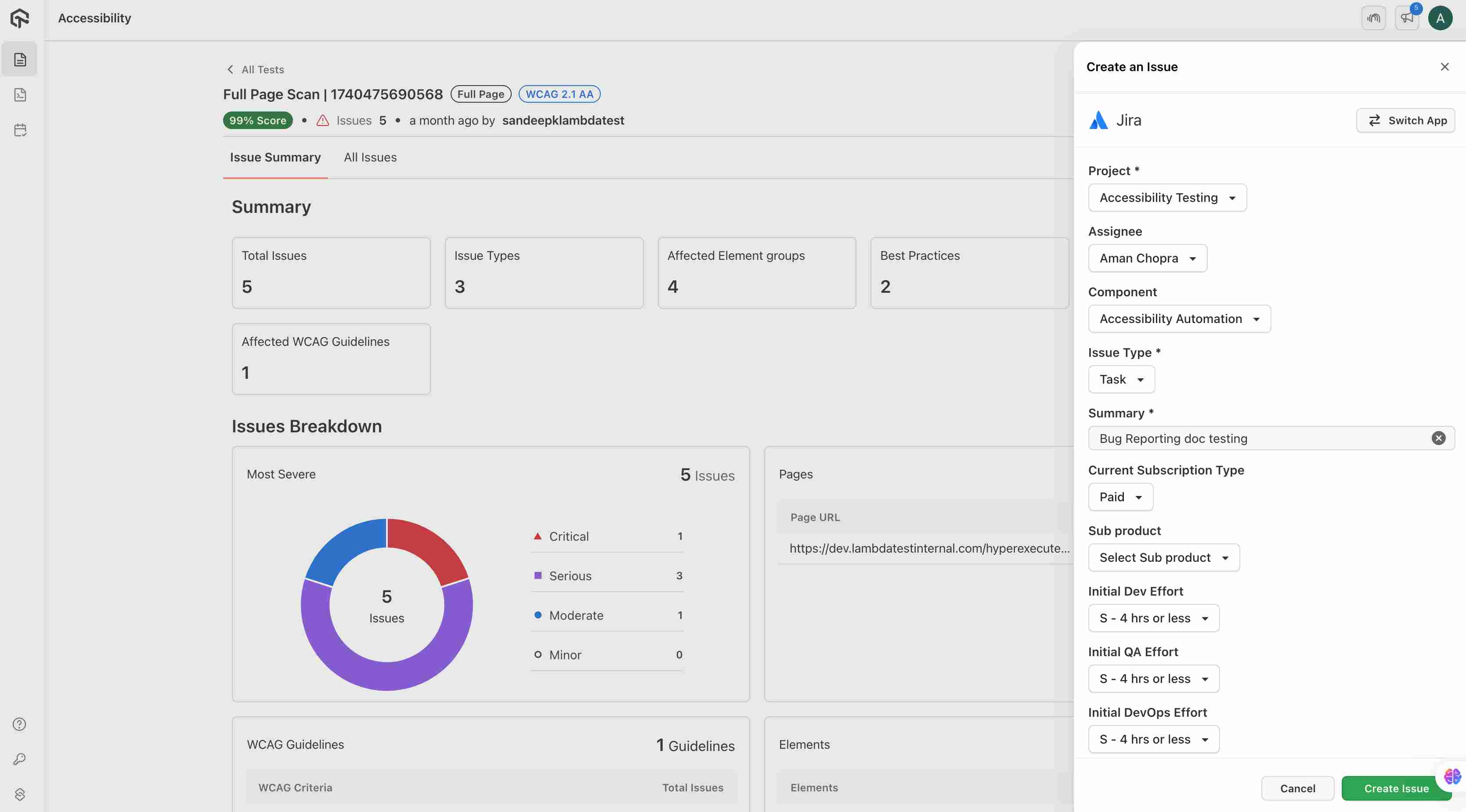
- Click on the Report Bug icon in the top right cornter.
- A pop-up window will open, fill up the details and create a issue for the same.
- The issue will be notified in your selected bug reporting platform.

 Chat with Us
 Ask the Community